
Unlocking Warframe-Style Combat: Building Advanced Weapon Systems in Unreal Engine 5
A deep dive into creating elemental weapons, from primary guns to melee, for your UE5 project.
Embarking on the creation of a game with the intricate systems of Digital Extremes' Warframe is a monumental endeavor. It's important to note that Warframe itself was built using its proprietary Evolution Engine, a heavily modified game engine tailored to its specific needs. However, the powerful and flexible Unreal Engine 5 (UE5) provides an excellent platform to develop games with similarly complex mechanics, including advanced movement, ability systems, and, crucially, dynamic weapon systems with elemental properties. This guide will walk you through the foundational steps to design and implement a modular weapon system in UE5, featuring elemental attributes, primary and secondary firearms, and a melee weapon, drawing inspiration from Warframe's engaging combat.
Key Highlights: Crafting Your Arsenal
- Understand Core Architecture: Learn to structure a flexible weapon system using C++ base classes and Blueprints for customization, ensuring scalability for diverse weapon types.
- Implement Elemental Damage: Discover how to define and integrate five distinct elemental attributes (Fire, Frost, Shock, Corrosive, Blast) into your weapons, adding strategic depth to combat.
- Build Diverse Weapon Examples: Get C++ code outlines for a primary rifle (Fire), a secondary pistol (Shock), and a melee sword (Corrosive), showcasing hitscan, projectile, and sweep-based attacks.
Foundational Pillars of a Warframe-Inspired Game
Before diving into the code, it's essential to recognize the interconnected systems that contribute to the Warframe experience. While we'll focus on weapons, a complete game would involve:
- Advanced Character Locomotion: Systems for parkour, including double jumps, wall-running, slides, and aim-gliding.
- Modular Weapon System: The focus of this guide, encompassing firearms, melee weapons, mods, and elemental damage.
- Special Ability System: Unique powers and skills for different character classes or frames.
- Sophisticated Enemy AI: Diverse enemy types with varied behaviors, attack patterns, and weaknesses.
- Mission Structures & Procedural Elements: Engaging objectives, dynamic level generation, and rewarding loot systems.
- Comprehensive UI/UX: Clear presentation of health, shields, energy, ammo, abilities, inventory, and mission information.
Replicating all these features is a long-term project requiring a dedicated team. Our goal here is to provide a solid starting point for the weapon and elemental combat systems within UE5.
Designing the Elemental Weapon System in Unreal Engine 5
We will construct a system where weapons can have elemental properties, affecting how they deal damage. This involves C++ for core logic and opens the door for Blueprint customization for specific weapon behaviors and effects.
Step 1: Defining Elemental Attributes and Damage Structure
First, we'll define our elemental types using a C++ enumeration and a structure to hold damage information.
Elemental Types Enum
This enum will list the elemental damage types available in our game.
// ElementType.h
#pragma once

#include "CoreMinimal.h"
#include "ElementType.generated.h"

UENUM(BlueprintType)
enum class EElementType : uint8
{
    None        UMETA(DisplayName = "Physical/None"),
    Fire        UMETA(DisplayName = "Fire"),
    Frost       UMETA(DisplayName = "Frost"),
    Shock       UMETA(DisplayName = "Shock"),
    Corrosive   UMETA(DisplayName = "Corrosive"),
    Blast       UMETA(DisplayName = "Blast")
};
Weapon Damage Struct
This struct will encapsulate base damage and the elemental type of the damage.
// WeaponDamage.h
#pragma once

#include "CoreMinimal.h"
#include "ElementType.h" // Make sure to include your ElementType.h
#include "WeaponDamage.generated.h"

USTRUCT(BlueprintType)
struct FWeaponDamage
{
    GENERATED_BODY()

    UPROPERTY(EditAnywhere, BlueprintReadWrite, Category = "Damage")
    float BaseDamage;

    UPROPERTY(EditAnywhere, BlueprintReadWrite, Category = "Damage")
    EElementType ElementType;

    UPROPERTY(EditAnywhere, BlueprintReadWrite, Category = "Damage")
    float ElementalEffectChance; // 0.0 to 1.0 for proc chance

    UPROPERTY(EditAnywhere, BlueprintReadWrite, Category = "Damage")
    float ElementalEffectDamage; // Additional damage or potency for the effect

    FWeaponDamage()
    {
        BaseDamage = 10.f;
        ElementType = EElementType::None;
        ElementalEffectChance = 0.25f;
        ElementalEffectDamage = 5.f;
    }
};
Step 2: Base Weapon Class (C++)
A robust base class is crucial for a modular weapon system. This AWeaponBase actor will hold common properties and functions for all weapons.
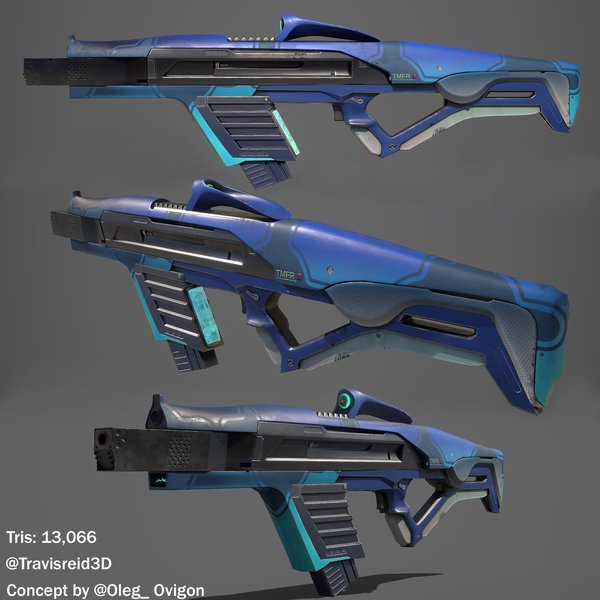
Conceptual Sci-Fi Weapon Design (Image: Reddit r/Maya)
WeaponBase.h
// WeaponBase.h
#pragma once

#include "CoreMinimal.h"
#include "GameFramework/Actor.h"
#include "WeaponDamage.h" // Include your damage struct
#include "WeaponBase.generated.h"

UCLASS(Abstract) // Abstract class, meant to be inherited from
class YOURPROJECT_API AWeaponBase : public AActor
{
    GENERATED_BODY()

public:
    AWeaponBase();

    UPROPERTY(VisibleAnywhere, BlueprintReadOnly, Category = "Components")
    USceneComponent* Root;

    UPROPERTY(VisibleAnywhere, BlueprintReadOnly, Category = "Components")
    USkeletalMeshComponent* WeaponMesh;

    UPROPERTY(EditDefaultsOnly, BlueprintReadOnly, Category = "Weapon Stats")
    FWeaponDamage DamageInfo;

    UPROPERTY(EditDefaultsOnly, BlueprintReadOnly, Category = "Weapon Stats")
    float FireRate; // Shots per second for guns, attacks per second for melee

    UPROPERTY(EditDefaultsOnly, BlueprintReadOnly, Category = "Weapon Stats", meta = (EditCondition = "bIsRangedWeapon"))
    int32 MaxAmmo;

    UPROPERTY(BlueprintReadOnly, Replicated, Category = "Weapon Stats", meta = (EditCondition = "bIsRangedWeapon"))
    int32 CurrentAmmo;

    UPROPERTY(EditDefaultsOnly, BlueprintReadOnly, Category = "Weapon Stats")
    bool bIsRangedWeapon; // True for guns, false for melee

    // Called to fire/attack
    UFUNCTION(BlueprintCallable, Category = "Weapon Actions")
    virtual void PrimaryAction();

    // Called to start reload (for ranged)
    UFUNCTION(BlueprintCallable, Category = "Weapon Actions", meta = (EditCondition = "bIsRangedWeapon"))
    virtual void Reload();

    // Equipping and Unequipping logic can be handled here or in character
    virtual void Equip();
    virtual void Unequip();

protected:
    virtual void BeginPlay() override;
    virtual void GetLifetimeReplicatedProps(TArray<FLifetimeProperty>& OutLifetimeProps) const override;

    FTimerHandle TimerHandle_FireRate;
    bool bCanFire;

    void ResetFire();

    // Helper for hitscan fire (implement in derived classes or here if generic enough)
    virtual void PerformHitscanTrace(FHitResult& OutHit, const FVector& StartTrace, const FVector& EndTrace);

    // Helper to apply damage
    virtual void ApplyWeaponDamage(const FHitResult& HitResult, const FVector& ShotDirection);
};
WeaponBase.cpp (Simplified)
// WeaponBase.cpp
#include "WeaponBase.h"
#include "Components/SkeletalMeshComponent.h"
#include "Kismet/GameplayStatics.h"
#include "Net/UnrealNetwork.h" // For DOREPLIFETIME

AWeaponBase::AWeaponBase()
{
    PrimaryActorTick.bCanEverTick = false;
    bReplicates = true; // Important for multiplayer

    Root = CreateDefaultSubobject<USceneComponent>(TEXT("RootComponent"));
    SetRootComponent(Root);

    WeaponMesh = CreateDefaultSubobject<USkeletalMeshComponent>(TEXT("WeaponMesh"));
    WeaponMesh->SetupAttachment(RootComponent);

    FireRate = 1.0f;
    MaxAmmo = 30;
    CurrentAmmo = MaxAmmo;
    bIsRangedWeapon = true; // Default to ranged
    bCanFire = true;
}

void AWeaponBase::GetLifetimeReplicatedProps(TArray<FLifetimeProperty>& OutLifetimeProps) const
{
    Super::GetLifetimeReplicatedProps(OutLifetimeProps);
    DOREPLIFETIME(AWeaponBase, CurrentAmmo);
}

void AWeaponBase::BeginPlay()
{
    Super::BeginPlay();
    CurrentAmmo = MaxAmmo; // Initialize ammo
}

void AWeaponBase::PrimaryAction()
{
    // Basic implementation: override in child classes for specific fire/attack logic
    // UE_LOG(LogTemp, Warning, TEXT("Base PrimaryAction called."));
}

void AWeaponBase::Reload()
{
    if (bIsRangedWeapon && CurrentAmmo < MaxAmmo)
    {
        // Implement reload logic (e.g., timer, animation event)
        // UE_LOG(LogTemp, Warning, TEXT("Reloading... (Implement me!)"));
        CurrentAmmo = MaxAmmo; // Simplified reload
    }
}

void AWeaponBase::Equip()
{
    // Logic to run when equipped (e.g., attach to character, show mesh)
    WeaponMesh->SetHiddenInGame(false);
}

void AWeaponBase::Unequip()
{
    // Logic to run when unequipped (e.g., detach, hide mesh)
    WeaponMesh->SetHiddenInGame(true);
}

void AWeaponBase::ResetFire()
{
    bCanFire = true;
}

void AWeaponBase::PerformHitscanTrace(FHitResult& OutHit, const FVector& StartTrace, const FVector& EndTrace)
{
    FCollisionQueryParams QueryParams;
    QueryParams.AddIgnoredActor(this);
    QueryParams.AddIgnoredActor(GetOwner()); // Ignore the player character
    QueryParams.bTraceComplex = true;

    GetWorld()->LineTraceSingleByChannel(OutHit, StartTrace, EndTrace, ECC_Visibility, QueryParams);
    // ECC_Visibility is a common channel, you might want a dedicated "Weapon" trace channel
}

void AWeaponBase::ApplyWeaponDamage(const FHitResult& HitResult, const FVector& ShotDirection)
{
    AActor* HitActor = HitResult.GetActor();
    if (HitActor)
    {
        // Apply base damage
        UGameplayStatics::ApplyPointDamage(
            HitActor,
            DamageInfo.BaseDamage,
            ShotDirection,
            HitResult,
            GetOwner() ? GetOwner()->GetInstigatorController() : nullptr,
            this,
            nullptr // DamageType class can be specified here
        );

        // Logic for applying elemental effects based on DamageInfo.ElementType, ElementalEffectChance etc.
        // This could involve spawning particle effects, applying status effects (DOT, slow, stun)
        // UE_LOG(LogTemp, Warning, TEXT("Applied %f damage of type %s"), DamageInfo.BaseDamage, *UEnum::GetValueAsString(DamageInfo.ElementType));
    }
}
Note: The C++ code provided is foundational. Full implementation would require handling animations, sound effects, particle systems, multiplayer replication for all actions, and more robust error checking.
Step 3: Weapon Archetypes - Examples
Primary Gun: Fire Assault Rifle (Hitscan)
This rifle will deal Fire elemental damage and use hitscan for instant bullet impact.
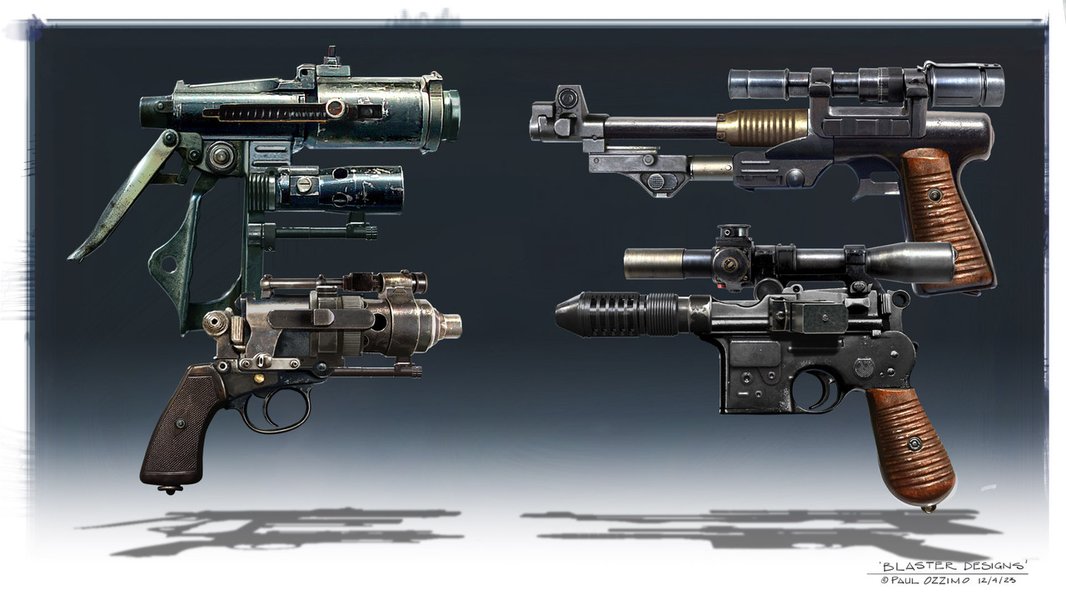
Designing Sci-Fi Weapons (Image: The Gnomon Workshop)
// PrimaryRifle.h
#pragma once

#include "CoreMinimal.h"
#include "WeaponBase.h"
#include "PrimaryRifle.generated.h"

UCLASS()
class YOURPROJECT_API APrimaryRifle : public AWeaponBase
{
    GENERATED_BODY()

public:
    APrimaryRifle();

    virtual void PrimaryAction() override;

protected:
    UPROPERTY(EditDefaultsOnly, Category = "Weapon Stats")
    float HitscanRange;

    // Muzzle flash particle, sound effects, etc.
    UPROPERTY(EditDefaultsOnly, Category = "Effects")
    UParticleSystem* MuzzleFlashEffect;

    UPROPERTY(EditDefaultsOnly, Category = "Effects")
    USoundBase* FireSound;
};

// PrimaryRifle.cpp
#include "PrimaryRifle.h"
#include "Kismet/GameplayStatics.h"
#include "DrawDebugHelpers.h" // For debug lines

APrimaryRifle::APrimaryRifle()
{
    WeaponMesh->SetSkeletalMesh(nullptr); // Assign your rifle mesh in Blueprint or here

    DamageInfo.BaseDamage = 15.f;
    DamageInfo.ElementType = EElementType::Fire;
    DamageInfo.ElementalEffectChance = 0.3f; // 30% chance to apply burn
    DamageInfo.ElementalEffectDamage = 8.f; // Burn damage per tick

    FireRate = 8.0f; // 8 shots per second
    MaxAmmo = 30;
    CurrentAmmo = MaxAmmo;
    bIsRangedWeapon = true;
    HitscanRange = 10000.f; // 100 meters
}

void APrimaryRifle::PrimaryAction()
{
    Super::PrimaryAction();

    if (!bCanFire || CurrentAmmo <= 0) return;

    if (GetOwner())
    {
        FVector EyeLocation;
        FRotator EyeRotation;
        GetOwner()->GetActorEyesViewPoint(EyeLocation, EyeRotation); // Get camera/owner view

        FVector ShotDirection = EyeRotation.Vector();
        FVector TraceEnd = EyeLocation + (ShotDirection * HitscanRange);

        FHitResult HitResult;
        PerformHitscanTrace(HitResult, EyeLocation, TraceEnd);

        if (MuzzleFlashEffect)
        {
            UGameplayStatics::SpawnEmitterAttached(MuzzleFlashEffect, WeaponMesh, FName("MuzzleSocket")); // Ensure MuzzleSocket exists
        }
        if (FireSound)
        {
            UGameplayStatics::PlaySoundAtLocation(this, FireSound, GetActorLocation());
        }

        if (HitResult.bBlockingHit)
        {
            // Apply damage to the hit actor
            ApplyWeaponDamage(HitResult, ShotDirection);
            // DrawDebugLine(GetWorld(), EyeLocation, HitResult.ImpactPoint, FColor::Red, false, 1.0f, 0, 1.f); // Debug
        }
        // else { DrawDebugLine(GetWorld(), EyeLocation, TraceEnd, FColor::Green, false, 1.0f, 0, 1.f); } // Debug miss

        CurrentAmmo--;
        bCanFire = false;
        GetWorldTimerManager().SetTimer(TimerHandle_FireRate, this, &AWeaponBase::ResetFire, 1.0f / FireRate, false);
    }
}
Secondary Gun: Shock Pistol (Projectile-Based)
This pistol fires projectiles that deal Shock elemental damage, potentially stunning enemies.
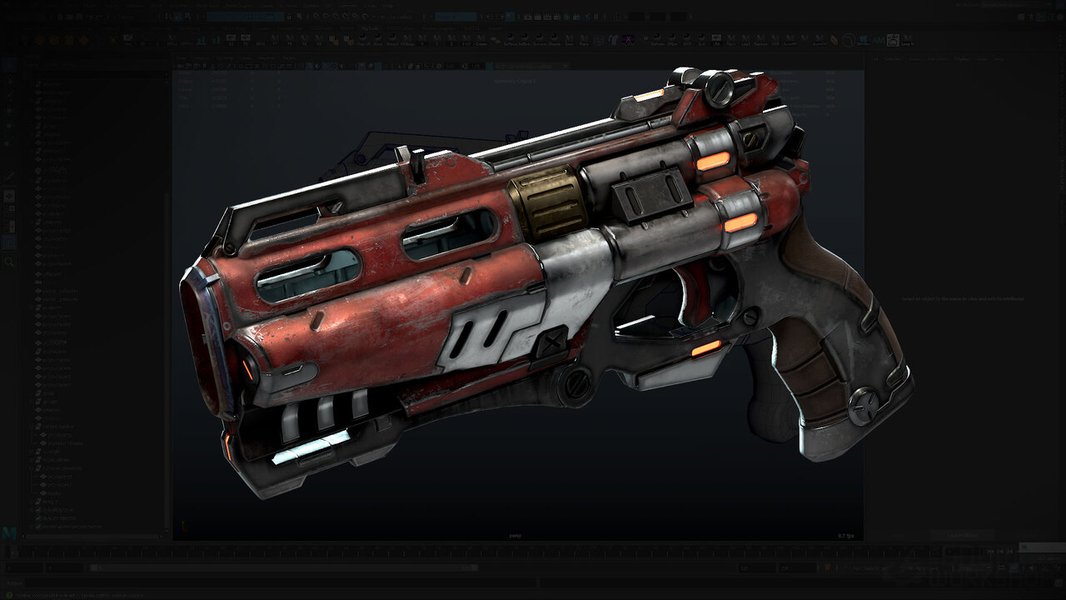
Creating a Sci-Fi Pistol (Image: The Gnomon Workshop)
// SecondaryPistol.h
#pragma once

#include "CoreMinimal.h"
#include "WeaponBase.h"
#include "SecondaryPistol.generated.h"

// Forward declare your projectile class
class ABaseProjectile;

UCLASS()
class YOURPROJECT_API ASecondaryPistol : public AWeaponBase
{
    GENERATED_BODY()

public:
    ASecondaryPistol();

    virtual void PrimaryAction() override;

protected:
    UPROPERTY(EditDefaultsOnly, Category = "Projectile")
    TSubclassOf<ABaseProjectile> ProjectileClass; // Assign your projectile Blueprint in editor

    // Muzzle offset, sound effects, etc.
    UPROPERTY(EditDefaultsOnly, Category = "Effects")
    USoundBase* FireSound;
};

// SecondaryPistol.cpp
#include "SecondaryPistol.h"
#include "BaseProjectile.h" // Include your projectile header
#include "Kismet/GameplayStatics.h"

ASecondaryPistol::ASecondaryPistol()
{
    DamageInfo.BaseDamage = 25.f;
    DamageInfo.ElementType = EElementType::Shock;
    DamageInfo.ElementalEffectChance = 0.4f; // 40% chance to apply stun/chain lightning
    DamageInfo.ElementalEffectDamage = 10.f;

    FireRate = 2.0f; // 2 shots per second
    MaxAmmo = 15;
    CurrentAmmo = MaxAmmo;
    bIsRangedWeapon = true;
}

void ASecondaryPistol::PrimaryAction()
{
    Super::PrimaryAction();

    if (!bCanFire || CurrentAmmo <= 0 || !ProjectileClass) return;

    if (GetOwner())
    {
        FVector MuzzleLocation = WeaponMesh->GetSocketLocation(FName("MuzzleSocket")); // Ensure MuzzleSocket exists
        FRotator MuzzleRotation = WeaponMesh->GetSocketRotation(FName("MuzzleSocket"));

        // For projectiles, you often want it to go towards camera aim, not just gun direction
        FVector EyeLocation;
        FRotator EyeRotation;
        GetOwner()->GetActorEyesViewPoint(EyeLocation, EyeRotation);
        MuzzleRotation = EyeRotation; // Aim with camera

        FActorSpawnParameters SpawnParams;
        SpawnParams.Owner = GetOwner();
        SpawnParams.Instigator = GetOwner()->GetInstigator();
        SpawnParams.SpawnCollisionHandlingOverride = ESpawnActorCollisionHandlingMethod::AlwaysSpawn;

        ABaseProjectile* SpawnedProjectile = GetWorld()->SpawnActor<ABaseProjectile>(ProjectileClass, MuzzleLocation, MuzzleRotation, SpawnParams);
        if (SpawnedProjectile)
        {
            SpawnedProjectile->SetDamageInfo(DamageInfo); // Pass damage info to projectile
        }

        if (FireSound)
        {
            UGameplayStatics::PlaySoundAtLocation(this, FireSound, GetActorLocation());
        }

        CurrentAmmo--;
        bCanFire = false;
        GetWorldTimerManager().SetTimer(TimerHandle_FireRate, this, &AWeaponBase::ResetFire, 1.0f / FireRate, false);
    }
}
Note: You'll need to create a ABaseProjectile C++ class (or Blueprint equivalent) that handles its own movement, collision, and damage application on impact.
Melee Weapon: Corrosive Sword (Sweep Attack)
This sword will deal Corrosive elemental damage, potentially reducing enemy armor, using a sweep attack.
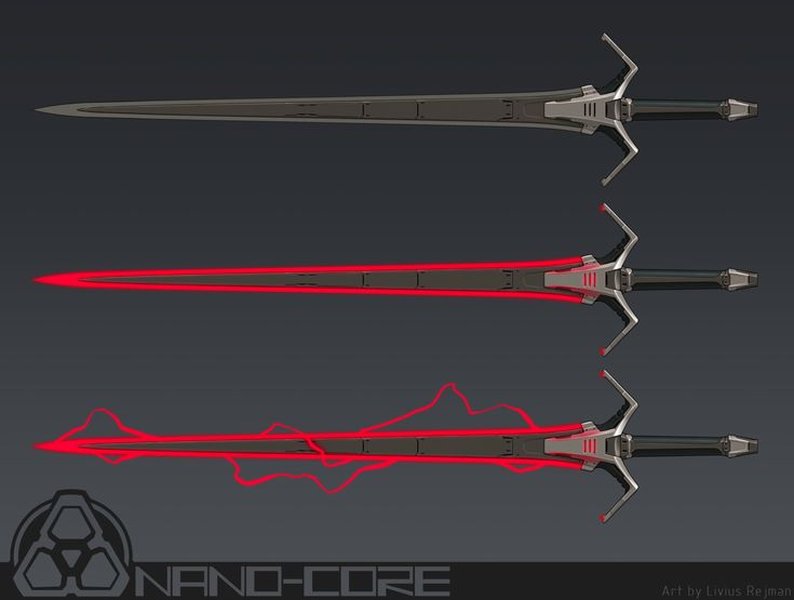
Sci-Fi Energy Sword Concept (Image: Livius Rejman via Pinterest)
// MeleeSword.h
#pragma once

#include "CoreMinimal.h"
#include "WeaponBase.h"
#include "MeleeSword.generated.h"

UCLASS()
class YOURPROJECT_API AMeleeSword : public AWeaponBase
{
    GENERATED_BODY()

public:
    AMeleeSword();

    virtual void PrimaryAction() override;

protected:
    UPROPERTY(EditDefaultsOnly, Category = "Melee")
    float AttackRadius;

    UPROPERTY(EditDefaultsOnly, Category = "Melee")
    float AttackArcAngle; // Degrees for the sweep

    // Collision component for melee traces/sweeps (can be a Box, Sphere, or Capsule)
    // Or use animation notifies to trigger trace windows

    // Sound effects for swing/hit
    UPROPERTY(EditDefaultsOnly, Category = "Effects")
    USoundBase* SwingSound;
    UPROPERTY(EditDefaultsOnly, Category = "Effects")
    USoundBase* HitSound;

    TArray<AActor*> HitActorsThisSwing; // To avoid hitting same actor multiple times in one swing

    void PerformSweepAttack();
};

// MeleeSword.cpp
#include "MeleeSword.h"
#include "Kismet/GameplayStatics.h"
#include "DrawDebugHelpers.h" // For debug

AMeleeSword::AMeleeSword()
{
    DamageInfo.BaseDamage = 40.f;
    DamageInfo.ElementType = EElementType::Corrosive;
    DamageInfo.ElementalEffectChance = 0.5f; // 50% chance to apply armor reduction
    DamageInfo.ElementalEffectDamage = 15.f; // Potency of armor reduction

    FireRate = 1.5f; // Attacks per second
    bIsRangedWeapon = false;
    MaxAmmo = 0; // Melee weapons don't use ammo in this context
    CurrentAmmo = 0;

    AttackRadius = 150.f;
    AttackArcAngle = 90.f;
}

void AMeleeSword::PrimaryAction()
{
    Super::PrimaryAction();

    if (!bCanFire) return;

    // Trigger attack animation on character
    // Animation notify will call PerformSweepAttack at the right time

    // Simplified: directly call sweep
    PerformSweepAttack();

    if (SwingSound)
    {
        UGameplayStatics::PlaySoundAtLocation(this, SwingSound, GetActorLocation());
    }

    bCanFire = false;
    GetWorldTimerManager().SetTimer(TimerHandle_FireRate, this, &AWeaponBase::ResetFire, 1.0f / FireRate, false);
    HitActorsThisSwing.Empty(); // Clear hit actors for next swing
}

void AMeleeSword::PerformSweepAttack()
{
    FVector StartLocation = WeaponMesh->GetComponentLocation(); // Or a specific socket
    FVector ForwardVector = GetOwner() ? GetOwner()->GetActorForwardVector() : GetActorForwardVector();

    TArray<FHitResult> OutHits;
    FCollisionShape SweepShape = FCollisionShape::MakeSphere(AttackRadius); // Or a capsule based on blade length
    FCollisionQueryParams QueryParams;
    QueryParams.AddIgnoredActor(this);
    QueryParams.AddIgnoredActor(GetOwner());

    // Perform a sphere sweep or multi-sphere sweep for a wider arc
    // For a true arc, you might iterate traces or use a custom collision primitive with animation
    bool bHit = GetWorld()->SweepMultiByChannel(
        OutHits,
        StartLocation,
        StartLocation + ForwardVector * AttackRadius, // A simple forward sweep, refine with arc logic
        FQuat::Identity,
        ECC_Visibility, // Use a dedicated "Weapon" trace channel
        SweepShape,
        QueryParams
    );

    // DrawDebugSphere(GetWorld(), StartLocation + ForwardVector * (AttackRadius/2.f) , AttackRadius, 12, FColor::Orange, false, 2.f);

    if (bHit)
    {
        for (const FHitResult& Hit : OutHits)
        {
            AActor* HitActor = Hit.GetActor();
            if (HitActor && !HitActorsThisSwing.Contains(HitActor))
            {
                HitActorsThisSwing.Add(HitActor);
                ApplyWeaponDamage(Hit, ForwardVector); // Pass hit result and direction
                if (HitSound)
                {
                     UGameplayStatics::PlaySoundAtLocation(this, HitSound, Hit.ImpactPoint);
                }
            }
        }
    }
}
Elemental Effects Overview
The five elemental types (plus a 'None' or 'Physical' type) form the core of the damage system. Each element could have unique status effects associated with it, triggered based on the ElementalEffectChance.
| Element | Typical Status Effect | Weapon Association Examples | Description |
|---|---|---|---|
| Fire | Damage Over Time (Burn) | Incendiary Rifle, Flamethrower | Ignites targets, causing continuous damage for a short duration. Effective against flesh. |
| Frost | Slow / Freeze | Cryo Cannon, Frost Grenades | Chills targets, reducing movement and attack speed. Can eventually freeze solid. Effective against shields. |
| Shock | Stun / Chain Lightning | Tesla Pistol, Arc Thrower | Incapacitates targets briefly or arcs electricity to nearby enemies. Effective against robotic enemies. |
| Corrosive | Armor Reduction | Acid Launcher, Corrosive Sword | Weakens enemy defenses, making them more susceptible to all damage types. Effective against armor. |
| Blast | Knockdown / Area Damage | Rocket Launcher, Grenade Launcher | Creates an explosion, damaging multiple enemies and potentially knocking them off their feet. |
| Physical/None | Impact / Puncture / Slash (sub-types) | Standard Kinetic Weapons | Represents direct physical trauma. Often has sub-types effective against different health/armor types. |
Implementing these status effects involves creating gameplay logic (often using Gameplay Tags and Effects from Unreal's Gameplay Ability System) that activates when an elemental proc occurs.
Visualizing Weapon System Architecture
A mindmap can help visualize the relationships between the core classes and concepts in our weapon system.
This mindmap illustrates how the base weapon class serves as a foundation for specific weapon types, each incorporating elemental properties and interacting with the player character.
Comparative Weapon Attributes (Illustrative)
A radar chart can offer a visual comparison of the example weapons across several hypothetical attributes. The values are illustrative and would be tuned during game development.
This chart helps conceptualize how different weapons might excel in various combat scenarios based on their design and elemental affinity.
Bringing it to Life: Character Integration and Further Steps
The weapon actors need to be integrated with your player character. This typically involves:
- Inventory Component: A component on the character to manage an array of
AWeaponBasepointers (or TSubclassOf for spawning). - Equipping Logic: Spawning the selected weapon and attaching it to a specific socket on the character's skeletal mesh. The
Equip()andUnequip()functions on the weapon would handle visibility and state changes. - Input Handling: Mapping player inputs (e.g., left mouse click, 'R' for reload, mouse wheel for weapon switch) to call functions on the
WeaponManagerComponentor directly on the currently equipped weapon. - Animation: Synchronizing weapon actions (firing, reloading, melee swings) with character animations using Animation Blueprints and AnimNotifies.
The following video demonstrates a developer's journey in bringing a Warframe character, Excalibur, into Unreal Engine 5, which can provide inspiration for character setup and visual style, though it focuses on the character model and abilities rather than a full weapon system like the one outlined here.
This devlog showcases bringing a Warframe character asset into UE5 and working on abilities, relevant for aspiring creators.
Beyond this foundation, a full-fledged Warframe-like game would require extensive work on VFX for elemental effects, SFX for weapons and impacts, a detailed UI for ammo and status, complex enemy AI that reacts to different damage types, and robust netcode if multiplayer is a goal.
Frequently Asked Questions (FAQ)
Is this all the code I need for a complete Warframe-like game?
No, this is a foundational framework for the weapon and elemental systems only. A complete game like Warframe involves numerous other complex systems such as advanced character movement (parkour), a wide array of character abilities, diverse enemy AI, mission generation, UI/UX, extensive art assets, sound design, networking for multiplayer, and much more. The code provided here is a starting point for one core aspect of combat.
Can I implement these systems using only Blueprints?
Yes, it's possible to create similar weapon systems entirely in Blueprints. However, for complex systems with many interactions and for performance-critical logic, C++ is often preferred for base classes and core mechanics due to its efficiency. Blueprints are excellent for extending C++ classes, handling visual logic, creating specific weapon variants, and managing assets like particles and sounds. A hybrid approach, using C++ for the foundation and Blueprints for higher-level logic and content, is very common and powerful in UE5.
How complex is Warframe's actual weapon and elemental system?
Warframe's system is extremely intricate, developed over many years. It includes hundreds of weapons, numerous elemental damage types (Physical: Impact, Puncture, Slash; Elemental: Heat, Cold, Toxin, Electricity) that can be combined to create secondary elements (e.g., Heat + Toxin = Gas), a deep modding system that significantly alters weapon performance, critical hit/status chance mechanics, faction-specific resistances/vulnerabilities, and unique interactions for many weapons. The system outlined here is a simplified interpretation to get started with similar concepts.
Where do I get meshes and animations for these weapons?
You can create your own 3D models (meshes) and animations using software like Blender, Maya, or 3ds Max. Alternatively, you can find pre-made assets on the Unreal Engine Marketplace, some free and some paid. For a Warframe-like style, you'd look for sci-fi weapon packs. Remember to ensure you have the appropriate licenses for any assets you use.
Recommended Next Steps & Deeper Dives
- Explore advanced inventory systems and seamless weapon switching mechanics in UE5.
- Learn to develop sophisticated projectile behaviors, including arcing trajectories and target seeking.
- Dive into the Gameplay Ability System (GAS) to manage complex character abilities and elemental status effects.
- Discover how to make enemy AI respond intelligently to different elemental attacks and status conditions.
References
Last updated May 8, 2025