
Speed Showdown: WordPress 6.8 vs. ClassicPress 2.4.1 – Which CMS Crosses the Finish Line First?
Unpacking the performance enhancements and architectural differences to determine who leads in the crucial race for loading speed.
When choosing a Content Management System (CMS), loading speed is a paramount concern. It impacts user experience, search engine rankings, and overall site success. This analysis delves into a comparison of WordPress 6.8, released in April 2025, and ClassicPress 2.4.1, released in March 2025, to determine which platform is likely to offer faster loading times.
Key Highlights: Performance at a Glance
- Architectural Differences: ClassicPress, a fork of WordPress 4.9, maintains a lighter core by excluding the Gutenberg block editor, which inherently reduces JavaScript overhead. WordPress 6.8, while feature-rich, includes numerous modern optimizations to counteract its larger footprint.
- WordPress 6.8's Modern Speed Boosts: The "Cecil" release of WordPress 6.8 introduced significant performance enhancements, most notably speculative loading, designed to make page navigation feel near-instantaneous.
- ClassicPress's Lean Advantage: Historically, ClassicPress has demonstrated faster loading times and lower resource consumption in comparisons against older WordPress versions, primarily due to its streamlined nature.
WordPress 6.8: A Deep Dive into "Cecil's" Speed Enhancements
The Drive for a Faster WordPress
WordPress 6.8, codenamed "Cecil" and launched on April 15, 2025, brought a wave of performance-focused updates. The development team concentrated on making the platform faster across the board, from backend editing to frontend user experience. In total, this version boasts 24 performance-related improvements, comprising 14 enhancements and 9 bug fixes, all aimed at boosting site speed, reducing server load, and enhancing overall responsiveness.
Speculative Loading: The Game Changer
Perhaps the most impactful performance feature in WordPress 6.8 is speculative loading. Leveraging the Speculation Rules API, this technology intelligently predicts user actions, such as clicking a link, and preloads the destination page or necessary resources in the background. The goal is to make page transitions feel almost instant, with interactions potentially responding within approximately 50 milliseconds. This significantly improves perceived performance for users navigating a site.
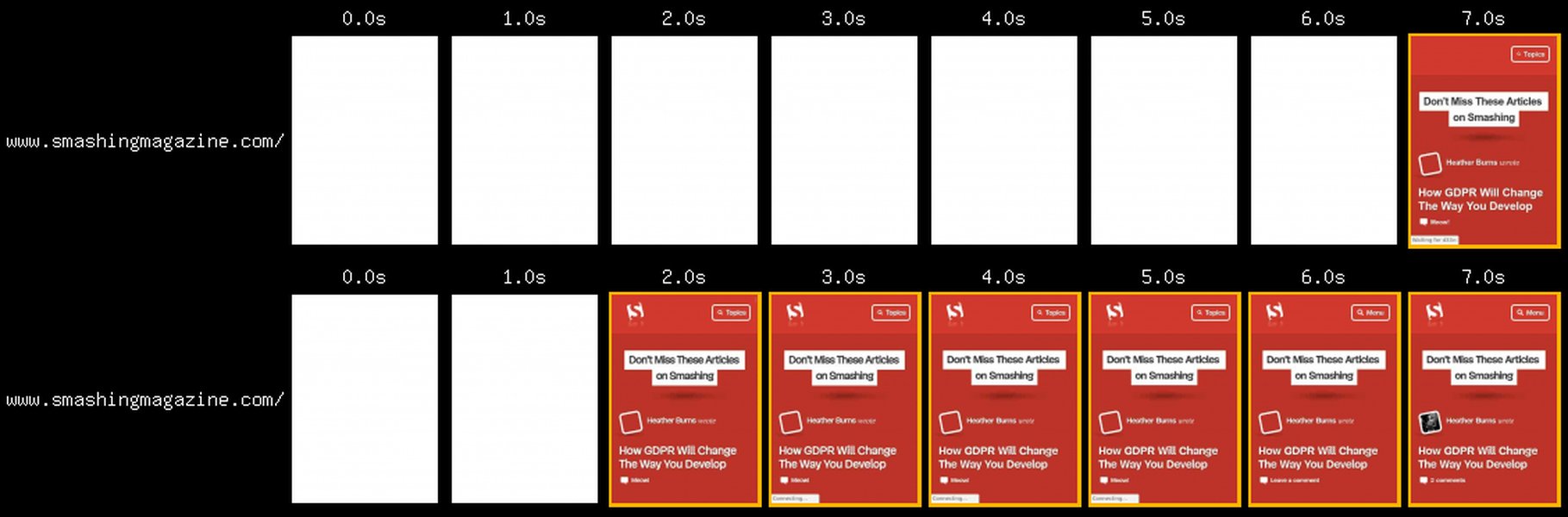
Visual illustrating the correlation between page load time and user bounce rates.
Optimizations Under the Hood
Beyond speculative loading, WordPress 6.8 incorporates several other key enhancements:
- Block Editor Performance: Significant work has gone into optimizing the block editor, making content creation and editing smoother and faster. This includes improvements to block type registration.
- Query Caching and Efficiency:
- Smarter Cache Keys: WordPress 6.8 introduces more intelligent cache keys for
WP_Query. This helps reduce redundant database queries and improves cache hit rates, particularly benefiting category pages, filtered archives, and search results. - Cached
count_user_posts(): The functioncount_user_posts(), which can be resource-intensive, is now cached to prevent expensive recalculations of user post counts. - Normalized Query Variables: Optimizations to query loops and normalized query variables contribute to faster page rendering, especially for sites with high traffic or complex queries.
- Smarter Cache Keys: WordPress 6.8 introduces more intelligent cache keys for
- Plugin Update Checks: The process for checking plugin updates has been optimized to reduce server load.
- Security and Performance: The introduction of bcrypt password hashing, while primarily a security upgrade, can indirectly contribute to performance by optimizing certain processing tasks.
Performance measurements from independent benchmarks and GitHub action runners have confirmed that WordPress 6.8 is considerably faster than its predecessors, showing improvements in Web Vitals and server timing metrics.
ClassicPress 2.4.1: The Lightweight Contender
Simplicity and Speed by Design
ClassicPress emerged as a community-led, open-source fork of WordPress 4.9.x. Its core philosophy revolves around stability, a lightweight codebase, and retaining the familiar "classic" editor (TinyMCE), deliberately omitting the Gutenberg block editor introduced in WordPress 5.0. This architectural decision is central to its performance characteristics. ClassicPress 2.4.1, released on March 13, 2025, is a maintenance release focusing on bug fixes and minor enhancements.
Inherent Performance Advantages
By design, ClassicPress aims for a smaller footprint than contemporary WordPress versions. Key aspects contributing to its potential speed include:
- No Gutenberg Block Editor: The absence of the block editor means less JavaScript to load and execute, which can significantly reduce page weight and processing time, especially on the frontend and during post editing.
- Streamlined Codebase: ClassicPress focuses on essential features, trimming down parts of the WordPress core it deems unnecessary, leading to a more streamlined and potentially faster execution.
- PHP 8.0 Support: ClassicPress 2.4.1 includes support for PHP 8.0, allowing sites to benefit from the performance improvements offered by modern PHP versions.
- Image Loading Optimizations: The 2.4.1 release includes improvements such as automatically adding
fetchpriority="high"to hero images, instructing the browser to prioritize loading these critical visual elements, which can improve Largest Contentful Paint (LCP) times. Lazy loading for images is also a feature.
Historical comparisons (often against older WordPress versions that included Gutenberg) have indicated that ClassicPress can be notably faster. For instance, some reports suggest ClassicPress uses around 13% less memory and loads up to 29% faster when editing a post compared to WordPress versions contemporary to those studies.
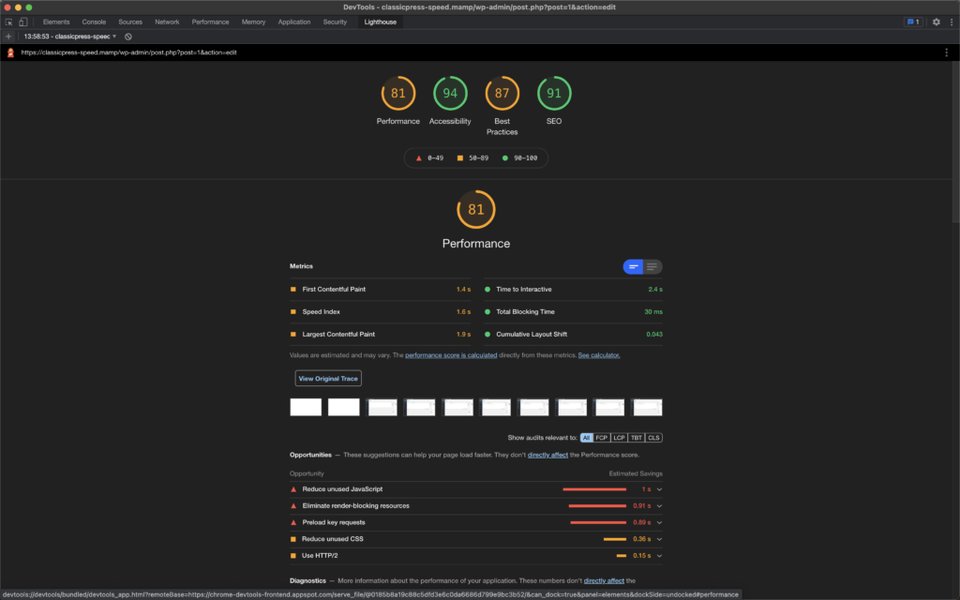
The ClassicPress backend, emphasizing its traditional interface.
Head-to-Head: WordPress 6.8 vs. ClassicPress 2.4.1
Evaluating the Speed Equation
A direct, definitive benchmark comparing the loading speed of WordPress 6.8 specifically against ClassicPress 2.4.1 is not readily available in the provided information. However, we can infer potential outcomes based on their architectural differences and recent developments.
Arguments for WordPress 6.8 Speed
- Modern Optimizations: Features like speculative loading are designed to provide a significantly faster *perceived* speed for users navigating between pages. This can be a major advantage in user experience, even if raw initial load times for a single page were comparable.
- Advanced Caching: Enhanced query caching and object caching mechanisms in WordPress 6.8 can lead to substantial speedups, especially on dynamic, content-heavy, or high-traffic sites.
- Ongoing Development: WordPress has a massive development team continually focused on performance, integrating the latest web performance best practices.
Arguments for ClassicPress 2.4.1 Speed
- Lower Overhead: Its fundamentally lighter core, due to the absence of the block editor and other features found in modern WordPress, generally translates to fewer server resources used, less code to process, and potentially faster raw load times, especially for simpler websites.
- Simplicity: For sites that do not require the extensive feature set of modern WordPress, ClassicPress offers a "less is more" approach that can result in quicker server response times (Time to First Byte - TTFB).
- Proven Efficiency: Past comparisons, though not with WP 6.8, have shown ClassicPress to be more efficient in terms of memory usage and certain administrative tasks like post editing.
Likely Scenario
The "faster" CMS likely depends on the specific use case:
- For very simple, static, or brochure-ware sites: ClassicPress 2.4.1 might still hold an edge in raw initial page load speed due to its minimal overhead. Its leanness can be a distinct advantage here.
- For complex, dynamic, or feature-rich sites (e.g., e-commerce, large blogs, sites with many plugins): WordPress 6.8's sophisticated caching, speculative loading, and ongoing performance refinements are likely to provide a faster overall experience, especially in perceived navigation speed and handling of complex operations.
- Perceived Speed vs. Raw Speed: WordPress 6.8's speculative loading could make it *feel* significantly faster during site navigation, even if ClassicPress had a slightly better raw load time on an isolated page test.
While WordPress 6.8 has made substantial performance leaps, the fundamental architectural difference means ClassicPress could still be quicker in scenarios where its leanness is a primary benefit. However, the performance gap may have narrowed considerably due to WordPress 6.8's aggressive optimizations.
Visualizing Performance Factors: A Radar Chart Comparison
This radar chart offers a visual representation of how WordPress 6.8 and ClassicPress 2.4.1 might compare across several performance-related attributes. These are opinionated estimations based on their known features and design philosophies, as direct comparative benchmark data for these specific versions is limited. The scores are on a scale of 1 to 10, where 10 is best.
Chart Attributes Explained:
- Core System Lightness: How lightweight the base CMS installation is.
- Advanced Performance Features: Availability of modern speed optimization technologies (e.g., speculative loading).
- Server Resource Efficiency: How efficiently the CMS uses server resources like CPU and memory.
- Perceived Navigational Speed: How fast the site feels when moving between pages.
- Backend Editing Speed: The responsiveness of the content creation and management interface.
- Simple Site Raw Speed: Potential raw loading speed for a basic website with minimal content/plugins.
- Complex Site Raw Speed: Potential raw loading speed for a website with many features, plugins, and dynamic content.
Key Performance Influencers Mindmap
This mindmap illustrates the primary factors influencing the loading speed of WordPress 6.8 and ClassicPress 2.4.1, highlighting their distinct approaches to performance.
(Near-instant navigation)"] idWP2["Advanced Caching
(WP_Query, Object Cache)"] idWP3["Block Editor Optimizations"] idWP4["24 Core Performance
Improvements"] idWP5["Modern PHP Support"] idWP6["Larger Core Footprint"] idCP["ClassicPress 2.4.1"] idCP1["No Gutenberg Block Editor
(Reduced JS overhead)"] idCP2["Lightweight Core
(Fork of WP 4.9)"] idCP3["Focus on Stability & Simplicity"] idCP4["PHP 8.0 Support"] idCP5["fetchpriority='high' for hero images"] idCP6["Fewer Built-in Advanced Features"]
The mindmap shows that WordPress 6.8 relies on sophisticated new technologies and broad optimizations, while ClassicPress 2.4.1 banks on its inherently lean architecture and focused improvements.
Feature and Performance Aspect Summary
The following table provides a summarized comparison of key features and performance aspects discussed for WordPress 6.8 and ClassicPress 2.4.1:
| Feature / Aspect | WordPress 6.8 ("Cecil") | ClassicPress 2.4.1 |
|---|---|---|
| Release Date | April 2025 | March 2025 |
| Base Architecture | Modern WordPress with Block Editor | Fork of WordPress 4.9 with Classic Editor (TinyMCE) |
| Key Performance Initiative | Speculative Loading, Comprehensive Optimizations (24 total) | Lightweight Core, No Block Editor Overhead |
| Caching Enhancements | Smarter cache keys for WP_Query, cached count_user_posts() |
Relies on standard WordPress 4.9 caching mechanisms, benefits from fewer core processes |
| JavaScript Load | Higher due to Block Editor and modern features (though optimized) | Significantly lower due to absence of Block Editor |
| Resource Usage (General) | Potentially higher due to feature richness, but optimized | Generally lower, designed for efficiency |
| Specific Optimizations Noted | Block editor performance, plugin update checks, bcrypt hashing | fetchpriority="high" for hero images, lazy loading, PHP 8.0 support |
| Ideal Use Case (for speed) | Complex, dynamic sites benefiting from perceived speed and advanced caching | Simple, lean sites where raw initial load time is critical |
Comparing CMS Philosophies: A Video Perspective
While not a direct speed test of WordPress 6.8 vs. ClassicPress 2.4.1, the following video discusses the general differences and considerations when choosing between WordPress and ClassicPress. This can provide context on their underlying philosophies, which in turn affect performance characteristics.
This discussion often touches upon why users might opt for ClassicPress (simplicity, speed from leanness) or stick with WordPress (extensive features, large ecosystem, evolving performance strategies).
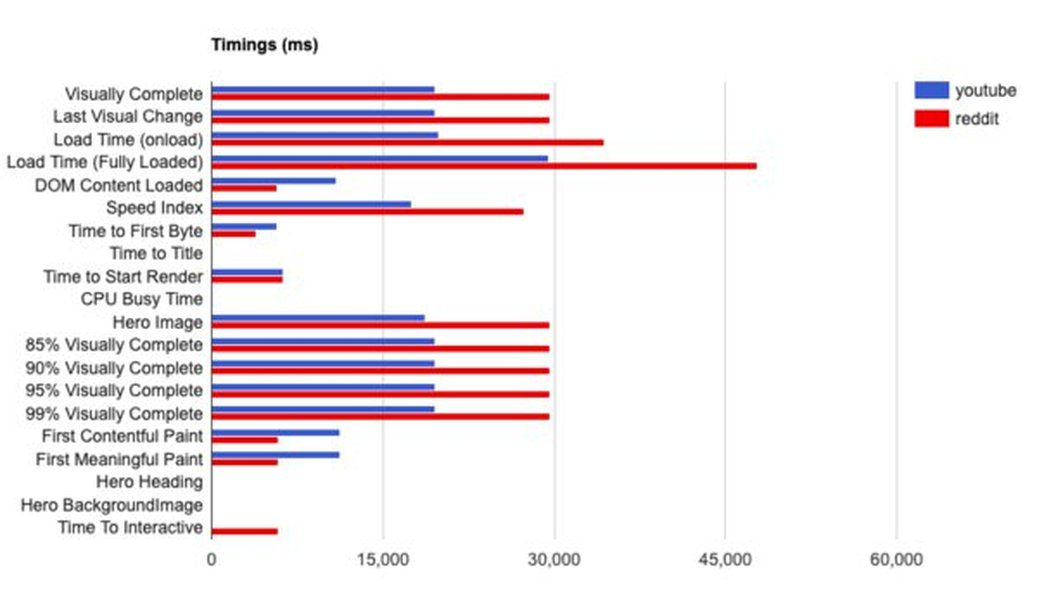
A conceptual image showing website speed comparison metrics.
Frequently Asked Questions (FAQ)
Is ClassicPress 2.4.1 definitively faster than WordPress 6.8?
Not definitively in all scenarios. While ClassicPress's lightweight architecture (no Gutenberg, forked from WP 4.9) historically gives it an edge in raw loading speed and lower resource use for simpler sites, WordPress 6.8 introduces powerful optimizations like speculative loading. This means WP 6.8 might offer faster *perceived* navigation and could perform better on complex, dynamic sites. Without direct, current benchmarks comparing these specific versions, it's a nuanced answer depending on site complexity and priorities.
What is "speculative loading" in WordPress 6.8 and how does it affect speed?
Speculative loading, introduced in WordPress 6.8, uses the Speculation Rules API to predict which links a user is likely to click next. It then pre-renders or prefetches these pages/resources in the background. When the user does click, the content is often already loaded, leading to near-instant page transitions. This dramatically improves the *perceived* speed of navigating a website, making interactions feel much faster, even if the initial load time of a single page isn't the absolute lowest.
Does the absence of the Gutenberg block editor automatically make ClassicPress faster?
Generally, yes, it contributes significantly. The Gutenberg block editor adds a substantial amount of JavaScript to both the backend (editing interface) and potentially the frontend. By not including Gutenberg, ClassicPress has a smaller core, loads less JavaScript, and typically uses fewer server resources, which can lead to faster page loads and a more responsive editing experience, especially on less powerful hosting or for simpler sites.
Which CMS is better for a new website in 2025 considering speed and features?
This depends on your needs. If you require a cutting-edge platform with a vast ecosystem of themes/plugins, advanced features like the block editor, and want the latest performance technologies (like speculative loading), WordPress 6.8 is likely the better choice, especially for more complex sites. If your priority is maximum simplicity, a very lightweight system, the classic editor experience, and potentially faster raw speed for a basic site, ClassicPress 2.4.1 is a viable alternative. Consider the long-term development activity and community support as well; WordPress has a much larger global community and development pace.
Recommended Further Exploration
- How does speculative loading in WordPress 6.8 perform across different types of web hosting?
- Are there any user-submitted speed tests comparing ClassicPress 2.4.1 and WordPress 6.8 on websites with lots of content?
- What is the specific performance impact of running WordPress 6.8 or ClassicPress 2.4.1 on the latest PHP 8 versions?
- What are the long-term outlooks for performance development in ClassicPress compared to WordPress?
References
 instawp.com

 wordpress.com
wordpress.com
wordpress.com
Last updated May 6, 2025