
Understanding WYSIWYG in Web Design
An in-depth look into the "What You See Is What You Get" approach
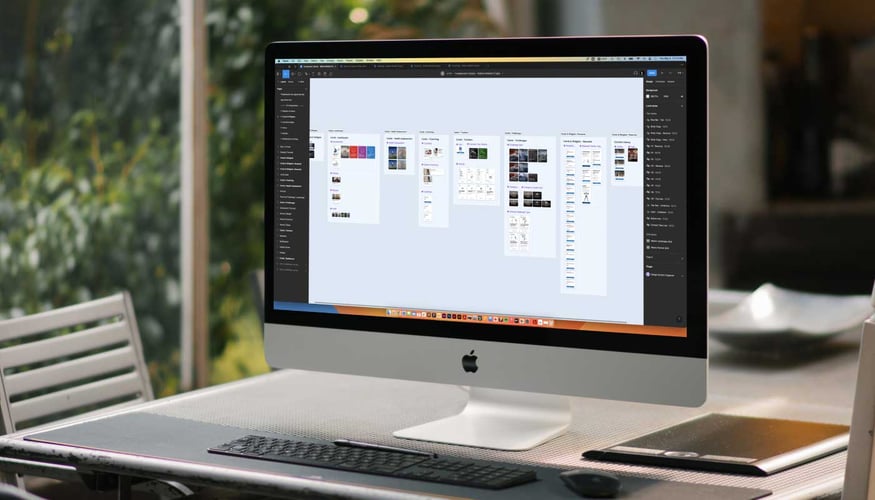
Key Insights
- Visual Transparency: The editor displays real-time content that mirrors the final output.
- User Accessibility: Simplifies design for non-technical users with no coding required.
- Dynamic Web Design: Provides enhanced flexibility, speed, and ease in managing website elements.
Introduction to WYSIWYG
The phrase "What You See Is What You Get," often abbreviated as WYSIWYG, represents a foundational principle in web design and digital content creation. At its core, this concept implies that the visual representation during the editing process faithfully reproduces the final result. This transparency means designers and users can instantly view changes in real time without the need for separate preview modes or additional verification steps.
In practice, WYSIWYG systems are crucial for ensuring that the user interface displays an accurate simulation of the published web page. This accuracy not only improves productivity but also gives a clear picture of user experience across various platforms, be they desktops, tablets, or mobile devices.
Concept and Meaning
Defining WYSIWYG
WYSIWYG literally means that what you see on your screen is exactly what you'll get when you publish or print your work. This direct correspondence between design and output is what sets it apart from traditional methods where there was often a significant disparity between the editing interface and the final presentation.
Historical Perspective and Evolution
The evolution of WYSIWYG can be traced back to early digital editing tools where the focus was on bridging the gap between content creation and its final appearance. Initially developed to support desktop publishing, these tools have now become integral to website builders, content management systems (CMS), and document editors. This evolution has transformed web designing by making it more accessible and user-friendly.
WYSIWYG in Web Design
Real-Time Visual Feedback
One of the most significant benefits of a WYSIWYG interface in web design is its ability to display changes instantly. As alterations are made, the design window is updated in real time, allowing designers to visualize adjustments immediately. This instantaneous feedback not only enhances the creative process but also minimizes the chance of errors that might arise from iterative changes. Designers can see the exact placement of images, text, and multimedia elements, which greatly simplifies tasks such as alignment, spacing, and layout configuration.
Drag-and-Drop Functionality
Many modern WYSIWYG editors incorporate a drag-and-drop interface. This feature allows users, especially those with limited technical expertise, to move design components around the canvas effortlessly. By simply clicking and dragging elements into place, users can build complex layouts without writing a single line of code. In doing so, the editing experience becomes intuitive and drastically reduces the time required to prototype and execute design ideas.
Template-Based Design
Pre-made templates are another cornerstone of WYSIWYG platforms. These templates offer designers a starting point, reducing the need to build layouts from scratch. Templates are adaptable, allowing customization of colors, fonts, and interactive components to create a unique look while still benefiting from the structure that the templates provide. This is especially valuable for small businesses or individuals who may not have extensive design resources or technical skills.
Responsive and Adaptive Layouts
In today’s multi-device ecosystem, ensuring that websites look good on all screens is paramount. Many WYSIWYG editors have integrated responsive design functionalities that let the user preview and adjust how the website behaves on different devices. This feature is critical for designers to address issues relating to screen size, orientation, and resolution. With responsive layouts, WYSIWYG editors ensure that your design is not just aesthetically pleasing but also functionally robust across desktops, tablets, and smartphones.
Advantages and Limitations
Advantages of WYSIWYG in Web Design
The WYSIWYG principle offers numerous advantages that contribute to its widespread adoption in web design. These benefits include:
| Feature | Benefits |
|---|---|
| Real-Time Editing |
Immediate visual feedback, reducing errors and increasing confidence in design changes. Ideal for iterative design improvements. |
| Drag-and-Drop Interface | Simplifies layout creation; enables non-coders to build complex designs easily. |
| Pre-made Templates |
Eases the design process and ensures consistency with industry standards. Ideal for rapid prototyping. |
| Responsive Design | Guarantees design adaptability across multiple devices and screen sizes. |
| Accessibility | Democratizes web design by allowing users with varying technical skills to participate. |
Limitations and Challenges
While WYSIWYG editors have transformed the web design landscape with their ease of use, they are not without limitations:
Limited Customization: Many WYSIWYG platforms provide a set of predefined templates and controls that can limit the degree of customization available. Advanced users may sometimes find themselves needing to add custom code or switch to a code editor to achieve unique or non-standard design elements.
Inconsistencies Across Browsers: Although WYSIWYG editors aim for consistency, variations in how browsers render visual elements can lead to discrepancies between the design view and the final published version. Developers often need to test designs across different platforms to ensure uniformity.
Over-Reliance on Visual Tools: Some users may become overly dependent on the visual editor and fail to learn the underlying HTML, CSS, and JavaScript. While WYSIWYG tools provide a low barrier to entry, understanding the code can offer greater control and flexibility for more complex projects.
Impact on Modern Web Design
Accessibility and Democratization of Design
One of the most profound impacts of WYSIWYG is its role in democratizing web design. Traditional web development required in-depth knowledge of programming languages—a barrier for many would-be designers and content creators. With WYSIWYG tools, this barrier is significantly lowered, enabling a wider range of people to contribute to website creation and management. As a result, entrepreneurs, small businesses, and hobbyists have been empowered to create visually engaging websites without the need for specialized developers.
Furthermore, WYSIWYG platforms seamlessly integrate with content management systems (CMS) to provide a comprehensive framework that manages both design and content. This integration is essential for maintaining a dynamic and interactive website that is easy to update, ensuring that businesses remain agile in a fast-paced digital market.
Enhanced Collaboration
In collaborative projects, particularly those involving designers, marketers, and developers, communication is key. WYSIWYG editors allow team members to see the immediate effect of their input, fostering a more collaborative environment. Clients and stakeholders can interact with the evolving design, offering feedback on-the-fly, which helps to avoid misunderstandings and misaligned expectations later in the development process.
For teams working remotely or across different time zones, the ability to quickly prototype and iterate on web designs ensures that everyone stays on the same page. This enhanced collaboration ultimately leads to faster project completions and a smoother workflow.
Integration with Modern Web Technologies
Many WYSIWYG tools are built to accommodate modern web standards, ensuring compatibility with new technologies and trends in web design. These platforms often support HTML5, CSS3, and JavaScript frameworks, thereby bridging the gap between code-based modifications and visual editing. As the digital landscape continues to evolve, WYSIWYG editors remain an essential component by providing the flexibility to integrate with advanced technologies while preserving their fundamental principle of “visual fidelity.”
Exploring Practical Use Cases
Website Builders and Content Management Systems
Many of the widely used website builders such as Wix, Squarespace, and WordPress harness WYSIWYG principles to simplify the website creation process for everyday users. Through an intuitive interface, these platforms allow users to select, position, and customize pre-built elements that match their design vision. As a result, even those with no coding experience can craft professional-looking websites.
Content management systems incorporate WYSIWYG editors to empower content creators to efficiently add and format text, include media files, embed videos, and configure interactive components without needing to worry about the underlying code. This results in a streamlined workflow where content and design merge seamlessly to produce the desired user experience.
Document and Multimedia Editing
Beyond traditional web design, WYSIWYG interfaces extend their utility to digital document editors, graphic design software, and email marketing platforms. For example, when preparing a newsletter, marketers can adjust the layout and see a real-time preview, ensuring that the final email closely mirrors the content as it will be received by the audience. Similarly, graphic design tools allow artists to manipulate visual content without constant toggling between design and preview modes.
Rapid Prototyping and User Testing
In environments where agility is of the essence, WYSIWYG editors serve as excellent tools for rapid prototyping. Designers can quickly draft a site’s layout, experiment with different design elements, and test various user interactions. This capability is especially beneficial during user testing phases where immediate feedback is crucial. Prototypes built using WYSIWYG editors can be easily modified and refined, enabling designers to iterate rapidly based on user response and usability studies.
Technical Aspects and Customization Options
Balancing Simplicity with Advanced Functionality
Although WYSIWYG platforms fundamentally emphasize ease-of-use, they often include features that allow for advanced customization. Users who desire more control over their designs can switch to code view or employ custom CSS and JavaScript modifications. This duality ensures that beginners are not overwhelmed by complex options, while experienced developers still have access to the deeper layers of customization when needed.
Some advanced WYSIWYG editors also offer add-ons and plugins that extend their functionality, such as integrating third-party services, enhancing SEO optimization, or adding interactive components. These features allow web designers to create not only aesthetically pleasing sites but also highly functional and dynamic online experiences.
Role in Educational and Business Environments
From an educational perspective, the WYSIWYG approach has become an invaluable tool for teaching the principles of web design. By providing a live visual feedback loop, students and beginners can quickly grasp how certain design changes affect the overall look and feel of a web page. This immediate correlation between action and outcome accelerates the learning process, making intricate design fundamentals accessible at an early stage.
In professional environments, businesses rely on WYSIWYG editors to maintain dynamic and engaging web presences. The flexibility of these tools allows for efficient updates and modifications, which is critical in today’s fast-paced digital marketing landscape. Whether it’s launching a new product line or updating company information, WYSIWYG platforms facilitate a swift turnaround without compromising the consistency and quality of the design.
Comparative Analysis
WYSIWYG vs. Traditional Coding
A comparative analysis of WYSIWYG versus traditional coding approaches illuminates the benefits and trade-offs associated with each:
| Aspect | WYSIWYG | Traditional Coding |
|---|---|---|
| User Interface | Direct visual editing with real-time updates; drag-and-drop functionality. | Requires manual coding in HTML, CSS, and JavaScript; not as immediately visual. |
| Learning Curve | Minimal learning curve; ideal for beginners and non-developers. | Steeper learning curve; demands programming knowledge. |
| Flexibility | Offers limited customization without additional code; pre-made templates used. | Provides complete control and flexibility; custom solutions are possible. |
| Speed | Rapid design and editing process due to visual feedback. | Often slower due to manual coding and debugging. |
| Collaboration | Enhances collaboration with real-time visual feedback. | Collaboration might require sharing code repositories and additional tools. |
User-Centric Design and Efficiency
WYSIWYG tools place users at the center of the design process by providing an interface that mirrors the final product. This emphasis on user-centric design streamlines the creation process and minimizes the typical back-and-forth often associated with web development. For businesses, this translates into faster project turnarounds and enhanced productivity, as teams can rapidly prototype, test, and refine their sites.
Moreover, the efficiency of WYSIWYG interfaces diminishes the need for constant technical involvement, freeing up developers to focus on innovation and complex functionalities. This improved allocation of resources is one of the reasons why many organizations favor WYSIWYG tools for their routine web design tasks.
References
- What You See Is What You Get - US Dictionary
- WYSIWYG - TechTarget
- WYSIWYG Definition - Wix Encyclopedia
- What is WYSIWYG? - Tiny Cloud
- WYSIWYG in Digital Marketing - Zesty
Recommended Queries
Last updated March 12, 2025