
Mastering 24-Hour Time Series Forecasting with XGBoost, MLflow, and Recursive Prediction
A comprehensive guide to building, deploying, and visualizing accurate 1-minute step forecasts with uncertainty bounds.
Predicting future values in a time series, like power consumption ('Puissance_P'), requires robust methods. This guide details a complete workflow using the powerful XGBoost algorithm combined with MLflow for model management and recursive prediction for multi-step forecasting. We'll train a global model, handle deployment stages, generate a 24-hour forecast at 1-minute intervals, calculate prediction intervals for uncertainty, and visualize the results effectively.
Key Highlights
- Recursive Multi-Step Forecasting: Learn how to adapt XGBoost, typically used for static tabular data, for predicting 1440 steps (24 hours) ahead by iteratively using predictions as inputs for subsequent steps.
- End-to-End MLflow Integration: Understand how to log, register, version, and promote your XGBoost model to a 'Production' stage using MLflow for streamlined MLOps.
- Uncertainty Quantification: Implement 90% prediction intervals based on the standard deviation of training residuals, providing a crucial measure of forecast reliability.
Step 1: Setting the Stage - Data Preparation and Feature Engineering
Transforming Time Series Data for XGBoost
XGBoost requires data in a supervised learning format. For time series, this means creating features from past observations. The core technique involves generating lag features, which are the values of the target variable (`Puissance_P`) at previous time steps (e.g., 1 minute ago, 5 minutes ago, etc.).
The `add_lags` Function
A crucial helper function, often called `add_lags`, is needed. This function takes your time series DataFrame and the target column name, adding new columns representing the lagged values. It's essential to decide which lags are relevant (e.g., recent values, hourly patterns, daily patterns).
import pandas as pd
import numpy as np

def add_lags(df, target_col='Puissance_P', lags=[1, 5, 15, 30, 60]):
    """
    Adds lag features to a DataFrame based on the target column.

    Args:
        df (pd.DataFrame): DataFrame with a datetime index and the target column.
        target_col (str): Name of the column to create lags for.
        lags (list): List of integers representing the lag periods (in steps).

    Returns:
        pd.DataFrame: DataFrame with added lag columns and rows with NaNs dropped.
    """
    df_lags = df.copy()
    for lag in lags:
        df_lags[f'{target_col}_lag_{lag}'] = df_lags[target_col].shift(lag)
    # Drop rows where any lag feature is NaN, as they can't be used for training/prediction
    df_lags.dropna(subset=[f'{target_col}_lag_{lag}' for lag in lags], inplace=True)
    return df_lags

# Example Usage (assuming 'df' is your loaded DataFrame with 'Puissance_P')
# df_with_lags = add_lags(df, target_col='Puissance_P', lags=[1, 2, 3, 5, 10, 15, 30, 60])
# X_all = df_with_lags[[col for col in df_with_lags.columns if col.startswith(f'{target_col}_lag_')]]
# y_all = df_with_lags[target_col]
After applying `add_lags`, you separate your data into `X_all` (the lag features and potentially other time-based features like hour of day, day of week) and `y_all` (the target `Puissance_P` values). This prepared data forms the basis for training our global model.
Step 2: Building the Global XGBoost Model
Training on the Entire Historical Dataset
Instead of splitting data into traditional train/test sets for this specific workflow (where the goal is a production model trained on all available history), we train a single XGBoost model on the entire `X_all` and `y_all`. This "global" model learns the underlying patterns from all observed data.
import xgboost as xgb
import mlflow
import mlflow.xgboost

# Assume X_all and y_all are prepared Pandas DataFrames/Series

# Configure XGBoost Regressor
model = xgb.XGBRegressor(
    objective='reg:squarederror', # Objective function for regression
    n_estimators=500,            # Number of boosting rounds (trees)
    learning_rate=0.05,          # Step size shrinkage
    max_depth=6,                 # Maximum depth of a tree
    subsample=0.8,               # Fraction of samples used for fitting the individual base learners
    colsample_bytree=0.8,        # Fraction of features used for fitting the individual base learners
    random_state=42,             # Seed for reproducibility
    n_jobs=-1                    # Use all available CPU cores
)

# Train the model
print("Training the global XGBoost model...")
model.fit(X_all, y_all)
print("Model training complete.")

# --- MLflow Integration Starts Here ---

mlflow_experiment_name = "Global_Puissance_P_Forecasting"
mlflow.set_experiment(mlflow_experiment_name)

model_name = "XGBoost_Puissance_Forecaster"

print(f"Starting MLflow run for experiment: {mlflow_experiment_name}")
with mlflow.start_run(run_name="Global_XGB_Training_Run") as run:
    print("Logging parameters...")
    mlflow.log_params(model.get_params()) # Log model hyperparameters

    # Calculate residuals on training data for PI calculation later
    print("Calculating training residuals...")
    train_predictions = model.predict(X_all)
    residuals = y_all - train_predictions
    residual_std_dev = residuals.std()
    print(f"Residual Standard Deviation: {residual_std_dev}")
    mlflow.log_metric("residual_std_dev", residual_std_dev) # Log residual std dev

    # Log and register the model
    print(f"Logging and registering model as: {model_name}")
    mlflow.xgboost.log_model(
        xgb_model=model,
        artifact_path="xgboost-model", # Subdirectory within the run's artifacts
        registered_model_name=model_name
    )
    run_id = run.info.run_id
    print(f"MLflow Run ID: {run_id}")

print("MLflow run finished.")
This code trains the `XGBRegressor` and immediately integrates with MLflow, logging parameters and the crucial residual standard deviation needed for prediction intervals, before logging and registering the model artifact.
Step 3: Model Lifecycle Management with MLflow
Registering and Promoting the Model to Production
MLflow doesn't just log models; it provides a Model Registry for versioning and stage management (e.g., Staging, Production, Archived). After training and logging, we promote the latest version of our registered model to the "Production" stage, indicating it's ready for deployment or inference tasks.
from mlflow.tracking import MlflowClient

client = MlflowClient()

# Find the latest version of the model we just registered
versions = client.get_latest_versions(model_name, stages=["None"]) # Get versions not yet staged
latest_version = max(int(v.version) for v in versions if v.run_id == run_id) # Ensure it's from our run

print(f"Found latest version: {latest_version} for run ID {run_id}")

# Transition this version to the Production stage
print(f"Transitioning model '{model_name}' version {latest_version} to Production...")
client.transition_model_version_stage(
    name=model_name,
    version=latest_version,
    stage="Production",
    archive_existing_versions=True # Archive any older versions currently in Production
)
print("Model transitioned to Production stage.")

# Load the Production model for forecasting
print("Loading model from Production stage...")
production_model_uri = f"models:/{model_name}/Production"
loaded_production_model = mlflow.xgboost.load_model(production_model_uri)
print("Production model loaded successfully.")
This ensures that our forecasting step uses the officially designated "Production" model, managed and versioned through MLflow.
Step 4: Generating the 24-Hour Recursive Forecast
Predicting 1440 Steps Ahead, One Minute at a Time
Recursive forecasting is necessary because XGBoost itself doesn't inherently handle sequences or predict multiple steps directly. We predict the next minute (t+1), use that prediction to help construct the features for the minute after (t+2), and repeat this process 1440 times.
The Recursive Prediction Loop
This loop requires careful management of the input features for each prediction. The lag features must be "rolled forward" with each new prediction.
forecast_horizon_minutes = 24 * 60 # 1440 steps
lags = [1, 5, 15, 30, 60] # Must match lags used in training!
target_col = 'Puissance_P'

# --- Prepare initial data for the first prediction ---
# We need the last N observations to create the first set of lag features,
# where N is the maximum lag value.
max_lag = max(lags)
# Get the most recent data points from the original DataFrame (before adding lags/dropping NaNs)
# Ensure 'df' is your original DataFrame with the 'Puissance_P' column and datetime index
last_known_data = df[target_col].iloc[-max_lag:].values.tolist()

predictions = []
current_lags = list(last_known_data) # Start with the actual historical values

print(f"Starting recursive forecast for {forecast_horizon_minutes} steps...")
for step in range(forecast_horizon_minutes):
    # 1. Construct features for the current step
    #    Create the lag features based on 'current_lags' list
    #    The order matters: lag_1 is the most recent value, lag_N is the oldest.
    features_for_pred = []
    for lag in lags:
        # Access the value from 'lag' steps ago within the 'current_lags' list
        features_for_pred.append(current_lags[-lag])

    # Convert to format expected by XGBoost (e.g., 2D NumPy array)
    features_array = np.array(features_for_pred).reshape(1, -1)

    # 2. Predict the next step using the loaded Production model
    next_prediction = loaded_production_model.predict(features_array)[0]
    predictions.append(next_prediction)

    # 3. Update 'current_lags' for the next iteration:
    #    Append the new prediction and remove the oldest value
    current_lags.append(next_prediction)
    current_lags.pop(0) # Maintain the rolling window size

    if (step + 1) % 100 == 0: # Print progress
        print(f"Forecast step {step + 1}/{forecast_horizon_minutes} completed.")

print("Recursive forecast generated.")
forecasted_values = np.array(predictions)
This loop iteratively predicts each minute, updating the history (`current_lags`) used to generate features for the subsequent prediction.
Step 5: Quantifying Uncertainty - Prediction Intervals
Calculating 90% Confidence Bounds
Point forecasts give a single expected value, but prediction intervals provide a range within which the true value is likely to fall with a certain probability (e.g., 90%). A common method for models like XGBoost is to use the variability of the errors (residuals) observed during training.
Using Residual Standard Deviation and Z-Score
We use the `residual_std_dev` calculated earlier (during Step 2) and the Z-score for the desired confidence level. For a two-tailed 90% interval, the Z-score is approximately 1.645.
from scipy.stats import norm

def calculate_prediction_intervals(predictions, residual_std_dev, confidence_level=0.90):
    """
    Calculates prediction intervals based on residual standard deviation.

    Args:
        predictions (np.array): The forecasted values.
        residual_std_dev (float): Standard deviation of the training residuals.
        confidence_level (float): The desired confidence level (e.g., 0.90 for 90%).

    Returns:
        tuple: A tuple containing (lower_bounds, upper_bounds).
    """
    # Calculate the Z-score for the confidence level (two-tailed)
    alpha = 1 - confidence_level
    z_score = norm.ppf(1 - alpha / 2)

    # Calculate the margin of error
    margin_of_error = z_score * residual_std_dev

    # Calculate lower and upper bounds
    lower_bounds = predictions - margin_of_error
    upper_bounds = predictions + margin_of_error

    return lower_bounds, upper_bounds

# Calculate the 90% prediction intervals for our forecast
print("Calculating 90% prediction intervals...")
lower_pi_90, upper_pi_90 = calculate_prediction_intervals(
    forecasted_values,
    residual_std_dev, # Calculated in Step 2
    confidence_level=0.90
)
print("Prediction intervals calculated.")
This function provides the lower and upper bounds for each of the 1440 forecasted points, reflecting the model's historical uncertainty.
Step 6: Updating the DataFrame and Visualization
Bringing History and Forecast Together
Now, we combine the historical data with our new forecast and prediction intervals, creating a complete picture for analysis and visualization.
Creating the Forecast DataFrame
We need to generate future timestamps corresponding to our forecast steps and combine them with the predicted values and interval bounds.
import matplotlib.pyplot as plt
import matplotlib.dates as mdates

# Assume 'df' is the original DataFrame with a DatetimeIndex

# Create future timestamps for the forecast period (1 minute frequency)
last_historical_timestamp = df.index[-1]
forecast_timestamps = pd.date_range(
    start=last_historical_timestamp + pd.Timedelta(minutes=1),
    periods=forecast_horizon_minutes,
    freq='T' # 'T' denotes minute frequency
)

# Create a DataFrame for the forecast results
forecast_df = pd.DataFrame({
    'Puissance_P': forecasted_values,
    'Puissance_P_Lower_90': lower_pi_90,
    'Puissance_P_Upper_90': upper_pi_90
}, index=forecast_timestamps)

# --- Visualization ---
print("Generating visualization...")

# Determine the start time for plotting the last 24h of historical data
historical_plot_start_time = last_historical_timestamp - pd.Timedelta(hours=24)

plt.style.use('seaborn-v0_8-whitegrid') # Use a clean style
fig, ax = plt.subplots(figsize=(18, 7))

# Plot last 24 hours of historical data
historical_data_to_plot = df.loc[historical_plot_start_time : last_historical_timestamp]
ax.plot(historical_data_to_plot.index, historical_data_to_plot['Puissance_P'],
        label='Historical Puissance_P (Last 24h)', color='royalblue', linewidth=1.5)

# Plot the forecasted data
ax.plot(forecast_df.index, forecast_df['Puissance_P'],
        label='Forecasted Puissance_P (Next 24h)', color='darkorange', linewidth=1.5, linestyle='--')

# Plot the 90% prediction interval
ax.fill_between(forecast_df.index,
                forecast_df['Puissance_P_Lower_90'],
                forecast_df['Puissance_P_Upper_90'],
                color='darkorange', alpha=0.2, label='90% Prediction Interval')

# Formatting the plot
ax.set_title('Puissance_P: Historical (Last 24h) vs. Forecast (Next 24h)', fontsize=16)
ax.set_xlabel('Time', fontsize=12)
ax.set_ylabel('Puissance_P', fontsize=12)
ax.legend(fontsize=10)
ax.grid(True, linestyle='--', alpha=0.6)

# Improve date formatting on x-axis
ax.xaxis.set_major_locator(mdates.HourLocator(interval=4)) # Major ticks every 4 hours
ax.xaxis.set_major_formatter(mdates.DateFormatter('%Y-%m-%d %H:%M')) # Format as YYYY-MM-DD HH:MM
plt.xticks(rotation=30, ha='right')
plt.tight_layout() # Adjust layout to prevent labels overlapping
plt.show()

print("Visualization complete.")

# --- Optionally update the original DataFrame ---
# You might want to append the forecast for further analysis or storage
# df_updated = pd.concat([df, forecast_df[['Puissance_P']]]) # Append only the point forecast
# print("Original DataFrame updated with forecasted values.")
# Or keep them separate:
print("Forecast DataFrame created:")
print(forecast_df.head())
This code generates the final plot, clearly showing the transition from the last 24 hours of actual data to the next 24 hours of forecasted data, complete with the uncertainty band.
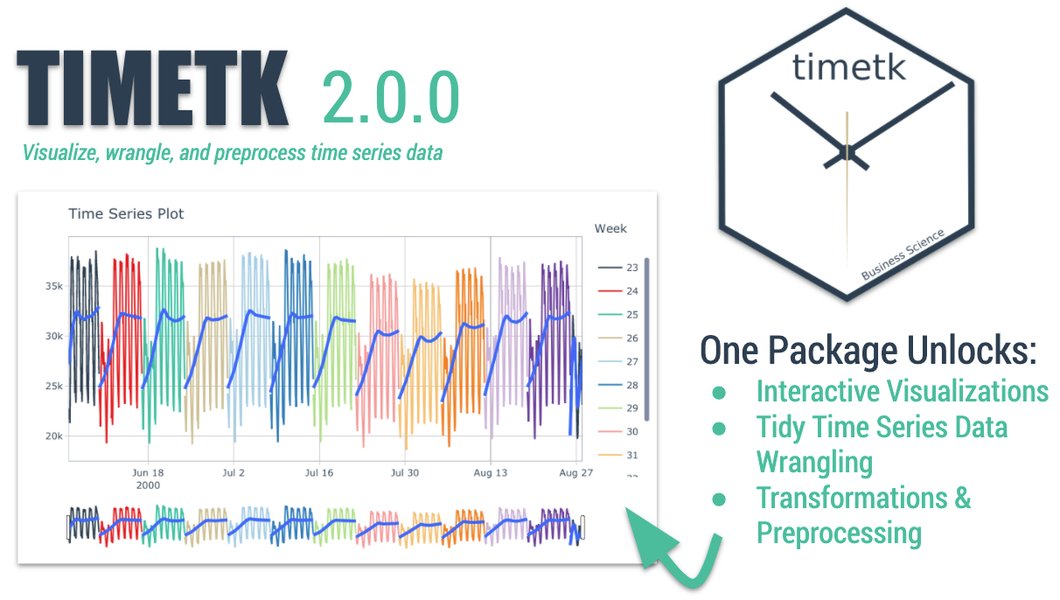
General example of time series visualization styles.
Understanding the Forecasting Workflow
Visualizing the Process with a Mindmap
The following mindmap outlines the key stages involved in this XGBoost time series forecasting project, from data preparation through to visualization and model management.
Comparing Forecasting Aspects
A Radar Chart Perspective
This subjective radar chart compares key aspects of the XGBoost recursive forecasting approach against potential alternatives or considerations. Higher scores generally indicate better performance or suitability for that aspect within this specific context.
This comparison highlights XGBoost's strengths in handling complex patterns and accuracy, while acknowledging its moderate implementation complexity and lack of native uncertainty quantification compared to statistical models. Deep Learning models often offer higher accuracy potential but come with increased complexity and computational cost.
Parameter and Configuration Summary
Key Settings Used in This Workflow
The following table summarizes important parameters and settings used throughout the process:
| Component | Parameter/Setting | Value/Description | Rationale |
|---|---|---|---|
| Data Preparation | Lag Features | e.g., `[1, 5, 15, 30, 60]` minutes | Capture short-term dependencies and potentially hourly patterns. Must be chosen based on data characteristics. |
| XGBoost Model | `objective` | `reg:squarederror` | Standard objective for regression tasks. |
| XGBoost Model | `n_estimators` | e.g., `500` | Number of trees; balance between performance and training time. Tunable parameter. |
| XGBoost Model | `learning_rate` | e.g., `0.05` | Controls the step size; smaller values often require more estimators. Tunable parameter. |
| XGBoost Model | `max_depth` | e.g., `6` | Maximum tree depth; controls model complexity to prevent overfitting. Tunable parameter. |
| MLflow | Experiment Name | e.g., `Global_Puissance_P_Forecasting` | Organizes runs related to this specific forecasting task. |
| MLflow | Registered Model Name | e.g., `XGBoost_Puissance_Forecaster` | Unique identifier for the model in the registry. |
| MLflow | Production Stage | `Production` | Designates the model version ready for deployment/inference. |
| Forecasting | Method | Recursive Prediction | Necessary for multi-step forecasting with non-sequential models like XGBoost. |
| Forecasting | Horizon | `1440` steps (24 hours) | Target prediction length based on user requirement (1-minute steps). |
| Prediction Intervals | Method | Residual Std Dev + Z-Score | Common approach for estimating uncertainty when model doesn't provide it directly. |
| Prediction Intervals | Confidence Level | `90%` | User-defined level of confidence for the interval range (Z-score ≈ 1.645). |
Visual Learning: Time Series Forecasting with XGBoost
Understanding the Concepts Visually
This video provides a practical walkthrough of using XGBoost for a time series forecasting problem (energy consumption prediction), covering concepts like feature engineering (lags), model training, and evaluation, which are highly relevant to the workflow described here.
Watching this tutorial can help solidify the understanding of how to structure time series data for use with tree-based models like XGBoost and interpret the results.
Frequently Asked Questions (FAQ)
Why use recursive forecasting instead of other multi-step methods?
XGBoost is fundamentally designed for single-output prediction based on a set of input features. Recursive forecasting adapts it for multi-step horizons by iteratively predicting one step ahead and feeding that prediction back into the feature set for the next step. Other methods like the Direct strategy (training separate models for each future step) or DirRec (combining aspects) exist but can be more complex to train and manage. Recursive is often a good balance, though it can suffer from error accumulation over long horizons.
Is using the residual standard deviation the only way to get prediction intervals for XGBoost?
No, but it's a common and relatively simple approach. Other methods include:
- Quantile Regression: XGBoost can be configured with a quantile loss function to directly predict specific quantiles (e.g., the 5th and 95th percentiles for a 90% interval). This requires training separate models or using specific objectives.
- Bootstrapping: Resample the training data multiple times, train a model on each sample, and generate forecasts. The distribution of these forecasts can form prediction intervals.
- Ensemble Methods: Using the variance of predictions from an ensemble of models.
How sensitive is the forecast to the choice of lag features?
Very sensitive. The lag features are the primary way the model understands the temporal dependencies. Missing important lags (e.g., seasonality-related lags like 60*24 for daily patterns in minute data) can significantly degrade performance. Including irrelevant lags can add noise and increase computational cost. Feature selection and understanding the autocorrelation (ACF) and partial autocorrelation (PACF) of your time series are crucial steps in choosing appropriate lags.
What are the main challenges with the recursive forecasting strategy?
The primary challenge is **error accumulation**. Since each prediction uses previous predictions as input, any error made in an early step can propagate and potentially amplify in subsequent steps, especially over long horizons. This can lead to forecasts drifting further from reality over time. Additionally, the recursive process is inherently sequential, meaning predicting 1440 steps takes significantly longer than making a single prediction.
References
- XGBoost for Time Series Forecasting - Machine Learning Mastery
- mlflow.xgboost — MLflow Documentation - MLflow
- Recursive multi-step forecasting with XGBoost — Skforecast Docs - Skforecast
- XGBoost for Time Series Forecasting: A Comprehensive Guide - Analytics Vidhya
- Forecasting Prediction Intervals Machine Learning - Ciencia de Datos
- Long horizon recursive forecasting using xgboost/Random Forest - Cross Validated (Stack Exchange)
- Tutorial: Time Series Forecasting with XGBoost - Kaggle
Recommended Exploration
Last updated April 20, 2025