
Unlocking Library Data: A Deep Dive into Your Z39.50 Target Configurations
Analyzing hostnames, ports, databases, and syntax for optimal bibliographic data retrieval.
The Z39.50 protocol is a powerful tool for accessing bibliographic databases across various library systems. Accurate configuration of Z39.50 targets is crucial for seamless information retrieval. This analysis will dissect the provided Z39.50 target list, identifying potential areas for verification and refinement to ensure robust connectivity and data exchange.
Key Insights at a Glance
- Port 210 is Standard: The port number "210" is widely recognized as the default for Z39.50 services, and appears appropriate for the Library of Congress targets.
- MARC21 Syntax is Correct: Specifying "MARC21" as the syntax is generally correct for retrieving bibliographic records in the MARC 21 format. Character encoding (like MARC-8 or UTF-8) is a related but distinct aspect.
- Host and Database Plausibility: The hostnames and database names for the Library of Congress targets align with known configurations. The UNT target details are plausible for an Innovative Interfaces (III) system.
Understanding the Z39.50 Protocol
Z39.50 is an international standard client-server, application layer communications protocol. It's primarily used by libraries and information services to search and retrieve information from remote databases over a TCP/IP network. Think of it as a specialized language that allows different computer systems to request and exchange bibliographic records (like catalog entries for books, journals, etc.) and other types of information. Developed and maintained by the Library of Congress, Z39.50 enables interoperability between diverse library automation systems.
A Z39.50 target configuration typically involves specifying:
- Host: The address of the server hosting the database.
- Port: The network port on which the Z39.50 server listens (commonly 210).
- Database Name: The specific database to be queried on the host server.
- Syntax: The format in which records should be returned (e.g., MARC21, USMARC).
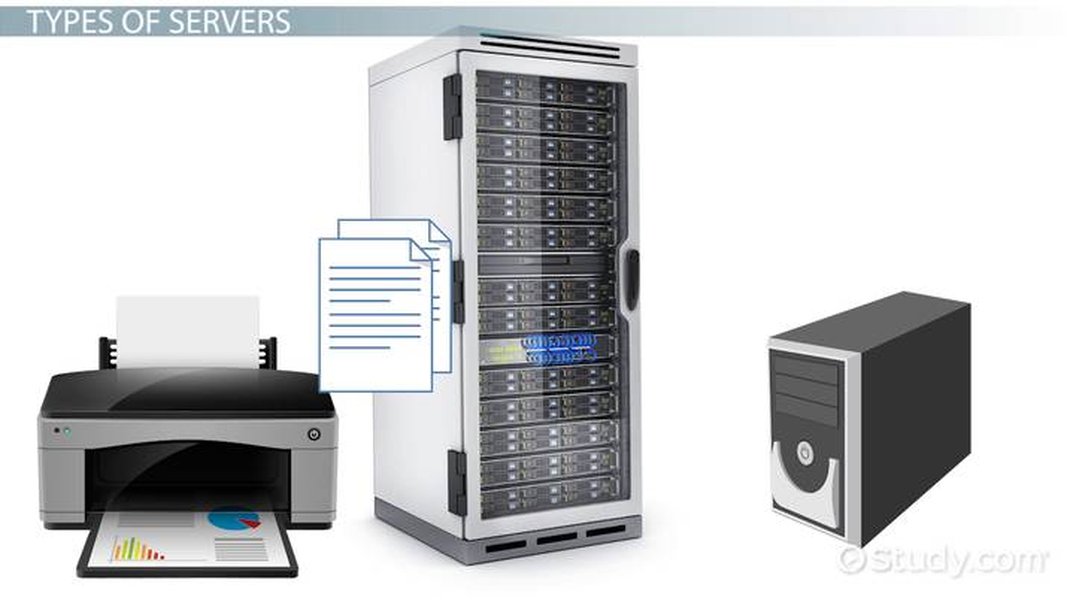
Z39.50 relies on server infrastructure to provide access to databases.
Detailed Analysis of Your Z39.50 Targets
Let's examine each of your provided Z39.50 target configurations:
1. Target: U.S. Library of Congress (MARC-8)
{"name": "U.S. Library of Congress (MARC-8)", "host": "lx2.loc.gov", "port": "210", "database": "LCDB_MARC8", "syntax": "MARC21"}
Host:
lx2.loc.govThis hostname is consistently documented as the correct Z39.50 server for the Library of Congress. No issues identified.
Port:
"210"Port 210 is the standard registered port for Z39.50 and is used by the Library of Congress. The value being a string ("210") instead of an integer (210) is often acceptable, but some client libraries might strictly require an integer. This is a client-side consideration.
Database:
"LCDB_MARC8"This database name is plausible for accessing MARC records with MARC-8 character encoding from the Library of Congress. "LCDB" is a common prefix for their databases, and "MARC8" clearly indicates the encoding. While specific database names can change, this appears consistent with typical LC configurations.
Syntax:
"MARC21"Using "MARC21" as the syntax is appropriate. MARC 21 is the standard for the structure of the bibliographic record. The "MARC-8" in the target's name refers to the character encoding within that MARC21 structure. It's important that the client application can handle MARC-8 encoding if specified or negotiated.
2. Target: U.S. Library of Congress (UTF-8)
{"name": "U.S. Library of Congress (UTF-8)", "host": "lx2.loc.gov", "port": "210", "database": "LCDB", "syntax": "MARC21"}
Host:
lx2.loc.govCorrect, as per the previous target.
Port:
"210"Correct and standard. Same consideration for string vs. integer type applies.
Database:
"LCDB""LCDB" is a commonly referenced database name for general access to Library of Congress records, often implying UTF-8 or broader Unicode support. This appears to be a correct configuration.
Syntax:
"MARC21"Appropriate. The client should be prepared to handle UTF-8 encoded characters within the MARC21 record structure.
3. Target: UNT
{"name": "UNT", "host": "iii.library.unt.edu", "port": "210", "database": "innopac", "syntax": "MARC21"}
Host:
iii.library.unt.eduThis hostname suggests the University of North Texas library system, likely running on Innovative Interfaces Inc. (III) software. Such hostnames are typical for III systems. While not as universally documented in the provided general Z39.50 resources as the LoC host, it's a plausible and common format.
Port:
"210"Port 210 is also commonly used for Z39.50 services on Innopac systems. This is likely correct, but institutional documentation is the ultimate confirmation. String vs. integer type consideration applies here too.
Database:
"innopac""innopac" is the standard and widely used database name for accessing catalogs on Innovative Interfaces library systems via Z39.50. This appears correct.
Syntax:
"MARC21"Appropriate, as libraries using Innopac typically use MARC 21 for their bibliographic data.
Key Considerations and Potential Refinements
While your target configurations are largely sound, here are some areas to bear in mind:
Port Number Nuances
Standard vs. Alternatives
While port 210 is the registered default, some Z39.50 servers operate on different ports (e.g., 2100, 2200, 2210, or even system-specific ports like 211 for some Innovative Sierra internal configurations). For the listed targets, 210 is highly likely for LoC and very common for Innopac systems like UNT's might be. Always verify with the institution's specific Z39.50 documentation if connection issues arise.
Data Type: String vs. Integer
The port numbers in your list are provided as strings (e.g., "port": "210"). Many Z39.50 client libraries or applications can handle this, automatically converting the string to an integer. However, some might strictly require an integer (e.g., "port": 210). If you encounter connection errors, this is a simple item to check and change in your client configuration.
Syntax vs. Character Encoding
It's important to distinguish between record syntax and character encoding:
- Syntax (
"MARC21"): This defines the structure of the record, including fields, subfields, indicators, etc., according to the MARC 21 standard. Your use of "MARC21" is correct. - Character Encoding (e.g., MARC-8, UTF-8): This refers to how characters (letters, numbers, symbols) are represented in binary form within those MARC21 records. The
namefields like "U.S. Library of Congress (MARC-8)" provide a hint about the expected encoding. While the Z39.50 `syntax` parameter typically refers to the record structure (MARC21), the client application must be ableto correctly interpret the character encoding of the received data. Some Z39.50 negotiations might also involve character set preferences.
Your configurations correctly use "MARC21" for syntax. The descriptive names help identify which encoding to expect. No direct error here, but a crucial conceptual point for data processing.
Verification and Testing
The most definitive way to confirm the correctness of Z39.50 targets is to test them using a Z39.50 client application (e.g., YAZ, Z39.50 utilities integrated into library software like Koha, or specialized tools like MarcEdit). Successful connection and data retrieval validate the settings. If errors occur, they often provide clues about which parameter (host, port, database name, or syntax negotiation) might be problematic.
Visualizing Configuration Confidence
The radar chart below offers an opinionated visualization of the assessed confidence levels for each component of your Z39.50 targets, based on common practices and information from library communities. A higher score (closer to 10) indicates greater confidence in the likely correctness of that parameter. This is a subjective assessment for illustrative purposes.
This chart suggests high confidence in the Library of Congress configurations, especially for the UTF-8 target. The UNT target also shows strong plausibility, typical for Innopac systems, though direct institutional confirmation is always best for non-LoC targets.
Summary Table of Analysis
The following table summarizes the assessment for each component of your Z39.50 targets:
| Target Name | Component | Provided Value | Assessment | Recommendation |
|---|---|---|---|---|
| U.S. Library of Congress (MARC-8) | Host | lx2.loc.gov |
Correct | None |
| Port | "210" |
Correct (standard port) | Verify client tolerance for string vs. integer if issues arise. | |
| Database | "LCDB_MARC8" |
Plausible | Likely correct; specific database for MARC-8 encoded records. | |
| Syntax | "MARC21" |
Correct | Ensure client handles MARC-8 encoding. | |
| U.S. Library of Congress (UTF-8) | Host | lx2.loc.gov |
Correct | None |
| Port | "210" |
Correct (standard port) | Verify client tolerance for string vs. integer. | |
| Database | "LCDB" |
Correct | Standard general database for LoC. | |
| Syntax | "MARC21" |
Correct | Ensure client handles UTF-8 encoding. | |
| UNT | Host | iii.library.unt.edu |
Plausible | Typical for Innopac systems; verify with UNT if issues. |
| Port | "210" |
Plausible (common for Innopac) | Verify with UNT if issues; check string vs. integer. | |
| Database | "innopac" |
Correct for Innopac | Standard database name for III systems. | |
| Syntax | "MARC21" |
Correct | None |
Visualizing Z39.50 Target Components
This mindmap illustrates the key components of a Z39.50 target configuration and common points to consider for verification. Understanding these elements can help in troubleshooting and configuring new targets.
Is it resolvable?
Is it documented by the institution?"] id2["Port (Network Port)"] id2a["Port Number (e.g., 210)"] id2b["Standard Registered Port: 210"] id2c["Alternative Ports:
Check institutional documentation (e.g., 2100, 2200)"] id2d["Data Type in Client:
String (\"210\") vs. Integer (210)"] id3["Database Name"] id3a["Specific name on server (e.g., LCDB, innopac, VOYAGER)"] id3b["Verification:
Is it correct for the target host?
Is it case-sensitive?"] id4["Syntax (Record Format)"] id4a["Format of retrieved records (e.g., MARC21, USMARC, SUTRS, GRS-1)"] id4b["Key Distinction:
Syntax (structure) vs. Character Encoding (MARC-8, UTF-8)"] id4c["Common for Bibliographic Data: MARC21"] id5["Additional Parameters (Optional/Advanced)"] id5a["Username/Password (if required)"] id5b["Preferred Record Syntax Identifiers"] id5c["Attribute Sets for Searching"] id6["Overall Verification Steps"] id6a["Test connection with a Z39.50 client utility"] id6b["Consult official documentation from the target institution"] id6c["Check error logs from client software"]
Practical Z39.50 Client Usage Example
Understanding how Z39.50 clients utilize these target configurations can be very helpful. The following video demonstrates using the Z39.50 client within MarcEdit, a popular metadata editing tool. It shows how connection parameters (like host, port, database) are entered and used to search and download records. This provides a practical context to the configuration details discussed.
In the video, you can observe the user interacting with a Z39.50 client interface, inputting server details, and executing searches. This mirrors the process your application would undertake programmatically using the target definitions you've provided. Successful retrieval of records in such a client would confirm the validity of the settings used.
Frequently Asked Questions (FAQ)
What exactly is Z39.50?
Z39.50 is a client-server protocol for searching and retrieving information from remote computer databases. It is widely used in libraries and information centers to access bibliographic records and other data from various catalog systems, regardless of the underlying software or hardware.
Why is port 210 so common for Z39.50?
Port 210 is the officially registered network port number for the Z39.50 protocol by the Internet Assigned Numbers Authority (IANA). This standardization helps ensure interoperability and simplifies configuration, as it's the default port clients will try if no other is specified.
What's the difference between MARC21 syntax and MARC-8/UTF-8 encoding?
MARC21 is a record syntax or format. It defines the structure of bibliographic and authority records: what fields exist (e.g., author, title, publication), how they are tagged, and what subfields and indicators mean.
MARC-8 and UTF-8 are character encodings. They define how individual characters (letters, numbers, symbols) within those MARC21 fields are represented as bytes. MARC-8 is an older, 8-bit encoding primarily for Latin scripts with some extensions. UTF-8 is a variable-width encoding that can represent almost any character from any writing system in the world (Unicode). The Z39.50 syntax parameter usually refers to MARC21, while the encoding is handled by the client and server during data exchange.
What if my Z39.50 connection fails even with these settings?
If connections fail:
- Double-check for typos in host, port, or database name.
- Ensure the host server is online and accessible from your network (firewalls can sometimes block connections).
- Verify the port number with the target institution's documentation; it might use a non-standard port.
- If your client software requires port numbers as integers, change
"port": "210"to"port": 210. - Consult error messages from your Z39.50 client, as they can provide specific clues (e.g., "Access-control failure," "Target protocol error," "Database unavailable").
- Some Z39.50 servers may require authentication (username/password) or have IP restrictions.
Should port numbers be integers or strings in the configuration?
This depends on the specific Z39.50 client software or library you are using. Many modern clients are flexible and can accept the port number as either a string (e.g., "210") or an integer (e.g., 210), often converting strings to integers internally. However, some older or more rigidly typed clients might require the port to be an integer. If you face connection issues and your port is specified as a string, try changing it to an integer as a troubleshooting step. Generally, providing it as an integer is a safer bet if unsure.
Recommended Next Steps & Further Exploration
- How can I effectively test the connectivity of these Z39.50 targets?
- What are the most common error messages encountered with Z39.50 connections and what do they mean?
- How do I construct advanced search queries using Z39.50 attributes like Bib-1?
- What are the key differences and use cases for Z39.50 versus more modern protocols like SRU/SRW?
References
 iii-itlc.s3.amazonaws.com
Last updated May 7, 2025