
Unlocking the Power of AI: Applications on Your Laptop
Discovering and Leveraging AI-Powered Features in Modern Computing
Key Insights into AI on Your Laptop
- Integrated Operating System AI: Modern operating systems like Windows 11 are increasingly embedding AI capabilities directly, enhancing productivity, creativity, and accessibility through features like Microsoft Copilot, Image Creator, and advanced search functions.
- Specialized Hardware for Enhanced Performance: The rise of "AI PCs" equipped with Neural Processing Units (NPUs) alongside CPUs and GPUs signifies a shift towards more efficient local AI processing, offering benefits such as increased privacy, reduced latency, and improved battery life for AI-driven tasks.
- Diverse AI Application Categories: AI components are found across a wide spectrum of applications, including generative AI (for text, images, and video), productivity tools, creativity software, coding assistants, and even cybersecurity, making everyday tasks smarter and more automated.
In today's rapidly evolving technological landscape, Artificial Intelligence (AI) is no longer confined to specialized labs or cloud servers; it's increasingly integrated into the devices we use daily, especially laptops. From enhancing basic functionalities to powering complex creative tasks, AI components are transforming the user experience. This comprehensive guide explores where you can find AI applications on your laptop, the types of AI features they offer, and the underlying hardware that makes it all possible.
The Pervasive Nature of AI in Modern Laptops
AI is being woven into the fabric of both operating systems and a myriad of applications, offering a range of intelligent functionalities. The goal is to make computers more intuitive, efficient, and capable of handling complex tasks with ease.
Operating System Level AI Integration
Many modern laptops, particularly those running Windows 11, come with built-in AI features designed to streamline your workflow and boost productivity. These integrated AI components leverage the operating system's core functionalities to provide smart assistance.
Microsoft Windows 11 AI Features
Windows 11 is at the forefront of integrating AI directly into the user experience. Microsoft Copilot, for instance, acts as an AI companion embedded across various Microsoft apps and the operating system itself. It can assist with drafting emails, summarizing documents, organizing presentations, and even planning trips based on text or voice prompts. Other notable AI features include:
- Image Creator and Background Removal in Paint: These tools allow users to generate and iterate images from text prompts or easily remove backgrounds from existing photos, making creative tasks more accessible.
- Enhanced Accessibility: AI tools can make computing more accessible through features like voice control, live captions, and intelligent suggestions.
- Smart Search and Organization: AI-powered search functions can quickly locate files and information, while AI can also help organize unstructured data.
These features often run locally on the device, providing benefits such as enhanced privacy and reduced latency compared to cloud-based AI solutions.
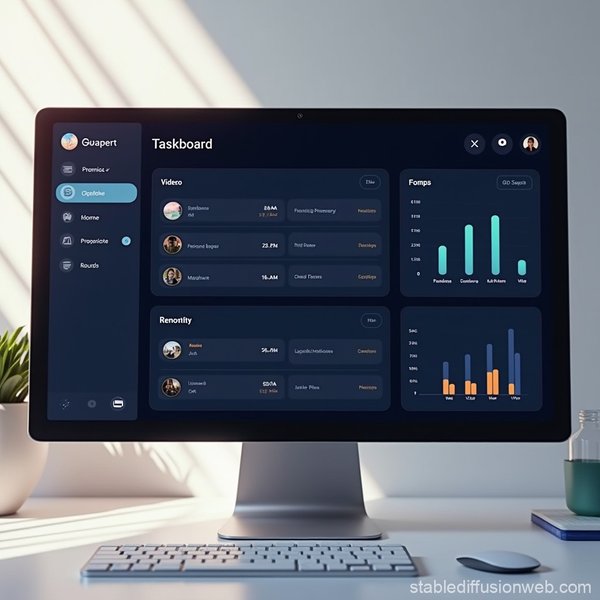
AI-powered interfaces like this task management dashboard illustrate how AI is streamlining workflows.
Dedicated AI PCs and Hardware Acceleration
The concept of an "AI PC" is gaining traction, referring to personal computers equipped with specialized hardware for AI acceleration. These machines go beyond traditional CPUs and GPUs by incorporating a Neural Processing Unit (NPU).
The Role of the NPU
A Neural Processing Unit (NPU) is a dedicated hardware accelerator optimized for AI and machine learning (ML) tasks. NPUs are highly efficient at handling the complex computations required by deep learning algorithms, such as natural language processing and image analysis. By offloading AI workloads to the NPU, an AI PC can:
- Improve Overall Device Performance: The CPU and GPU are freed up for other tasks.
- Extend Battery Life: NPUs are energy-efficient for AI tasks.
- Enhance Privacy and Security: Processing AI locally keeps sensitive data on the device.
- Reduce Latency: Real-time AI applications benefit from on-device processing.
Laptops featuring Intel Core Ultra processors, AMD Ryzen AI series processors, or Apple's M-series chips (like the M4) are examples of AI PCs with integrated NPUs, capable of handling AI workloads with impressive efficiency.
Categories of AI-Powered Applications on Your Laptop
AI is integrated into a vast array of applications across various categories, enhancing their capabilities and offering new functionalities.
Generative AI Applications
These applications are designed to create new content, ranging from text to images and videos, often based on user prompts.
- Text Generation: Tools like ChatGPT, Microsoft Copilot, Google Gemini, and Claude can converse with users, answer questions, generate text, and even write code. QuillBot is another example, focusing on paraphrasing, grammar correction, and content enhancement.
- Image and Art Generation: Midjourney, DALL-E 2, Adobe Firefly, and StarryAI allow users to create images from textual descriptions. Windows 11's Paint also includes an AI Image Creator.
- Video Editing: Applications like CapCut and Filmora leverage AI for automatic scene transitions, filters, background removal, object isolation, and enhanced video editing, making professional-level production more accessible. Synthesia focuses on AI video generation for various purposes.
- Music Production: Udio offers AI-powered music creation tools, simplifying song generation.
Productivity and Automation Tools
AI can significantly boost productivity by automating repetitive tasks, providing smart assistance, and optimizing workflows.
- Virtual Assistants: Microsoft Copilot and Google Assistant are prime examples, offering personalized assistance for various tasks, including scheduling, information retrieval, and task management.
- Project Management: Asana incorporates AI to set smart goals based on historical data and automate aspects of project planning.
- Writing and Communication Aids: Beyond general text generation, AI tools like Grammarly assist with grammar, style, and clarity in writing.
- Automation Platforms: Microsoft Power Automate is an advanced automation platform that uses AI for business process automation (BPA), robotic process automation (RPA), and data analysis. Zapier also leverages AI to automate connections between thousands of apps.
- Knowledge Management: Guru offers AI-driven enterprise search and knowledge management, connecting scattered information across various tools.
Creativity and Design Software
AI is transforming creative workflows, making advanced design and editing features more intuitive.
- Graphic Design: Adobe Creative Cloud applications, including Photoshop and Illustrator, integrate AI features like Generative Fill for image manipulation and content creation. Adobe Express helps teams create on-brand content efficiently.
- Icon and UI/UX Design: Tools like Visily leverage AI for UI design, while others assist in generating custom vector icons and illustrations.
- Photo Editing: Beyond generative tools, AI in photo editors can perform tasks like panorama creation (Hugin) and object tracking.
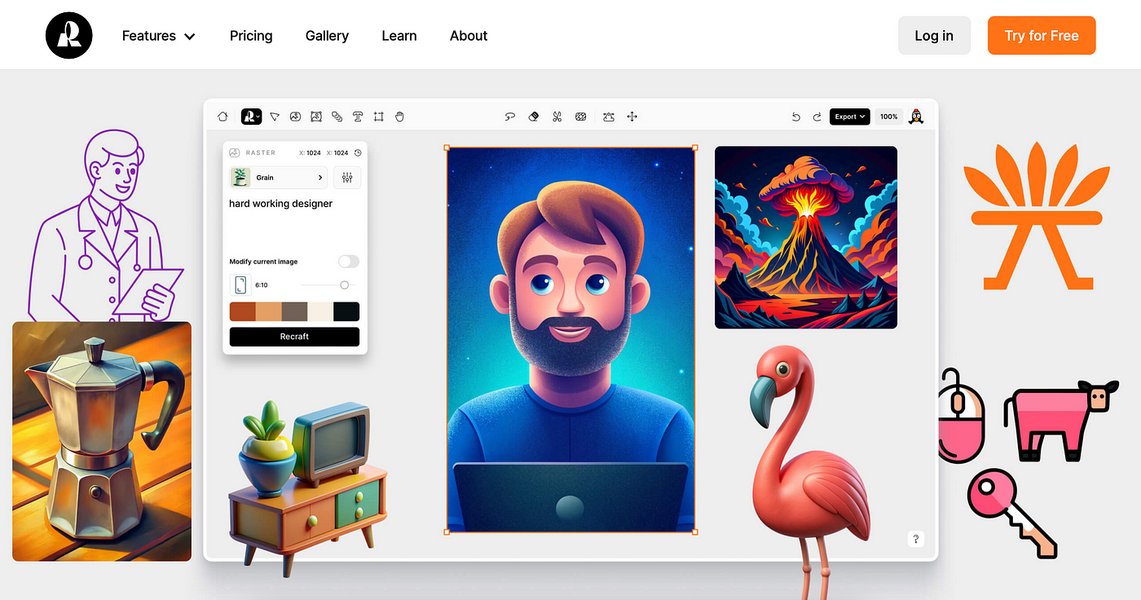
AI is revolutionizing graphic design, enabling the creation of intricate vector icons and illustrations.
Development and Data Analysis Tools
For developers and data professionals, AI offers powerful capabilities for coding, analysis, and model deployment.
- Coding Assistants: AI tools for coding can streamline app development by assisting with code generation, reviews, and bug detection.
- Computer Vision Platforms: LandingAI provides a platform for transforming computer vision with advanced AI and deep learning, enabling businesses to leverage AI-driven automation.
- Machine Learning Platforms: H2O.ai offers a platform for creating, training, and deploying machine learning models and AI applications.
- Data Analytics: AnswerRocket is an AI-powered augmented analytics platform that provides instant answers and insights from data, identifying performance drivers and critical issues. Copilot in Excel specifically helps analyze data, write formulas, and organize unstructured data.
Specialized AI Applications
Beyond the mainstream categories, AI also powers more niche applications:
- AI Detection Tools: Services like Scribbr AI Detector and QuillBot's AI Content Detector help identify whether content (text, images, video, audio) was generated using AI.
- Cybersecurity: AI is crucial in cybersecurity for fraud detection and identifying anomalous patterns to prevent threats.
- Educational Apps: Duolingo uses AI to personalize language lessons based on user performance, enhancing learning experiences.
Evaluating AI Capabilities: A Radar Chart Perspective
To better understand the strengths of different AI applications on a laptop, we can visualize their capabilities across key dimensions. This radar chart provides an opinionated analysis of how various AI components typically perform in different areas, such as processing efficiency, creativity, productivity, and privacy.
This chart illustrates the varying strengths of different AI components on a laptop. OS-integrated AI excels in user-friendliness and general productivity, while generative AI applications naturally lead in creativity. Productivity AI apps are optimized for workflow automation, and dedicated AI PC hardware (NPUs) significantly boosts processing efficiency and local data privacy.
Key Considerations for AI on Your Laptop
Understanding which apps have AI components involves recognizing the capabilities of your hardware and the software you use. Many applications are now leveraging AI without explicit "AI" branding, making it a subtle but powerful enhancement.
Identifying AI-Enabled Hardware
To fully leverage AI applications, especially those that run locally, your laptop's hardware plays a crucial role. Look for:
- Intel Core Ultra Processors: These include integrated NPUs for efficient AI task handling.
- AMD Ryzen AI Series Processors: Similar to Intel, these processors also feature dedicated AI acceleration.
- Apple M-Series Chips (M1, M2, M3, M4): Known for their powerful Neural Engines, these chips are highly capable for on-device AI and machine learning tasks.
- Dedicated GPUs: While NPUs are specialized, powerful GPUs from NVIDIA (GeForce RTX) or AMD are still vital for demanding AI workloads, especially in creative applications like image generation and video rendering.
The performance of an AI PC is often measured in TOPS (Tera Operations per Second), indicating the computational speed of its NPU. Higher TOPS generally mean better performance for AI-enabled software.
The "Why" Behind Local AI Processing
Running AI apps and workloads directly on your laptop, as opposed to solely relying on cloud services, offers several advantages:
- Increased Privacy and Data Security: Your data remains on your device, reducing the risk of exposure during transit or storage on remote servers.
- Reduced Latency: Tasks are processed faster without the need for constant internet communication.
- Online/Offline Accessibility: Many AI features can function even without an internet connection.
- Customization: Local models can be more easily fine-tuned for specific user needs or data sets.
A Snapshot of AI Application Categories and Examples
Here's a table summarizing common AI application categories and examples you might find or utilize on your laptop.
| AI Application Category | Core AI Functionality | Examples of Apps/Features on Laptops |
|---|---|---|
| Operating System AI | System-wide intelligent assistance, accessibility, automation. | Microsoft Copilot (Windows 11), Windows Image Creator, Live Captions. |
| Generative AI (Text) | Content creation, summarization, conversation, code generation. | ChatGPT, Google Gemini, Microsoft Copilot, Claude, QuillBot. |
| Generative AI (Image/Art) | Image creation from text, style transfer, photo manipulation. | Midjourney, DALL-E 2, Adobe Firefly, StarryAI, Windows Paint Image Creator. |
| Video/Audio Editing AI | Automated editing, effects, background removal, voice generation. | CapCut, Filmora, ElevenLabs (voice), Udio (music). |
| Productivity & Workflow Automation | Task automation, smart suggestions, data analysis, project management. | Microsoft Power Automate, Zapier, Asana, Copilot in Microsoft 365 (Word, Excel, PowerPoint). |
| Creative Design AI | Graphic design enhancements, UI/UX assistance, content scaling. | Adobe Creative Cloud (Photoshop, Illustrator), Adobe Express, Visily. |
| Coding & Development AI | Code generation, bug detection, automated testing, model deployment. | Various AI developer tools, Jupyter Notebooks (for ML development), H2O.ai. |
| Detection & Security AI | Content authenticity checks, threat detection, anomaly identification. | QuillBot AI Content Detector, Scribbr AI Detector, Cybersecurity software. |
Diving Deeper into AI on Your Laptop: A Video Insight
To further illustrate how AI is integrated into modern laptops and the benefits it brings, the following video offers a visual explanation of AI-powered features in Windows 11. It highlights how these tools can transform everyday interactions with your PC, making tasks more efficient and creative.
This video from the media sources provides a practical look at Windows 11's AI features, such as those integrated into Paint and other productivity tools. It complements our discussion by showing these functionalities in action, offering a clear perspective on how AI components enhance the user experience directly on your laptop.
Frequently Asked Questions (FAQ)
What is an "AI PC"?
Do I need a special laptop to run AI apps?
Are AI apps on my laptop free?
How does AI improve my laptop's performance?
What is the difference between AI running locally and in the cloud?
Conclusion
AI components are rapidly becoming an integral part of our laptops, enhancing everything from basic productivity to advanced creative endeavors. Whether through operating system integrations like Microsoft Copilot, specialized generative AI applications for text and visuals, or the advanced hardware of "AI PCs" equipped with NPUs, the intelligence embedded in our devices is making computing more intuitive, efficient, and powerful. As AI technology continues to advance, we can expect even deeper integration and more transformative applications directly on our personal computers, reshaping how we interact with technology and accomplish our daily tasks.
Recommended Further Exploration
- How to identify if my laptop is an AI PC and why it matters.
- Explore the best AI productivity tools for professional use in 2025.
- Understand the impact of NPUs on local AI processing and data privacy.
- Discover future trends in AI integration across consumer devices beyond laptops.
References
Last updated May 21, 2025