
Understanding AI Image Generation
Navigating the world of AI image generators and their capabilities
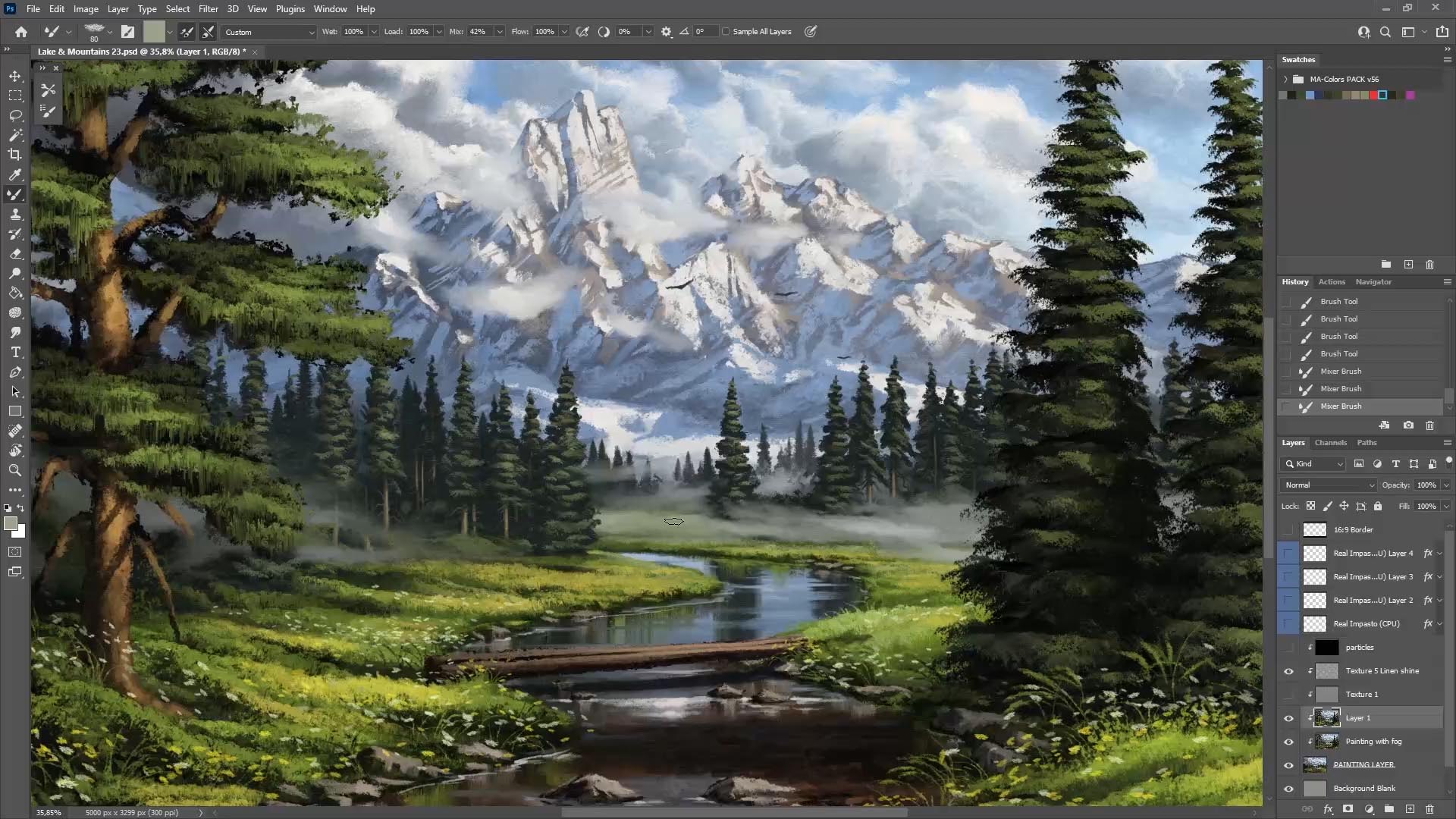
Highlights
- Capabilities Exploration: While I cannot generate images directly, I can help craft detailed prompts for AI image generators.
- Tool Diversity: There are numerous AI image generation tools available that each offer unique features ranging from artistic styles to commercial-grade outputs.
- User Guidance: Detailed steps, comparisons, and prompt suggestions can significantly enhance your experience with AI image generators.
Introduction to AI Image Generation
In the rapidly evolving landscape of artificial intelligence, the domain of image generation has experienced tremendous innovation. AI image generators have emerged as powerful tools that transform textual descriptions into visual art. Recent advancements have made these tools accessible to a wide range of users—whether for professional design, personal art projects, or creative exploration. Although I, as an AI language model, do not have the built-in capability to generate images directly, I excel in providing detailed descriptions, prompts, and data that you can use in tandem with these image generators.
In this comprehensive guide, we will explore the breadth of AI image generators available today, the methodology behind using these tools, and the strategies you might employ to make the most of your creative vision. The discussion below delves into the underlying principles of AI image generation, introduces popular and accessible tools, and explains how you can seamlessly integrate text-based commands to produce stunning visuals.
Capabilities and Features of AI Image Generators
The tools available for AI image generation have been designed to accommodate a variety of creative demands. While my primary function remains as a text-based assistant, I can provide extensive guidance to help you generate the images you need using the following highlighted strategies:
Detailed Prompt Creation
One fundamental aspect of successful image generation is crafting a detailed and precise prompt. A prompt serves as the blueprint for the AI, defining the content, style, and context of the image you wish to see. The greater the amount of detail in your prompt, the more tailored your generated image will be. When formulating a prompt, consider the following elements:
- Subject Matter: Clearly identify what the primary focus of your image should be. For example, "a serene mountain landscape" or "a futuristic cityscape."
- Style/Art Form: Specify whether you desire a particular art style (impressionist, surreal, realistic, etc.) or a medium (digital art, watercolor, pencil sketch).
- Color Scheme and Mood: Indicate the color palette and mood of the image to set the appropriate emotional tone. This might include keywords like "vibrant," "muted," "dark and stormy," or "bright and airy."
- Additional Details: Include further instructions such as desired lighting, view angles, or any other special effects that should be incorporated.
Once you have a comprehensive prompt, you can use various AI image generation platforms to translate your verbal or written description into an image.
Popular AI Image Generators
While I do not have the capability to produce images myself, several AI tools stand out for their innovation, ease of use, and impressive outputs. Let’s explore some of the popular platforms:
DALL·E 3
Known for its excellence in managing long and complex prompts, this tool represents the cutting edge of AI art generation. It is available through various platforms and consistently produces high-quality images that mirror the complexity of the input descriptions. Its sophisticated algorithms adjust to nuances in the prompt, providing outputs that are precise and reflect detailed customization options.
Midjourney
This platform is highly celebrated for creating artistic and visually appealing results. Midjourney emphasizes aesthetic quality and creative expression, often generating ethereal and imaginative visuals that are well-received by the creative community.
Craiyon
Offers a free solution for users interested in quick and accessible image generation. Despite being a no-cost option, it supports unlimited generations and has gained a strong community following due to its simplicity of use.
Canva’s AI Image Generator
Integrating with a suite of design tools, this generator is well-suited for users looking for a balance between automation and editorial control. It allows you to create orchestrated images within a broader design framework, facilitating both creative freedom and predictable outcomes.
Leonardo AI
Leonardo AI introduces advanced capabilities such as Flow State for dynamic image exploration, offering a unique lens for digital artistry. It has a variety of models that cater specifically to art, illustrations, and even video generation, thereby extending the boundaries of conventional text-to-image transformation.
Other Notable Tools
Several other platforms including Adobe Firefly, Microsoft Designer’s Image Creator, and specialized services like Freepik's AI Image Generator also offer competitive features. These tools not only generate images but also often provide customization options that allow users to refine outputs or tailor the images further to their exact needs.
Step-by-Step Process for Using AI Image Generators
Regardless of the platform selected, the process typically involves a series of uniform steps designed to facilitate user creativity:
- Developing a Detailed Prompt: Begin by carefully composing a prompt that encapsulates every aspect of what you envision. The richer the description, the more aligned the generated image will be with your expectations.
- Selecting a Platform: Based on your needs—whether you’re interested in artistic flair or professional outputs—choose the AI generator that best meets these criteria. Many tools offer free and premium options, so select one that matches your skill level and budget.
- Input and Generation: Enter the detailed prompt into the generator’s interface. After submission, the AI processes the input using deep learning algorithms that convert text into a coherent and visually unique image.
- Review and Refinement: Once generated, assess the image for alignment with your initial prompt. If necessary, use available refinement tools or adjust the prompt to fine-tune the output.
- Download and Share: After the final image meets your satisfaction, download it for personal or professional use. Many platforms also allow you to share directly on social media or integrate with other design software.
This systematic approach ensures that even users without extensive technical knowledge can produce high-quality visuals using AI.
Comparative Analysis of AI Image Generation Tools
Understanding the differences between various AI image generators can help you make an informed choice. The following table outlines a comparative analysis of some popular tools:
| Tool | Key Strengths | Unique Features | User Access |
|---|---|---|---|
| DALL·E 3 | High-quality, complex prompt handling | Advanced customization & editing options | Free/Paid options via platforms |
| Midjourney | Artistic and visually captivating outputs | Creative, imaginative styles | Subscription-based |
| Craiyon | Accessibility and community support | Unlimited free image generations | Completely free |
| Canva’s AI | User-friendly interface integrated with design tools | Seamless integration with Canva’s design ecosystem | Free/Paid based on subscription |
| Leonardo AI | Rapid image exploration with advanced options | Flow State and multi-model support | Premium service with free trials |
This comparison illustrates that while some tools excel in managing complex input (like DALL·E 3), others cater more to artistic expression (such as Midjourney). By comparing these aspects, you can determine which tool aligns best with your project's objectives.
Why I Cannot Directly Generate Images
As an AI language model, my key function is to process and generate text based on the input provided. I specialize in offering detailed explanations, crafting well-structured prompts, and providing guidance on various topics, including AI image generation. However, I do not possess the capability to create or render images directly. Instead, I focus on giving you the information and instructions needed to leverage powerful AI image generators that are specifically engineered for visual output.
The design of these image generation systems involves deep neural networks trained on extensive libraries of images, which are fundamentally different architectures from the language models that I use. While my domain is text, these platforms blend text recognition with image data processing to create visual representations of written prompts.
Integrating AI Image Generators into Your Creative Workflow
Whether you are a digital artist, graphic designer, or simply an enthusiast eager to explore creative possibilities, integrating AI image generators into your workflow can provide several benefits:
Enhancing Creativity
One of the greatest advantages of using AI image generation is the ability to brainstorm and test multiple ideas quickly. By generating several iterations based on slight modifications to your prompt, you can explore various artistic directions and gain inspiration for further creative projects.
Time and Cost Efficiency
Traditional image creation methods often require access to advanced software and significant skill levels. With AI-powered tools, you can generate high-quality images within minutes, making it an efficient alternative that can save both time and budget, especially when initial conceptual designs are needed rapidly.
Versatility in Output
Different AI generators are optimized for varied output styles. From highly realistic images to abstract and surreal forms, you have the freedom to experiment across multiple genres. This versatility enables you to adapt the generated images to different contexts such as commercial advertising, web design, and personal art projects.
Additionally, integrating these tools with design platforms allows further editing and refinement post-generation. This layered approach to creation—starting with AI and finishing with manual enhancements—ensures that the final product meets your quality standards and creative vision.
Detailed Guidance on Using AI Image Generation Platforms
To help you further, here are a few detailed steps and recommendations for using AI image generators effectively:
Step 1: Research and Selection
Begin by exploring the various platforms available online. Look for user reviews, sample galleries, and tutorials that provide insight into the tool’s strengths and weaknesses. Consider the intended purpose of your project when selecting your ideal platform—some are designed specifically for high-resolution artistic images, while others offer more functional layouts suitable for professional design.
Step 2: Crafting Your Prompt
Spend time refining your text prompt. This step is vital for ensuring that the AI understands exactly what you are looking for. Think of your prompt as a bridge between your creative idea and the AI’s ability to visualize that idea. The more specific you are in describing the scene, mood, and artistic style, the better the AI will be at generating an image that meets your expectations.
Step 3: Generation and Iteration
Once you have input your prompt into the image generator, review the preliminary output closely. Many platforms allow you to iterate by refining your prompt or adjusting settings such as style or resolution. Iteration is key—the initial output might need minor tweaks before arriving at the final masterpiece.
Step 4: Editing and Enhancement
Utilize any built-in editing features available on these platforms to enhance specific details, improve lighting, or adjust color saturation. This step bridges the gap between raw AI output and a polished final image.
Step 5: Integration into Larger Projects
Finally, incorporate the AI-generated images into your broader creative projects. Whether it’s web design, digital marketing, social media content, or print media, the generated images can serve as unique visual assets that enrich your project.
Common Use Cases and Applications
AI image generators have found applications across various domains due to their flexibility and efficiency. Here are a few prominent use cases:
- Graphic and Digital Design: Designers leverage these tools to produce concept art, website backgrounds, and advertising visuals. Quick iterations allow them to test multiple designs before finalizing the visual elements.
- Entertainment and Media: Filmmakers and video game developers can use AI-generated images to create storyboards, concept art, or even virtual environments.
- Marketing and Advertising: Marketers create compelling visuals that capture consumer attention. This capability is especially useful for social media campaigns where distinctive imagery is crucial.
- Educational and Training Materials: Educators and trainers utilize AI-generated artwork to develop illustrative content that explains complex topics through visual storytelling.
- Personal Projects and Hobbies: Enthusiasts and hobbyists explore artistic ideas, create personalized art, or experiment with styles that may not be available through traditional resources.
Tailoring the Creative Process Using Detailed Descriptions
One of the often underappreciated aspects of using AI image generation tools is the ability to refine the creative process through detailed and specific language in your prompts. Here are some key strategies:
Using Descriptive Language
Incorporate adjectives, metaphors, and creative details in your text prompt. Describe the mood, atmosphere, and even texture you wish to see. For instance, instead of a generic "sunset," consider a prompt akin to "a vibrant, fiery sunset cascading over a misty mountain range with delicate silhouettes of pine trees."
Experimenting with Artistic Styles
Specify renowned artistic movements or specific styles in your prompt. You could ask for an image in the style of oil painting, digital watercolors, or even reference cultural art forms. This flexibility not only leads to unique outputs but also acts as a learning tool on how AI interprets stylistic cues.
Combining Elements for Unique Outcomes
By merging diverse ideas—for example, combining futuristic elements with classical art techniques—you can produce images that are both innovative and visually stunning. This hybrid approach leverages the model’s robust learning from varied image databases, resulting in outputs that capture multiple dimensions of artistic expression.
Future of AI Image Generation
The future of AI image generation appears both promising and transformative. As algorithms continue to evolve, we are likely to witness even more levels of sophistication in image quality, realism, and creative control. Emerging trends include:
- Integration of Multi-modal Inputs: Future tools may incorporate audio cues, motion data, or even interactive elements to produce dynamic images and art.
- Enhanced Customization and Editing: The ability to make real-time modifications to generated images without starting from scratch promises to make these tools even more valuable in professional settings.
- Increased Accessibility: As these platforms become more user-friendly and cost-effective, a wider range of users—from hobbyists to professional creatives—will have access to advanced image generation technology.
For those looking to stay ahead of the curve, exploring these evolving platforms and understanding how to best use prompt engineering will be critical. While I cannot directly generate images myself, I can guide you in using detailed and precise language to get the most out of these innovative tools.
Conclusion
In summary, although I am not able to generate images directly, I provide comprehensive assistance in crafting the right prompts and offering insights into the diverse array of AI image generators available today. By understanding the capabilities of tools like DALL·E 3, Midjourney, and Canva’s AI image generator, you are empowered to select the platform that best suits your needs. The improved functionality across these platforms—from detailed prompt generation to real-time editing—ensures that anyone, regardless of technical background, can explore the realm of AI-generated art successfully.
My role as a text-based AI assistant is to bridge the gap between your creative ideas and the advanced AI tools that execute those visions. With detailed strategies, comparisons, and user-guidance methods, you are now well-equipped to embark on your journey into the world of AI image generation. Whether your interest is professional or purely creative, these tools have the potential to open up new avenues for imaginative expression and efficient design solutions.
References
- Best AI Image Generators - CNET
- Good Free AI Image Generators - Reddit
- Craiyon - AI Image Generator
- Canva AI Image Generator - Canva
- Leonardo AI - Creative AI
- PicLumen - Image Generation
- Galaxy AI - Machine Learning Image Generation
Recommended Further Queries
Last updated February 19, 2025