
Unleash Your Ideas: Transform Text into Captivating Presentations with AI
Discover how cutting-edge AI tools revolutionize presentation creation, turning raw text into polished slides in minutes.
Key Insights into AI-Powered Presentation Generation
- Seamless Transformation: AI tools can effortlessly convert various forms of text—from outlines and notes to full documents—into structured, visually appealing slide decks.
- Time and Efficiency: The primary benefit of using AI for presentations is the dramatic reduction in creation time, allowing you to focus on content refinement and delivery.
- Enhanced Design and Customization: These platforms offer professional templates, automatic visual enhancements, and extensive customization options, enabling polished results even without design expertise.
Yes, you absolutely can generate a presentation from text, leveraging the power of Artificial Intelligence. While I, as an AI assistant, cannot directly create or output a downloadable presentation file (like a PPTX) myself, I can guide you through the process and help structure your content. The advanced capabilities of various AI-powered tools are specifically designed to streamline this transformation, converting your written content into visually engaging and professionally formatted slide decks in a matter of minutes.
These innovative tools analyze your input text, identify key themes and supporting details, and then intelligently organize them into a cohesive presentation structure. They go beyond simple text arrangement by suggesting layouts, incorporating relevant visual elements like images and icons, and applying design aesthetics that align with your content's tone and purpose. This automation significantly cuts down the time and effort traditionally required for presentation design, allowing you to concentrate on the message and its impactful delivery.
The AI-Driven Presentation Creation Process
The journey from raw text to a polished presentation using AI tools is remarkably straightforward and user-friendly. While specific steps might vary slightly across different platforms, the core workflow remains consistent, making it accessible even for those without advanced technical or design skills.
Input and Analysis: The Foundation
The process typically begins with you providing your text to the AI tool. This can be done by simply pasting the content into an input box, uploading a document (such as a Word file, PDF, or plain text file), or sometimes even by providing a URL from which the AI can extract information. Once the text is submitted, the AI's analytical engine springs into action. It scans the content, identifies main ideas, key arguments, and supporting details, and discerns a logical flow. This initial analysis is crucial for structuring the presentation effectively, often leading to the generation of a preliminary outline that you can review and adjust.
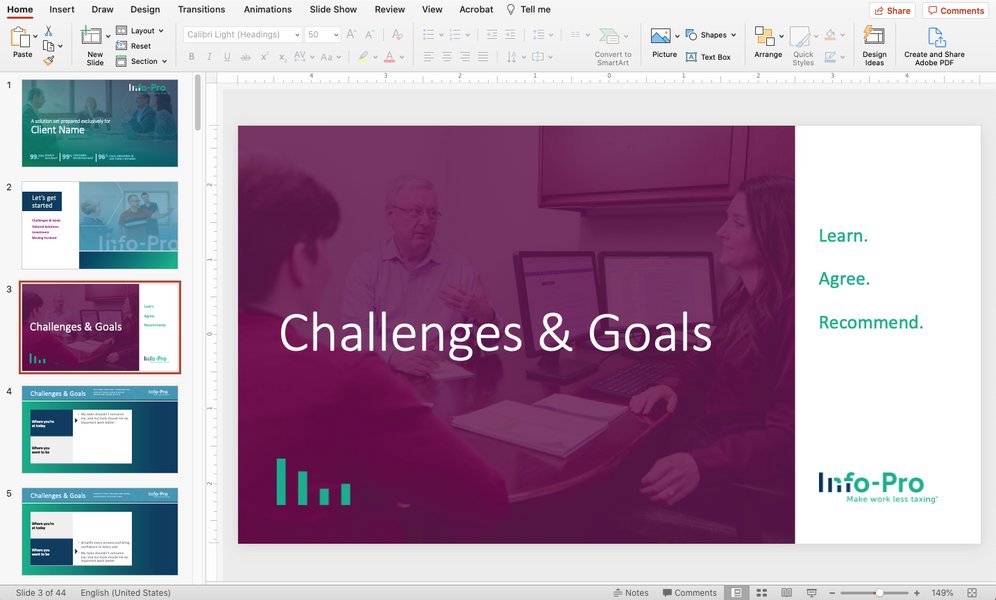
An example of a well-structured PowerPoint slide, demonstrating clarity and conciseness.
Automated Slide Generation and Visual Enhancement
Following the analysis, the AI populates individual slides, transforming lengthy paragraphs into concise bullet points or digestible summaries. A significant advantage here is the AI's ability to automatically suggest or integrate relevant visual elements. This might include appropriate images, icons, and graphic elements that enhance visual appeal and reinforce your message. Many tools also offer pre-designed templates, allowing the AI to apply consistent color schemes, fonts, and layouts, ensuring a professional and cohesive look throughout the presentation. This automation of design elements is particularly beneficial for users who may not have extensive graphic design experience.
Customization, Refinement, and Export
After the initial generation, you gain full control to customize and refine the presentation. This includes selecting from a variety of design templates, adjusting color palettes, modifying fonts, rearranging slides, editing text for conciseness or clarity, and adding or removing visual components. Many tools allow you to specify the presentation type (e.g., educational, sales, general business) to ensure the design and content tone are appropriate. Once satisfied, you can typically export your presentation in standard formats like PPTX (Microsoft PowerPoint) or PDF. Some tools also offer direct integration with platforms like Google Slides, providing a seamless workflow.
Leading AI Tools for Text-to-Presentation Conversion
The market currently offers a robust selection of AI tools designed specifically for converting text into presentations. Each tool brings its unique strengths, catering to diverse user needs and preferences. Here’s an overview of some of the most prominent ones:
| Tool Name | Core Functionality | Key Features | Integration/Output |
|---|---|---|---|
| MagicSlides | Converts text, YouTube videos, PDFs, or URLs into editable PowerPoint presentations. | Instant generation, structured editable slides, supports various input formats. | PPTX, direct Google Slides integration. |
| SlidesAI.io | Transforms any text into visually appealing slides. | Automatic slide formatting, customizable tone and audience style, integrates with Google Slides. | PPTX, Google Slides. |
| Canva's Magic Design | Generates professional presentation drafts from text prompts. | AI-generated content, images, and design elements; Magic Write for text refinement. | Various image/PDF formats, direct presentation from Canva. |
| SlideSpeak | Creates PowerPoint presentations from uploaded Word, PDF, or plain text files. | Extracts information, generates structured slides, free to start. | PPTX. |
| Plus AI | Converts text from news articles, Google Docs, Notion files, or PDFs into presentations. | Rapid conversion, compatible with major presentation software. | PowerPoint, Google Slides. |
| Microsoft Copilot in PowerPoint | AI assistant within Microsoft 365 to help build and edit presentations. | Suggests slide designs, writes text, finds images, assists in content creation based on prompts. | Seamless integration within PowerPoint (Microsoft 365). |
| Slidesgo AI Presentation Maker | Crafts visually appealing presentations from text with customizable templates. | Focus on aesthetics, editable PPTX files, suitable for various users. | PPTX. |
| Edraw.ai | Online text-to-slides converter. | Transforms notes or outlines into visually appealing slides efficiently. | Various image/PDF formats. |
Benefits of Leveraging AI for Presentation Design
Utilizing AI for presentation generation offers a multitude of advantages that transcend mere convenience, fundamentally enhancing productivity and the quality of your output.
Unlocking Efficiency and Time Savings
The most compelling benefit is the significant reduction in time spent on presentation creation. Traditional methods involve manual slide design, content formatting, and visual sourcing—tasks that are often tedious and time-consuming. AI automates these aspects, allowing you to transform raw text or notes into a structured, visually appealing presentation in minutes. This newfound efficiency means you can allocate more time to refining your message, rehearsing your delivery, and engaging with your audience, rather than getting bogged down in design mechanics.
Ensuring Professional Design and Cohesive Content
Many individuals lack professional design expertise, which can lead to presentations that appear amateurish or inconsistent. AI presentation makers bridge this gap by providing access to high-quality templates, intelligent layout suggestions, and automatic visual enhancements. The AI assists in breaking down lengthy text into digestible slide content, ensuring clarity, conciseness, and a logical flow. This leads to polished, professional-looking presentations that effectively convey your message and leave a lasting impression.
The radar chart above illustrates the comparative strengths of AI-powered presentation tools across several critical dimensions. As you can see, these tools generally excel in Time Efficiency and Design Quality, reflecting their primary advantage in automating the design process and leveraging professional templates. Their Content Structuring capabilities are also robust, as they intelligently break down text into digestible slides. While Customization Options are strong, allowing users to tailor outputs, they might not match the absolute granular control of manual design from scratch. Accessibility & Ease of Use are consistently high, making these tools user-friendly for a broad audience. Lastly, Visual Appeal & Graphics are typically strong due to AI's ability to suggest and integrate relevant visuals, though the uniqueness of these visuals might sometimes be less than bespoke creations.
Understanding the AI Process: A Mindmap
To further visualize how AI transforms text into presentations, consider the following mindmap. It breaks down the core stages, from initial input to final output, highlighting the interconnected processes that contribute to an efficient and effective presentation generation:
This mindmap illustrates the comprehensive nature of AI-powered presentation tools. It starts with the various forms of text input, moves through the AI's intelligent analysis and processing, demonstrates the automated slide creation with visual elements, highlights the crucial customization phase where users refine the output, and concludes with the diverse export options. Each node represents a distinct, yet interconnected, part of the process, ensuring a structured and efficient workflow for transforming your ideas into a compelling presentation.
Transforming Documents: A Practical Example
To provide a tangible example of this capability, consider the process of converting a written document into a dynamic PowerPoint presentation. Many AI tools are adept at this, reading through the content and automatically structuring it into a slide-by-slide format. The video below showcases a practical demonstration of how a document can be effortlessly transformed into a captivating PowerPoint presentation, providing a clear visual guide to the automated process.
This video demonstrates how to transform a document into a PowerPoint presentation using AI, offering a practical walkthrough.
This tutorial highlights the ease with which extensive written material can be condensed and formatted into a presentable format. The AI handles the heavy lifting of identifying headings, summarizing paragraphs into bullet points, and suggesting appropriate visual aids, thereby saving significant time and effort. This allows users to focus on delivering their message effectively rather than getting bogged down in the intricacies of slide design.
Frequently Asked Questions (FAQ)
Can I use any text for AI presentation generation?
Do I need design skills to use these AI tools?
What are the common output formats for AI-generated presentations?
Are there free AI tools available for converting text to presentations?
Can I edit the presentation after it's generated by AI?
Conclusion
The ability to generate presentations from text using AI represents a significant leap forward in productivity and creative efficiency. While AI assistants like myself cannot directly produce downloadable files, the ecosystem of specialized AI tools offers robust solutions for transforming raw textual information into visually compelling and professionally structured slide decks. These platforms handle the intricate details of design, content organization, and visual integration, freeing you to concentrate on the core message and its impactful delivery. By leveraging these intelligent tools, anyone can effortlessly create high-quality presentations, saving invaluable time and ensuring a polished, professional output that captures attention and conveys information effectively. The future of presentation creation is undeniably AI-powered, making complex tasks simpler and more accessible than ever before.
Recommended Further Exploration
- How AI enhances presentation design and delivery
- Comparative analysis of AI presentation tools
- Best practices for using AI in academic presentations
- The future of presentation software with AI integration