
Unleash Your Arabic Text: AI-Powered Presentations in Minutes
Transform your Arabic content into compelling, visually rich presentations with cutting-edge AI technology.
Key Insights into Arabic Presentation Generation
- Seamless AI Integration: AI tools can effortlessly transform your Arabic text into structured, professionally designed presentations, handling content generation, layout, and visual suggestions.
- Comprehensive Language Support: These platforms are engineered to support Arabic's unique characteristics, including right-to-left (RTL) formatting, diacritics (tashkeel), and cultural nuances, ensuring accuracy and readability.
- Enhanced Efficiency: Generate entire presentations from Arabic text, URLs, or even YouTube videos in minutes, significantly accelerating the traditional manual creation process.
Yes, Ithy can help you leverage advanced AI-powered tools to generate dynamic and professional presentations directly from your Arabic text. The landscape of AI technology has evolved to intelligently process and structure content in various languages, including Arabic, enabling the creation of visually appealing and well-organized slide decks with remarkable ease and speed.
The AI-Driven Process: From Arabic Text to Polished Slides
The core of this capability lies in sophisticated Artificial Intelligence models that understand natural language, perform summarization, and apply design principles. When you provide Arabic text, these AI tools embark on a multi-stage process to craft your presentation:
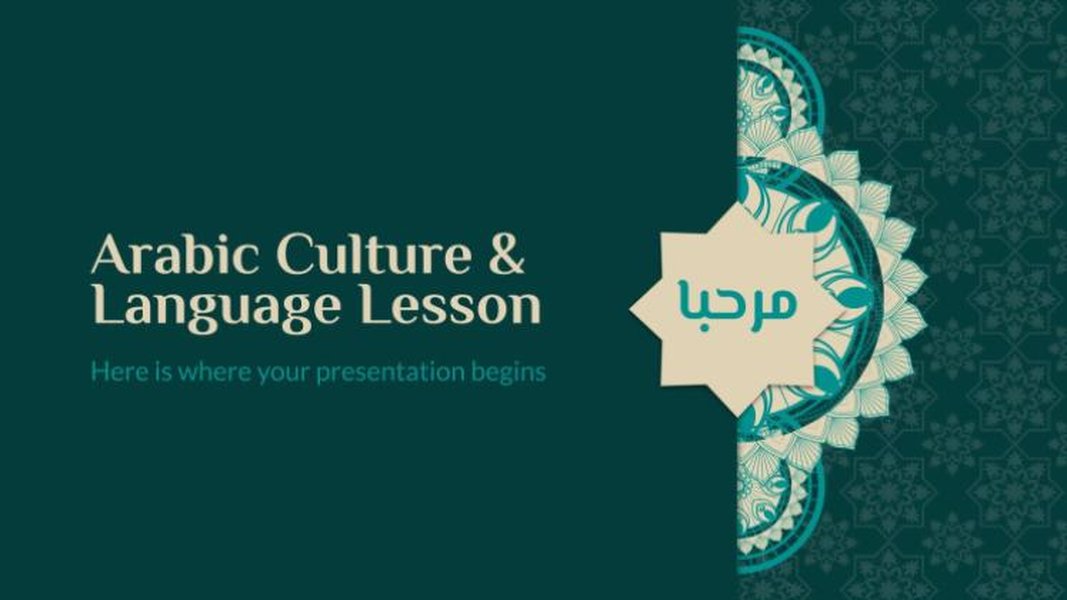 An AI-generated template for Arabic culture and language lessons, illustrating how AI can adapt to cultural aesthetics.
Input and Analysis: The Foundation of Content Generation
The journey begins with your Arabic text. Whether it's a meticulously crafted document, a simple prompt, a URL, or even the transcript of a YouTube video, the AI ingests this information. Natural Language Processing (NLP) models, specifically trained on Arabic data, then analyze the content. This analysis involves identifying key themes, extracting critical points, and understanding the logical flow of information. Some tools also integrate with specialized Arabic writing assistants to ensure the initial text is proofread and grammatically correct, even applying diacritics (tashkeel) for improved pronunciation and readability.
Content Structuring and Slide Creation: Building the Narrative
Once the text is analyzed, the AI intelligently breaks it down into segments suitable for individual slides. It generates appropriate titles, summarizes paragraphs into concise bullet points, and crafts engaging descriptions. The AI assesses the narrative structure to ensure a cohesive and logical progression of ideas across the presentation. This automation significantly reduces the time and effort typically required for manual content organization.
Layout, Design, and Visual Enhancement: Aesthetic and Impact
Beyond just text, AI tools excel at visual design. They select suitable layouts and professional templates that complement the content. Crucially for Arabic presentations, these tools are designed to handle right-to-left (RTL) text direction correctly, ensuring proper alignment, text flow, and font rendering. The AI can also suggest or generate relevant visuals, such as images, icons, and charts, based on the textual context, further enhancing the presentation's visual appeal and impact. Users often have the flexibility to customize these designs, adjusting colors, fonts, and overall aesthetics to match their branding or preference.
Output and Customization: Finalizing Your Masterpiece
After the initial generation, you typically receive a draft presentation. Most platforms allow for extensive customization, enabling you to edit text, rearrange slides, add or remove elements, and fine-tune the design. Once satisfied, the presentation can be downloaded in standard formats like PowerPoint (.pptx), PDF, or Google Slides, making it readily accessible for sharing and delivery.
Leading AI Tools for Arabic Presentation Generation
Several cutting-edge AI tools are at the forefront of enabling seamless presentation creation from Arabic text. These tools vary in their specific features and focuses, but all share the common goal of simplifying and accelerating the presentation design process for Arabic speakers.
Specialized AI Presentation Generators
- PitchGrade: Renowned for its multilingual capabilities, PitchGrade can generate professional pitch decks and various presentation types from a simple Arabic text prompt. It boasts a significant speed advantage, claiming to produce presentations up to 10 times faster than traditional methods, with full support for Arabic script across its 182 supported languages.
- MagicSlides.app: This versatile tool offers multiple input options beyond plain text, including Arabic content from URLs, PDFs, or even YouTube videos. It automatically generates professionally designed slides, complete with relevant content and visuals, and allows for downloads in PowerPoint, PDF, or Google Slides formats.
- SlidesGPT: Ideal for quickly converting longer Arabic texts, such as blog posts, articles, or PDFs, into structured slide decks. SlidesGPT focuses on rapid content-to-slide transformation while handling the nuances of Arabic language structure.
- SlidesAI & SlidesWizard: These tools emphasize instant slide creation and user-friendliness. They support Arabic text input and provide quick editing and export functionalities to PowerPoint or Google Slides, making them excellent choices for fast-paced content generation.
Complementary Arabic AI Tools for Enhanced Quality
To ensure the highest quality of your Arabic presentations, several specialized AI tools can be used in conjunction with presentation generators:
- Qalam: As an AI Arabic writing assistant, Qalam is invaluable for pre-processing your Arabic text. It automatically proofreads and corrects spelling and grammatical errors, and can even apply diacritics (tashkeel) for precise pronunciation and improved readability. Using Qalam first ensures that the text fed into the presentation generator is polished and accurate.
- Arabic Text-to-Speech (TTS) Tools (e.g., ElevenLabs, Murf, Narakeet): For dynamic and engaging presentations, these tools can convert your Arabic text into high-quality, human-like voiceovers. They offer customization options for pitch, tonality, and volume, allowing you to create narrated presentations that captivate your audience.
- Translation Tools (e.g., DeepL, SlideSpeak): If your source material is not originally in Arabic, AI translation services can translate entire documents or existing presentations into Arabic while striving to preserve the original formatting and layout.
- Arabic OCR (Optical Character Recognition): For Arabic text embedded in images or scanned documents, OCR tools (like those integrated into Google Docs) can convert it into editable text, making it ready for input into presentation generators.
Understanding AI Presentation Capabilities: A Performance Overview
To better illustrate the varied strengths of AI tools in generating Arabic presentations, consider the following radar chart. This chart provides an opinionated analysis of how different tools or categories of tools might perform across key capabilities essential for creating effective presentations from Arabic text. The scores are relative and based on typical feature sets and user feedback reported in the provided sources.
This radar chart provides a visual comparison of different AI tool categories based on their capabilities in handling Arabic text for presentation generation. Dedicated AI Presentation Generators generally excel in speed and RTL text handling, while Arabic Writing/Proofreading Tools offer superior Arabic NLP accuracy for initial text refinement. General AI Content Generators, though versatile in input formats, might have slightly less specialized Arabic support. This highlights the benefit of a multi-tool approach for optimal results.
Step-by-Step Guide to Generating Your Arabic Presentation
To effectively create a presentation from your Arabic text using AI tools, follow these general steps:
- Prepare Your Arabic Text: Ensure your Arabic text is clear, concise, and well-structured. For best results, consider using an Arabic writing assistant tool like Qalam to proofread and correct any grammatical errors or spelling mistakes, and to apply diacritics if necessary. This pre-processing step will ensure the AI presentation generator receives the highest quality input.
- Choose an AI Presentation Tool: Select a tool that best fits your specific needs. For direct text-to-slide conversion with strong Arabic support, options like PitchGrade or MagicSlides.app are highly recommended. If you're starting from a document or URL, tools like SlidesGPT or Visme might be more suitable.
- Input Your Arabic Content: Copy and paste your prepared Arabic text into the designated input field of the chosen AI tool. Many tools also allow you to upload documents (PDFs, articles), provide a URL, or even link to a YouTube video for content extraction. Some platforms might ask for additional preferences, such as the desired number of slides or a specific design theme.
- Initiate AI Generation: Once your content is provided, trigger the AI to start generating the presentation. The tool will then analyze your text, identify key information, and create slides, complete with titles, bullet points, and suggested visuals.
- Review and Customize: After the initial generation, carefully review the presentation. Check for accuracy, coherence, and visual appeal. Most tools offer extensive customization options, allowing you to edit text, rearrange slides, adjust layouts, change fonts and colors, and replace or add images to align with your vision.
- Download and Refine: Once satisfied, download your presentation in your preferred format (e.g., .pptx for PowerPoint, PDF, or Google Slides). You can then further refine it in the native application if needed. Consider using Arabic text-to-speech tools to add narration for a more dynamic delivery.
Benefits and Considerations
Utilizing AI for Arabic presentation generation offers substantial advantages, particularly for efficiency and linguistic accuracy. However, being aware of certain considerations can help optimize the outcome.
Key Advantages of AI-Powered Arabic Presentations
| Benefit | Description |
|---|---|
| Unprecedented Efficiency | AI tools drastically reduce the time spent on creating presentations. What once took hours or days of manual design and content organization can now be achieved in minutes. This speed is invaluable for professionals, educators, and students working under tight deadlines. |
| Superior Arabic Language Handling | Modern AI tools are specifically trained to understand and process Arabic text accurately. This includes correct handling of right-to-left (RTL) text direction, ensuring proper alignment and readability, and preserving Arabic diacritics (tashkeel), which are crucial for pronunciation and meaning. |
| Professional Design & Aesthetics | Even without design expertise, users can generate visually appealing presentations. AI automatically applies professional layouts, selects appropriate fonts that support Arabic script, and suggests relevant visuals, resulting in polished and impactful slide decks. |
| Content Structuring & Coherence | The AI's ability to analyze and summarize complex Arabic text ensures that presentations are logically structured, with clear headings, concise bullet points, and a coherent flow of information. This helps maintain audience engagement and understanding. |
| Versatile Input Formats | Beyond plain text, many AI tools accept diverse inputs like URLs, PDFs, or even YouTube video transcripts in Arabic, broadening the range of source material that can be converted into presentations. |
| Accessibility & Ease of Use | These platforms are generally user-friendly, requiring minimal technical skills. Many offer free tiers or affordable subscriptions, making advanced presentation generation accessible to a wider audience. |
Important Considerations for Optimal Results
- Initial Text Quality: The output quality heavily relies on the input text. Clear, concise, and grammatically correct Arabic text will yield the best results. Tools like Qalam can significantly improve this foundational step.
- Review and Refine: While AI is powerful, it's not infallible. Always review the generated presentation for factual accuracy, grammatical nuances, and stylistic consistency. Minor manual adjustments are often necessary to perfect the output.
- Limitations of Visuals: AI-generated images and charts may sometimes be generic or not perfectly align with highly specific or niche Arabic cultural contexts. Users might need to replace or add custom visuals.
- Subscription Models: While many tools offer free basic versions, advanced features, higher usage limits, and premium design options often require a paid subscription.
- Cultural Sensitivity: When discussing sensitive or specific cultural topics, it's crucial to ensure the AI's content generation respects cultural nuances and avoids misinterpretations. Human oversight remains vital.
Creating an AI-Powered Arabic Presentation: A Practical Example
Let's consider a scenario where you need to create a presentation on "The Importance of Renewable Energy in the Arab World."
This video demonstrates how to use free AI tools to create a PowerPoint presentation in Arabic, highlighting the practical application of the concepts discussed. It covers the basic steps from providing input to generating slides, offering a visual guide to the process.You might start with a detailed Arabic article about the topic. Here’s how you’d proceed:
-
Text Preparation: First, you would copy the Arabic text from the article. If the article is in an image format, you could use an Arabic OCR tool to convert it into editable text. Then, you might paste it into a tool like Qalam to ensure all grammar and spelling are perfect and that diacritics are correctly applied, especially for proper nouns or technical terms.
// Example Arabic text input const arabicText = <code> إن الطاقة المتجددة أصبحت ضرورة ملحة في العالم العربي لمواجهة تحديات تغير المناخ وتنويع مصادر الطاقة. تتمتع المنطقة بإمكانيات هائلة للطاقة الشمسية وطاقة الرياح، مما يوفر فرصًا اقتصادية وبيئية كبيرة.; // (This is a simplified example of text you might provide) - Tool Selection: You decide to use MagicSlides.app because it supports Arabic text input and allows for easy export to PowerPoint.
- Input and Generation: You paste the refined Arabic text into MagicSlides.app's text box. You might also specify that you want 5-7 slides. The AI processes the text, identifying key points like "necessity of renewable energy," "climate change challenges," "diversification of energy sources," "solar and wind potential," and "economic and environmental opportunities."
- Review and Customization: MagicSlides.app generates a presentation with titles like "أهمية الطاقة المتجددة" (Importance of Renewable Energy), "تحديات وفرص" (Challenges and Opportunities), and bullet points summarizing the benefits. You review the slides, ensuring the Arabic formatting is correct (RTL). You might then customize the design by selecting a template with an appropriate theme, perhaps one featuring imagery of solar panels or wind turbines in a desert landscape. You could also add a specific company logo or adjust the font size for better readability on projection.
- Final Output: You download the presentation as a .pptx file, ready to be delivered. If you wish to add a voiceover, you could take the Arabic text from each slide and input it into an Arabic text-to-speech tool like ElevenLabs to generate audio narration.
This streamlined workflow demonstrates how AI significantly simplifies the creation of high-quality, culturally and linguistically appropriate presentations from Arabic text.
Frequently Asked Questions (FAQ)
Can AI tools handle Right-to-Left (RTL) text direction for Arabic presentations?
Do I need to be an expert in AI or programming to use these tools?
Can I customize the generated presentation after the AI creates it?
Can these tools also translate presentations into Arabic?
Are there free options available for generating Arabic presentations?
Conclusion
The ability to generate presentations from Arabic text using AI tools marks a significant leap in efficiency and accessibility for content creators. These sophisticated platforms intelligently process Arabic content, from complex linguistic nuances like Right-to-Left formatting and diacritics to logical structuring and visually appealing design. By leveraging a combination of dedicated AI presentation generators and complementary Arabic AI tools for text refinement and voiceovers, users can transform raw Arabic text into polished, professional, and engaging presentations in a fraction of the time traditionally required. This technological advancement empowers individuals and organizations to communicate effectively in Arabic, overcoming past linguistic and formatting hurdles with seamless automation and robust customization capabilities.
Recommended Further Exploration
- How AI assists with Arabic Natural Language Processing?
- What are the best practices for designing RTL presentations?
- How to integrate Arabic text-to-speech into presentations?
- What are the future trends in multilingual AI presentation software?