
Unlock Your Writing Superpowers: A 20-Minute AI Assistant Showcase
Discover how three distinct AI writing tools can revolutionize your content creation, spark your imagination, and polish your prose to perfection.
Demo Highlights: Your AI Writing Toolkit
- Boost Productivity & Quality: Witness how AI assistants can dramatically speed up your writing process while enhancing the clarity and impact of your work.
- Diverse Tools for Diverse Needs: Explore three leading AI tools—Jasper AI for versatile content, Sudowrite for creative storytelling, and Grammarly for meticulous editing—each excelling in unique domains.
- Entertaining & Illustrative: Engage with practical demonstrations set in relatable scenarios, designed to be both informative and inspiring, showing you how to leverage AI effectively.
Setting the Stage: The AI Writing Revolution (2 Minutes)
Why AI Writing Assistants?
Welcome to a glimpse into the future of writing! Many of us have faced the dreaded blank page, the struggle for the right words, or the tedious task of endless revisions. AI writing assistants are here not to replace human creativity, but to augment it, acting as powerful collaborators. They can help break through writer's block, generate ideas, draft content, refine language, and much more.
In this 20-minute showcase, we'll explore three distinct AI tools, each a leader in its niche. Our goal is to provide an entertaining, informative, and illustrative experience, demonstrating the versatility and power of AI in assisting various writing tasks. Let's see how they can transform your writing from a chore into a creative adventure!

AI writing assistants can be powerful partners in the creative process.
Tool 1: Jasper AI - The Content Creation Powerhouse (6 Minutes)
Overview
Jasper AI is a comprehensive AI writing copilot renowned for its ability to generate original, high-quality content across a multitude of formats. It excels in marketing copy, blog posts, social media updates, and even helps structure longer pieces. Jasper is praised for its versatility and user-friendly interface, making it a favorite among marketers, bloggers, and businesses needing to scale their content production.
Illustrative Demonstration: Marketing Magic
Scenario:
Imagine you're a digital marketer for a new eco-friendly coffee brand. You need to quickly generate some engaging content: a blog post introduction and a social media caption.
Live Demo Snippets (Simulated):
-
Blog Post Introduction:
- Input Prompt to Jasper: "Write a compelling and friendly blog post introduction (around 100 words) about our new organic, fair-trade coffee blend called 'Sunrise Brew'. Highlight its smooth taste, ethical sourcing, and how it makes mornings better."
- Potential Jasper Output: "Tired of bitter beginnings? Say hello to Sunrise Brew, your new morning ritual! This isn't just coffee; it's a cup of sunshine, ethically sourced and organically grown to deliver a remarkably smooth taste. Discover how the rich aroma and delightful flavor of Sunrise Brew can transform your mornings from mundane to magical, one sip at a time."
-
Instagram Caption:
- Input Prompt to Jasper: "Create a short, catchy Instagram caption for a photo of Sunrise Brew coffee. Include emojis and a call to action to 'learn more'."
- Potential Jasper Output: "☀️ Good mornings start with Sunrise Brew! ☕️✨ Experience the smoothest, ethically-sourced organic coffee that will brighten your day. Ready for a taste of sunshine? Click the link in bio to learn more! #SunriseBrew #OrganicCoffee #FairTrade #GoodMorning #CoffeeLover"
During a live demo, you would showcase Jasper's interface, template selection (e.g., "Blog Post Intro Paragraph," "Social Media Post"), and how tweaking the tone (e.g., "witty," "professional") or providing more specific keywords can refine the output. You'd also highlight its speed and the variety of suggestions it offers.
Key Strengths & Takeaways for Jasper AI:
- Versatility: Excellent for various content types, from ads to articles.
- Speed & Efficiency: Generates content rapidly, significantly reducing drafting time.
- User-Friendly: Intuitive interface and helpful templates.
- SEO & Marketing Focus: Many features are tailored to help create content that performs well online.
- Customization: Offers options to adjust tone, style, and output length.
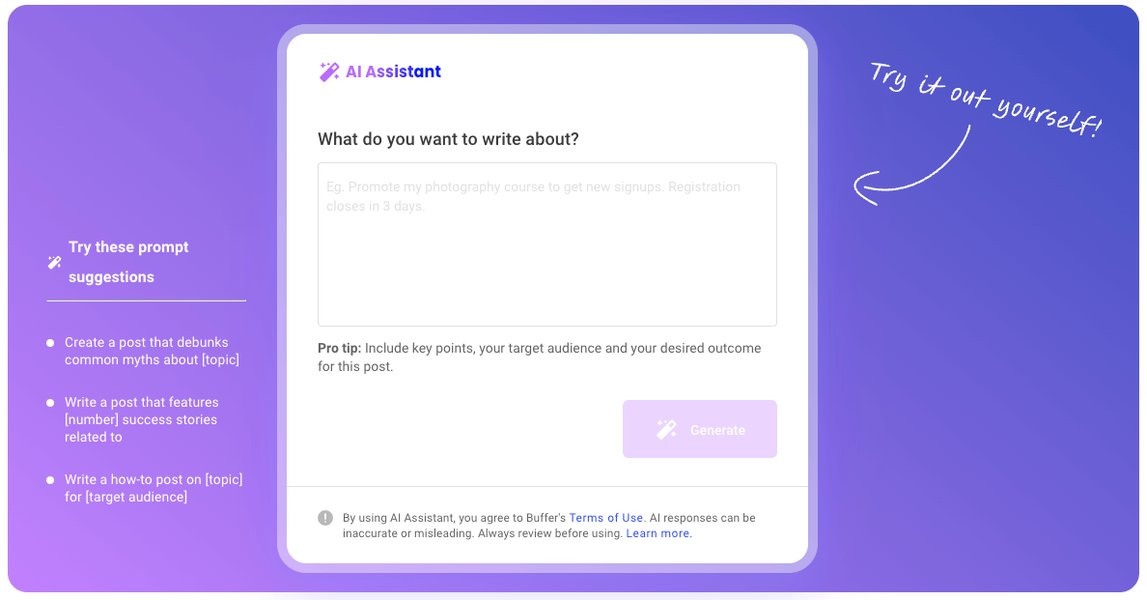
Jasper AI excels at generating diverse marketing and business content.
Tool 2: Sudowrite - The Fiction Writer's Muse (6 Minutes)
Overview
Sudowrite is an AI writing partner specifically designed for fiction authors and storytellers. It's not about replacing the writer's voice but about enhancing it, helping to overcome writer's block, generate evocative descriptions, brainstorm plot twists, and even expand on existing prose. Its unique models are trained to produce more natural-sounding and creative narrative text.
Illustrative Demonstration: Weaving a Tale
Scenario:
Imagine you're writing a fantasy novel and are stuck on describing a mystical, moonlit forest. You also need some ideas for a character's internal conflict.
Live Demo Snippets (Simulated):
-
Scene Description (using 'Describe' feature):
- Input Text to Sudowrite: "The forest was dark."
- Sudowrite 'Describe' (Sensory Details) Potential Output: "The ancient woods breathed an eerie silence, broken only by the whisper of unseen wings. Moonlight, fractured by the dense canopy, painted silvery sigils on the gnarled roots that snaked across the path like petrified serpents. The air hung heavy with the scent of damp earth and a faint, otherworldly perfume – the kind that hinted at both magic and peril."
-
Plot/Character Brainstorm (using 'Brainstorm' feature):
- Input Prompt to Sudowrite: "My character, Elara, a young mage, has just found a forbidden spellbook. What are some internal conflicts she might face?"
- Potential Sudowrite Brainstorm Ideas:
- "The allure of immense power versus the fear of its corrupting influence."
- "Loyalty to her mentor who forbade such magic versus her burning curiosity and ambition."
- "The knowledge that using the spells could save her village, but at the cost of her own soul or reputation."
-
Expanding Text (using 'Expand' feature):
- Input Passage: "She hesitated."
- Sudowrite 'Expand' Potential Output: "She hesitated, her fingers tracing the embossed symbols on the ancient tome. A shiver, not entirely from the night's chill, ran down her spine. Every instinct, every lesson drummed into her since childhood, screamed a warning. Yet, a deeper, more insidious voice whispered of possibilities, of power untapped."
A live demo would showcase Sudowrite's unique interface, focusing on features like 'Describe' for adding sensory details, 'Brainstorm' for generating lists of ideas (names, plot points, dialogue), and 'Rewrite' or 'Expand' to get alternative phrasing or more depth. The key is to show how it acts as a creative partner.
Key Strengths & Takeaways for Sudowrite:
- Creative Focus: Specifically tailored for fiction and narrative writing.
- Idea Generation: Excellent for brainstorming plot, characters, and settings.
- Descriptive Power: Helps craft vivid and immersive prose.
- Overcoming Blocks: Provides inspiration and multiple paths forward when stuck.
- Interactive Tools: Features like 'Wormhole' and 'Story Engine' offer more advanced narrative crafting.
Featured Video: Exploring Sudowrite's Potential
The following video provides a deeper dive into Sudowrite, showcasing how it can be a valuable tool for novel writing. It explores various features that assist authors in developing their stories, from initial concepts to detailed scene construction, aligning with the creative assistance we've discussed.
A look into Sudowrite, an AI tool designed for fiction authors.
Tool 3: Grammarly - The Polishing Professional (4 Minutes)
Overview
Grammarly is arguably the most well-known AI writing assistant, primarily focused on editing and refining existing text. It goes far beyond basic spell-checking, offering suggestions for grammar, punctuation, style, tone, clarity, and conciseness. With its widespread integration across platforms, Grammarly helps millions write more effectively and professionally.
Illustrative Demonstration: Perfecting Your Prose
Scenario:
You've drafted an important email to a client, but you want to ensure it's error-free, professional, and clear.
Live Demo Snippets (Simulated):
- Input Text (with intentional errors): "Deer Mr. Smith, Just wanted to checkin about the project status its progressing. We think its good and will definately meet the deadline, their should be no problems. Looking forward too hearing from you."
-
Grammarly's Real-Time Suggestions:
- Correction: "Deer" to "Dear"
- Correction: "checkin" to "check in"
- Clarity/Conciseness: "its progressing" could be "is progressing" or rephrased for more detail.
- Grammar: "We think its good" to "We think it's good" or suggest stronger phrasing like "We are confident in its quality."
- Correction: "definately" to "definitely"
- Word Choice/Homophone: "their" to "there"
- Punctuation: "Looking forward too" to "Looking forward to"
- Tone Detection: Might flag the overall tone as "informal" and suggest adjustments for a client email (e.g., making it more "confident" or "formal").
- Clarity: Suggest rephrasing sentences for better flow or impact. For instance, "its progressing" might get a suggestion to be more specific: "The project is progressing well and is on track."
A live demo would involve pasting text into Grammarly (via its editor, browser extension, or desktop app) and walking through the suggestions. You'd click on suggestions to accept them, showing how the text improves. Highlighting the "Overall Score," "Clarity," "Engagement," and "Delivery" metrics can be very illustrative, as well as its plagiarism checker.
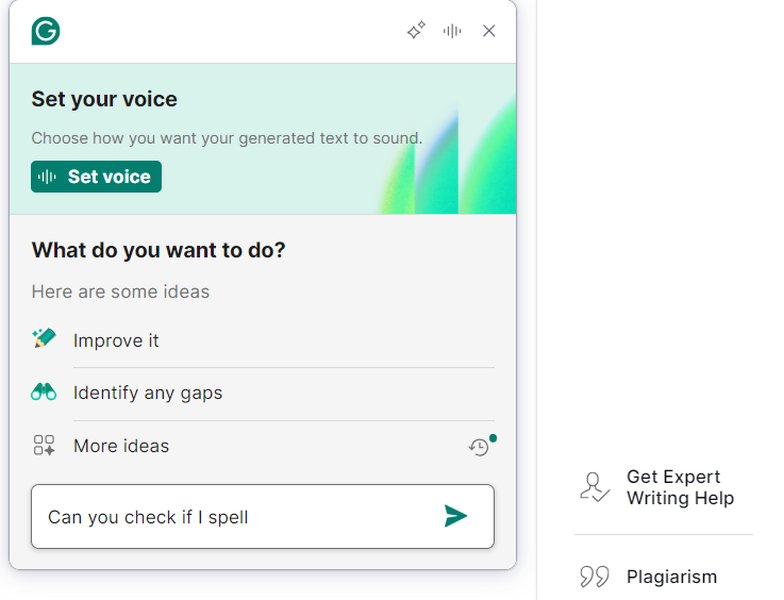
Grammarly offers comprehensive editing and style suggestions.
Key Strengths & Takeaways for Grammarly:
- Comprehensive Editing: Catches errors in grammar, spelling, punctuation, and style.
- Clarity & Conciseness: Offers suggestions to make writing clearer and more impactful.
- Tone Detection: Helps adjust your writing to suit the intended audience and purpose.
- Widespread Integration: Available as browser extensions, desktop apps, and mobile keyboards.
- Plagiarism Checker: Useful for ensuring originality.
Comparing the AI Writing Assistants
To visualize how these three AI writing assistants stack up against each other in key areas, consider the following radar chart. This chart represents an opinionated analysis of their relative strengths based on their primary functions and typical user feedback. "Creativity" refers to generating novel ideas and prose, "Speed" to content generation or analysis time, "Ease of Use" to user interface intuitiveness, "SEO/Marketing" to features supporting online content performance, "Fiction Crafting" to specialized tools for storytelling, and "Grammar & Style" to editing and refinement capabilities.
This visualization helps illustrate that each tool has specific areas where it shines, reinforcing the idea of choosing the right tool for your specific writing task.
Mapping the AI Writing Assistant Landscape
This mindmap provides a conceptual overview of the demo structure and the key aspects of each AI writing assistant discussed. It highlights their primary functions and the types of writing tasks they are best suited for, offering a quick visual summary of how these tools fit into the broader AI writing ecosystem.
(2 mins)"] Purpose["Showcase versatility & power"] Tools["Jasper, Sudowrite, Grammarly"] JasperAI["Jasper AI: Content Powerhouse
(6 mins)"] Overview["Versatile content generation"] Demo["Marketing copy, Blog intro"] Strengths["Speed, SEO, Various formats"] Sudowrite["Sudowrite: Fiction Writer's Muse
(6 mins)"] Overview["Creative writing partner"] Demo["Scene description, Plot ideas"] Strengths["Storytelling, Idea generation, Vivid prose"] Grammarly["Grammarly: Polishing Professional
(4 mins)"] Overview["Editing & refinement"] Demo["Error correction, Tone adjustment"] Strengths["Grammar, Clarity, Professionalism"] Conclusion["Conclusion: AI as a Collaborator
(2 mins)"] Recap["Diverse applications"] Emphasis["Augmenting human creativity"]
This mindmap helps to visually structure the information presented, connecting the overarching theme of AI writing assistance with the specific capabilities and applications of each tool demonstrated.
Summary of AI Writing Tools
The table below provides a concise summary of the three AI writing assistants featured in this demo, outlining their primary functions, key features, and the types of users or writing tasks they are best suited for. This allows for a quick comparison and helps in identifying which tool might be most beneficial for specific needs.
| Tool | Primary Function | Key Features | Best For |
|---|---|---|---|
| Jasper AI | Versatile Content Generation | Multiple templates, Tone adjustment, SEO optimization, Long-form assistant, Plagiarism checker | Marketers, Bloggers, Businesses, SEO content creators, General writing tasks |
| Sudowrite | Creative & Fiction Writing | Describe tool (sensory details), Brainstorm (plot, characters), Expand/Rewrite text, Story Engine, First Draft generation | Novelists, Short story writers, Screenwriters, Creative writers needing inspiration |
| Grammarly | Editing & Polishing | Advanced grammar & spell check, Punctuation, Style & tone suggestions, Clarity improvements, Plagiarism checker, Citations (beta) | Students, Professionals, Academics, Anyone needing to refine their writing for accuracy and impact |
Conclusion: Your AI-Powered Writing Future (2 Minutes)
As we've seen, AI writing assistants offer a diverse range of capabilities to support writers in various endeavors. Jasper AI excels at generating a wide array of content quickly and efficiently. Sudowrite acts as a creative muse for fiction writers, helping to build worlds and weave narratives. Grammarly ensures your final product is polished, professional, and error-free.
The key takeaway is that these tools are designed to assist and augment human creativity and expertise, not replace them. By understanding their strengths and using them strategically, you can significantly enhance your productivity, overcome creative hurdles, and improve the overall quality of your writing. We encourage you to explore these tools further and discover how they can fit into your unique writing workflow. The future of writing is collaborative, and AI is a powerful partner in that journey!
Frequently Asked Questions (FAQ)
Are these AI writing tools free to use? +
Most advanced AI writing tools, including Jasper AI and Sudowrite, operate on a subscription basis, often with different tiers offering varying levels of features and usage credits. Many offer limited free trials or basic free versions. Grammarly has a robust free version for basic grammar and spelling checks, with premium features available through a subscription.
Can AI writing tools write a full book or complex research paper independently? +
While AI can generate substantial amounts of text and assist with outlining and drafting, they are not yet capable of writing a full, coherent, and nuanced book or a complex research paper entirely on their own without significant human guidance, editing, and critical input. They are best used as assistants to help with specific parts of the writing process, such as brainstorming, drafting sections, overcoming writer's block, or refining language. Human oversight is crucial for ensuring factual accuracy, originality of thought, logical flow, and overall quality.
How do I ensure the AI-generated content is original and avoids plagiarism? +
Reputable AI writing tools aim to generate original content. However, it's always a good practice to use a plagiarism checker (many AI tools, like Jasper and Grammarly, include one) on any AI-generated text, especially for critical publications. Furthermore, always critically review and edit AI-generated content, infusing your own voice, insights, and specific knowledge to make it truly unique and to ensure it accurately reflects your intended message. Citing sources appropriately if the AI helped synthesize information from known texts is also important.
Which AI writing tool is best for a beginner? +
For general writing improvement and editing, Grammarly's free version is an excellent starting point due to its ease of use and wide applicability. If you're looking to explore content generation for blogs or social media, Jasper AI offers many templates and a relatively intuitive interface that can be helpful for beginners, though it has a steeper learning curve for advanced features. The "best" tool depends on your specific needs and willingness to invest time in learning its functionalities. Trying out free trials is often the best way to find what suits you.
Recommended Further Exploration
If you're intrigued by the potential of AI writing assistants, consider exploring these related topics:
- How to write effective prompts for AI writing assistants?
- Ethical considerations when using AI for content creation.
- Comparing advanced features of Jasper AI versus other content generators.
- Tips for integrating Sudowrite into a fiction writing workflow.
References
Last updated May 11, 2025