
Unlocking Seamless E-commerce: Connecting Airtable Products to Xendit Payments via No-Code Platforms
Transform your 242-product Airtable inventory into a dynamic storefront with integrated payment processing.
Key Integration Insights
- Softr is the optimal choice for displaying Airtable data: Its native integration and dynamic blocks make it highly efficient for showcasing your 242 products with rich details and gallery views.
- No-code automation platforms are essential for linking Airtable and Xendit: Tools like Appy Pie Automate, Make, and Pipedream serve as crucial bridges, enabling automated workflows for payment initiation and status updates without manual coding.
- Xendit provides robust payment processing for Southeast Asia: It supports various payment methods (cards, e-wallets, bank transfers) and requires account activation and KYC verification before going live.
Connecting Airtable, a flexible database, with Xendit, a robust payment gateway, and displaying your 242 products on a user-friendly frontend like Softr or Tilda involves a multi-step, no-code approach. This integration empowers you to manage your product catalog efficiently while providing a seamless purchasing experience for your customers, especially for businesses operating within Southeast Asia where Xendit is prevalent.
Structuring Your Product Data in Airtable
Airtable serves as the central repository for your 242 product listings. It's crucial to structure your data meticulously to ensure smooth integration with display platforms and payment workflows. Each product should have a dedicated record, with key information organized into specific fields (columns).
Essential Airtable Product Fields
For each of your 242 products, consider including the following fields in your Airtable base:
- Product Name: A clear and concise title for the product.
- Description: Detailed information about the product's features, benefits, and specifications.
- Price: The selling price of the product. Consider a separate field for currency if you sell internationally.
- Product Images: Attachment fields for high-quality images of your product. Softr can display these in galleries.
- Stock Quantity: To manage inventory levels and prevent overselling.
- SKU/Product ID: A unique identifier for each product.
- Category: A single-select or linked record field to categorize your products for easier navigation and filtering.
- Payment Status (Optional but Recommended): A single-select field (e.g., "Pending," "Paid," "Failed") that can be updated automatically by your payment automation.
Organizing your data into a single, well-structured table is crucial, as platforms like Softr often connect one dynamic block to one Airtable table for display.
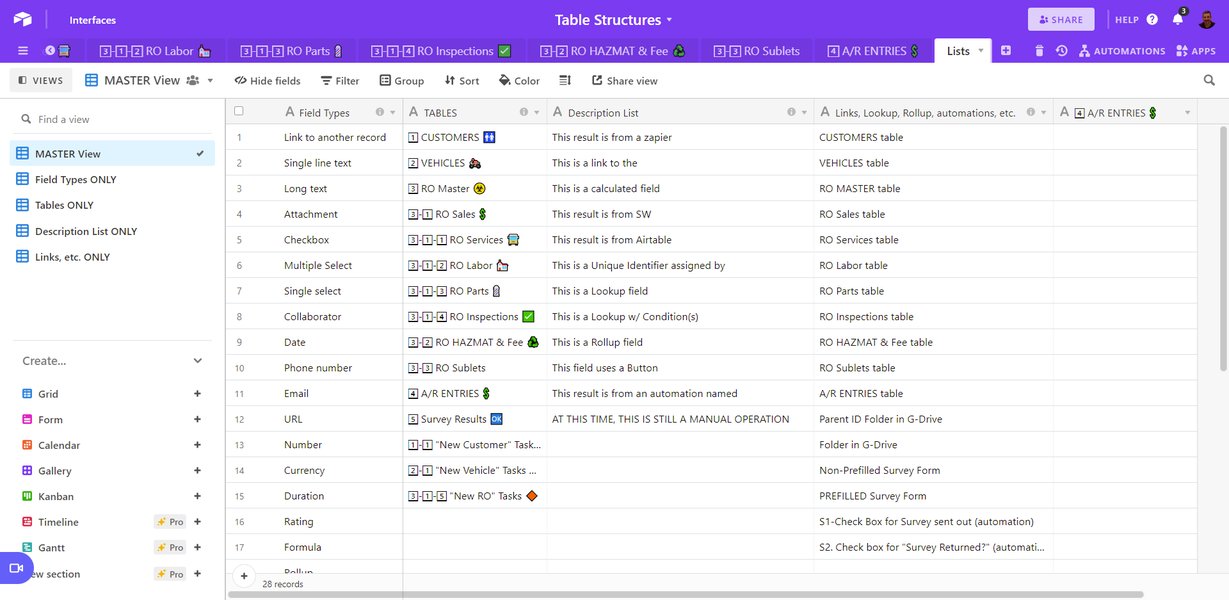
Airtable's table view for organizing product master lists.
Showcasing Your Products: Softr vs. Tilda
Selecting the right platform to display your 242 products is paramount for a user-friendly experience. Among the mentioned options, Softr stands out due to its deep and native integration with Airtable.
Softr: The Preferred Choice for Airtable Display
Softr is specifically designed to build web applications, client portals, and internal tools directly from your Airtable bases without writing any code. Its capabilities make it an ideal frontend for your product catalog.
Connecting Airtable to Softr:
- Connect Data Source: In Softr, navigate to "Data Sources" and connect your Airtable account. Grant Softr the necessary access to your Airtable bases.
- Add Dynamic Blocks: Drag and drop a "dynamic block" (e.g., List, Grid, Table, Gallery) onto your Softr page. These blocks are designed to pull data from your Airtable base.
- Map Airtable Columns: Within the dynamic block settings, select your product table from Airtable. Map the relevant Airtable columns (e.g., Product Name, Description, Price, Image) to the corresponding fields in the Softr block. Softr often auto-maps common fields, but manual adjustments ensure accuracy.
- Display Product Details: For comprehensive product information, utilize "list detail pages." When a customer clicks on a product in the list or grid, a detail page will open, displaying all mapped information, including a gallery for multiple product images.
- Customize and Filter: Softr allows extensive customization of layouts, content, and styling. You can add filtering, sorting, and search functionalities to help customers easily navigate your 242 products.
This video tutorial provides a step-by-step guide on how to integrate Softr with Airtable, demonstrating the process of connecting your Airtable backend to a Softr frontend. It's highly relevant as it showcases how to build a dynamic application to display your product data without coding.
Tilda: A Website Builder with Payment Capabilities
Tilda is a versatile website builder that supports payment integrations. However, its direct integration with Airtable for dynamic content display is not as native or seamless as Softr's.
Integrating Tilda with Airtable (Indirectly):
- Static Display/Manual Entry: For displaying your 242 products, you would likely need to manually input product data into Tilda blocks or use a third-party e-commerce solution that integrates with Tilda.
- Embedded Views: You could embed read-only Airtable views using iframes, but this limits interactivity and real-time updates.
- Automation for Data Sync: To maintain dynamic product data, you would need an intermediary automation platform (like Zapier or Make) to synchronize data from Airtable to Tilda's internal structures. This adds complexity compared to Softr's direct connection.
While Tilda is excellent for website building and allows connection to payment systems, Softr remains the more straightforward choice for displaying dynamically updated Airtable product data.
Implementing Payments with Xendit
Xendit is a leading payment gateway in Southeast Asia, facilitating secure and efficient online transactions. Integrating Xendit with your Softr/Tilda frontend requires leveraging no-code automation platforms, as direct native integrations between Airtable and Xendit are not typically available.
Activating Your Xendit Account and Payment Channels
Before integrating, you must set up your Xendit account:
- Sign Up and KYC: Register for a Xendit account and complete the Know Your Customer (KYC) verification process. This is mandatory for activating your account and enabling live transactions.
- Activate Payment Methods: Log in to your Xendit Dashboard, navigate to the "Configuration" or "Payment Methods" section. Here, you can activate various payment channels, such as credit/debit cards, e-wallets (e.g., OVO, GoPay, LinkAja), and bank transfers (Virtual Accounts). Some channels may require additional activation steps.
- Obtain API Keys: Once activated, Xendit will provide you with API keys (secret key, public key) which are essential for connecting via automation tools.
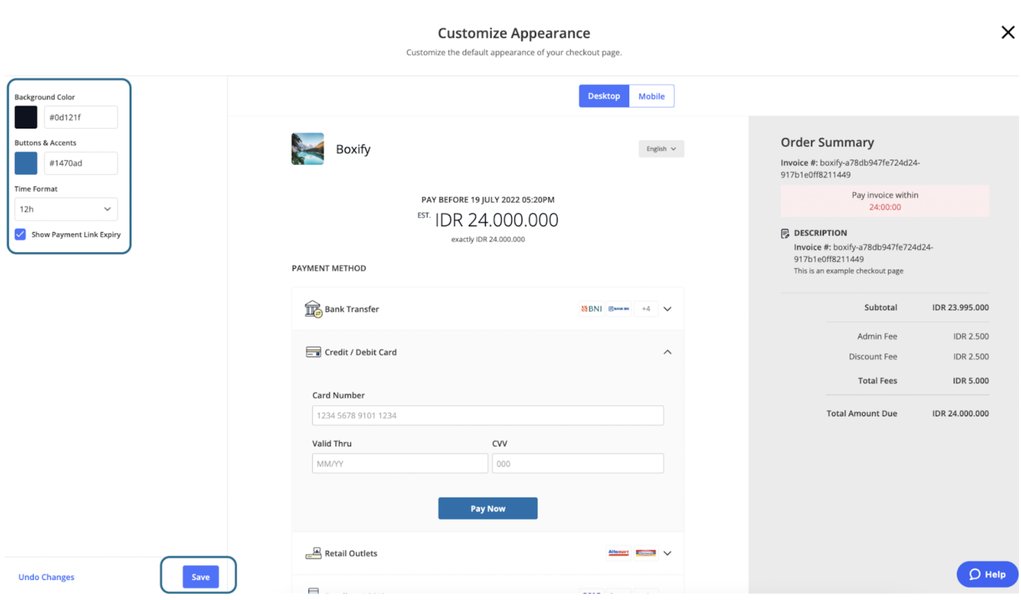
Customizing the appearance of Xendit Payment Links within the dashboard.
Bridging Airtable and Xendit with No-Code Automation
Since there's no direct built-in integration between Airtable and Xendit, you'll rely on third-party no-code automation platforms. These tools act as middleware, orchestrating workflows between your Airtable data and Xendit's API.
Recommended Automation Platforms:
- Appy Pie Automate (formerly Appy Pie Connect): This platform offers direct integration between Xendit and Airtable. You can set up "Zaps" or "Connects" where an action in Airtable triggers a response in Xendit, and vice-versa. For instance, when an order status changes in Airtable, it can trigger a payment link creation in Xendit.
- Make (formerly Integromat): A powerful and flexible automation platform for complex scenarios. Make allows you to create detailed "scenarios" to connect Airtable and Xendit, handling data transformation and conditional logic. It's highly recommended for more advanced workflows.
- Pipedream: Offers a developer-friendly, low-code approach to connect APIs, including Airtable and Xendit. Pipedream enables custom automation solutions, streamlining data processes and financial tasks.
- Zapier: While not explicitly mentioned for Xendit-Airtable directly in all sources, Zapier is a widely used automation tool that likely supports Xendit (via webhooks or native integration) and Airtable, making it a viable option for simpler automations.
Workflow for Payment Integration:
A typical payment workflow would involve the following steps:
- Order Initiation (Softr): A customer browses your 242 products on Softr, selects an item, and proceeds to checkout. This action could trigger a new record creation or an update in your Airtable order table (e.g., marking an order as "pending payment").
- Airtable Trigger: The chosen automation platform (e.g., Appy Pie Automate) detects this new or updated record in Airtable.
- Xendit Payment Link Creation: The automation platform uses the product and order details from Airtable to call the Xendit API, initiating a payment. This could involve generating a unique payment link for the customer.
- Redirect to Payment: The Softr application redirects the customer to the Xendit-hosted payment link or embeds a checkout form for secure payment.
- Payment Confirmation: Once the customer completes the payment through Xendit, Xendit sends a webhook notification to the automation platform.
- Airtable Update: The automation platform receives the payment confirmation from Xendit and updates the corresponding record in your Airtable order table (e.g., changing the "Payment Status" to "Paid"). This keeps your Airtable base as the single source of truth for all order and payment statuses.
This automated flow ensures that your product display and payment processing are tightly linked, providing a seamless e-commerce experience for both you and your customers.
Comparative Analysis of Integration Capabilities
To provide a clearer picture of the strengths of different platforms in this integration scenario, let's look at a radar chart comparing their capabilities for your specific needs.
This radar chart illustrates the perceived strengths of Softr, Tilda, and automation platforms (like Appy Pie Automate, Make, Pipedream) across key criteria relevant to your project. Softr excels in Airtable integration and frontend display, making it ideal for showcasing your 242 products. Automation platforms are crucial for bridging the gap to Xendit and handling the payment logic. Tilda, while a good website builder, is less specialized for dynamic Airtable display without additional workarounds.
Summary of Key Components and Their Roles
Here's a concise overview of the role each tool plays in your integrated solution:
| Component | Primary Role | Key Features for This Setup |
|---|---|---|
| Airtable | Product Database & Backend | Stores 242 product details (name, description, price, images, stock), manages order data, acts as single source of truth. |
| Softr | Frontend Display & User Interface | Natively displays Airtable data as dynamic lists/grids, creates product detail pages, enables user interaction (e.g., "Buy Now" buttons). |
| Xendit | Payment Gateway | Processes online payments (cards, e-wallets, bank transfers), provides secure checkout, primarily serves Southeast Asia. |
| Appy Pie Automate / Make / Pipedream | No-Code Automation Middleware | Connects Airtable to Xendit, automates payment link generation, updates Airtable records with payment status, handles workflow logic. |
This table summarizes how each platform contributes to the overall solution, from data management to payment processing and frontend display.
Understanding the Integration Flow: A Mindmap
To visualize the entire integration process, from data management to payment completion, here's a mindmap illustrating the relationships and flows between Airtable, Softr, Xendit, and the automation tools.
This mindmap visualizes the interconnectedness of the various components. Airtable serves as the data backbone. Softr (or Tilda, with more effort) provides the user interface. Automation platforms act as the crucial link, detecting changes in Airtable and triggering actions in Xendit, and vice versa. This creates a complete and automated e-commerce ecosystem for your 242 products.
Essential Considerations for a Robust Setup
Beyond the core integration steps, several factors will contribute to the success and longevity of your integrated e-commerce solution:
Data Optimization and Scalability
With 242 products, ensure your Airtable base is optimized for performance. Use filtered views to manage and display subsets of data efficiently in Softr. Consider archiving old products or using linked records for categories to keep your main product table clean and fast. Softr is designed to handle a large volume of records, but an optimized Airtable schema will always improve performance.
Security and Compliance
When dealing with payments, security is paramount. Xendit is a licensed payment gateway that prioritizes secure transactions. Ensure that any forms or data collected on your Softr/Tilda frontend are handled securely, particularly sensitive customer information. Adhere to Xendit's KYC requirements for account activation and maintain compliance with local data protection regulations.
Thorough Testing
Before launching your full product catalog and payment system, conduct comprehensive testing of the end-to-end flow. Test various scenarios, including successful payments, failed payments, and different payment methods. Verify that Airtable records are updated correctly after each transaction. Most payment gateways, including Xendit, provide a sandbox or test mode for this purpose.
User Experience (UX)
A smooth and intuitive user experience is crucial for conversions. Ensure that the transition from browsing products on Softr to completing payment on Xendit is seamless. Clear call-to-action buttons ("Buy Now," "Add to Cart"), clear product descriptions, and easily accessible payment options will enhance the customer journey.
Frequently Asked Questions
How does Softr handle images from Airtable?
What are the primary no-code tools for connecting Airtable and Xendit?
Is Xendit suitable for businesses outside Southeast Asia?
Can I manage inventory directly in Airtable with this setup?
What if I want to use Tilda instead of Softr for product display?
Conclusion
Linking Airtable and Xendit to display your 242 products on a no-code platform like Softr is a highly achievable and efficient solution for setting up an e-commerce presence. By leveraging Softr's native integration with Airtable for frontend display and utilizing powerful automation tools like Appy Pie Automate, Make, or Pipedream to connect Airtable's data flow with Xendit's payment processing capabilities, you can build a robust, scalable, and automated online store. This approach minimizes the need for custom coding, allowing you to focus on your products and customer experience while ensuring secure and seamless transactions.
Recommended Further Exploration
- Building a no-code e-commerce store with Softr and Airtable
- Advanced Xendit API integration with Make.com
- Optimizing Airtable base for large product catalogs
- Implementing inventory management with Airtable automations