
Unraveling the Apache 403 Forbidden Error: Complete Troubleshooting Guide
Master the causes, solutions, and prevention strategies for the frustrating "Access Denied" barrier
Essential Insights: Apache 403 Forbidden Error
- Permission Issues: Incorrect file/directory permissions (typically directories need 755, files need 644) are the most common cause of 403 errors.
- Configuration Problems: Misconfigured .htaccess files and Apache directives frequently trigger access denials.
- System Security: SELinux restrictions and improper file ownership can block Apache from accessing requested resources.
When you encounter an Apache 403 Forbidden error, your web server is telling you it understands your request but refuses to fulfill it due to authorization issues. Unlike a 404 error (resource not found), a 403 indicates the resource exists but you don't have permission to access it. This comprehensive guide will help you identify and resolve these access denials.
Understanding the Apache 403 Forbidden Error
A 403 Forbidden error occurs when Apache understands the request but refuses to authorize it. The server typically displays a message like "403 Forbidden: You don't have permission to access [resource] on this server." This error represents a deliberate restriction rather than a technical failure or missing file.
How Apache Access Control Works
Apache uses a hierarchical permission system to determine access rights. When a request arrives, Apache checks multiple levels of permission:
- System-level file and directory permissions
- Apache configuration directives in httpd.conf/apache2.conf
- Virtual host configurations
- Directory-specific settings
- .htaccess files in the requested directory
- Additional security layers (like SELinux)
If any layer denies access, the 403 error appears. Understanding this hierarchy is crucial for effective troubleshooting.
Primary Causes of Apache 403 Forbidden Errors
File System Permission Issues
The most common cause of 403 errors is improper file system permissions. For Apache to serve content, it needs:
- Read permission on files
- Read and execute permissions on directories
- Execute permissions on all parent directories up to the root
Standard Permission Settings
For proper web server operation, these permission settings are typically recommended:
- Directories: 755 (owner can read/write/execute, others can read/execute)
- Files: 644 (owner can read/write, others can read only)
Apache Configuration Problems
Several Apache configuration issues can trigger 403 errors:
Restrictive Directory Directives
The main Apache configuration might contain overly restrictive directory access directives. Look for blocks like:
<Directory />
    AllowOverride None
    Require all denied
</Directory>
If your document root isn't specifically granted access after this restriction, a 403 error will occur.
Misconfigured .htaccess Files
.htaccess files can override directory settings. Syntax errors or overly restrictive rules in these files will trigger 403 errors. Common problematic directives include:
Require all denied
Deny from all
Missing Index Document
When accessing a directory without specifying a file (e.g., http://example.com/directory/), Apache looks for an index file (like index.html or index.php). If none exists and directory listing is disabled, a 403 error occurs.
System Security Constraints
SELinux Restrictions
On systems with Security-Enhanced Linux (SELinux) enabled, additional security contexts can prevent Apache from accessing files, even when filesystem permissions are correct.
Ownership Issues
If files aren't owned by the Apache user (typically www-data, apache, or nobody), the server might be unable to access them despite appropriate permissions.
Comprehensive Troubleshooting Steps
Step-by-Step Diagnosis Process
1. Check Apache Error Logs
Start by examining Apache error logs for specific details about the cause:
sudo tail -f /var/log/apache2/error.log   # Debian/Ubuntu
sudo tail -f /var/log/httpd/error_log     # CentOS/RHEL
Look for entries containing "client denied by server configuration" or similar messages.
2. Verify File and Directory Permissions
Ensure appropriate permissions are set on your web content:
# Set standard permissions recursively
sudo find /var/www/html -type d -exec chmod 755 {} \;
sudo find /var/www/html -type f -exec chmod 644 {} \;
3. Check File Ownership
Files should be owned by the Apache user (varies by system):
# For Debian/Ubuntu
sudo chown -R www-data:www-data /var/www/html

# For CentOS/RHEL
sudo chown -R apache:apache /var/www/html
4. Examine Apache Configuration
Review your main Apache configuration files:
sudo nano /etc/apache2/apache2.conf    # Debian/Ubuntu
sudo nano /etc/httpd/conf/httpd.conf   # CentOS/RHEL
Look for restrictive <Directory> blocks and ensure your content directories have appropriate access rules.
5. Check .htaccess Files
Inspect any .htaccess files in your web directories for access restrictions or syntax errors:
sudo find /var/www/html -name ".htaccess" -print -exec cat {} \;6. Address SELinux Issues (if applicable)
If SELinux is enabled (common on CentOS/RHEL), check its status:
sestatusTo adjust SELinux context for web files:
sudo chcon -R -t httpd_sys_content_t /var/www/html7. Restart Apache After Changes
Apply changes by restarting the Apache service:
sudo systemctl restart apache2    # Debian/Ubuntu
sudo systemctl restart httpd      # CentOS/RHEL
Troubleshooting Mindmap
Optimal Apache Configuration Examples
Allowing Directory Access
To properly configure directory access in your main Apache configuration:
<Directory /var/www/html>
    Options Indexes FollowSymLinks
    AllowOverride All
    Require all granted
</Directory>
IP-Based Access Control
To restrict access to specific IP addresses:
<Directory /var/www/html/admin>
    Require ip 192.168.1.100 10.0.0.5
</Directory>
.htaccess Example
A properly configured .htaccess file allowing access:
# Allow access to all
Require all granted

# Or restrict to specific IPs
# Require ip 192.168.1.0/24
Enabling Directory Indexing
If you want to allow directory listing when no index file exists:
<Directory /var/www/html/downloads>
    Options +Indexes
    Require all granted
</Directory>| Apache Directive | Effect | Example | Common Location |
|---|---|---|---|
| Require all granted | Allows access to all clients | Require all granted | Directory blocks, .htaccess |
| Require all denied | Denies access to all clients | Require all denied | Directory blocks, .htaccess |
| Require ip | Allows access from specific IPs | Require ip 192.168.1.100 | Directory blocks, .htaccess |
| Options +Indexes | Enables directory listing | Options +Indexes | Directory blocks, .htaccess |
| Options -Indexes | Disables directory listing | Options -Indexes | Directory blocks, .htaccess |
| AllowOverride All | Enables .htaccess overrides | AllowOverride All | Directory blocks |
| Order allow,deny | Legacy access control (2.2) | Order allow,deny Allow from all |
Directory blocks, .htaccess (2.2) |
Visual Examples of Apache 403 Errors
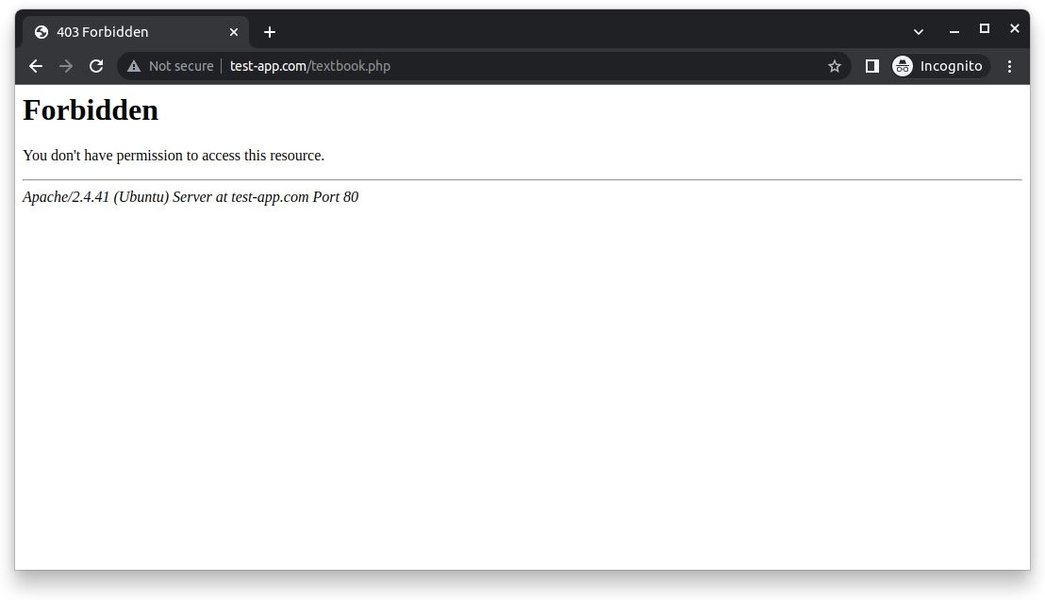
A typical Apache 403 Forbidden error as displayed in a web browser
Video Tutorial: Resolving Apache 403 Errors
This video provides a practical demonstration of how to identify and fix the "403 Forbidden" error in Apache web servers, with step-by-step guidance on resolving permission issues and configuration problems:
Frequently Asked Questions
References
- Apache 403 Forbidden Error: Causes & Solutions - phoenixNAP
- Apache 403 Forbidden Error and Solution - nixCraft
- Authentication, Authorization and Access Control - Apache HTTP Server
- Forbidden: You don't have permission to access on this server - TecMint
- Allow or Deny Access to Websites Using Apache - TecMint
- Apache 403 Forbidden Access Denied - Stack Overflow
- (13)Permission denied: How to fix Apache permission issues - Pete Freitag
Recommended Searches
Last updated April 8, 2025