
Unlock Linux Mastery: Leveraging Your Unix Foundation to Become a Guru
Propel your expertise from Unix to advanced Linux administration, scripting, and system internals with a structured learning path.
Essential Insights for Your Linux Journey
- Seamless Transition: Your Unix background provides a significant advantage, as Linux shares fundamental principles like file systems, processes, and command-line interfaces, making many core skills directly transferable.
- Linux-Specific Deep Dive: Focus on mastering Linux's unique aspects, including diverse package managers (apt, yum, dnf),
systemdfor initialization, kernel modules, advanced security features (SELinux, AppArmor), and modern containerization technologies (Docker, Kubernetes). - Hands-On & Continuous Learning: Practical application through daily usage, setting up virtual environments, migrating applications, and engaging with the vibrant Linux community are crucial for solidifying knowledge and staying updated in this evolving ecosystem.
With a robust background in Unix, your journey to becoming a Linux guru is a natural and highly achievable progression. Linux, a Unix-like operating system, inherits much of its core design philosophy, command structure, and operational paradigms from Unix. This shared heritage means that your existing knowledge of file systems, process management, shell scripting, and basic command-line utilities will serve as an invaluable foundation, significantly accelerating your learning curve. However, to truly transcend from a Unix expert to a Linux guru, you must delve into the Linux-specific nuances, tools, distributions, kernel internals, and its expansive open-source ecosystem.
Organizations worldwide are increasingly migrating from traditional Unix systems to Linux, driven by compelling factors such as cost efficiency, enhanced performance, superior virtualization capabilities, and increased IT flexibility and scalability. This industry trend further underscores the value of deepening your Linux expertise, positioning you at the forefront of modern IT infrastructure management.
Bridging the Gap: Unix Similarities and Linux Distinctions
Understanding the common ground and key differences between Unix and Linux is the first step in your mastery journey. This allows you to leverage your existing strengths while strategically focusing on new areas.
Common Ground: Familiar Territories
Many foundational concepts and tools you're accustomed to in Unix are directly applicable in Linux. This includes:
- Multi-user and Multitasking: Both systems are designed for concurrent users and processes.
- Hierarchical File System: The tree-like structure, with a root directory and familiar directories like
/bin,/etc,/home, and/usr, is largely consistent. - Command-Line Interface (CLI): Core utilities and commands such as
ls,cp,mv,rm,cat,grep,ps, andfindoperate similarly. - Shell Environments: Bash (Bourne-Again SHell) is the default shell on most Linux distributions and is widely available on Unix, making your shell scripting skills highly transferable. Other shells like
shandkshalso have commonalities. - GNU Tools: Many of the standard command-line utilities in Linux are part of the GNU project, which aims to provide a Unix-compatible software system.
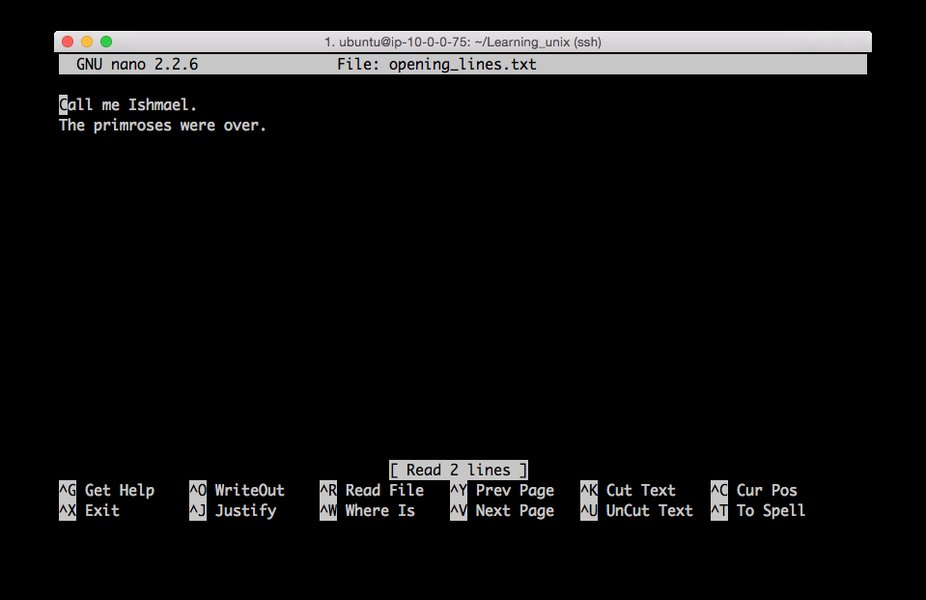
A typical Unix terminal interface, showcasing the command-line environment that forms the foundational similarity with Linux.
Key Linux-Specific Differences to Master
While the similarities provide a strong base, true Linux guru status requires a deep understanding of what makes Linux unique. Focus on these areas:
- Kernel Architecture and Modules: While both have kernels, understanding the Linux kernel's specific architecture, how it handles device management, and the compilation/insertion of kernel modules is vital.
- System Initialization (
systemd): Modern Linux distributions predominantly usesystemdfor system and service management, a significant departure from older SysVinit systems often found in Unix. Masteringsystemdservices, targets, and logging (journald) is crucial. - Package Management Systems: Unix typically relies on manual compilation or simpler package mechanisms. Linux boasts sophisticated package managers like
APT(Debian/Ubuntu),Yum/DNF(Red Hat/Fedora), andZypper(openSUSE) for installing, updating, and removing software efficiently. - Filesystem Variations: While similar in hierarchy, Linux utilizes a broader range of filesystems like
ext4,XFS,Btrfs, andZFS(via FUSE or kernel modules), each with distinct features for performance and data integrity. Learn tools likefsck,mount, andlvmfor managing these. - Security Modules: Linux has advanced security frameworks like
SELinuxandAppArmorwhich provide mandatory access control (MAC) capabilities. Understanding and configuring these is paramount for system security. - Containerization and Virtualization: Linux is the backbone of modern container technologies (Docker, Podman) and orchestration platforms (Kubernetes). Understanding cgroups, namespaces, and KVM for virtualization is essential for contemporary systems.
- Userland Tools: While many GNU core utilities are shared, some BSD-specific utilities (common in certain Unix variants) may have different flags or behaviors compared to their GNU counterparts.
A Strategic Roadmap to Linux Guru Status
This roadmap outlines a comprehensive path, leveraging your Unix background to systematically build advanced Linux expertise.
Phase 1: Solidifying Core Linux Concepts & Command-Line Mastery
Begin by reinforcing your command-line proficiency and adapting to Linux-specific foundational elements. Resources like "Linux Journey" are excellent for structured learning.
- Deepen Command Proficiency: Beyond basic file manipulation, explore advanced usage of tools like
awk,sed,grep,cut,paste,xargs, andfindfor powerful text processing and data manipulation. - Advanced Shell Scripting: Elevate your Bash scripting skills to include functions, arrays, advanced error handling, traps, and complex logic for automating system administration tasks. Consider exploring
zshorfishfor productivity enhancements. - File System Hierarchy Standard (FHS): While familiar, review the FHS to understand common directory purposes across various Linux distributions.
- Process Management: Master
ps,top,htop,lsof,netstat, andssfor monitoring, troubleshooting, and managing running processes and network connections.

The btop utility provides a detailed, real-time overview of system resource consumption, critical for performance monitoring on Linux.
Phase 2: Mastering Linux System Administration & Security
This phase focuses on the operational aspects of managing Linux systems effectively and securely.
- Comprehensive Package Management: Become proficient in using
apt,yum,dnf, orzypperdepending on your chosen distribution. Understand repositories, package dependencies, and package building. - System Initialization with
systemd: Learn to manage services, create custom service units, understand targets, and interpret logs usingjournalctl. - Networking Configuration: Deepen your knowledge of network interface configuration (
ip,nmcli), routing, DNS resolution, and advanced firewalling withiptablesornftables. Understand common network services like Apache, Nginx, SSH, FTP, and DNS servers. - Storage Management: Master Logical Volume Management (LVM) for flexible storage allocation, understand RAID configurations (
mdadm), and work with network file systems like NFS and Samba. - User, Group, and Permissions Management: Go beyond basic
chmodandchown. Learn about Access Control Lists (ACLs) and special permissions (setuid,setgid,sticky bit). - Linux Security Practices: Implement robust security policies using
SELinuxorAppArmor. Understand secure shell (SSH) configurations, vulnerability scanning, and hardening techniques. - Logging and Monitoring: Set up and interpret system logs (
rsyslog,journald). Explore monitoring tools like Prometheus and Grafana for system health and performance insights.
Phase 3: Diving into Linux Kernel & Advanced Ecosystem
To achieve "guru" status, you'll need to understand the underlying mechanisms and leverage modern Linux technologies.
- Linux Kernel Internals: Gain an understanding of process scheduling, memory management, the virtual file system, and the networking stack. While not requiring kernel development, knowing how these work aids in advanced troubleshooting and optimization.
- Kernel Modules: Learn how to load, unload, and manage kernel modules, which extend kernel functionality without recompiling the entire kernel.
- Virtualization and Containerization: Master technologies like KVM for virtual machines and Docker/Podman for containers. Understand cgroups and namespaces as fundamental building blocks of containers, and explore Kubernetes for container orchestration.
- Configuration Management & Automation: Become proficient with tools like Ansible, Puppet, or Chef to automate infrastructure provisioning, configuration, and deployment across multiple Linux servers.
- Cloud Environments: Understand how Linux operates in cloud platforms (AWS, Azure, GCP) and how to manage cloud instances effectively.
- Troubleshooting & Performance Tuning: Utilize advanced tools like
strace,ltrace,perf,sysctl, and/procfilesystem for in-depth system analysis and performance optimization.
This video provides a comprehensive guide to mastering the Linux command line, a fundamental skill that builds directly on your Unix background. It covers essential commands and system navigation, which are crucial for effective Linux administration and development.
A Comparative Analysis of Linux Expertise Levels
To better understand your progression, consider this radar chart illustrating the difference in skill focus across various levels of Linux proficiency, building upon a Unix foundation. The data points reflect opinionated analyses rather than hard metrics, providing a qualitative perspective.
As illustrated, a "Unix Expert" already possesses strong foundational knowledge in Unix concepts and command-line usage. However, a "Linux Guru" significantly deepens this across all fronts, with particular emphasis on Linux-specific distribution tools, advanced system administration, kernel intricacies, and modern DevOps/containerization technologies. This chart highlights the areas where your existing Unix strengths are amplified and where new, Linux-specific knowledge is paramount.
Practical Application and Continuous Learning
Theoretical knowledge is critical, but hands-on experience and continuous engagement are what truly forge a Linux guru.
- Daily Immersion: Use Linux as your primary operating system. This forces you to learn and troubleshoot daily tasks within a Linux environment.
- Experiment with Distributions: Install and experiment with various Linux distributions (e.g., Ubuntu, Fedora, Debian, Arch Linux, openSUSE). Each has its own package manager, philosophies, and community, broadening your perspective.
- Set Up Labs and Virtual Environments: Create virtual machines (using VirtualBox, KVM, VMware) or cloud instances (AWS, GCP, Azure) to build and break systems without fear. Practice server setups, network configurations, and application deployments.
- Real-World Projects: Undertake projects like setting up a web server, a home automation system, a media server, or migrating an application from a Unix environment to Linux. Automate repetitive tasks using shell scripts and configuration management tools.
- Contribute to Open Source: Engage with the open-source community. This could mean contributing code, documenting, or participating in discussions, which provides invaluable exposure to real-world problems and solutions.
- Stay Updated: Linux is constantly evolving. Follow blogs, subscribe to newsletters, attend webinars, and read documentation from sources like Red Hat, The Linux Foundation, and distribution-specific wikis.
- Community Engagement: Join online forums (e.g., Reddit's r/linux, Stack Exchange Unix & Linux), IRC channels, or local Linux user groups. Asking questions, answering others' queries, and discussing solutions are powerful learning mechanisms.
Key Learning Resources and Certification Pathways
Structured learning, complemented by practical application, will solidify your path to Linux guru status. Many resources are available to guide you.
This mindmap visually structures the comprehensive path from a Unix background to becoming a Linux guru, detailing key areas of focus and practical steps. It highlights the interdependencies between different knowledge domains, emphasizing a holistic approach to mastering Linux.
Recommended Learning Resources:
| Resource Type | Description | Examples/Relevant Sources |
|---|---|---|
| Online Tutorials & Guides | Interactive platforms and comprehensive guides for fundamental to advanced concepts. | Linux Journey, GeeksforGeeks Linux Tutorial, freeCodeCamp's Linux Command Handbook |
| Online Courses | Structured learning paths often with hands-on labs and expert instructors. | Linux Foundation Free Courses, Udemy: The Complete Linux Guide, Coursera Advanced Linux Courses |
| Official Documentation | Authoritative information directly from distribution developers and projects. | Red Hat Enterprise Linux Reference Guide, Arch Linux Wiki, man pages, project documentation (e.g., Docker docs, Kubernetes docs). |
| Books | In-depth theoretical and practical knowledge from experienced authors. | "Linux Pocket Guide" by Daniel Barrett, "Mastering Linux: The Ultimate Guide...", "Red Hat Enterprise Linux Administration". |
| Community Forums & Blogs | Real-world problem-solving, latest trends, and peer support. | Reddit's r/linux, Stack Exchange Unix & Linux, various Linux-focused blogs (e.g., How-To Geek, Enable Sysadmin). |
Certifications: Validating Your Expertise
While not strictly necessary, certifications can validate your skills and boost your career prospects. Consider these:
- CompTIA Linux+: A foundational certification covering common Linux distributions, general Linux command line, system management, and security.
- LPIC (Linux Professional Institute Certification): A multi-level certification program (LPIC-1, LPIC-2, LPIC-3) that progresses from junior-level administration to enterprise-level system architecture.
- Red Hat Certifications (RHCSA, RHCE): Highly respected industry certifications focused on Red Hat Enterprise Linux, emphasizing practical, hands-on skills in system administration and engineering.
FAQ: Your Path to Linux Guru Explained
Why is a Unix background helpful for learning Linux?
ls, grep, ps), and shell scripting (Bash). Your existing knowledge significantly reduces the learning curve for these fundamental aspects, allowing you to focus on Linux-specific advanced topics.What are the most crucial Linux-specific areas to focus on?
systemd initialization system, advanced security modules (SELinux, AppArmor), various Linux filesystems (ext4, XFS, Btrfs), and contemporary technologies like containerization (Docker, Kubernetes) and configuration management (Ansible).How important is hands-on practice in becoming a Linux guru?
Are certifications necessary to be considered a Linux guru?
Conclusion: Your Expertise, Amplified
Your journey from a solid Unix background to a Linux guru is not merely a transition but an amplification of your existing expertise. By strategically focusing on the unique aspects of Linux, immersing yourself in hands-on practice, engaging with the vibrant open-source community, and committing to continuous learning, you will not only adapt to the Linux ecosystem but master it. The demand for skilled Linux professionals continues to grow, making your pursuit of guru status a highly rewarding endeavor that places you at the cutting edge of modern IT infrastructure.
Recommended Searches to Deepen Your Knowledge
- Explore advanced Linux kernel modules and performance tuning techniques.
- Dive deeper into mastering SELinux and AppArmor for robust Linux security.
- Learn how Kubernetes and Docker orchestration impact modern Linux administration.
- Understand the pros and cons of different Linux distribution package managers.
Referenced Search Results

 docs.media.bitpipe.com