
Unlock Peak Efficiency: Finding the Ultimate Construction Software for Your Real Estate Development Needs
Navigate cost control, documents, subcontractors, and scheduling with the right digital toolkit for seamless project execution.
As a real estate developer, managing the intricate dance of construction projects demands precision, foresight, and robust tools. From initial groundbreaking to final handover, maintaining control over costs, documentation, subcontractors, and timelines is paramount. The right construction management software isn't just helpful; it's a strategic asset that can significantly impact profitability, efficiency, and project success. Identifying a solution that excels in deep cost controlling, comprehensive document management, streamlined subcontractor tendering and management, and precise project scheduling is key to navigating the complexities of development.
Highlights: Key Takeaways for Developers
- Comprehensive Platforms Lead: Solutions like Procore and Autodesk Construction Cloud are frequently highlighted for their all-in-one capabilities, offering robust features across cost, document, subcontractor, and schedule management, particularly suitable for complex, large-scale developments.
- Specialized Solutions Offer Advantages: Software like Northspyre is specifically designed for real estate development, focusing on data-driven decision-making and predictive cost analytics, while Buildertrend excels in the residential sector.
- Core Functionality is Crucial: Prioritize software with strong, integrated modules for deep cost control (real-time tracking, forecasting), centralized document management (version control, access), efficient subcontractor workflows (bidding, contracts, performance), and dynamic project scheduling (Gantt charts, resource allocation).
Decoding Your Core Software Needs
Selecting the ideal construction management software requires understanding how specific features address the unique challenges faced by real estate developers. Your requirements point to a need for a deeply integrated platform.
Why These Features Matter
Deep Cost Controlling
Real estate development hinges on profitability. Software must provide granular control over budgets, track expenses in real-time, forecast potential overruns, and manage change orders effectively. This involves detailed budget creation, expense monitoring, and integration with financial systems to prevent overspending and ensure projects remain financially viable.
Comprehensive Document Management
Developments generate vast amounts of documentation – blueprints, permits, contracts, compliance reports, RFIs, submittals. A centralized, cloud-based system with version control, secure sharing, and easy mobile access is essential for collaboration, compliance, and reducing errors.
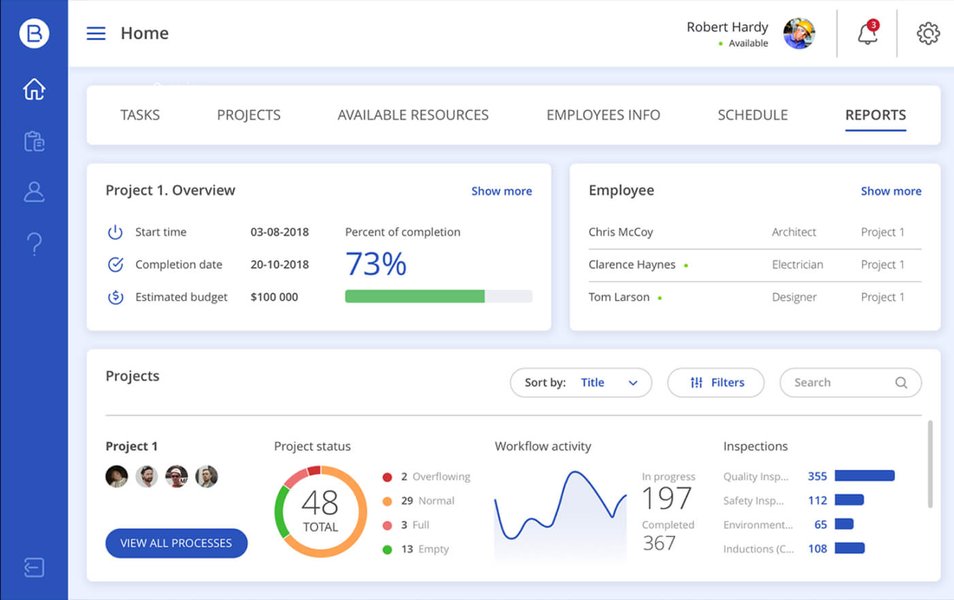
Centralized dashboards provide visibility into project documentation and workflows.
Subcontractor Tendering & Management
Efficiently managing subcontractors is critical. The software should streamline the tendering process (issuing bids, comparing quotes, awarding contracts) and provide tools for ongoing management (tracking progress, managing communications, handling payments, ensuring compliance).
Robust Project Scheduling
Keeping complex projects on track requires sophisticated scheduling tools. Look for features like interactive Gantt charts, task dependencies, resource allocation, milestone tracking, and real-time updates accessible both in the office and on-site via mobile apps.
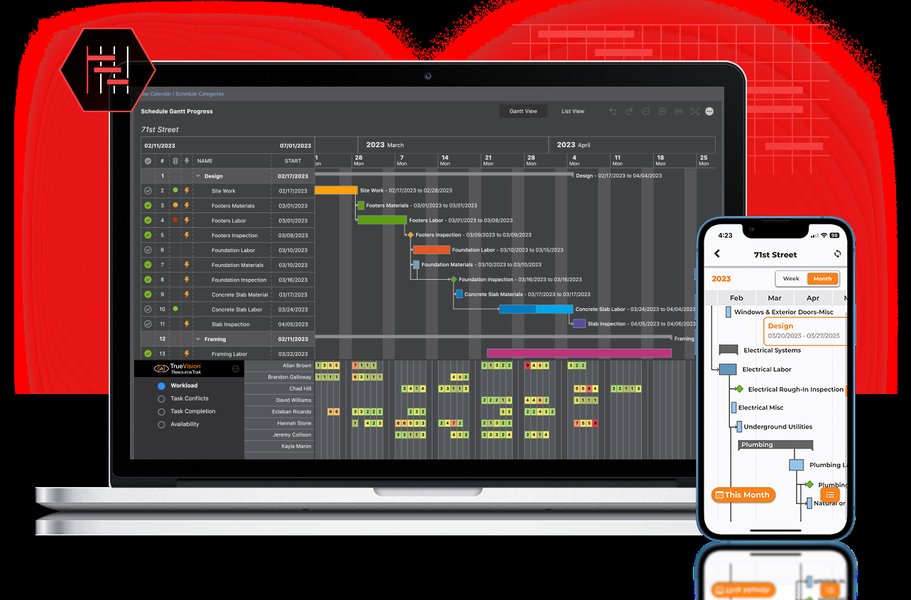
Visual scheduling tools like Gantt charts are crucial for managing project timelines.
Top Construction Management Software Contenders for Real Estate Developers (2025)
Based on your specific needs for deep control over costs, documents, subcontractors, and scheduling, several platforms stand out in 2025. These range from comprehensive, all-in-one solutions to more specialized tools.
Leading All-in-One Platforms
1. Procore
Widely regarded as an industry leader, Procore offers a comprehensive, integrated platform favored by general contractors and developers. It excels across all your required areas:
- Cost Control: Real-time budget tracking, cost forecasting, change order management, and integration with financial systems. Reduces errors and optimizes resource allocation.
- Document Management: Centralized repository with version control, unlimited storage, drawing management, and seamless sharing.
- Subcontractor Management: Robust bid management tools for tendering, plus features for managing contracts, compliance, communication, and payments.
- Scheduling: Intuitive Gantt chart scheduling integrated with project tasks and resources, accessible via mobile.
Best For: Developers managing medium to large-scale, complex projects requiring a scalable, all-encompassing solution with strong mobile capabilities.
2. Autodesk Construction Cloud (ACC)
ACC combines several Autodesk products (like PlanGrid, BIM 360) into a unified platform. It's particularly strong for large projects requiring extensive coordination and BIM integration.
- Cost Control: Centralized cost management, budget tracking, and forecasting tools.
- Document Management: Advanced document control, leveraging BIM for enhanced collaboration and automated workflows.
- Subcontractor Management: Includes bid invitation, evaluation tools, and performance tracking dashboards.
- Scheduling: Detailed timeline creation, resource allocation, often enhanced by BIM integration for visual planning.
Best For: Developers working on large, complex projects, especially those leveraging Building Information Modeling (BIM) extensively.
Specialized & Strong Contenders
3. Northspyre
Designed specifically for real estate developers and project managers, Northspyre focuses on leveraging data for proactive decision-making and automation.
- Cost Control: Strong emphasis on automating cost tracking, utilizing predictive analytics to forecast potential issues and ensure budget adherence.
- Document Management: Centralized platform for key project documents.
- Subcontractor Management: Supports bidding workflows and contract management.
- Scheduling: Integrates task and milestone tracking with budget and cost data.
Best For: Development teams seeking a data-driven, automated approach to manage project financials and mitigate risks across their portfolio.
4. Buildertrend
Primarily aimed at home builders and remodelers, Buildertrend offers a user-friendly interface and strong features relevant to residential or mixed-use developers.
- Cost Control: Solid line-item budgeting, real-time expense tracking, purchase order management.
- Document Management: Streamlined file uploading, organization, and photo sharing.
- Subcontractor Management: Includes a subcontractor portal for bidding, scheduling, and communication.
- Scheduling: User-friendly calendar-based scheduling tools with mobile access.
Best For: Developers focused on residential or smaller mixed-use projects needing an easy-to-use, integrated solution.
5. Sage 300 Construction & Real Estate (CRE)
A long-standing solution known for its deep accounting and financial management capabilities, often integrated with project management modules.
- Cost Control: Very strong financial controls, job costing, and reporting capabilities.
- Document Management: Secure document storage and management features.
- Subcontractor Management: Tools for managing subcontractor contracts and payments, tightly linked to financials.
- Scheduling: Offers project scheduling capabilities, often integrated with cost management.
Best For: Developers prioritizing deep financial integration and robust accounting features alongside project management.
Other Options to Consider
- RedTeam Go: Good value proposition for small to mid-sized firms needing comprehensive features.
- Fieldwire (by Hilti): Strong focus on field management and mobile collaboration, suitable for enhancing on-site coordination.
- Prophetic: Focuses on the early stages of development (site analysis, zoning) but integrates project management aspects.
- ARGUS Developer: Primarily focused on financial modeling and pro forma analysis for complex developments.
- Dealpath: Streamlines deal management and project tracking workflows.
Visualizing Software Strengths: Feature Comparison
To help visualize how the leading platforms stack up against your key requirements, the radar chart below provides a relative comparison based on common industry perceptions and reported strengths. Scores are indicative and represent general capabilities rather than absolute metrics.
This chart highlights that platforms like Procore and Autodesk Construction Cloud generally offer strong, balanced capabilities across the board. Northspyre shows particular strength in cost control tailored for developers, while Buildertrend is competitive, especially in scheduling and subcontractor management for its target market.
Feature Overview Table
The table below summarizes key capabilities of some prominent software options relevant to your needs:
| Software | Deep Cost Controlling | Document Management | Subcontractor Tendering | Subcontractor Management | Project Scheduling | Primary Focus |
|---|---|---|---|---|---|---|
| Procore | Excellent (Real-time tracking, forecasting, financial integration) | Excellent (Centralized, version control, mobile access) | Strong (Integrated bid management) | Excellent (Compliance, communication, payments) | Strong (Integrated Gantt, task management) | All-in-one Construction Management (Medium-Large Projects) |
| Autodesk Const. Cloud | Strong (Centralized tracking, forecasting, BIM link) | Excellent (Advanced collaboration, BIM integration, workflows) | Good (Bid invitation & evaluation) | Good (Performance dashboards) | Excellent (Detailed timelines, BIM integration) | Large-Scale Projects, BIM Integration |
| Northspyre | Excellent (Predictive analytics, automation, developer focus) | Good (Centralized repository) | Good (Supports bidding workflows) | Good (Contract management) | Good (Integrated milestone tracking) | Real Estate Development Lifecycle Management |
| Buildertrend | Good (Budgeting, expense tracking, POs) | Good (File organization, photo sharing) | Good (Bid tracking via portal) | Good (Subcontractor portal, communication) | Strong (User-friendly calendars, mobile app) | Residential Construction & Remodeling |
| Sage 300 CRE | Excellent (Deep accounting integration, job costing) | Good (Secure storage) | Fair (Less emphasis than others) | Good (Linked to financials) | Good (Integrated scheduling) | Construction Accounting & Financial Management |
| RedTeam Go | Good (Estimation, budget tracking) | Good (Cloud storage, team access) | Good (Bid management modules) | Good (Task assignment, progress reporting) | Good (Task allocation, timelines) | Small-Mid Size Construction Firms (Value Focus) |
Mapping the Decision Process
Choosing the right software involves considering multiple facets beyond just features. This mindmap illustrates the key areas involved in the selection process for a real estate developer.
for Real Estate Developers"] id1["Key Requirements"] id1a["Deep Cost Control
(Budgeting, Forecasting, Tracking)"] id1b["Document Management
(Centralized, Version Control, Access)"] id1c["Subcontractor Tendering
(Bids, Comparison, Awarding)"] id1d["Subcontractor Management
(Contracts, Performance, Compliance)"] id1e["Project Scheduling
(Gantt, Timelines, Resources)"] id2["Top Software Options"] id2a["Procore
(All-in-One, Scalable)"] id2b["Autodesk Construction Cloud
(Large Projects, BIM)"] id2c["Northspyre
(Developer Focused, Data-Driven)"] id2d["Buildertrend
(Residential Focus, User-Friendly)"] id2e["Sage 300 CRE
(Financial Focus)"] id2f["Others
(RedTeam Go, Fieldwire, etc.)"] id3["Critical Considerations"] id3a["Integration Capabilities
(Accounting, ERP)"] id3b["Mobile Accessibility
(Field Use)"] id3c["Scalability
(Project Size & Complexity)"] id3d["Ease of Use & Training"] id3e["Pricing & ROI"] id3f["Customer Support"] id3g["Customization Options"] id4["Potential Benefits"] id4a["Improved Efficiency & Productivity"] id4b["Enhanced Cost Control & Profitability"] id4c["Reduced Risk & Errors"] id4d["Better Collaboration & Communication"] id4e["Streamlined Project Delivery"]
This map emphasizes that while your core requirements (cost, docs, subs, schedule) are central, factors like integration, mobile access, scalability, and support are crucial for successful implementation and long-term value.
See It In Action: Software Overview
Understanding the interface and workflow of a potential software solution can be helpful. Procore is frequently mentioned as a comprehensive option covering the requirements you listed. The video below provides an overview of its capabilities.
This overview demonstrates how an integrated platform aims to connect field and office teams, manage financials, track project progress, and centralize information – addressing key pain points for real estate developers managing construction.
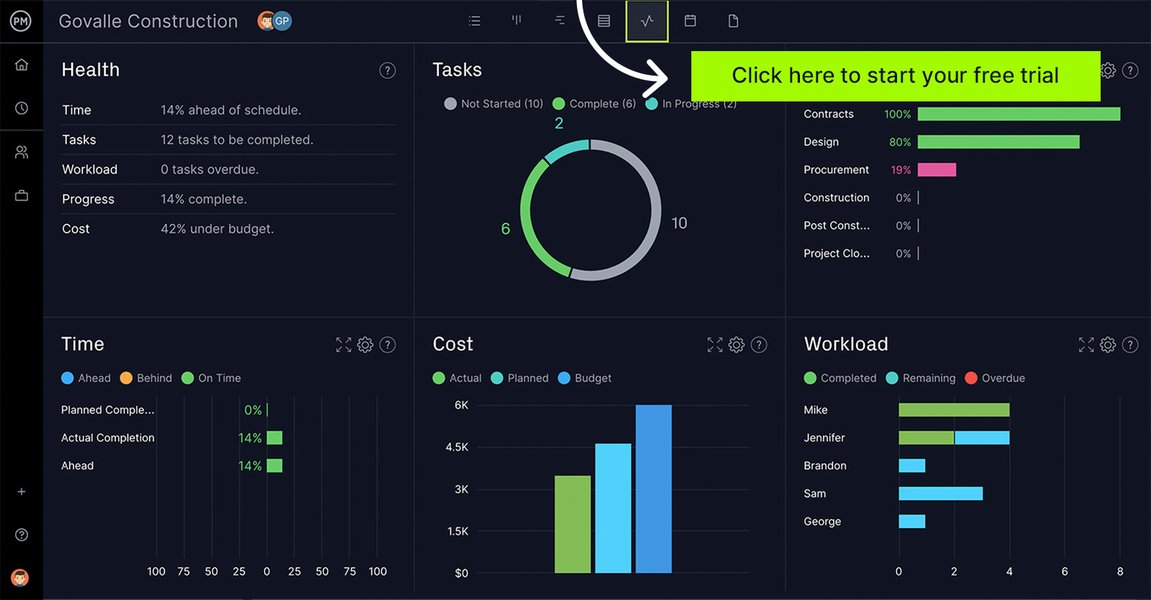
Modern software offers dashboards for real-time project tracking and insights.
Frequently Asked Questions (FAQ)
What is the typical price range for this type of software?
How important is mobile accessibility?
Should I choose an all-in-one suite or best-of-breed point solutions?
How can this software help with subcontractor tendering specifically?
- Providing a centralized platform to issue bid packages to multiple subcontractors simultaneously.
- Tracking which subcontractors have viewed or downloaded bid documents.
- Facilitating Q&A communication regarding the bid package.
- Offering tools to compare bids side-by-side (leveling).
- Storing all bid-related documents and communications for record-keeping.
- Simplifying the process of awarding contracts and onboarding successful bidders.
Recommended Next Searches
- How does Procore compare to Autodesk Construction Cloud for real estate cost management?
- What are the integration capabilities of Northspyre with accounting software?
- Best practices for implementing construction management software in a development company?
- Mobile app features comparison for top construction scheduling software?
References
Last updated May 5, 2025