
Unlock the Core of Your Documents: Master PDF Briefing with Intelligent Tools
Discover how to transform lengthy PDFs into concise, actionable summaries, saving time and boosting comprehension effortlessly.
Navigating through dense PDF files can be a daunting task, whether you're a student tackling research papers, a professional analyzing reports, or simply trying to grasp the key takeaways from a lengthy document. "Briefing" a PDF essentially means condensing its content into a shorter, more digestible format—extracting essential information, generating summaries, or organizing main points for easier understanding. Fortunately, modern technology, particularly Artificial Intelligence (AI), offers powerful solutions to streamline this process.
Essential Insights: PDF Briefing at a Glance
- Efficiency Unleashed: AI-powered tools can summarize extensive PDFs in seconds, drastically reducing manual reading time and effort.
- Enhanced Comprehension: By highlighting key points and core arguments, these tools help you quickly grasp complex information and technical content.
- Versatile Solutions: Modern summarizers offer various output formats, from bullet points and concise notes to interactive Q&A sessions about the PDF's content.
Understanding PDF Briefing: More Than Just Shortening
What Does it Mean to "Brief" a PDF?
Briefing a PDF file involves creating a concise summary or extracting the most critical information from the document. The goal is to capture the main points, key facts, objectives, and conclusions without delving into excessive detail. This is invaluable for preparing presentations, writing reports, or simply achieving a quick yet thorough understanding of the material. A well-briefed PDF allows for rapid assimilation of information, making it easier to make informed decisions or recall vital details.
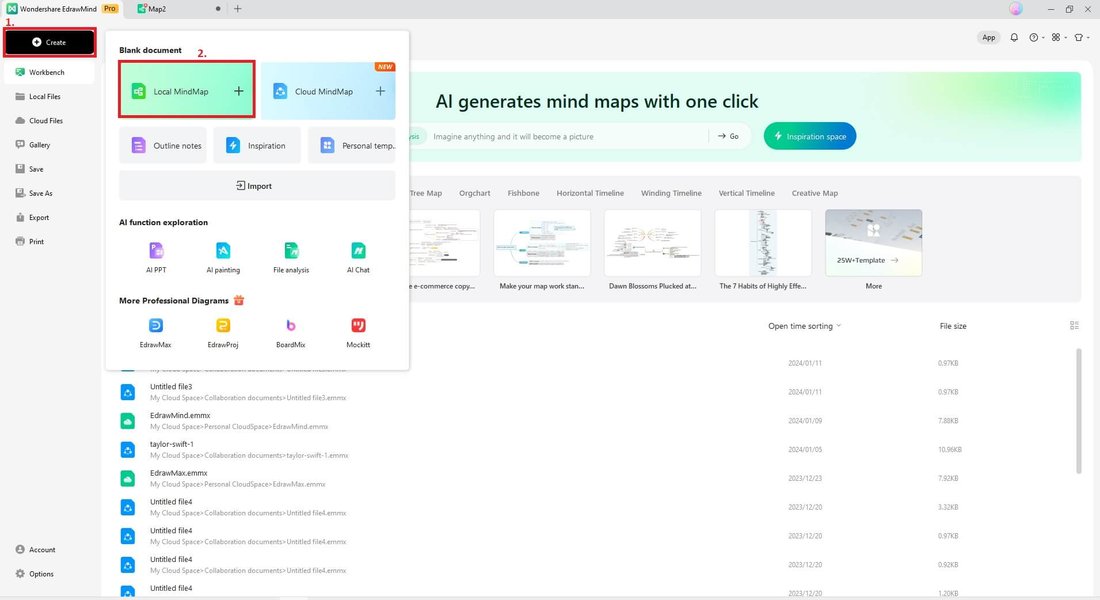
AI tools transforming a complex PDF into an easy-to-understand summary.
Why Bother Briefing a PDF? The Core Benefits
The advantages of briefing a PDF, especially with the aid of intelligent tools, are numerous:
- Time Savings: Significantly cuts down the time spent on reading and dissecting long documents.
- Improved Focus: Helps identify and concentrate on the most relevant information, filtering out fluff.
- Better Retention: Concise summaries are easier to remember than voluminous texts.
- Efficient Information Sharing: Allows for quick sharing of key insights with colleagues or team members.
- Handling Volume: Makes it feasible to process and understand large quantities of documents, crucial in academic research or business intelligence.
- Accessibility: Some tools can process scanned PDFs and offer multi-language support, broadening access to information.
Methods for Efficiently Briefing Your PDF Files
There are primarily two approaches to briefing a PDF: leveraging advanced AI-powered summarizers or employing a manual, more traditional method. Often, a combination of both yields the best results.
The Rise of AI: Automated PDF Summarization
AI-driven PDF summarizers have revolutionized how we interact with lengthy documents. These tools use sophisticated algorithms, often based on Natural Language Processing (NLP) and models like GPT-4, to analyze text, identify core themes, and generate coherent summaries.
Key Features of Modern AI Summarizers:
- Instant Summaries: Generate summaries in various formats (bullet points, paragraphs, key insights) almost instantaneously.
- Customizable Output: Many tools allow you to specify the desired length or focus of the summary.
- Interactive Capabilities: Some platforms enable you to "chat" with your PDF, asking specific questions to get targeted information or clarifications.
- Support for Various Formats: Can often handle multiple file formats beyond PDF and even process scanned (non-selectable text) documents using Optical Character Recognition (OCR).
- Additional Functionalities: Beyond summarization, some tools offer features like keyword extraction, flashcard generation, quiz creation, and even translation.
- Data Privacy: Reputable tools often state their data handling policies, with some adhering to standards like GDPR. Always review privacy terms before uploading sensitive documents.
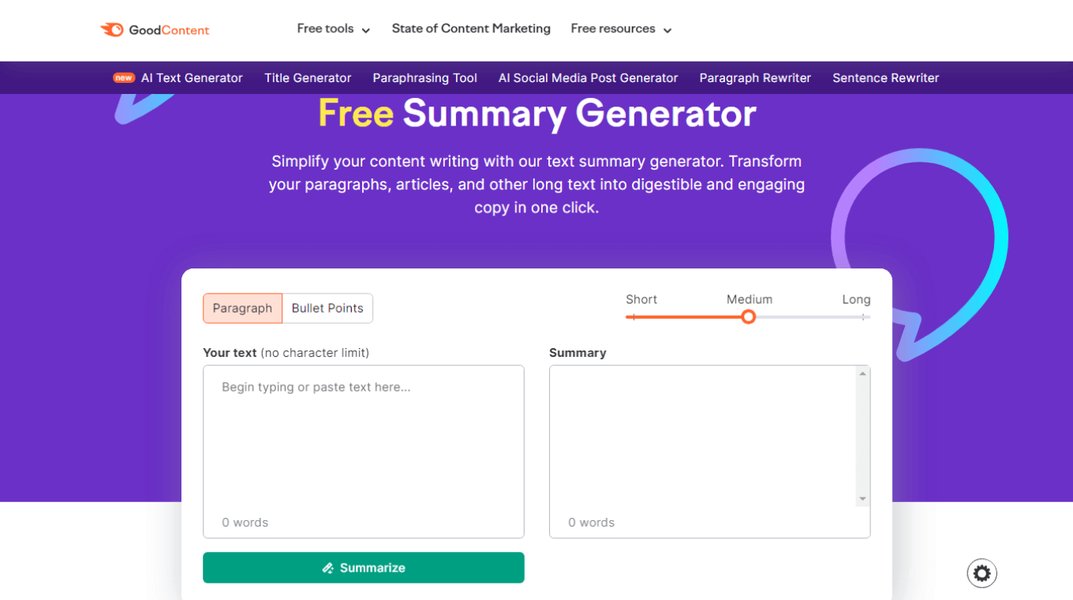
AI algorithms intelligently dissect and condense PDF content for quick insights.
A Look at Popular AI PDF Summarizing Tools
The market offers a variety of AI tools designed to help you brief PDFs. Below is a table highlighting some popular options and their standout features:
| Tool Name | Key Features | Best For | Website/Access |
|---|---|---|---|
| Smallpdf AI PDF Summarizer | Instant summaries (bullet points, key insights), no sign-up for basic use, supports various formats. | Quick, accessible summaries for general use. | smallpdf.com/pdf-summarizer |
| PDF Summarizer | Handles PDFs up to 1500 pages, uses advanced AI (like GPT-4), multi-language support, GDPR/HIPAA adherence mentioned. | Very large documents, users prioritizing data privacy. | www.pdf-summarizer.com |
| Knowt AI PDF Summarizer | Creates concise summaries and flashcards, designed for students. | Students and researchers needing study aids. | knowt.com/ai-pdf-summarizer |
| ChatPDF | AI-generated summaries with references to original pages, supports scanned PDFs, interactive chat. | Interactive briefing, verifying information within the source. | chatpdf.com/pdf-summary |
| Noiz.io AI PDF Summarizer | Free tool, quick summaries, downloadable in TXT or Markdown. | Users seeking simple, free, and exportable summaries. | noiz.io/free-ai-tools/ai-pdf-summarizer/ |
| NoteGPT AI PDF Summarizer | Summarizes long PDFs, converts to text, allows asking questions, potential for mind map generation. | Multifunctional use, complex PDFs, content interaction. | notegpt.io/pdf-summary |
| Adobe Acrobat (with AI Assistant) | AI-powered summarization, highlights essential details, integrated within the Adobe ecosystem. | Professionals already using Adobe tools. | (Refer to Adobe's official website) |
| Xodo (AskPDF Feature) | Interactive briefing by asking direct questions about the PDF content (e.g., "What are the main arguments?"). | Conversational and targeted summarization needs. | xodo.com/ask-pdf |
Step-by-Step: Using an AI Summarizer
The process for using most AI PDF summarizers is generally straightforward:
- Choose a Tool: Select an AI summarizer based on your specific needs (e.g., document length, desired features, budget).
- Upload Your PDF: Most tools offer a simple drag-and-drop interface or a button to upload your file. Some may also support importing via URL.
- Configure Options (if available): Some platforms allow you to select the desired summary length (short, medium, detailed) or specify the type of output (e.g., key sentences, paragraph summary).
- Initiate Summarization: Click the "Summarize" (or equivalent) button. The AI will process the document, which can take from a few seconds to a couple of minutes depending on the PDF's size and complexity.
- Review and Refine: Once the summary is generated, review it for accuracy and completeness. Compare it against key sections of the original PDF if necessary. Some tools allow for minor edits.
- Download or Share: Save the summarized version in your preferred format (e.g., TXT, DOCX, PDF) or share it directly from the platform.
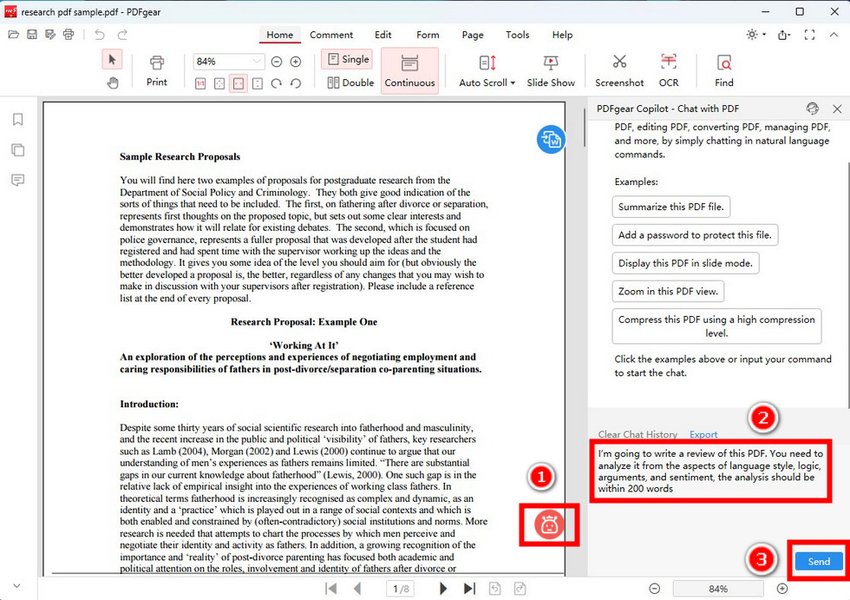
Interacting with an AI assistant to get summaries and answers from your PDF.
The Manual Approach: A Complementary Method
While AI offers speed and convenience, a manual approach can provide a deeper, more nuanced understanding, especially for highly critical documents. This method can also be used to verify or augment AI-generated summaries.
Steps for Manual PDF Briefing:
- Initial Skim: Quickly read through the PDF, paying attention to headings, subheadings, introductory/concluding paragraphs, and any highlighted text or figures. This gives an overview of the structure and main topics.
- Identify Key Sections: Determine the most important parts of the document (e.g., abstract, introduction, methodology, findings, conclusion).
- Active Reading and Note-Taking: Read the key sections more carefully, highlighting crucial sentences and jotting down main ideas, arguments, evidence, or data points in your own words.
- Synthesize and Condense: Organize your notes into a logical structure. Rewrite the important content in a concise format, using clear and simple language. Focus on conveying the essence of the original material.
- Structure the Brief: Organize the summary logically, perhaps using a template that includes sections like Background, Purpose/Objectives, Key Findings, and Recommendations/Conclusions.
- Review and Edit: Check your brief for accuracy, clarity, and conciseness. Ensure it faithfully represents the core message of the PDF.
Combining AI summarization for an initial draft or overview with manual review and refinement can often provide the most effective and reliable briefing.
Visualizing the PDF Summarization Landscape
To better understand the capabilities of different AI tools and the overall process of PDF briefing, visual aids can be very helpful.
Comparative Features of AI PDF Summarizers
The radar chart below offers an opinionated comparison of selected AI PDF summarization tools based on common criteria. This is intended as a general guide, and individual experiences may vary. The scores are on a relative scale, where a higher value indicates better performance or more comprehensive features in that specific area (with a minimum functional baseline of 5, up to a maximum of 10 for excellent performance).
This chart visualizes how different tools might excel in various aspects. For example, one tool might be exceptionally user-friendly (Ease of Use), while another offers superior summary accuracy (Summary Quality) or a richer set of additional capabilities (Feature Set).
Mindmap: The PDF Briefing Ecosystem
The mindmap below illustrates the interconnected concepts related to PDF briefing, from the underlying motivations to the methods and considerations involved in choosing the right approach.
The Art of PDF Briefing"] id1["Understanding the Need"] id1a["Save Time & Effort"] id1b["Improve Comprehension"] id1c["Handle Information Overload"] id1d["Quick Insights for Decision Making"] id2["Methods for Briefing"] id2a["AI-Powered Summarizers"] id2aa["Instantaneous Results"] id2ab["Variety of Output Formats"] id2ac["Advanced Features
(Q&A, Flashcards, Translation)"] id2b["Manual Summarization"] id2ba["Deep, Nuanced Understanding"] id2bb["Personalized Focus & Control"] id2bc["Ideal for Critical Analysis
& Cross-Verification"] id3["Key Benefits of AI Tools"] id3a["Efficiency Boost"] id3b["Objective Overviews"] id3c["Accessibility (Scanned PDFs,
Multiple Languages)"] id3d["Scalability for Large Volumes"] id4["Choosing Your Tool/Method"] id4a["Document Type & Complexity"] id4b["Required Output & Features"] id4c["Privacy & Security Considerations"] id4d["Budget (Free vs. Premium Tiers)"] id4e["Time Constraints"]
This mindmap provides a holistic view, showing how different elements like the purpose of briefing, available methods, and selection criteria are all part of a larger strategy for managing and understanding PDF documents effectively.
Choosing the Right Tool for Your PDF Briefing Needs
With a plethora of options available, selecting the most suitable tool or method for briefing your PDF depends on several factors:
- Purpose of the Briefing: Are you summarizing for quick understanding, detailed study, or professional reporting? Students might prefer tools with flashcard generation (like Knowt), while professionals might need highly accurate summaries for reports (potentially from tools like PDF Summarizer or Adobe Acrobat's AI).
- Document Complexity and Length: For very long or technical documents, robust AI tools designed to handle extensive content (e.g., PDF Summarizer for up to 1500 pages) are preferable. For shorter, simpler documents, a basic free tool might suffice.
- Required Features: Do you need interactive Q&A (ChatPDF, Xodo), translation (NoteGPT), OCR for scanned documents, or specific output formats?
- Frequency of Use: If you frequently summarize PDFs, investing in a premium version of a tool might be worthwhile for more features and higher usage limits. For occasional use, free tiers are often adequate.
- Privacy Concerns: For sensitive documents, carefully review the tool's privacy policy or opt for offline software solutions if available and suitable. Tools mentioning GDPR or HIPAA compliance (like PDF Summarizer) may offer greater peace of mind.
- Budget: Many tools offer free basic versions, with premium subscriptions unlocking advanced features or higher limits. Evaluate if the benefits of paid features justify the cost for your use case.
Enhance Your Understanding: Video Guide
To see some of these AI summarization tools in action and get a better feel for how they work, the following video provides an overview of several free AI tools that can help you summarize PDFs and other documents. It demonstrates the ease with which you can condense large amounts of text into manageable summaries.
A helpful overview of free AI summarization tools for various documents, including PDFs.
This video showcases practical applications and can help you visualize how these tools can be integrated into your workflow for efficiently briefing PDF files and other textual content.
Frequently Asked Questions (FAQ)
What exactly does "briefing a PDF file" mean? ▼
Briefing a PDF file means to create a concise summary or extract the most essential information from it. The goal is to condense the document's main points, key facts, objectives, and conclusions into a shorter, easily digestible format, saving time while ensuring comprehension of the core content.
Are AI PDF summarizers generally free to use? ▼
Many AI PDF summarizers offer a free tier with basic functionalities, which is often sufficient for occasional use or summarizing moderately sized documents. However, for advanced features, unlimited use, summarizing very large files, or batch processing, a premium subscription is typically required.
How accurate are the summaries generated by AI tools? ▼
AI summarizers, especially those using advanced models like GPT-4, can produce highly accurate summaries that capture the main ideas and key arguments of a document. However, accuracy can vary depending on the complexity and clarity of the original PDF. It's always a good practice to review the AI-generated summary and, for critical information, cross-reference it with the original document.
Can these AI tools handle very long or complex PDF documents? ▼
Yes, many modern AI PDF summarizers are designed to handle long and complex documents, including research papers, legal texts, and reports spanning hundreds of pages (e.g., PDF Summarizer claims up to 1500 pages). Some tools also offer features to interact with the document, allowing you to ask specific questions about complex sections for better understanding.
Is it safe to upload my PDF files to online summarization tools? ▼
Most reputable online summarization tools employ security measures to protect user data. However, since files are processed online, it's crucial to review the privacy policy and terms of service of any tool before uploading sensitive or confidential documents. Some tools explicitly state their data handling practices, such as deleting files after a certain period or adhering to data protection regulations like GDPR.
Recommended Further Exploration
To delve deeper into optimizing your document workflows, consider exploring these related queries:
- What are the best AI tools for academic research and literature review?
- How can I effectively use AI to ask questions about my PDF documents?
- Compare features of free vs. paid PDF summarization software.
- What are the best practices for ensuring data privacy when using online PDF tools?
References
The information presented is synthesized from various expert sources and tool providers. For further details, you can consult the following resources:
 ladwp.com
Last updated May 14, 2025