
Unlock Seamless AI Video Production: Your Essential Freelancer Briefing Kit
Equip your team to master weekly YouTube videos using the Leonardo AI API with this comprehensive guide.
Hiring a freelancer or employee to create weekly, 17-minute, image-based YouTube videos using the Leonardo AI API requires providing them with a clear and comprehensive set of instructions and resources. This ensures they can efficiently generate the necessary visuals and assemble high-quality videos that align with your vision and channel goals. Below is a detailed breakdown of the information you need to provide.
Highlights: Key Information Categories
- API Access & Technical Foundation: Providing the Leonardo AI API key, relevant documentation, and specifying necessary software tools is paramount for the freelancer to even begin work.
- Creative Vision & Content Strategy: Clearly defining the video themes, visual style, target audience, narrative structure, and branding guidelines ensures the generated images and final video align with your expectations.
- Workflow & Production Guidelines: Outlining the step-by-step process, from image generation using specific Leonardo AI features to video editing, quality assurance, and final delivery, streamlines production and maintains consistency.
Detailed Information Breakdown for Your Video Creator
To empower your freelancer or employee for success, provide detailed information across several key areas:
1. Access Credentials and Technical Setup
Granting the Keys to the Kingdom
Fundamental access is the first step. Ensure your creator has:
- Leonardo AI API Key: The essential credential for programmatic image generation. Provide the key itself and instructions on how to integrate it (e.g., within automation tools or scripts). Consider creating a unique key specifically for this project for better security and monitoring.
- API Plan Details & Limitations: Inform them about your specific Leonardo AI subscription plan, including daily/monthly generation limits, available features, and potential costs associated with high usage.
- Leonardo AI Account Access (Optional): While the API key is primary, temporary access to the Leonardo AI web interface can help them understand available models, explore styles, and troubleshoot generation settings.
- Relevant API Documentation: Link to the official Leonardo AI API documentation (e.g., endpoints for image generation, image-to-image, ControlNet usage) and any specific guides relevant to your intended workflow (like using Flow State or Elements).
- Video Editing Software: Specify the required or preferred video editing software (e.g., Adobe Premiere Pro, DaVinci Resolve, Final Cut Pro). If providing software licenses, ensure access details are included.
- Automation Tools (If Applicable): If using platforms like Make.com (formerly Integromat) for workflow automation, provide access credentials and instructions or guides on the specific automation setup involving the Leonardo AI API.
- Storage and File Transfer Protocols: Define where generated images and final video files should be stored and transferred (e.g., Google Drive, Dropbox, Frame.io). Provide necessary access permissions and folder structures.
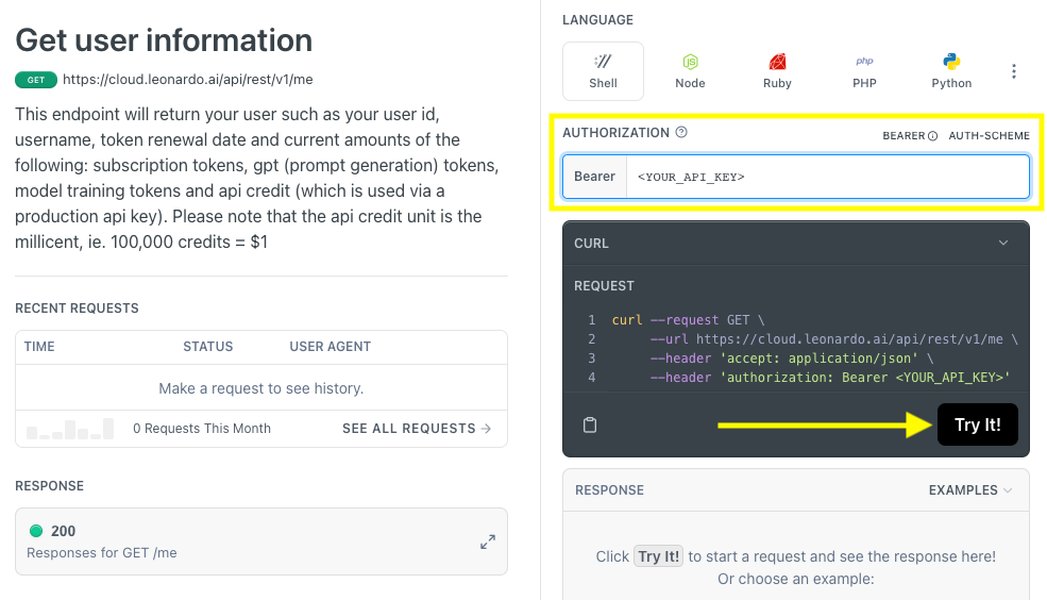
Example: Generating an API Key within Leonardo AI User Settings.
2. Creative Direction and Content Strategy
Defining the Vision and Style
Clear creative guidance is crucial for aligning the AI-generated visuals and video narrative with your brand and goals:
- Video Format Specifications: Reiterate the requirements: weekly, 17-minute, image-based videos. Specify the target resolution (e.g., 1920x1080 Full HD or 3840x2160 4K) and aspect ratio (typically 16:9 for YouTube).
- Visual Style and Theme: Provide detailed descriptions of the desired artistic style (e.g., photorealistic, cartoon, fantasy, abstract), mood, color palettes, and overall aesthetic. Mention specific Leonardo AI models or elements to use for consistency.
- Branding Guidelines: Supply logos, watermark requirements, specific fonts, brand color hex codes, and templates for intros, outros, or lower thirds.
- Weekly Content Themes/Topics: For each week, provide a detailed brief including the video's topic, key messages, and target keywords. Supplying specific image prompts or concepts is highly beneficial. Example: "Week 5: 'The Future of Urban Gardening' - Generate images of vertical farms, rooftop gardens in futuristic cities, AI-powered plant monitoring."
- Target Audience Profile: Describe your intended viewers to help the creator tailor the visuals and tone appropriately.
- Narrative Structure/Script Outline: Provide a script, a detailed outline, or at least a storyboard template. For a 17-minute image-based video, define the flow: introduction/hook (first 10-30 seconds), main content segments (how images illustrate points), and conclusion/Call to Action (CTA). Specify requirements for text overlays or captions if no voiceover is used.
- Audio Requirements: If voiceover is needed, provide the script and specify tone/style. If using background music, provide licensed tracks or specify preferred genres/moods and sources for royalty-free music.
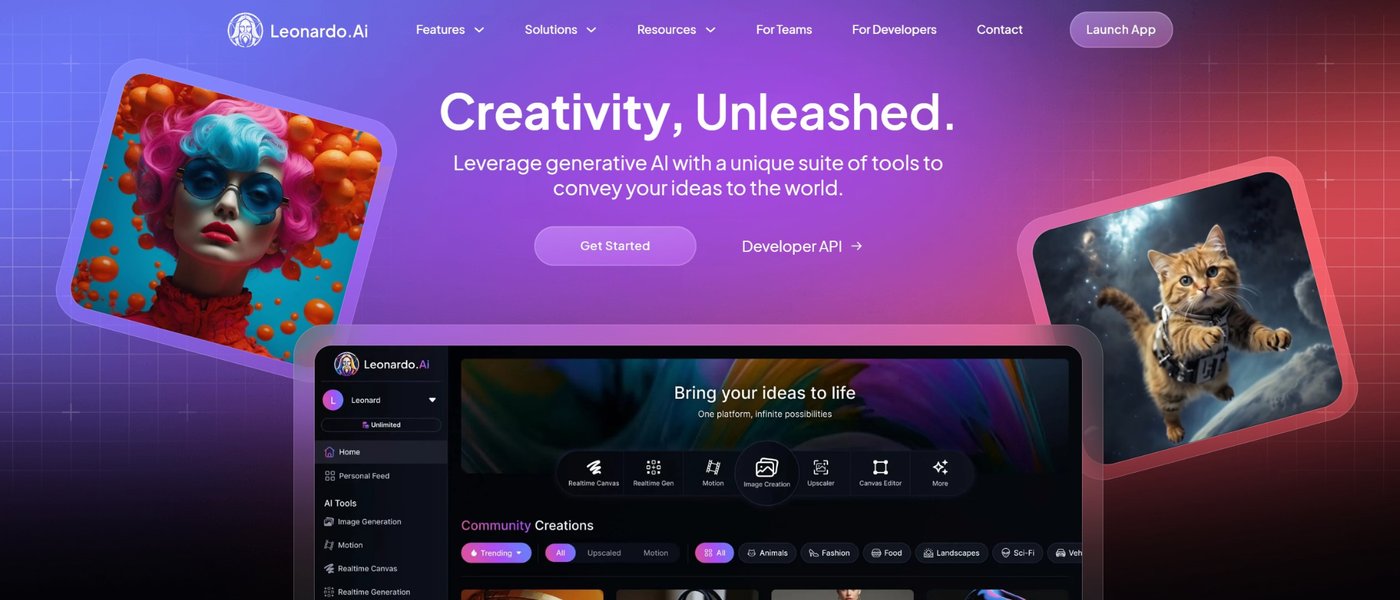
Leonardo AI can generate images in diverse styles, requiring clear direction.
3. Leonardo AI API Usage Guidelines
Mastering the Image Generation Process
Provide specific instructions on how to leverage the Leonardo AI API effectively:
- Image Quantity and Specifications: Estimate the number of unique images needed per video (e.g., 30-50 images for 17 minutes, depending on pacing). Specify required image resolution for generation (e.g., 1024x1024 or higher) and desired file format (e.g., PNG, JPG).
- Prompt Crafting Guidance: Offer tips or examples for writing effective prompts to achieve the desired visual style and content. Include guidance on negative prompts to avoid unwanted elements.
- Utilizing Specific Features: Instruct on whether and how to use features like:
- Flow State: For rapid ideation and exploring variations.
- Elements: To maintain stylistic consistency across images.
- Image Guidance (Image-to-Image / ControlNet): For refining images based on references or previous generations. Highlight potential compatibility issues (e.g., multiple ControlNets with certain models).
- Upscaling/Refinement Tools: Specify requirements for using built-in tools to enhance image quality or resolution post-generation.
- Content Restrictions: Clearly state any restrictions on image content (e.g., adhere to YouTube's Community Guidelines, avoid specific sensitive themes).
- Testing and Iteration: Allocate time, especially initially, for the creator to experiment with the API and prompts. Establish a process for reviewing test generations before full production begins.
4. Production Workflow and Editing
From Generated Images to Polished Video
Outline the expected process for assembling the video:
- Image Sequencing and Pacing: Provide guidelines on how long each image should be displayed (average duration) and how images should be sequenced to match the narrative or script.
- Video Editing Techniques: Specify preferences for transitions, effects (like Ken Burns effect for static images), text overlays (font, style, placement), and integration of branding elements (intros/outros).
- Audio Integration: Instructions for syncing voiceover (if used), adding background music (including volume levels), and any sound effects.
- Quality Assurance (QA) Checklist: Provide a checklist for the creator to review before submitting drafts/finals. Include items like: video length accuracy, image relevance and quality, resolution/format check, audio levels, adherence to branding, and smooth transitions.
- File Naming Conventions and Delivery: Specify naming conventions for image files, project files, and final video exports. Reiterate deadlines for draft reviews and final delivery.
Visualizing Information Importance
To ensure successful video production using the Leonardo AI API, various types of information must be provided. The radar chart below illustrates the relative importance of each key information category. While all are necessary, clear Creative Direction and robust API Access/Technical Setup form the foundation upon which efficient Workflow and specific Leonardo AI Usage guidelines can be built. Effective Communication underpins the entire process.
This chart highlights that while aspects like YouTube Optimization and ongoing Communication are important, the initial setup (API Access, Technical details) and clear Creative Direction are slightly more critical foundational elements for enabling the freelancer to start and proceed correctly with the specific task of AI image generation and video assembly.
Mapping the Production Ecosystem
Understanding the interconnected components required for this project is key. The mindmap below provides a visual overview of the essential elements you need to provide and manage when outsourcing this type of AI-driven video production.
This mindmap illustrates how API access, creative direction, specific AI usage instructions, production workflow, project management, and YouTube optimization are all crucial inputs needed from you to facilitate the creation of your weekly videos.
Streamlining the Workflow: Video Tips
Understanding the video production workflow can help in providing clear instructions. While your videos are image-based, many standard production principles apply, especially regarding planning, pacing, and editing. The video below offers general tips that can be adapted for an efficient workflow, even when using AI-generated assets.
This video provides practical tips applicable to organizing any video production workflow, including managing assets and saving time during editing.
Essential Information Checklist
Use this table as a quick checklist to ensure you've covered the core information needed before onboarding your freelancer or employee:
| Category | Specific Information Item | Provided? (Y/N) |
|---|---|---|
| Access & Technical | Leonardo AI API Key & Docs | |
| Access & Technical | API Plan Details/Limits | |
| Access & Technical | Video Editing Software Specification | |
| Access & Technical | Storage/Transfer Method & Access | |
| Creative Direction | Video Format (17min, Resolution, Aspect Ratio) | |
| Creative Direction | Visual Style, Mood, Theme Guidelines | |
| Creative Direction | Branding Assets & Guidelines | |
| Creative Direction | Weekly Content Topics/Prompts | |
| Creative Direction | Script/Narrative Outline/Storyboard | |
| Leonardo AI Usage | Image Quantity & Technical Specs | |
| Leonardo AI Usage | Guidance on Prompts & Features (Flow, Elements, etc.) | |
| Production Workflow | Image Sequencing & Pacing Rules | |
| Production Workflow | Editing Style & Transition Preferences | |
| Production Workflow | QA Checklist & Delivery Requirements | |
| Project Management | Communication Channels & POC | |
| Project Management | Feedback Process & Schedule/Deadlines | |
| YouTube Optimization | SEO Keyword Guidance & Upload Instructions |
This table provides a structured way to confirm you've supplied all critical pieces of information, setting your video creator up for success.
Frequently Asked Questions (FAQ)
What about the costs associated with Leonardo AI API usage?
You need to inform the freelancer about your API plan and its limits. Image generation via API typically consumes credits or incurs costs based on usage (number of images, resolution, features used). You should clarify who bears the cost if usage exceeds the plan limits or if a paid plan is required. Monitor usage via your Leonardo AI account.
How can I ensure consistent image quality and style?
Provide very specific style guidelines (e.g., reference images, detailed descriptions). Instruct the freelancer to use Leonardo AI features designed for consistency, such as 'Elements' or fine-tuned models if available. Using consistent keywords and parameters in prompts is also key. Implement a review process for generated images before they are used in the video.
Should I consider automating parts of this workflow?
Yes, tools like Make.com (Integromat) or Zapier can potentially automate parts of the process, such as triggering image generation based on a spreadsheet of prompts or automatically transferring generated images to cloud storage. If you plan to use automation, you need to provide the freelancer with access to these tools and specific instructions on the automated workflow.
How should I manage communication and feedback effectively?
Establish clear communication channels (e.g., Slack, email, project management tools like Trello or Asana). Schedule regular check-ins (e.g., weekly) to discuss progress, review drafts, and provide constructive feedback. Define the review process clearly: how feedback will be given, expected turnaround times for revisions, and who has final approval authority.
Recommended Further Exploration
- What are the best practices for optimizing AI-generated images for YouTube video quality?
- How can I automate the workflow for creating YouTube videos using Leonardo AI and video editing software?
- What are the latest YouTube algorithm trends impacting AI-generated content performance in 2025?
- Are there legal or ethical considerations when using Leonardo AI for commercial YouTube video production?
References
Last updated May 3, 2025