
Unlocking Peak Btrfs Performance: A Deep Dive into Copy-on-Write Optimization
Navigate the intricacies of Btrfs CoW settings to tailor your filesystem for speed and efficiency without sacrificing its core strengths.
Btrfs, known for its advanced features like snapshots, checksums, and flexible volume management, employs a Copy-on-Write (CoW) strategy at its core. While CoW is fundamental to these benefits, it can introduce performance overhead in specific scenarios. Understanding how to tune CoW settings is crucial for users looking to maximize Btrfs performance for their unique workloads, especially on modern storage like SSDs. This guide delves into the methods and considerations for optimizing CoW in Btrfs, ensuring you can strike the right balance between data integrity, feature richness, and speed.
Key Takeaways: Optimizing Btrfs CoW
- Understand CoW's Impact: Copy-on-Write is essential for Btrfs features like snapshots and data integrity but can lead to fragmentation and write amplification, especially with workloads involving frequent small, random writes (e.g., databases, VM images).
- Selective Disabling is Key: For performance-critical applications, CoW can be disabled on a per-file or per-directory basis using
chattr +C, or for new files across a mount using thenodatacowmount option. This is often beneficial for VM disk images and database files. - Holistic Tuning Approach: CoW optimization isn't just about disabling it. Consider complementary settings like compression (e.g.,
compress=zstd),noatime,space_cache, and appropriate SSD options (ssd,discard=async) for overall performance gains. Defragmentation also plays a role.
The Essence of Copy-on-Write in Btrfs
Why CoW Matters and Its Double-Edged Sword
Copy-on-Write (CoW) is a foundational principle in Btrfs. Instead of overwriting data directly when modifications occur, Btrfs writes the changed data to a new location on the disk. The filesystem metadata is then updated to point to these new blocks. This mechanism provides several significant advantages:
- Data Integrity: By not overwriting existing data until the new data is safely written and metadata updated, CoW helps protect against data corruption from unexpected power loss or system crashes during write operations. Combined with checksums, it ensures data consistency.
- Efficient Snapshots: Snapshots in Btrfs are nearly instantaneous and space-efficient initially because they simply record the state of the metadata tree at a point in time. The original data blocks are preserved as long as a snapshot references them.
- Atomic Updates: Changes are either fully committed or not at all, preventing partially written files.
However, this elegant solution isn't without its drawbacks, particularly concerning performance:
- Fragmentation: Frequent modifications, especially small random writes to large files, can lead to data being scattered across the disk. This fragmentation can degrade read performance over time as the disk head (on HDDs) needs to seek more, or more disparate flash blocks need to be accessed (on SSDs).
- Write Amplification: Even a small change to a file results in new blocks being written. This can increase the total amount of data written to the disk, which is a particular concern for the endurance of SSDs.
- Metadata Overhead: Each CoW operation necessitates updates to the filesystem's metadata, which can increase CPU and I/O load.
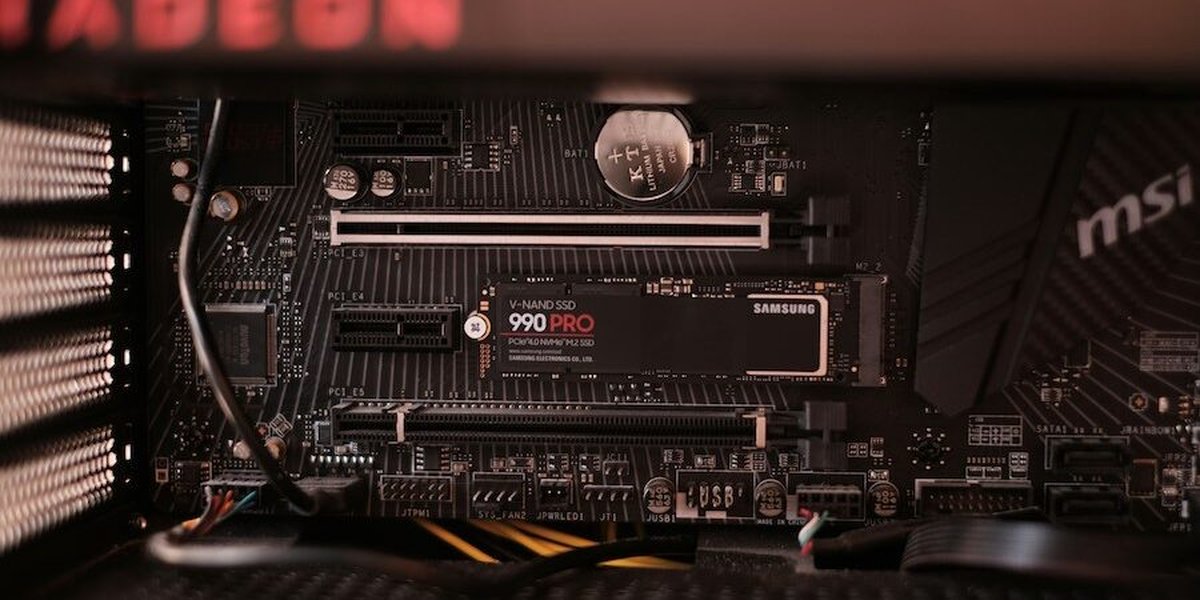
SSDs, while faster, can still be affected by CoW-induced fragmentation and write amplification.
When to Consider Tweaking CoW Settings
Identifying Workloads Sensitive to CoW Overhead
While Btrfs's default CoW behavior is generally well-suited for many applications, certain workloads are known to suffer performance degradation due to CoW. Optimizing or disabling CoW can be beneficial in these specific scenarios:
- Virtual Machine Disk Images: Filesystems within VM disk images (e.g., qcow2, vmdk, vdi) often perform numerous small, random read/write operations. CoW can cause significant fragmentation of the VM disk image file on the Btrfs host, leading to sluggish VM performance.
- Database Systems: Databases frequently update small portions of large data files. This pattern is a prime candidate for CoW-induced fragmentation and write overhead, impacting transaction speed and query performance.
- Torrent Downloads and Similar Applications: Applications that download files in many small pieces and write them non-sequentially can also lead to heavily fragmented files under CoW.
- Directories with Millions of Small, Frequently Changing Files: While Btrfs handles many files, the overhead of CoW for creation, modification, and especially deletion of vast numbers of small files can become noticeable.
- Large Files with Frequent In-Place Modifications: Any large file that undergoes constant small changes (e.g., some scientific data logging, certain types of application caches) can suffer.
For these workloads, the performance benefits of disabling CoW might outweigh the advantages it typically provides. However, it's crucial to understand the trade-offs involved, particularly concerning snapshot integrity and data checksumming for the affected files.
Techniques for Optimizing and Disabling CoW
Btrfs provides several mechanisms to control CoW behavior. These range from fine-grained control over individual files and directories to filesystem-wide settings.
Per-File or Per-Directory Control with `chattr +C`
The `NOCOW` Attribute
The most common and recommended method for selectively disabling CoW is using the `chattr` command to set the `C` (No_COW) attribute on a file or directory.
sudo chattr +C /path/to/your/directory_or_fileKey characteristics of `chattr +C`:
- New Files Only: If applied to a directory, only new files created after the attribute is set will inherit the No_COW property. Existing files within the directory are not affected.
- Empty Directory Recommended: For best results, apply `chattr +C` to an empty directory before populating it with files for which you want CoW disabled.
- Implications: Files with the No_COW attribute will not benefit from Btrfs data checksumming, and compression will also be disabled for these files. Data is written in place (or as close to it as possible), reducing fragmentation for that specific file.
- Snapshots and Reflinks: Importantly, even if a file has the No_COW attribute, CoW will still occur if the file is part of a Btrfs snapshot and then modified, or if it has multiple reflinks (created via `cp --reflink=always`). This is because Btrfs must preserve the original data blocks referenced by the snapshot or other reflinks.
Applying No_COW to Existing Files
To disable CoW for an existing file, you cannot simply apply `chattr +C`. You must effectively rewrite the file in a No_COW context. A common procedure is:
- Ensure the parent directory (or a new target directory) has the `+C` attribute set: `sudo chattr +C /path/to/nocow_directory`.
- Copy the existing file into this directory. A simple `cp` will usually suffice, as the new file will inherit the No_COW attribute from its destination directory.
sudo cp /path/to/original/file /path/to/nocow_directory/ - Verify the new file has the `C` attribute using `lsattr`.
- Optionally, replace the original file with the new No_COW version.
Alternatively, for a single file, one could:
# Create a temporary No_COW version
sudo chattr +C temp_file
sudo cp original_file temp_file
# Verify temp_file has 'C' attribute with lsattr
# Replace original
sudo mv temp_file original_file
Filesystem-Wide Control with the `nodatacow` Mount Option
For a more sweeping approach, Btrfs supports the `nodatacow` mount option. When a Btrfs filesystem is mounted with `nodatacow`, CoW is disabled for all newly written data across the entire filesystem. Metadata operations, however, will still use CoW to maintain filesystem integrity.
You can specify this option in `/etc/fstab` or during a manual mount:
UUID=<your-btrfs-uuid> /mnt/mybtrfs btrfs defaults,nodatacow,compress=zstd 0 0sudo mount -o nodatacow,compress=zstd /dev/sdXN /mnt/mybtrfsImportant considerations for `nodatacow`:
- Impacts New Data Only: Like `chattr +C`, this option only affects data written after the filesystem is mounted with `nodatacow`. Existing files retain their original CoW status.
- Disables Data Checksumming: A significant consequence is that data checksumming is disabled for files written in `nodatacow` mode. This means Btrfs can no longer automatically detect or repair data corruption for these files using its checksumming mechanisms.
- Disables Compression: Data compression is also inherently disabled for files affected by `nodatacow`.
- Snapshot Interactions: Snapshots can still be taken, but their utility for files written with `nodatacow` is different. Since data is overwritten, older versions of data blocks are not preserved by CoW itself. Snapshots will still capture the state of files at a point in time, but modifications to `nodatacow` files after a snapshot might not be as space-efficiently handled as with CoW-enabled files.
- Use with Caution: Due to the loss of data checksumming and compression, `nodatacow` should be used judiciously and only when the performance benefits are critical and the risks are understood. It's generally less recommended than the targeted `chattr +C` approach for most scenarios.
Btrfs Workload Suitability Radar Chart
The following radar chart provides a conceptual overview of how different Btrfs configurations might fare across various metrics for specific workloads. The scores (ranging conceptually from 1 to 5, where 5 is better) are opinionated and illustrative, designed to highlight trade-offs rather than present hard benchmarks. For instance, "Performance" here refers to raw throughput for the specific workload, while "Data Integrity" refers to Btrfs's inherent self-healing and consistency features being active.
This chart illustrates that disabling CoW (e.g., for VMs/Databases) can boost raw performance and reduce write amplification for those specific files, but at the cost of Btrfs's data checksumming for them. Snapshot efficiency might also be perceived as slightly lower in terms of space saving for rapidly changing NoCoW files, as Btrfs can't rely on shared unchanged blocks as much. General purpose use with default CoW and archival with CoW and compression excel in data integrity and snapshot capabilities.
Complementary Performance Tuning Strategies
Optimizing CoW behavior is often most effective when combined with other Btrfs tuning parameters and filesystem maintenance practices.
Effective Btrfs tuning considers both software settings and hardware characteristics.
Compression
Btrfs supports transparent file compression using algorithms like zlib, LZO, and zstd. Enabling compression can reduce the amount of data physically written to disk, which can:
- Decrease I/O wait times, potentially improving throughput.
- Reduce write amplification, especially beneficial for SSDs.
- Save disk space.
Compression is typically enabled via a mount option, for example: compress=zstd. Zstd is often recommended for a good balance of compression ratio and speed. Newer kernels support tunable Zstd compression levels (e.g., `compress=zstd:1` for faster compression, `compress=zstd:5` for a moderate balance). Note that compression is not effective on already compressed data (like JPEGs or MP4s) and is disabled for files with the No_COW attribute or when `nodatacow` is used.
Defragmentation
CoW can lead to fragmentation. Btrfs provides an online defragmentation tool:
sudo btrfs filesystem defragment -r /path/to/targetThe `autodefrag` mount option enables automatic background defragmentation for small, actively modified files. While this can help mitigate fragmentation for some workloads, it can also introduce its own I/O overhead and might not be suitable for all situations, especially high-I/O database servers or systems with frequent snapshots.
SSD-Specific Optimizations
- `ssd` Mount Option: While Btrfs often autodetects SSDs, explicitly using the `ssd` mount option can enable certain SSD-specific optimizations, such as clustering small writes.
- `discard` / TRIM: The `discard` mount option (or `discard=async` for potentially better performance by queueing TRIM commands) enables TRIM, allowing Btrfs to inform the SSD about blocks that are no longer in use. This helps the SSD's garbage collection and wear-leveling algorithms, maintaining performance and longevity. Alternatively, periodic TRIM via `fstrim` (e.g., using `fstrim.timer`) is often preferred to avoid potential performance hiccups from synchronous discard operations.
Other Relevant Mount Options
- `noatime` or `relatime`: `noatime` prevents updates to file access times, reducing metadata writes and thus some overhead. `relatime` (often the default) only updates access times if they are older than modification times, offering a good compromise.
- `space_cache`: (Often enabled by default on newer kernels) This option allows Btrfs to cache free space information more aggressively, which can speed up block allocation, especially on larger filesystems. There are `space_cache=v1` (older, default on some kernels) and `space_cache=v2` (newer, generally preferred if available and stable) options.
- `commit=<seconds>`: This controls how often Btrfs flushes modified data and metadata to disk. The default is typically 30 seconds. Increasing this value (e.g., `commit=120`) can improve performance by batching more writes, but increases the amount of data that could be lost in a power failure. Decreasing it improves data safety at the cost of performance.
Visualizing Btrfs CoW Optimization Concepts
To better understand the relationships between Copy-on-Write and its optimization strategies, the following mindmap outlines the key concepts, challenges, and solutions discussed. It highlights how CoW forms the basis of Btrfs features, the problems it can cause, and the various levers available for tuning.
Write to new location,
update metadata"] id1b["Benefits"] id1b1["Data Integrity"] id1b2["Snapshots (Efficient & Atomic)"] id1b3["Checksums"] id1c["Drawbacks"] id1c1["Fragmentation (Esp. random writes)"] id1c2["Write Amplification (SSD wear)"] id1c3["Metadata Overhead"] id2["When to Optimize CoW"] id2a["Virtual Machine Images (qcow2, vdi)"] id2b["Database Files (Frequent small updates)"] id2c["Torrent Downloads"] id2d["Directories with many small files"] id3["CoW Optimization Methods"] id3a["chattr +C (No_COW attribute)"] id3a1["Per-file / Per-directory"] id3a2["Affects new files only"] id3a3["Disables data checksums & compression for affected files"] id3a4["Still CoWs if snapshotted/reflinked & modified"] id3b["nodatacow Mount Option"] id3b1["Filesystem-wide (for new data)"] id3b2["Disables data checksums & compression globally for new data"] id3b3["Use with caution"] id3c["Handling Existing Files:
Move out, set No_COW, copy back"] id4["Complementary Tuning"] id4a["Compression (zstd, lzo)"] id4a1["Reduces I/O, saves space"] id4a2["Interacts with CoW (disabled if No_COW)"] id4b["Defragmentation"] id4b1["Manual: `btrfs filesystem defrag`"] id4b2["Mount option: `autodefrag` (use judiciously)"] id4c["SSD Optimizations"] id4c1["`ssd` mount option"] id4c2["`discard` / `discard=async` (TRIM) or `fstrim`"] id4d["Other Mount Options"] id4d1["`noatime` / `relatime`"] id4d2["`space_cache` (v1, v2)"] id4d3["`commit=<seconds>`"] id5["Important Considerations"] id5a["Trade-offs: Performance vs. Data Integrity Features"] id5b["Backup data before major changes"] id5c["Test changes in non-production environment"] id5d["Kernel version impacts feature availability/stability"]
This mindmap provides a structured overview, connecting the fundamental nature of CoW to the specific actions you can take and the broader context of filesystem tuning.
Mastering Btrfs: A Broader View
For a comprehensive introduction and practical guide to Btrfs, including setup, subvolumes, snapshots, and general management beyond just CoW settings, the following video offers valuable insights. Understanding the broader Btrfs ecosystem can help in making informed decisions about specific optimizations like those for CoW.
This video, "Mastering BTRFS: Install, Setup, Subvolumes, Snapshots ...", covers a wide range of Btrfs topics. While it may not focus exclusively on CoW intricacies to the depth of this guide, it provides the foundational knowledge necessary to understand how CoW fits into the overall architecture and management of Btrfs filesystems. Learning about subvolumes, for instance, is relevant as you might dedicate specific subvolumes with tailored CoW settings (e.g., a subvolume for VMs with No_COW enabled on its directories).
Comparing CoW Control Methods: `chattr +C` vs. `nodatacow`
Choosing between `chattr +C` and the `nodatacow` mount option depends on the scope and implications you're willing to accept. The table below summarizes their key differences:
| Feature | `chattr +C` (No_COW attribute) | `nodatacow` (Mount Option) |
|---|---|---|
| Scope | Specific files or directories (new files within marked directory) | Entire filesystem (for all newly written data blocks) |
| Granularity | High (fine-grained control) | Low (filesystem-wide for data) |
| Data Checksumming | Disabled for affected files' data | Disabled for all new data blocks filesystem-wide |
| Compression | Disabled for affected files | Disabled for all new data blocks filesystem-wide |
| Snapshot Impact | Modifications to No_COW files in snapshots still trigger CoW to preserve snapshot. Less space efficient for frequently changed No_COW files in snapshots. | Data is overwritten. Snapshots capture point-in-time state but don't benefit from CoW preserving prior data block versions for `nodatacow` files. |
| Effect on Existing Files | None. Requires manual re-copying to apply. | None. Only affects new writes post-mount. |
| Metadata CoW | Unaffected (metadata always CoW) | Unaffected (metadata always CoW) |
| Recommended Use Cases | VM disk images, database files, specific application directories where performance is critical and checksum/compression loss for those files is acceptable. | Generally discouraged due to broad impact on data integrity features. Potentially for specific, controlled environments where all data is non-critical or backed up externally and performance is paramount. |
Generally, `chattr +C` is the preferred method for disabling CoW due to its targeted nature, allowing you to retain Btrfs's protective features for the majority of your data while optimizing performance for specific, problematic files or directories.
Frequently Asked Questions (FAQ)
Will disabling CoW speed up my entire Btrfs filesystem?
Not necessarily. Disabling CoW (e.g., with `chattr +C` or `nodatacow`) primarily benefits workloads with frequent, small, random writes to large files, such as virtual machine images or database files, by reducing fragmentation and write amplification for those specific files. For general file storage, sequential reads/writes, or workloads that benefit from snapshots and data integrity, the default CoW behavior is often optimal or the trade-offs of disabling it (loss of data checksums, compression for affected files) are not worth it. Selective disabling is key.
If I use `chattr +C` on a directory, are existing files affected?
No, the `+C` (No_COW) attribute set on a directory only affects new files created within that directory after the attribute has been set. Existing files will retain their original CoW status. To apply No_COW to existing files, you generally need to copy them to a temporary location, set `chattr +C` on the original file (or ensure the target directory has `+C`), and then copy them back, or copy them into a new directory that already has the `+C` attribute.
Can I use compression if I disable CoW?
No. If CoW is disabled for a file (either via `chattr +C` or because the filesystem is mounted with `nodatacow`), Btrfs compression will also be disabled for that file. Compression in Btrfs relies on the CoW mechanism to write out compressed extents. Without CoW, there's no opportunity for Btrfs to intercept writes and compress them before they go to a new location.
What happens to snapshots if I disable CoW for a file?
If a file has the No_COW attribute (`chattr +C`) and is part of a Btrfs snapshot, CoW will still occur if that original file is modified after the snapshot is taken. This is necessary to preserve the version of the file's data blocks that the snapshot references. The snapshot mechanism essentially overrides the No_COW hint in this specific case to maintain its integrity. However, this means that for frequently modified No_COW files that are also snapshotted, you might not see the same level of space efficiency from snapshots as you would with CoW-enabled files, because each modification to the live file (post-snapshot) will create new blocks instead of potentially sharing unchanged blocks.
Is it safe to use the `nodatacow` mount option?
Using `nodatacow` filesystem-wide disables CoW for all new data blocks, which also disables data checksumming and compression for that data. This significantly reduces Btrfs's ability to detect and automatically correct silent data corruption for any data written while this option is active. While it can improve performance for certain niche workloads, it's generally not recommended for systems where data integrity is paramount. The per-file/directory `chattr +C` method is a safer way to achieve performance gains for specific files while retaining full Btrfs features for the rest of the filesystem.
Recommended Further Exploration
To deepen your understanding of Btrfs and related performance aspects, consider exploring these topics:
- How does Btrfs compression impact performance and disk space?
- What are the best practices for Btrfs snapshot management and performance?
- Comparing Btrfs SSD performance with and without TRIM and specific mount options.
- Advanced Btrfs defragmentation strategies and their impact on different workloads.
References
 unversioned.blogspot.com
 events.static.linuxfound.org
Last updated May 10, 2025