
Unlock Your Tech Career: Building a Standout Portfolio From the Ground Up
Your essential guide to creating a compelling digital showcase of your technical skills and projects.
Key Highlights for Your Portfolio Journey
- Define Your Purpose: Tailor your portfolio to your specific career goals and target audience (e.g., job applications, freelance work).
- Showcase, Don't Just Tell: Feature diverse, well-documented projects that demonstrate your technical abilities and problem-solving skills.
- Choose Your Platform Wisely: Decide between building your portfolio site from scratch (showcasing web dev skills) or using templates/builders for faster setup.
Why Build a Tech Portfolio?
In the competitive tech landscape, a resume often isn't enough. A tech portfolio serves as a dynamic, visual representation of your skills, experience, and achievements. It's your personal digital space to demonstrate the value you can bring to an organization, offering tangible proof of your competencies beyond bullet points on a CV. Think of it as your professional story, told through the projects you've built and the problems you've solved.
Whether you're seeking a role in software engineering, web development, data science, UX/UI design, or another tech field, a well-crafted portfolio can significantly enhance your visibility and credibility with potential employers or clients. It allows you to:
- Supplement your resume with concrete examples of your work.
- Highlight your proficiency in specific technologies, languages, and tools.
- Showcase your problem-solving approach and project execution abilities.
- Express your passion for technology and your unique professional identity.
- Stand out from other candidates in the application process.
Phase 1: Planning and Strategy
Defining Your Goals and Target Audience
Before writing a single line of code or choosing a template, clarify the primary purpose of your portfolio. Ask yourself:
- What are my career objectives? (e.g., land a specific job role like front-end developer, secure freelance projects, gain admission to a program, transition into tech)
- Who is my target audience? (e.g., recruiters, hiring managers at specific types of companies, potential clients, academic committees)
Understanding your goals and audience will guide every subsequent decision, from the platform you choose to the projects you feature and the overall tone of your presentation. For instance, a portfolio aimed at startups might emphasize innovation and rapid prototyping, while one targeting large enterprises might highlight scalability and robust engineering practices.
Phase 2: Choosing Your Platform
You have several options for bringing your portfolio to life online. The best choice depends on your technical skills, desired level of customization, and time constraints.
Option 1: Build From Scratch
Creating your portfolio website using fundamental web technologies is an excellent way to demonstrate your technical prowess, especially for web development roles.
Key Technologies:
- HTML: Structures the content of your portfolio.
- CSS: Styles the appearance (layout, colors, fonts).
- JavaScript: Adds interactivity and dynamic features (optional but recommended for developers).
- Frameworks/Libraries (Optional): Tools like React, Vue, or Angular can showcase modern development skills but add complexity.
Pros:
- Maximum control over design and functionality.
- Directly showcases your coding abilities.
- Can itself become a portfolio project.
Cons:
- More time-consuming.
- Requires strong front-end development skills.
Option 2: Use Templates or Website Builders
These options offer pre-designed structures, speeding up the creation process.
Code-Based Templates:
- Sites like HTML5 UP offer free or paid templates you can download and customize with code.
- Requires some familiarity with HTML/CSS.
- Offers a balance between structure and customization.
Website Builders:
- Platforms like Squarespace, Wix, Weebly, or Duda provide user-friendly interfaces, often with drag-and-drop functionality.
- Fastest way to get a site online.
- Less control over underlying code and design nuances.
- Caution: Some sources advise against purely drag-and-drop builders for technical roles, as they don't demonstrate coding skills. Consider builders that allow code injection or customization if possible.
Comparing Portfolio Platform Options
Choosing the right platform is a balance of factors. Building from scratch offers maximum control and showcases coding skills directly, ideal for developers. Code-based templates provide a middle ground, requiring some coding but speeding up layout. Website builders are the quickest but offer less customization and may not impress technical recruiters as much. The chart below visualizes a comparison based on key criteria:
Phase 3: Structuring Your Portfolio Content
A well-organized portfolio makes it easy for visitors to find the information they need. Consider including these essential sections:
Core Sections
- Home/Landing Page: Your first impression. Include a clear headline, a brief introduction about who you are, what you do, and your key areas of expertise or technologies.
- About Me: Go beyond the resume. Share your background, your passion for technology, your career aspirations, and perhaps a few personal interests to add personality. Make it engaging and authentic.
- Projects: The heart of your portfolio. Dedicate a section to showcasing your best work.
- Skills: A dedicated area to list your technical competencies.
- Contact Information: Make it easy for interested parties to reach you. Provide a professional email address. A contact form is an alternative, but a direct email is often preferred.
Optional Enhancements
- Blog: Writing technical articles demonstrates deep understanding, communication skills, and passion for learning. It also helps with SEO.
- Testimonials: Quotes from satisfied clients, colleagues, or mentors add social proof and credibility.
- Resume/CV Link: Provide an easy way to download a formal resume.
Mindmap: The Portfolio Building Blocks
This mindmap visualizes the key stages and components involved in constructing your tech portfolio from scratch.
Phase 4: Curating Your Content
Showcasing Your Projects Effectively
Your projects are the most critical part of your portfolio. Select quality over quantity.
Project Selection:
- Diversity: Aim to show a range of skills and technologies relevant to your target roles.
- Relevance: Prioritize projects that align with the jobs or clients you're targeting.
- Quality: Choose projects you're proud of, that are well-documented, and ideally, demonstrate problem-solving.
- Types of Projects: Include a mix if possible (see table below).
Presenting Each Project:
For each project, provide context:- Clear Title: Give the project a descriptive name.
- Compelling Overview: Briefly explain what the project is, the problem it solves, or its main purpose.
- Technologies Used: List the specific languages, frameworks, databases, APIs, and tools involved.
- Your Role & Contributions: Clearly state what *you* did, especially if it was a team project. Highlight challenges faced and how you overcame them.
- Visuals: Include screenshots, mockups, or ideally, a link to a live demo.
- Code Repository: Link to the code on GitHub or a similar platform (ensure the repository is clean and well-documented).
Project Type Comparison
Different types of projects highlight different strengths. Consider including a mix to present a well-rounded profile.
| Project Type | Description | What it Demonstrates | Considerations |
|---|---|---|---|
| Personal Projects | Projects initiated and built independently based on personal interest or to solve a specific problem. | Initiative, passion, creativity, ability to self-manage, exploration of new tech. | Ensure they are polished and solve a real (even if small) problem. Document your process. |
| Open Source Contributions | Contributing code, documentation, or bug fixes to existing open-source projects. | Collaboration skills, ability to work with existing codebases, community engagement, specific tech skills. | Link to your contributions (pull requests, issues). Even small contributions count. |
| Freelance/Client Work | Projects completed for actual clients (paid or pro-bono). | Professionalism, communication skills, ability to meet requirements and deadlines, real-world impact. | Get permission before showcasing. Focus on objectives, process, and outcomes. Include testimonials if possible. |
| Academic/Course Projects | Significant projects completed as part of coursework or bootcamps. | Foundation in specific concepts, ability to apply learned skills, completion of structured tasks. | Choose the most complex and well-executed ones. Clearly state the context (course name, goals). Try to extend them beyond basic requirements. |
Detailing Your Skills
Avoid just listing technologies. Group skills logically (e.g., Languages, Frameworks/Libraries, Databases, Tools) and focus on those most relevant to your career goals. Briefly mentioning your proficiency level (e.g., Proficient, Familiar) can be helpful. Whenever possible, link skills back to the projects where you utilized them.
Crafting Your Personal Brand
- "About Me" Narrative: Tell your story concisely. What drives you? What are you passionate about learning? What makes you unique?
- Professional Links: Include links to relevant profiles like GitHub (essential for developers), LinkedIn, Stack Overflow, Medium (if you blog), or Behance (for designers).
- Testimonials: If you have positive feedback from clients, professors, or colleagues, incorporate it (with permission).
Phase 5: Design, Deployment, and Maintenance
Design and Usability
- Keep it Clean: Prioritize readability and a professional look. Avoid clutter.
- Intuitive Navigation: Ensure visitors can easily find all sections (Home, About, Projects, Contact).
- Mobile Responsiveness: Your portfolio must look good and function correctly on all screen sizes (desktops, tablets, phones).
- Consistency: Maintain a consistent style (colors, fonts, layout) throughout the site.
- Visual Appeal: Use high-quality images and visuals for your projects. Consider using design tools like Sketch, Figma, or Adobe XD for mockups if desired.
Basic Code Structure Example (HTML/CSS)
If building from scratch, here’s a very basic structural example:
HTML (index.html):
<!DOCTYPE html>
<html lang="en">
<head>
    <meta charset="UTF-8">
    <meta name="viewport" content="width=device-width, initial-scale=1.0">
    <title>[Your Name] - Tech Portfolio</title>
    <link rel="stylesheet" href="style.css">
</head>
<body>
    <header>
        <nav>
            <ul>
                <li><a href="#about">About</a></li>
                <li><a href="#projects">Projects</a></li>
                <li><a href="#skills">Skills</a></li>
                <li><a href="#contact">Contact</a></li>
            </ul>
        </nav>
        <h1>[Your Name]</h1>
        <p>[Your Tagline - e.g., Software Developer | Web Enthusiast]</p>
    </header>

    <main>
        <section id="about">
            <h2>About Me</h2>
            <p>[Your detailed bio goes here...]</p>
        </section>

        <section id="projects">
            <h2>Projects</h2>
            <!-- Project 1 -->
            <article class="project">
                <h3>Project Title 1</h3>
                <img src="project1.jpg" alt="Screenshot of Project 1">
                <p>[Project description...]</p>
                <p><strong>Technologies:</strong> [List technologies]</p>
                <a href="[Live Demo Link]" target="_blank">Live Demo</a> | <a href="[Code Repo Link]" target="_blank">View Code</a>
            </article>
            <!-- Add more projects as needed -->
        </section>

        <section id="skills">
            <h2>Skills</h2>
            <ul>
                <li>[Skill 1]</li>
                <li>[Skill 2]</li>
                <!-- Add more skills -->
            </ul>
        </section>

        <section id="contact">
            <h2>Contact</h2>
            <p>Email me at: <a href="mailto:your.email@example.com">your.email@example.com</a></p>
            <!-- Add LinkedIn, GitHub links etc. -->
        </section>
    </main>

    <footer>
        <p>© 2025 [Your Name]. All rights reserved.</p>
    </footer>

</body>
</html>
CSS (style.css):
/* Basic Reset & Body Styling */
body {
    font-family: sans-serif;
    line-height: 1.6;
    margin: 0;
    padding: 0;
    background-color: #f4f4f4;
    color: #333;
}

/* Header & Navigation */
header {
    background-color: #388278; /* Match h3 color */
    color: #fff;
    padding: 1rem 0;
    text-align: center;
}

nav ul {
    list-style: none;
    padding: 0;
}

nav ul li {
    display: inline;
    margin: 0 10px;
}

nav a {
    color: #fff;
    text-decoration: none;
}

header h1 {
    margin-bottom: 0.5rem;
}

/* Main Content Sections */
main {
    max-width: 960px;
    margin: 2rem auto;
    padding: 0 1rem;
}

section {
    background: #fff;
    margin-bottom: 1.5rem;
    padding: 1.5rem;
    border-radius: 8px;
    box-shadow: 0 2px 5px rgba(0,0,0,0.1);
}

h2 {
    color: #cc9900; /* Match h2 color */
    margin-bottom: 1rem;
    border-bottom: 2px solid #eee;
    padding-bottom: 0.5rem;
}

/* Project Styling */
.project img {
    max-width: 100%;
    height: auto;
    margin-bottom: 1rem;
    border: 1px solid #ddd;
}

.project h3 {
    color: #388278; /* Match h3 color */
    margin-bottom: 0.5rem;
}

.project a {
    color: #388278;
    text-decoration: none;
    margin-right: 10px;
}

.project a:hover {
    text-decoration: underline;
}

/* Skills List */
#skills ul {
    list-style: square;
    padding-left: 20px;
}

/* Footer */
footer {
    text-align: center;
    margin-top: 2rem;
    padding: 1rem;
    background-color: #333;
    color: #fff;
}
Hosting Your Portfolio
- Domain Name: Consider purchasing a custom domain name (e.g., `yourname.com` or `yourname.dev`) for a professional touch.
- Hosting Platforms: Numerous free or low-cost options exist:
- GitHub Pages: Free hosting directly from a GitHub repository. Excellent for static sites (HTML, CSS, JS).
- Netlify: Offers generous free tier, continuous deployment from Git, and easy setup for static sites and front-end frameworks.
- Vercel: Similar to Netlify, great for front-end projects and serverless functions.
- Other cloud platforms (AWS S3, Google Cloud Storage) are options but can be more complex to configure initially.
Search Engine Optimization (SEO)
Help recruiters find you online:
- Use relevant keywords in your page titles, headings, and descriptions (e.g., "Software Engineer Portfolio," "[Your Name] Web Developer").
- Ensure your site loads quickly and is mobile-friendly.
- Use descriptive `alt` text for images.
Ongoing Maintenance
A portfolio is not a one-time task. Keep it current:
- Add new projects as you complete them.
- Update your skills list as you learn new technologies.
- Remove outdated or less relevant projects.
- Regularly check that all links are working.
- Seek feedback from peers, mentors, or online communities to identify areas for improvement. An outdated portfolio can make you seem disconnected from industry advancements.
Visual Inspiration: Portfolio Examples and Workspaces
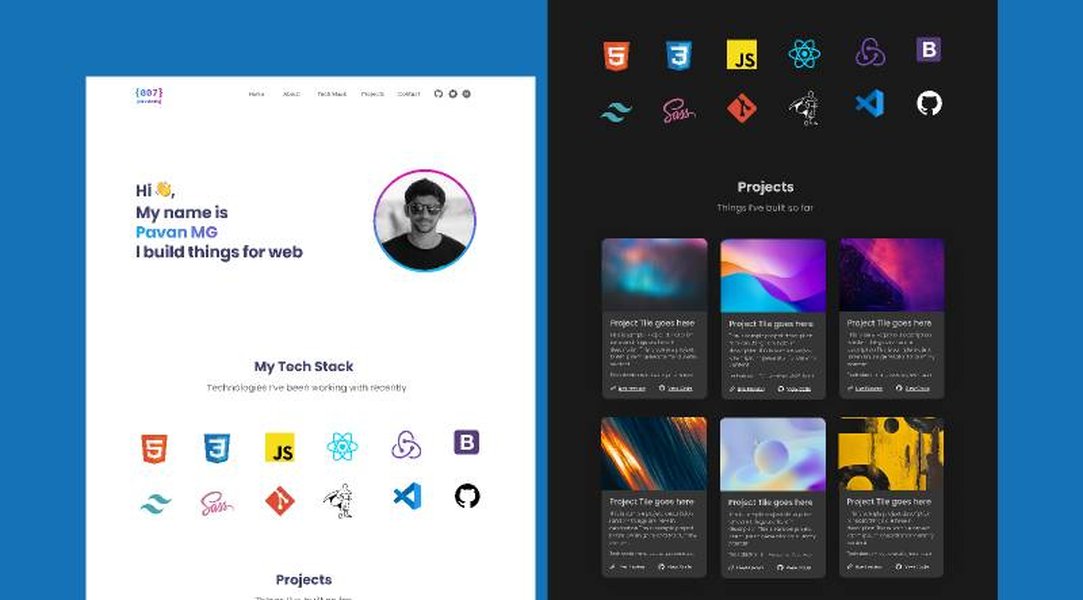
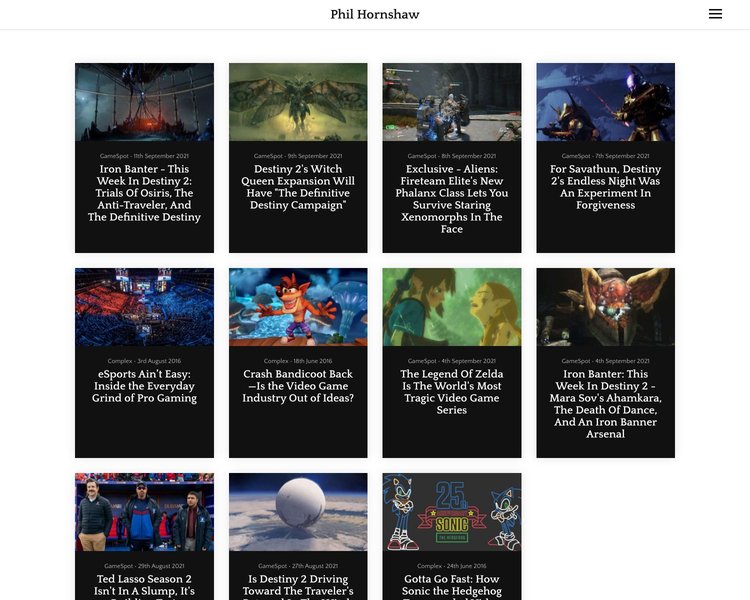
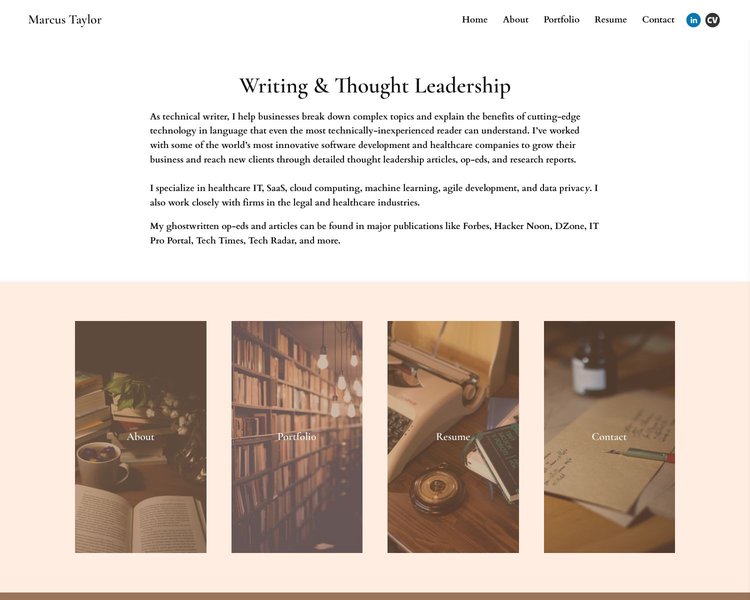
Sometimes seeing examples can spark ideas for your own portfolio design and content. Additionally, seeing how other developers set up their workspaces can be motivating. Below are some images showcasing portfolio layouts and typical developer desk setups.
Portfolio Design Ideas
These images illustrate different approaches to portfolio layout and project presentation, ranging from minimalist designs to more visually rich examples.

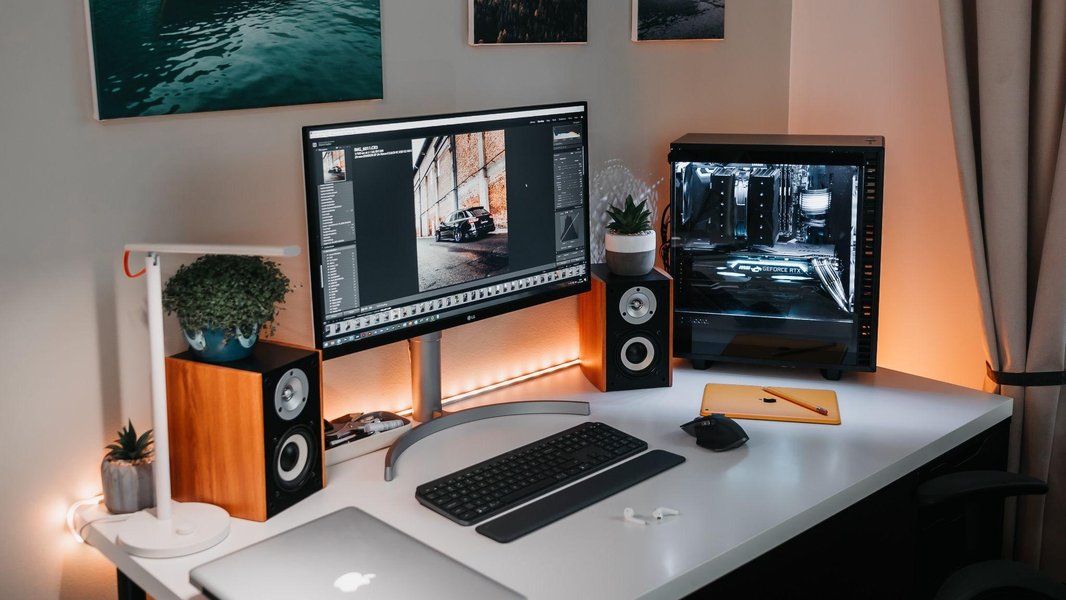
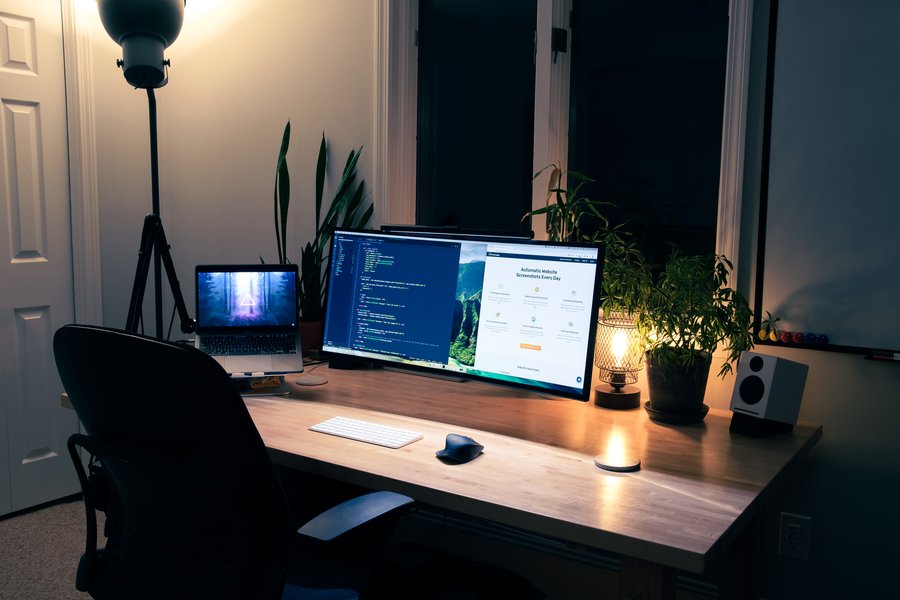
Developer Workspace Setups
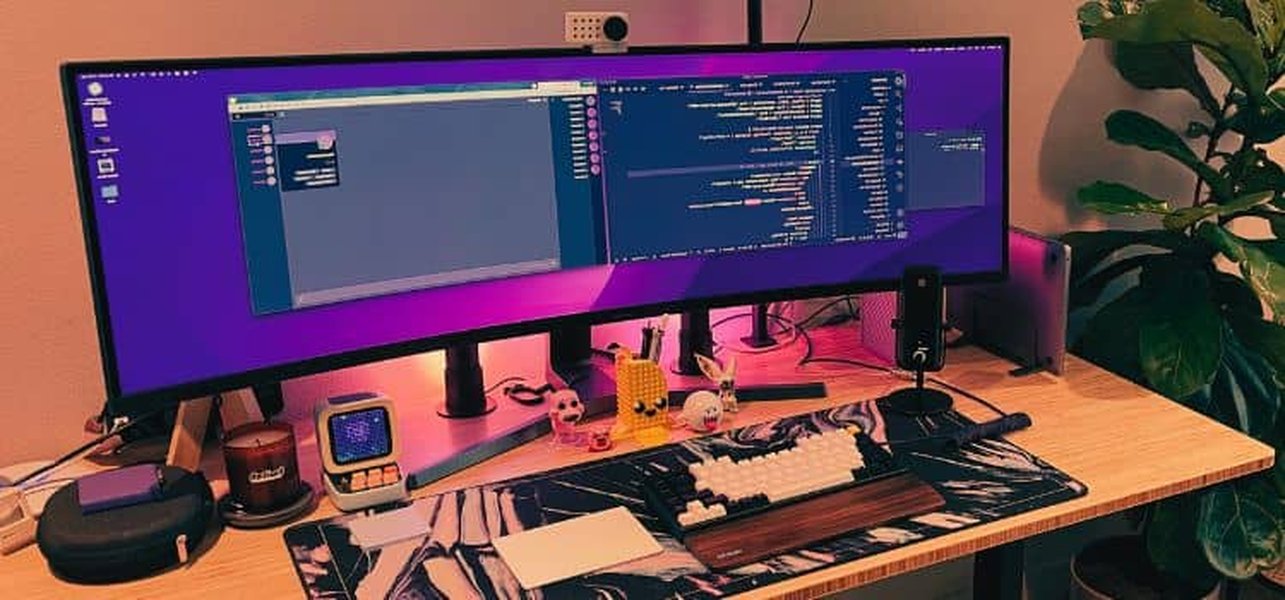
Your physical workspace can impact productivity and focus. Here are some examples of coding desk setups, often featuring multiple monitors, ergonomic chairs, and personalized touches.

Video Guide: Structuring Your Tech Portfolio
For a visual walkthrough on structuring and styling your portfolio, check out this helpful video. It covers key aspects discussed earlier, providing practical insights into creating an effective layout and design that supplements your resume and makes a strong impression.
Frequently Asked Questions (FAQ)
Should I build my portfolio site from scratch or use a template/builder?
This depends on your goals and skills.
Build from scratch (HTML, CSS, JS): Best option if you're applying for web development roles, as the portfolio itself showcases your front-end skills. It offers maximum customization but takes more time.
Use a template/builder: Faster and easier, especially if coding isn't your primary skill or focus (e.g., data science, backend). Choose code-based templates over pure drag-and-drop builders if possible to maintain some technical demonstration. Ensure the final result is professional, clean, and mobile-responsive regardless of the method.
What if I don't have professional work experience to show?
Focus on other types of projects! Include:
Personal Projects: Build things that interest you or solve a problem you face. This shows initiative and passion.
Academic Projects: Showcase significant projects from courses or bootcamps. Highlight the problem, your solution, and the tech used.
Open Source Contributions: Even small contributions to open-source projects demonstrate collaboration and coding skills.
Volunteer/Pro-Bono Work: If you've built something for a non-profit or friend, include it (with permission).
Clearly document the context, your role, and the technologies for each project.
How many projects should I include in my portfolio?
Quality over quantity is key. Aim for 3-5 well-documented, substantial projects rather than a dozen small or incomplete ones. Choose projects that best showcase the skills relevant to the jobs you're applying for. Ensure each project includes a clear description, the technologies used, your specific contributions, and links to a live demo and/or code repository.
Do I need a blog section?
A blog isn't strictly necessary, but it can be a significant advantage. Writing technical articles or tutorials demonstrates:
- Deeper understanding of concepts.
- Strong communication skills.
- Passion for technology and continuous learning.
- Engagement with the tech community.
It can also improve your portfolio's SEO. If you enjoy writing and sharing knowledge, consider adding one. If not, focus your energy on perfecting your project showcases.
References
- Building Your Tech Portfolio: Showcasing Your Skills and Projects - Ironhack
- The Ultimate Guide to Building a Technical Portfolio - Codecademy Blog
- The 6 Essential Elements Every Tech Portfolio Needs - Flatiron School
- How To Build A Tech Portfolio: A Comprehensive Guide To Showcasing Your Skills - Scientific Origin
- A Software Engineer's Guide to Building a Technical Portfolio - Hatchpad
- How to Build a Great Technical Portfolio - DEV Community
- How to Build a Standout Developer Portfolio Site - Daily.dev
Recommended Further Exploration
Last updated April 5, 2025