
Converting Node.js MD5 Hash Generation to Java
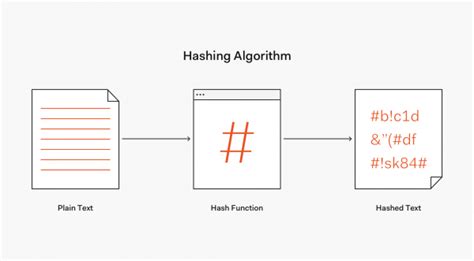
In this comprehensive guide, we will walk through the process of converting a Node.js script that generates an MD5 hash into its Java equivalent. This will enable you to replicate the functionality seamlessly within a Java environment, leveraging the appropriate libraries and best practices.
Understanding the Original Node.js Implementation
The original Node.js code utilizes the built-in crypto module to create an MD5 hash from specific input parameters. Here's the breakdown of the provided Node.js code:
const crypto = require('crypto');
const key = '25ff541c152d592';
const secret = 'CB1B74C468AB13AFF370A13F5';
const timestamp = (new Date()).valueOf();
const str1 = `key=${key}&secret=${secret}×tamp=${timestamp}`;
const sign = crypto.createHash('md5').update(str1).digest('hex').toUpperCase();
Code Breakdown
- Importing the Crypto Module: The
cryptomodule is a core library in Node.js that provides cryptographic functionalities, including hashing algorithms. - Defining Variables: Variables
keyandsecretare defined with specific string values.timestampcaptures the current time in milliseconds. - Constructing the String to Hash: The template literal combines the
key,secret, andtimestampinto a single stringstr1. - Generating the MD5 Hash: The
crypto.createHash('md5')method creates an MD5 hash object. Theupdate(str1)method feeds the string into the hash algorithm, anddigest('hex')outputs the hash in hexadecimal format. Finally,.toUpperCase()converts the hash to uppercase letters.
Java Implementation Overview
To replicate the Node.js functionality in Java, we will use the java.security.MessageDigest class for hashing and handle string construction similarly. Below is the step-by-step guide to achieve this:
Step 1: Import Necessary Classes
Java requires specific classes for cryptographic operations, character encoding, and exception handling. Import the following classes at the beginning of your Java file:
import java.security.MessageDigest;
import java.security.NoSuchAlgorithmException;
import java.nio.charset.StandardCharsets;
import java.util.Date;
Step 2: Define Variables
Similar to the Node.js script, define the key, secret, and generate the current timestamp:
String key = "25ff541c152d592";
String secret = "CB1B74C468AB13AFF370A13F5";
long timestamp = new Date().getTime();
Step 3: Construct the String to Hash
Create the concatenated string str1 using the defined variables:
String str1 = "key=" + key + "&secret=" + secret + "×tamp=" + timestamp;
Step 4: Generate the MD5 Hash
Utilize the MessageDigest class to create an MD5 hash of the constructed string:
try {
    MessageDigest md = MessageDigest.getInstance("MD5");
    byte[] hashBytes = md.digest(str1.getBytes(StandardCharsets.UTF_8));

    // Convert byte array into hexadecimal string
    StringBuilder hexString = new StringBuilder();
    for (byte b : hashBytes) {
        String hex = Integer.toHexString(0xff & b);
        if (hex.length() == 1) hexString.append('0');
        hexString.append(hex);
    }

    // Convert to uppercase
    String sign = hexString.toString().toUpperCase();
    System.out.println("Sign: " + sign);
} catch (NoSuchAlgorithmException e) {
    e.printStackTrace();
}
Complete Java Example
Combining all the steps, here's the complete Java program that mirrors the Node.js functionality:
import java.security.MessageDigest;
import java.security.NoSuchAlgorithmException;
import java.nio.charset.StandardCharsets;
import java.util.Date;
public class MD5HashGenerator {
public static void main(String[] args) {
String key = "25ff541c152d592";
String secret = "CB1B74C468AB13AFF370A13F5";
long timestamp = new Date().getTime();
String str1 = "key=" + key + "&secret=" + secret + "×tamp=" + timestamp;
try {
// Create MD5 MessageDigest instance
MessageDigest md = MessageDigest.getInstance("MD5");
// Compute the hash
byte[] hashBytes = md.digest(str1.getBytes(StandardCharsets.UTF_8));
// Convert byte array into hexadecimal string
StringBuilder hexString = new StringBuilder();
for (byte b : hashBytes) {
String hex = Integer.toHexString(0xff & b);
if (hex.length() == 1) hexString.append('0');
hexString.append(hex);
}
// Convert to uppercase
String sign = hexString.toString().toUpperCase();
// Print the signature
System.out.println("Sign: " + sign);
} catch (NoSuchAlgorithmException e) {
e.printStackTrace();
}
}
}
Explanation of the Java Code
- Imports:
java.security.MessageDigest: Provides the functionality of generating message digests using various algorithms, including MD5.java.security.NoSuchAlgorithmException: Handles exceptions related to the availability of the requested cryptographic algorithm.java.nio.charset.StandardCharsets: Ensures consistent character encoding (UTF-8) when converting strings to bytes.java.util.Date: Used to generate the current timestamp in milliseconds.
- Defining Variables:
keyandsecretare defined as per the original Node.js code.timestampcaptures the current time in milliseconds usingnew Date().getTime(), analogous to(new Date()).valueOf()in Node.js.
- Constructing the String:
str1is built by concatenatingkey,secret, andtimestampwith appropriate separators to match the original string format.
- Generating the MD5 Hash:
- An instance of
MessageDigestwith the MD5 algorithm is created usingMessageDigest.getInstance("MD5"). - The
digestmethod computes the MD5 hash of the input string's bytes, obtained using UTF-8 encoding.
- An instance of
- Converting to Hexadecimal String:
- The resulting byte array from the MD5 hash is converted to a hexadecimal string. Each byte is processed to ensure it is represented by two hexadecimal characters, adding a leading zero if necessary.
- Uppercasing and Output:
- The final hexadecimal string is converted to uppercase to match the
.toUpperCase()method used in the Node.js code. - The generated signature is printed to the console.
- The final hexadecimal string is converted to uppercase to match the
- Exception Handling:
- The
NoSuchAlgorithmExceptionis caught and its stack trace is printed. This ensures that if the MD5 algorithm is not available, the program handles the exception gracefully.
- The
Verification and Testing
To ensure that the Java implementation produces the same signature as the original Node.js code, follow these steps:
- Run the Node.js Script: Execute the Node.js code to generate the MD5 signature.
- Run the Java Program: Execute the Java program to generate its MD5 signature.
- Compare Outputs: Verify that both signatures match, confirming the correctness of the Java implementation.
**Note:** Due to the inclusion of the current timestamp, running both scripts simultaneously will ensure that both generate the same str1 and, consequently, the same MD5 hash.
Best Practices and Considerations
Security Implications of Using MD5
While MD5 is a widely-used hashing algorithm, it is considered cryptographically broken and unsuitable for security-related purposes. MD5 is vulnerable to collision attacks, where two different inputs produce the same hash output. For enhanced security, consider using more robust algorithms like SHA-256 or SHA-3.
Using SHA-256 in Java
If security is a priority, replacing MD5 with SHA-256 is recommended. Here's how you can modify the Java code to use SHA-256:
try {
    MessageDigest md = MessageDigest.getInstance("SHA-256");
    byte[] hashBytes = md.digest(str1.getBytes(StandardCharsets.UTF_8));

    StringBuilder hexString = new StringBuilder();
    for (byte b : hashBytes) {
        String hex = Integer.toHexString(0xff & b);
        if (hex.length() == 1) hexString.append('0');
        hexString.append(hex);
    }

    String sign = hexString.toString().toUpperCase();
    System.out.println("Sign: " + sign);
} catch (NoSuchAlgorithmException e) {
    e.printStackTrace();
}
**Key Changes:**
MessageDigest.getInstance("SHA-256")initializes the MessageDigest with the SHA-256 algorithm.- The rest of the code remains largely the same, ensuring that the SHA-256 hash is correctly generated and formatted.
Handling Exceptions Gracefully
In production environments, it's crucial to handle exceptions more gracefully. Instead of merely printing the stack trace, consider implementing logging mechanisms or fallback strategies. For example:
catch (NoSuchAlgorithmException e) {
    // Log the error using a logging framework
    Logger.getLogger(MD5HashGenerator.class.getName()).log(Level.SEVERE, null, e);

    // Implement fallback logic or notify the user
    System.err.println("MD5 algorithm not found. Please check your Java installation.");
}
Additional Enhancements
Creating a Reusable Hashing Method
To make the hashing functionality reusable across different parts of your application, encapsulate the hashing logic within a separate method:
public static String generateMD5Hash(String input) {
    try {
        MessageDigest md = MessageDigest.getInstance("MD5");
        byte[] hashBytes = md.digest(input.getBytes(StandardCharsets.UTF_8));

        StringBuilder hexString = new StringBuilder();
        for (byte b : hashBytes) {
            String hex = Integer.toHexString(0xff & b);
            if (hex.length() == 1) hexString.append('0');
            hexString.append(hex);
        }

        return hexString.toString().toUpperCase();
    } catch (NoSuchAlgorithmException e) {
        e.printStackTrace();
        return null;
    }
}
This method accepts a string input and returns its MD5 hash in uppercase hexadecimal format. It can be reused wherever hash generation is required.
Using Apache Commons Codec
The Apache Commons Codec library offers utilities for encoding and decoding, including hexadecimal conversions. Incorporating this library can streamline the hashing process:
- Adding Dependency: If you're using Maven, add the following dependency to your
pom.xml:
<dependency>
    <groupId>commons-codec</groupId>
    <artifactId>commons-codec</artifactId>
    <version>1.15</version>
</dependency>
- Using Hex.encodeHexString:
import org.apache.commons.codec.digest.DigestUtils;
import org.apache.commons.codec.binary.Hex;

public static String generateMD5Hash(String input) {
    byte[] hashBytes = DigestUtils.md5(input);
    return Hex.encodeHexString(hashBytes).toUpperCase();
}
**Benefits:**
-
Reduces boilerplate code for hexadecimal conversion.
-
Enhances code readability and maintainability.
Conclusion
Converting a Node.js script that generates an MD5 hash to Java involves understanding and utilizing Java's MessageDigest class effectively. By following the step-by-step guide outlined above, you can ensure that your Java implementation mirrors the functionality of the original Node.js code accurately.
Additionally, it's imperative to consider the security implications of using hashing algorithms. While MD5 serves well for non-critical applications, opting for more secure algorithms like SHA-256 is advisable for applications that demand higher security standards.
References
Last updated January 7, 2025