
Unlock the Secrets to Building Your Own Vampire Survivors Adventure in a Browser!
Dive into the essentials of creating a web-based rogue-lite survival game inspired by the hit title.
Vampire Survivors, a gothic horror casual game blending rogue-lite elements with minimalistic gameplay, has captivated players with its simple controls and intense, auto-attacking survival action against overwhelming hordes. Originally launched as an HTML5 browser game, its core concept is perfectly suited for web-based adaptation. This guide provides a comprehensive walkthrough on how you can create your own Vampire Survivors-style clone playable directly in a web browser, leveraging modern web technologies and game development principles.
Highlights: Key Steps to Your Browser Clone
- Technology Choices: Select appropriate web-friendly technologies like JavaScript frameworks (Phaser.js, PixiJS) or game engines with HTML5 export capabilities (Godot, Unity WebGL).
- Core Mechanics Replication: Focus on implementing the essential gameplay loops: automatic attacks, enemy wave spawning, experience collection, and player upgrades.
- Leverage Resources: Utilize existing tutorials, GitHub starter kits, and community examples to accelerate development and avoid common pitfalls.
Deconstructing the Vampire Survivors Formula
Before diving into development, understanding the core appeal and mechanics of Vampire Survivors is crucial. Replicating these elements effectively will be key to capturing the addictive gameplay loop.
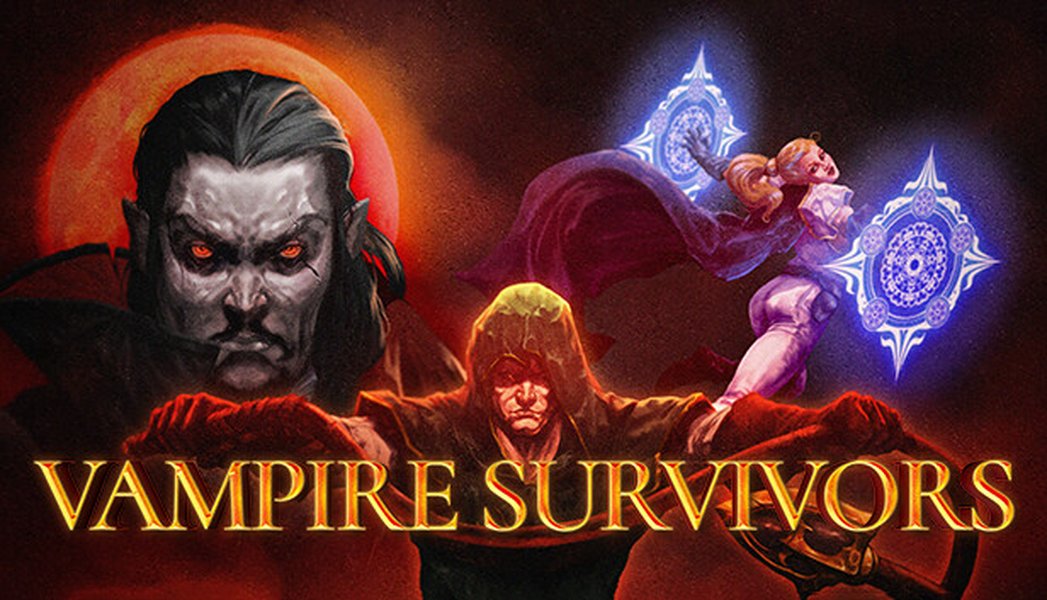
Gameplay screenshot from Vampire Survivors on Steam, showcasing the chaotic action.
Essential Gameplay Features
Your browser-based clone should aim to incorporate these fundamental mechanics:
- Minimalist Controls & Automatic Attacks: The player primarily controls movement (e.g., using WASD or arrow keys), while weapons fire automatically at set intervals or under specific conditions. This shifts the focus from aiming to strategic positioning and upgrade choices.
- Endless Enemy Hordes: Implement a system that spawns increasingly large waves of enemies that swarm the player. Enemy variety and behavior patterns add depth.
- Experience and Leveling: Enemies drop experience gems upon defeat. Collecting these fills an XP bar, triggering level-ups.
- Rogue-lite Progression: Each level-up offers a choice of new weapons, passive items, or upgrades to existing ones. The randomness of these choices ensures high replayability. Some clones also include meta-progression systems (permanent upgrades unlocked between runs).
- Time-Based Survival: Runs are typically timed, with difficulty escalating over minutes. Boss encounters or special events can occur at specific time milestones.
- Visual & Audio Style: While the original uses pixel art and retro sounds, you can adapt the aesthetic. Clarity is key – the player needs to easily distinguish their character, enemies, projectiles, and pickups amidst the chaos.
Choosing Your Development Path: Technologies & Tools
Selecting the right technology stack is vital for creating a performant and maintainable browser game. Several options cater to different levels of experience and project complexity.
Web-Native Development (HTML5, CSS, JavaScript)
Building directly with web technologies offers maximum control and potentially the smallest build sizes, crucial for fast loading times in a browser.
JavaScript Game Frameworks:
- Phaser.js: A highly popular, feature-rich 2D game framework. It excels at handling sprites, animations, physics, input, and audio, making it a strong choice for games like Vampire Survivors. Its extensive documentation and active community are significant advantages.
- PixiJS: Primarily a fast 2D rendering engine using WebGL or Canvas fallback. It's excellent for performance-intensive visual tasks but often requires integration with other libraries for full game logic (physics, state management).
Game Engines with Web Export
Using a dedicated game engine can streamline development with visual editors, built-in physics, animation tools, and simplified cross-platform deployment.
- Godot Engine: A free and open-source engine gaining popularity. Godot 4 offers robust 2D capabilities and excellent HTML5 export features (using WebAssembly). Several community starter kits specifically for Vampire Survivors clones exist for Godot.
- Unity: A powerful and widely-used engine with a vast asset store. Unity can export projects to WebGL, enabling browser play. However, WebGL builds from Unity can sometimes be larger and have longer initial load times compared to JavaScript-native solutions or Godot exports.
Technology Suitability Comparison
Choosing the best tool depends on your project goals and experience. This chart provides an opinionated comparison based on common development factors for a Vampire Survivors-style browser game:
This comparison suggests Phaser.js offers a good balance for browser-specific development, Godot provides a strong engine-based alternative with good web export, and Unity offers the most features but potentially at the cost of larger builds and complexity for simpler projects.
Step-by-Step Development Guide
Here’s a breakdown of the development process, adaptable to your chosen technology stack.
Phase 1: Setup and Basic Movement
Environment Setup:
Install your chosen engine (Godot, Unity) or set up a project structure for your JavaScript framework (e.g., using Node.js and a bundler like Webpack or Vite for Phaser.js).
Player Implementation:
Create the player character sprite and implement movement logic controlled by keyboard input (Arrow keys or WASD). Ensure movement is smooth and constrained within the game boundaries if necessary.
Phase 2: Combat Mechanics
Auto-Attack System:
Implement the core auto-attack feature. This typically involves timers that trigger weapon firing functions. Start with a simple projectile weapon.
Enemy Spawning:
Create an enemy spawner that instantiates enemies outside the visible screen area. Enemies should have basic AI to move towards the player. Gradually increase the spawn rate and enemy count over time.
Collision Detection:
Implement collision detection between player attacks and enemies, and between enemies and the player. Use your engine's physics system or implement geometric collision checks (e.g., rectangle or circle overlap) in JavaScript.
Phase 3: Progression and UI
Experience and Leveling:
Make defeated enemies drop experience gems. Implement logic for the player to collect these gems, track XP, and trigger level-ups.
Upgrade System:
Design a system for offering upgrade choices upon level-up. This involves creating various weapon types (projectiles, area-of-effect, orbiting attacks) and passive buffs (speed, health, damage). Implement the logic to apply these upgrades.
User Interface (UI):
Display essential information like player health, current level, XP bar, survival time, and current weapons/items. Keep the UI minimalistic but clear.
Phase 4: Polishing and Optimization
Visuals and Sound:
Add appropriate sprites, animations, particle effects, and sound effects to enhance the player experience.
Performance Optimization:
Handling hundreds of sprites and calculations simultaneously requires optimization. Techniques include object pooling (reusing enemies and projectiles instead of creating/destroying them), spatial partitioning for collision detection, and optimizing rendering calls.
Development Mindmap Overview
This mindmap illustrates the key areas involved in creating your Vampire Survivors clone:
Browser Clone"] id1["Core Mechanics"] id1a["Player Movement"] id1b["Auto-Attack System"] id1c["Enemy Spawning & AI"] id1d["XP & Leveling"] id1e["Weapons & Upgrades"] id1f["Collision Detection"] id1g["Timer & Difficulty Scaling"] id2["Technology Stack"] id2a["Game Engines"] id2a1["Godot (HTML5 Export)"] id2a2["Unity (WebGL Export)"] id2b["JavaScript Frameworks"] id2b1["Phaser.js"] id2b2["PixiJS"] id2c["Direct HTML5/JS"] id3["Development Steps"] id3a["Environment Setup"] id3b["Implement Basics (Player, Enemies)"] id3c["Code Core Loops (Combat, Progression)"] id3d["Build UI"] id3e["Polish (Art, Sound)"] id3f["Optimize Performance"] id3g["Testing"] id4["Deployment"] id4a["Hosting Platforms"] id4a1["itch.io"] id4a2["GitHub Pages"] id4a3["Personal Server/VPS"] id4b["Build Export (HTML5/WebGL)"]
Core Feature Implementation Table
This table summarizes key Vampire Survivors features and potential implementation approaches for your clone:
| Feature | Implementation Approach (Conceptual) |
|---|---|
| Player Movement | Listen for keyboard events (WASD/Arrows) and update player coordinates each frame. Apply velocity and potentially simple physics/friction. |
| Automatic Attacks | Use timers (e.g., setInterval in JS or engine-specific timers) to trigger functions that create/fire projectiles or activate melee hitboxes around the player based on equipped weapons. |
| Enemy Hordes | Create an enemy spawner object. Use timers or wave logic to instantiate enemy prefabs/classes at positions outside the screen bounds. Implement object pooling for performance. |
| Enemy AI | Basic AI: Calculate vector from enemy to player each frame and move enemy along that vector. More advanced: Pathfinding (A*), flocking behavior. |
| Experience Gems | When an enemy is defeated, instantiate an XP gem object at its position. Gems can have simple behavior (e.g., stationary or slowly moving towards the player when nearby). |
| Leveling Up | Track player XP. When XP reaches a threshold, increment level, reset XP bar (carrying over excess), and trigger the upgrade selection UI. Increase XP threshold for next level. |
| Upgrade Selection | Maintain lists of available weapon and passive item upgrades. On level-up, randomly select 3-4 options (avoiding duplicates or respecting prerequisites) and present them to the player via UI buttons. |
| Collision Detection | Use engine's built-in collision system (e.g., Area2D in Godot, Colliders in Unity) or implement geometric checks (rectangle/circle intersection) in JavaScript. Optimize using quadtrees or spatial hashing for large numbers of objects. |
| Minimalist UI | Use HTML elements overlaid on the canvas, or use the engine/framework's UI system to draw health bars, timers, XP bars, and icons for current items. |
Basic Code Example (Conceptual JavaScript)
Here's a highly simplified snippet using plain JavaScript and HTML5 Canvas to illustrate the core concepts. Note that a real implementation would require much more structure, likely using a framework like Phaser.js.
// --- HTML Setup (index.html) ---
// <!DOCTYPE html>
// <html>
// <head><title>Simple Survivor Clone</title></head>
// <body>
//   <canvas id="gameCanvas" width="800" height="600" style="border:1px solid #000;"></canvas>
//   <script src="game.js"></script>
// </body>
// </html>

// --- JavaScript Logic (game.js) ---
const canvas = document.getElementById('gameCanvas');
const ctx = canvas.getContext('2d');

let player = { x: 400, y: 300, width: 20, height: 20, speed: 3, health: 100 };
let enemies = [];
let projectiles = [];
let keys = {}; // Store key states

// Basic input handling
document.addEventListener('keydown', (e) => keys[e.key] = true);
document.addEventListener('keyup', (e) => keys[e.key] = false);

function spawnEnemy() {
  // Simplified spawn logic (random edge)
  let x, y;
  if (Math.random() < 0.5) {
    x = Math.random() < 0.5 ? -20 : canvas.width + 20;
    y = Math.random() * canvas.height;
  } else {
    x = Math.random() * canvas.width;
    y = Math.random() < 0.5 ? -20 : canvas.height + 20;
  }
  enemies.push({ x: x, y: y, width: 15, height: 15, speed: 1, health: 10 });
}

function autoAttack() {
  // Example: Fire a simple projectile upwards every second
   projectiles.push({ x: player.x + player.width / 2 - 2.5, y: player.y, width: 5, height: 10, speed: 5 });
}

// Simple collision check
function checkCollision(rect1, rect2) {
 return rect1.x < rect2.x + rect2.width &&
        rect1.x + rect1.width > rect2.x &&
        rect1.y < rect2.y + rect2.height &&
        rect1.height + rect1.y > rect2.y;
}


// Set intervals for spawning and attacking
setInterval(spawnEnemy, 2000); // Spawn enemy every 2 seconds
setInterval(autoAttack, 1000); // Attack every 1 second

function gameLoop() {
  // Clear canvas
  ctx.clearRect(0, 0, canvas.width, canvas.height);

  // Player movement
  if (keys['ArrowUp'] && player.y > 0) player.y -= player.speed;
  if (keys['ArrowDown'] && player.y < canvas.height - player.height) player.y += player.speed;
  if (keys['ArrowLeft'] && player.x > 0) player.x -= player.speed;
  if (keys['ArrowRight'] && player.x < canvas.width - player.width) player.x += player.speed;

  // Draw Player
  ctx.fillStyle = 'blue';
  ctx.fillRect(player.x, player.y, player.width, player.height);

  // Update and Draw Projectiles
  ctx.fillStyle = 'yellow';
  for (let i = projectiles.length - 1; i >= 0; i--) {
    let p = projectiles[i];
    p.y -= p.speed; // Move projectile up
    ctx.fillRect(p.x, p.y, p.width, p.height);
    // Remove projectile if off-screen
    if (p.y < 0) {
        projectiles.splice(i, 1);
    }
  }

  // Update and Draw Enemies
  ctx.fillStyle = 'red';
  for (let i = enemies.length - 1; i >= 0; i--) {
    let e = enemies[i];
    // Simple AI: move towards player
    let dx = player.x - e.x;
    let dy = player.y - e.y;
    let dist = Math.sqrt(dx * dx + dy * dy);
    if (dist > 0) { // Avoid division by zero
        e.x += (dx / dist) * e.speed;
        e.y += (dy / dist) * e.speed;
    }
    ctx.fillRect(e.x, e.y, e.width, e.height);

    // Check projectile collision
    for (let j = projectiles.length - 1; j >= 0; j--) {
        if (checkCollision(projectiles[j], e)) {
            e.health -= 5; // Example damage
            projectiles.splice(j, 1); // Remove projectile
            if (e.health <= 0) {
                enemies.splice(i, 1); // Remove enemy
                // TODO: Spawn XP gem
                break; // Stop checking projectiles for this dead enemy
            }
        }
    }

     // Check player collision
     if(checkCollision(player, e)) {
         player.health -= 1; // Example damage
         // Potentially add knockback or temporary invincibility
         console.log("Player Health:", player.health);
         if (player.health <= 0) {
             console.log("Game Over");
             // TODO: Implement Game Over state
             return; // Stop the loop (or trigger game over screen)
         }
     }
  }

  requestAnimationFrame(gameLoop); // Continue the loop
}

// Start the game
gameLoop();
This code sets up basic player movement, enemy spawning towards the player, an auto-attack firing projectiles, and rudimentary collision detection. It lacks many features (XP, levels, varied weapons, proper UI, optimization) but demonstrates the fundamental structure.
Visualizing the Gameplay Loop
Vampire Survivors and its clones rely on an addictive cycle of survival, leveling, and increasing power. Understanding this loop is key.
Gameplay footage of Vampire Survivors on PS5, illustrating the fast-paced action, numerous enemies, and automatic attacks.
This video showcases the core experience you aim to replicate: constant movement to avoid overwhelming enemy numbers while your automated arsenal deals damage. Observe how the player collects experience gems (the blue crystals) to level up and periodically chooses new power-ups, significantly altering their offensive capabilities throughout the run.
Deployment: Bringing Your Game to the Web
Once your game is developed, you need to host it online so people can play it in their browsers.
- Static Hosting Platforms: Services like GitHub Pages, itch.io (which specializes in hosting games), Netlify, or Vercel are excellent options for hosting HTML5 games. They are often free for basic usage.
- Engine-Specific Deployment: If using Godot or Unity, follow their specific documentation for exporting an HTML5/WebGL build. This usually involves packaging all game assets and code into web-compatible formats.
- Configuration: Ensure your web server is configured correctly to serve the game files (HTML, CSS, JavaScript, assets, possibly .wasm files for WebAssembly builds). For itch.io, you typically just upload the zipped build files.
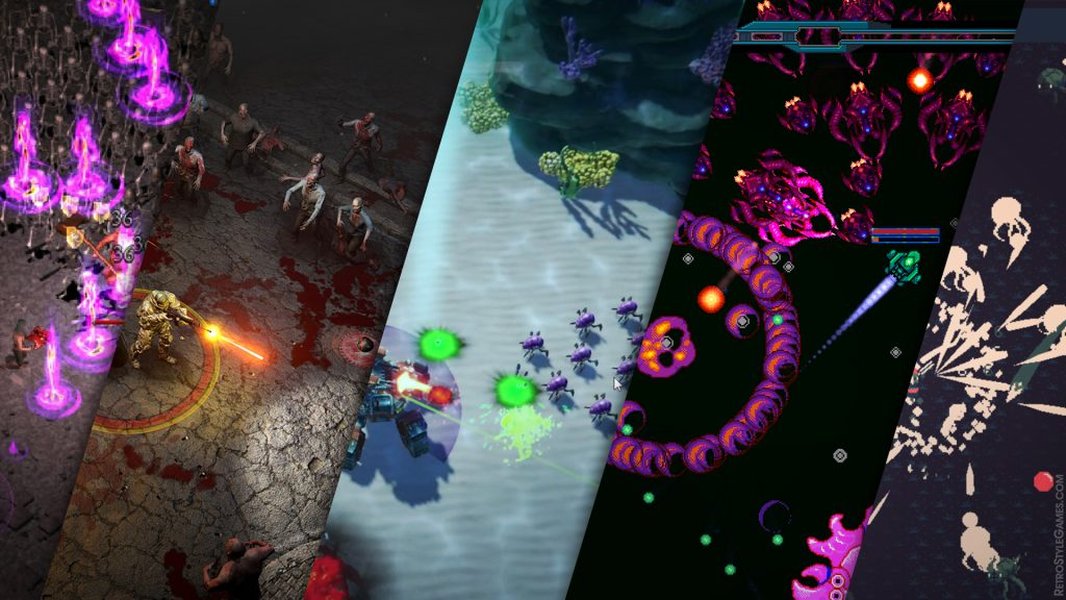
Many developers have created their own successful takes on the Vampire Survivors formula.
Frequently Asked Questions (FAQ)
How difficult is it to make a Vampire Survivors clone?
The difficulty depends on your prior game development experience and the scope of your project. Creating a basic version with core mechanics (movement, auto-attack, simple enemies, one or two upgrades) is achievable for intermediate developers, especially using frameworks like Phaser.js or engines like Godot with existing tutorials/starter kits. Replicating the full depth, polish, extensive content (many characters, weapons, evolutions, secrets), and optimization of the original Vampire Survivors is a significant undertaking requiring considerable time and effort.
Which technology is best for a beginner?
For beginners aiming for browser deployment, Godot Engine or Phaser.js are often recommended. Godot offers a more integrated visual editor environment which can be helpful, and its HTML5 export is quite streamlined. Phaser.js requires more direct coding in JavaScript but has excellent documentation and many tutorials focused on 2D web games. Starting with existing starter kits or following detailed tutorials for either of these can significantly ease the learning curve.
How do I handle performance with so many enemies on screen?
Performance optimization is crucial for this genre. Key techniques include:
- Object Pooling: Reuse enemy and projectile objects instead of constantly creating and destroying them. This reduces garbage collection overhead.
- Efficient Collision Detection: Avoid checking every object against every other object. Use spatial partitioning techniques like quadtrees or spatial hashing to quickly find nearby objects for collision checks.
- Simplified Rendering: Use spritesheets/atlases to reduce draw calls. Minimize complex shaders or effects if performance suffers. Batch rendering if your framework supports it.
- Optimized AI: Keep enemy AI logic simple. Complex pathfinding for hundreds of enemies can be very demanding.
- WebAssembly: For performance-critical parts (like physics or complex calculations), consider using WebAssembly (often handled automatically when exporting from engines like Godot or Unity).
Can I use assets from other games?
No, you should not use copyrighted assets (graphics, sound, code) directly from Vampire Survivors or any other commercial game without permission or a proper license. Doing so would infringe on intellectual property rights. You should create your own unique assets, purchase royalty-free assets from marketplaces (like itch.io, Unity Asset Store), or use assets with permissive licenses (e.g., Creative Commons licenses that allow commercial use if applicable).
Recommended Further Exploration
- How can I start learning Phaser.js to build a top-down game?
- What are the best practices for optimizing a Godot game for web browser performance?
- Explore JavaScript object pooling techniques to improve game performance.
- Where can I find royalty-free pixel art assets suitable for a rogue-lite game?
References
Last updated April 27, 2025