
Froala's "Parsing Response Failed" Mystery on Linux/PHP: Solved!
Uncover why Froala stumbles over your 'correct' PHP responses and the precise steps to ensure seamless image and file uploads.
Encountering the "Parsing response failed" error in the Froala WYSIWYG editor, especially when using PHP on a Linux server, can be perplexing, particularly when you've verified that your PHP script seems to return the correct data. This common issue usually signals a discrepancy between what Froala's JavaScript expects and what the server actually delivers, often due to subtle details in the HTTP response rather than the core data itself.
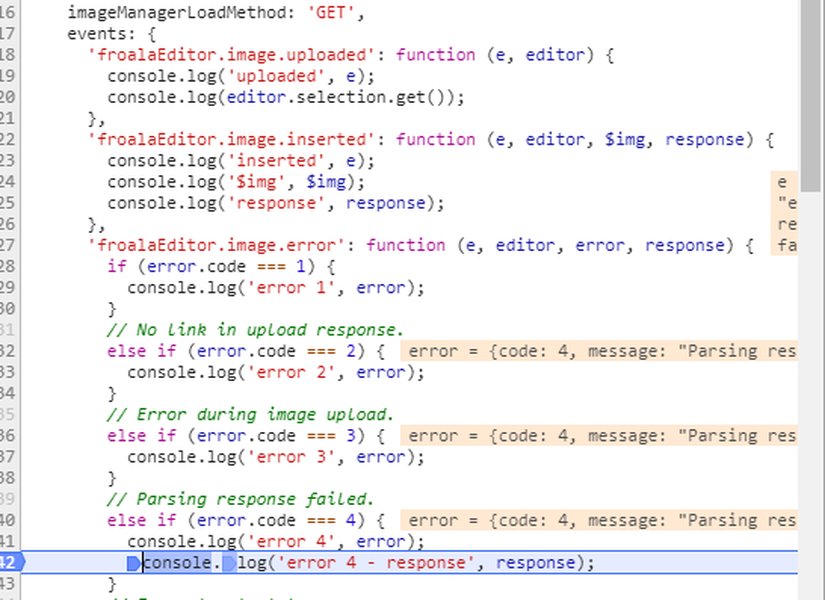
The typical "Parsing response failed" error displayed by Froala editor during an upload.
Key Insights: Decoding the Parse Failure
- Strict JSON Adherence: Froala expects a precisely formatted JSON response, typically
{"link": "URL_to_file"}. Any deviation, including extraneous whitespace or PHP notices, will break parsing. - Content-Type is Crucial: The HTTP response header
Content-Type: application/jsonis mandatory. Without it, Froala may misinterpret the response. - Server-Side Gremlins: Hidden PHP errors, incorrect file permissions on Linux, or restrictive server configurations (like
upload_max_filesize) can corrupt or alter the response.
Underlying Causes of the "Parsing Response Failed" Error
Even if the JSON data payload appears correct in your tests (e.g., using Postman or viewing raw output), several factors can lead Froala to report a parsing failure. Understanding these is key to resolving the issue.
1. Incorrect HTTP Content-Type Header
Froala's client-side JavaScript relies on the Content-Type header to understand how to process the server's response. If your PHP script returns JSON data but the header is set to text/html (a common default) or is missing, Froala's parser may fail before it even attempts to read the JSON content.
Solution:
Always explicitly set the JSON content type in your PHP script before outputting the JSON string:
<?php
header('Content-Type: application/json');
// ... rest of your PHP code
?>
2. Malformed JSON or Extraneous Output
This is one of the most common culprits. The Froala editor expects a pure, unadulterated JSON string. Any characters outside the valid JSON structure will cause parsing to fail.
Sources of Extraneous Output:
- Whitespace: Leading or trailing spaces, newlines, or tabs before the opening
{or after the closing}of your JSON. - PHP Errors, Warnings, or Notices: If PHP's
display_errorsis enabled and an error occurs, the error message HTML can be prepended or appended to your JSON, invalidating it. - Byte Order Mark (BOM): UTF-8 files saved "with BOM" can have invisible characters at the beginning of the output.
- Accidental
echoorprintstatements: Debugging statements or other output not intended to be part of the JSON response.
Solution:
- Ensure no output occurs before
header()calls. - Consider using output buffering (
ob_start(),ob_end_clean()) to capture and discard any accidental output before sending the JSON. - In production, disable
display_errorsin yourphp.inior script and rely on error logs.<?php // At the beginning of your script ini_set('display_errors', 0); error_reporting(0); // Or a specific level that excludes notices/warnings from output ?> - Ensure your PHP files are saved as UTF-8 without BOM.
- Terminate your script with
exit;ordie();immediately after echoing the JSON to prevent any subsequent output.
3. Incorrect JSON Structure
Froala expects a very specific JSON structure for upload responses. For successful image or file uploads, it primarily looks for an object containing a link key, whose value is the URL of the uploaded file.
{
    "link": "https://yourdomain.com/uploads/image.jpg"
}
Common Structural Mistakes:
- Missing
linkkey: The response must contain this exact key. - Case Sensitivity: JSON keys are case-sensitive.
"Link"or"LINK"will not work; it must be"link". - Incorrect URL: The URL provided must be accessible by the browser. Relative paths might sometimes cause issues if not resolved correctly by the editor in its current page context. Absolute URLs are generally safer.
- Nested or Unexpected Fields: While you can include other fields, the primary requirement is the
link. Ensure the structure isn't overly complex or different from what Froala expects.
Solution:
Construct your JSON response carefully in PHP:
<?php
// Assume $uploadUrl contains the URL of the successfully uploaded file
$response = ['link' => $uploadUrl];
header('Content-Type: application/json');
echo json_encode($response);
exit;
?>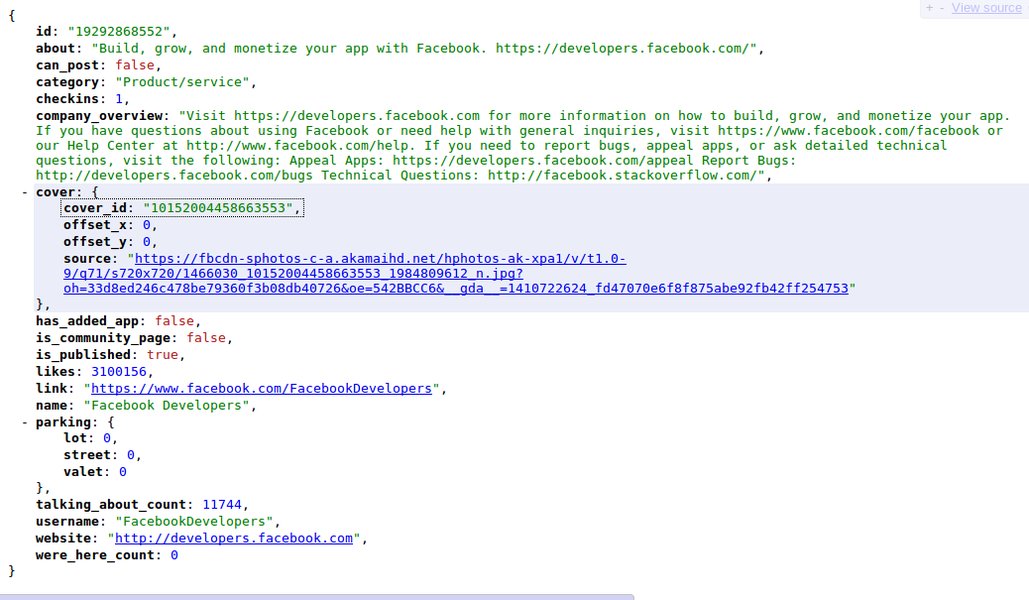
An example illustrating a clean and properly structured JSON response.
4. Cross-Origin Resource Sharing (CORS) Issues
If your Froala editor is hosted on a different domain, subdomain, or port than your PHP upload script, browsers will enforce CORS policies. If your server doesn't send the correct CORS headers (like Access-Control-Allow-Origin), the browser might block the response, leading Froala to interpret this as a parsing failure.
Solution:
Configure your PHP script or server (e.g., Apache/Nginx) to send appropriate CORS headers. For PHP:
<?php
header("Access-Control-Allow-Origin: *"); // Or specify your editor's domain: e.g., https://editor.example.com
header("Access-Control-Allow-Methods: POST, OPTIONS"); // OPTIONS is important for preflight requests
header("Access-Control-Allow-Headers: Content-Type, X-Requested-With"); // Add any other headers Froala might send
// ... then set Content-Type and echo JSON
?>
5. Server-Side Limitations and Errors on Linux
File Permissions:
On Linux systems, your PHP script needs write permissions for the upload directory. If permissions are incorrect, the file upload might fail silently or produce an error that corrupts the JSON response.
PHP Configuration (php.ini):
Directives like upload_max_filesize, post_max_size, and max_execution_time can affect uploads. If a file exceeds these limits, PHP might terminate the script prematurely or return an error page instead of your JSON response. Check your PHP error logs (often found in /var/log/apache2/error.log or /var/log/php_errors.log on Linux) for clues.
Visualizing Common Pitfalls
The radar chart below illustrates common factors contributing to the "Parsing response failed" error, rated by their typical commonality and the difficulty in detecting them. Understanding these can help prioritize your troubleshooting efforts.
As the chart suggests, issues like extraneous output and incorrect Content-Type headers are very common and can sometimes be tricky to spot if you're only looking at the "intended" JSON data.
Systematic Troubleshooting Steps
To effectively diagnose and fix the "Parsing response failed" error, follow these steps:
1. Inspect the Raw Server Response
Use your browser's developer tools (usually F12). Go to the "Network" tab, trigger the upload in Froala, and find the request made to your PHP script. Click on it and examine the "Response" or "Preview" tab. Look for:
- The exact raw text returned by the server. Is it pure JSON?
- Any HTML, PHP error messages, or whitespace before or after the JSON.
- Check the "Headers" tab for the
Content-Type. It should beapplication/json.
2. Test Your PHP Endpoint Independently
Use tools like cURL (from your Linux terminal) or Postman to send a request to your upload script directly. This bypasses Froala and lets you see exactly what the server returns.
# Example using cURL to test an image upload
curl -X POST -F "file=@/path/to/your/image.jpg" http://yourserver.com/upload.php
Analyze the output for correctness and headers.
3. Simplify Your PHP Script
Temporarily reduce your PHP upload script to the bare minimum to isolate the problem. Hardcode a successful response to see if Froala can parse it:
<?php
// ob_start(); // Optional: Uncomment to catch stray outputs
header('Content-Type: application/json');
// header("Access-Control-Allow-Origin: *"); // If CORS is needed

$response = ['link' => 'https://via.placeholder.com/150']; // A known working image URL
echo json_encode($response);

// ob_end_clean(); // If ob_start() was used
// echo json_encode($response); // Send the clean response

exit;
?>
If this works, gradually add back your original logic to find the part causing issues.
4. Check Server and PHP Error Logs
On your Linux server, consult:
- PHP error logs (location defined in
php.ini, often/var/log/php_errors.logor similar). - Web server error logs (e.g., Apache:
/var/log/apache2/error.log, Nginx:/var/log/nginx/error.log).
5. Utilize Froala's Event Listeners for Debugging
Froala provides client-side events that can give more context about errors. You can listen for the image.error or file.error event:
new FroalaEditor('#editorElement', {
  imageUploadURL: '/your_php_upload_script.php',
  events: {
    'image.error': function (e, editor, error, response) {
      console.log('Froala Error Code:', error.code); // Code 4 is often 'Parsing response failed'
      console.log('Froala Error Message:', error.message);
      console.log('Server Response (if available):', response);
      // error.code meaning:
      // 1: Bad link.
      // 2: No link in upload response.
      // 3: Error during upload.
      // 4: Parsing response failed.
    }
  }
});
Mindmap: Navigating the Troubleshooting Path
This mindmap outlines the general areas to investigate when tackling the "Parsing response failed" error, branching from server-side concerns to client-side checks and debugging techniques.
(must be application/json)"] id1_1_2["JSON Structure
(e.g., {\"link\": \"url\"})"] id1_1_3["Extraneous Output
(whitespace, PHP errors, BOM)"] id1_1_4["Error Handling
(display_errors off, log errors)"] id1_1_5["json_encode Success
(check for encoding errors)"] id1_2["Server Configuration"] id1_2_1["File Permissions (Linux)
(writable upload directory)"] id1_2_2["PHP Limits (php.ini)
(upload_max_filesize, post_max_size)"] id1_2_3["CORS Headers
(Access-Control-Allow-Origin)"] id1_2_4["Web Server Config
(Apache/Nginx rules)"] id2["Client-Side Factors (Froala/Browser)"] id2_1["Froala Editor Configuration"] id2_1_1["imageUploadURL / fileUploadURL"] id2_1_2["imageUploadParam / fileUploadParam"] id2_1_3["requestWithCORS option"] id2_2["Browser Interpretation"] id2_2_1["Developer Tools (Network Tab)"] id2_2_2["Console Errors"] id3["Troubleshooting Process"] id3_1["Inspect Raw Network Response"] id3_2["Validate JSON Externally"] id3_3["Check Server Error Logs"] id3_4["Simplify PHP Script (Minimal Test Case)"] id3_5["Test Endpoint with cURL/Postman"] id3_6["Use Froala Event Listeners (image.error)"]
PHP Response: Expected vs. Problematic
The following table illustrates common differences between a problematic PHP response that could lead to a parsing failure and a correct one that Froala can successfully process.
| Scenario | Problematic PHP Output Example (Conceptual) | Correct PHP Output Example | Key Difference / Explanation |
|---|---|---|---|
| Extraneous Whitespace | {"link": "url.jpg"} |
{"link": "url.jpg"} |
Leading spaces before JSON invalidate it. |
| PHP Notice/Warning | <br /><b>Notice</b>: Undefined variable...<br />{"link": "url.jpg"} |
{"link": "url.jpg"} |
PHP error messages mixed with JSON. Turn off display_errors. |
| Incorrect Content-Type (Header) | (Header: Content-Type: text/html){"link": "url.jpg"} |
(Header: Content-Type: application/json){"link": "url.jpg"} |
Header must signal JSON content. |
| Incorrect JSON Key Case | {"Link": "url.jpg"} |
{"link": "url.jpg"} |
JSON keys are case-sensitive; Froala expects lowercase "link". |
| Missing 'link' Key | {"url": "url.jpg"} |
{"link": "url.jpg"} |
The "link" key is mandatory for default Froala behavior. |
| Script Termination | {"link": "url.jpg"} <!-- some other HTML after --> |
{"link": "url.jpg"} (followed by exit; in PHP) |
Ensure no output after json_encode and use exit;. |
Integrating Froala with PHP: A Visual Guide
While the specifics of your PHP backend may vary (plain PHP, Laravel, Symfony, etc.), the principles of handling uploads and returning the correct JSON response are universal. The following video demonstrates installing Froala in a Laravel (PHP framework) application, which can provide insights into structuring your server-side logic, including how responses might be handled.
This video provides a walkthrough of integrating Froala editor within a Laravel (PHP) application, covering setup aspects that are relevant to ensuring correct server communication.
Frequently Asked Questions (FAQ)
Q: Why does Froala say "Parsing response failed" if I can see the correct JSON in my browser's Network tab?
Even if the JSON data looks correct, the issue might be:
- Incorrect
Content-Typeheader: If it's notapplication/json, Froala might not attempt to parse it as JSON. - Invisible characters: A Byte Order Mark (BOM) or subtle whitespace issues might not be obvious but can break parsing.
- CORS issues: The browser might block the response due to CORS policy, and Froala interprets this as a parsing failure. The Network tab might show the data, but JavaScript access could be restricted.
- Strict parsing: Froala's parser might be stricter than your browser's JSON viewer.
Q: Could Linux file permissions cause this "Parsing response failed" error?
Yes, indirectly. If your PHP script cannot write the uploaded file to the specified directory on your Linux server due to incorrect permissions (e.g., the web server user like www-data doesn't have write access), your PHP script might:
- Fail to generate the
linkURL. - Output a PHP error/warning instead of, or mixed with, the JSON.
- Return an empty or malformed JSON response.
Q: How can I ensure my PHP script only outputs pure JSON?
- Set
header('Content-Type: application/json');before any output. - Turn off
display_errorsfor production:ini_set('display_errors', 0); error_reporting(0);. Log errors to a file instead. - Avoid any
echo,print,var_dump, etc., outside of the finalecho json_encode($response);. - Place
exit;ordie();immediately after yourjson_encodecall to prevent any further script execution or output. - Be mindful of included/required files; they should not produce output unless intended.
- Check for UTF-8 BOM in your PHP files and remove it (save as UTF-8 without BOM).
- Optionally use output buffering:
ob_start();at the beginning, then your logic, thenob_end_clean();right beforeecho json_encode($final_response_array); exit;to discard any stray output and send only your controlled JSON.
Q: Does the Froala PHP SDK help prevent this error?
Yes, using the official Froala PHP SDK can help. The SDK is designed to handle common tasks like file validation, processing, and generating the JSON response in the format Froala expects. By abstracting some of these details, it can reduce the chances of manual errors in formatting the response or setting headers, though fundamental PHP environment issues (like display_errors on) would still need to be managed.
Recommended Next Steps
To further enhance your understanding or troubleshoot related issues, consider exploring these topics:
- How to properly configure CORS for PHP AJAX requests on Linux.
- Debugging silent PHP errors that affect JSON responses.
- Best practices for securing file uploads in PHP on a Linux server.
- Advanced Froala editor customization for image and file handling.
References
Last updated May 14, 2025