
Forge Your Future: A 3-Project Blueprint for Graphics Programmer Success in 2025
Master WebGPU, DirectX 12, and Vulkan with modern techniques to build an irresistible portfolio.
Highlights for Your Graphics Portfolio Journey
- Focus on Modern APIs & PBR: Demonstrate proficiency in WebGPU, DirectX 12, and Vulkan, with a strong emphasis on Physically Based Rendering (PBR) principles, especially for your WebGPU project.
- Embrace Software Engineering Best Practices: Each GitHub project should feature clean, well-commented code, comprehensive README files, and diligent use of version control (Git).
- Showcase Low-Level Understanding: Prove your grasp of core graphics concepts, explicit resource management, synchronization, and shader development for each respective API.
Crafting a Winning Portfolio: General Best Practices
Building a compelling graphics programming portfolio in 2025 requires more than just functional code. It's about showcasing your skills, thought process, and readiness for professional development. Here’s how to make your projects stand out:
GitHub Repository Standards
Maintain Impeccable Repositories
For each project, create a dedicated GitHub repository. Ensure it is meticulously organized with clear folder structures (e.g., src/ for source code, assets/ for models, textures, and shaders, docs/ for extended documentation). The cornerstone of each repository should be a comprehensive README.md file. This file should articulate:
- The project's purpose and objectives.
- The technologies and APIs utilized (Rust, C++, WebGPU, DX12, Vulkan, specific libraries).
- Detailed instructions on how to build, configure, and run the project.
- An explanation of the key graphics concepts and modern rendering techniques demonstrated.
- Visuals like screenshots, GIFs, or short embedded videos showcasing the renderer in action.
Code Quality and Version Control
Write Professional, Maintainable Code
Strive for clean, readable, and well-commented code. Adopt consistent coding styles and break down complex logic into manageable functions and modules. Use Git effectively with clear, descriptive commit messages that narrate the development process. Consider setting up GitHub Actions for basic CI (Continuous Integration) to automate builds and checks, demonstrating a professional approach to software development.
Demonstrating Modern Techniques
Highlight Your Expertise
Explicitly mention and, where appropriate, briefly explain the modern rendering techniques you've implemented or explored within your READMEs and code comments. This could include PBR, specific BRDF models, shadow algorithms, resource binding strategies, or pipeline optimizations.
Essential Tools and Debugging
Leverage Industry-Standard Tools
Familiarize yourself with and utilize graphics debugging tools like RenderDoc (for Vulkan, WebGPU, DX12), PIX (for DirectX 12 on Windows), and browser-based WebGPU inspection tools. Mentioning your use of these tools for profiling and debugging demonstrates a practical, problem-solving mindset.
Project 1: Mastering Modern Cross-Platform Graphics with Rust & WebGPU
Objective & Why This Project Shines
This project aims to build a renderer implementing a Physically Based Rendering (PBR) model with a Bidirectional Reflectance Distribution Function (BRDF), supporting 3D model loading, using Rust and WebGPU (via the wgpu crate). WebGPU is a cutting-edge API offering cross-platform graphics capabilities on native systems (via Vulkan, Metal, DX12 backends) and the web (via WebAssembly). Rust provides memory safety and performance, making this a very contemporary project.
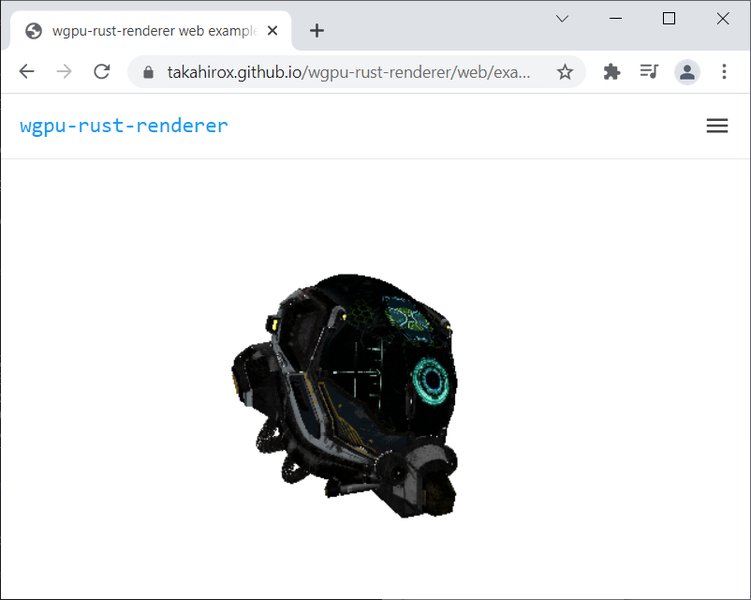
Example of a WebGPU renderer in action, showcasing model rendering in a web environment.
Core Concepts to Demonstrate
- WebGPU API Proficiency: Setting up and using the
wgpuAPI (Instance, Adapter, Device, Queue, Surface). - BRDF/PBR Implementation: Implementing a PBR shading model (e.g., Cook-Torrance BRDF) in WGSL shaders, handling material properties like albedo, metallic, roughness, and ambient occlusion.
- Model Loading & Rendering: Loading and rendering 3D models (e.g., glTF format) with associated textures. Managing vertex/index buffers.
- Resource Management: Utilizing uniform buffers for matrices and lighting, and bind groups for shader resources.
- Render Pipelines: Configuring render pipelines, including shaders, buffer layouts, depth testing, and blend states.
- Texture Handling: Loading, creating, and sampling textures in shaders.
- Camera System: Implementing basic interactive camera controls (orbit, pan, zoom).
- Cross-Platform Build: Potentially demonstrating both native execution and a WebAssembly build for browser rendering.
Technical Implementation Roadmap
Setup and Initial Steps
Initialize a Rust project and add dependencies like wgpu, winit (for windowing), env_logger, pollster, and a model loading crate such as gltf or tobj. Follow tutorials like "Learn Wgpu" to establish the basic rendering context.
BRDF and PBR Shading
Develop WGSL shaders for your PBR pipeline. Start with a Cook-Torrance BRDF. Implement support for material textures (albedo, normal, metallic-roughness, AO). Consider Image-Based Lighting (IBL) using cubemaps for realistic environment reflections if time permits.
Model Integration
Use a crate like gltf to parse model files. Extract vertex data (positions, normals, UVs, tangents), indices, and material information. Create wgpu buffers for this data and render the model.
Pipeline and Resource Management
Design flexible render pipelines. Use bind groups to link resources (uniform buffers, textures, samplers) to your shaders. Manage per-object data like model transformation matrices efficiently.
Leveraging Modern Techniques (2025 Focus)
- Physically Based Rendering: This is central. Accurately simulate light interaction with various materials.
- WGSL Shaders: Utilize WebGPU's native, modern shading language.
- Asynchronous Operations: Leverage Rust's
async/awaitfor non-blocking GPU operations where appropriate withwgpu. - Efficient Resource Handling: Demonstrate good practices in managing GPU memory and resources.
Code Snippet Example (Conceptual Rust/wgpu setup)
// main.rs (Conceptual wgpu setup)
use winit::{
    event::{Event, WindowEvent},
    event_loop::{ControlFlow, EventLoop},
    window::Window,
};

async fn run(event_loop: EventLoop<()>, window: Window) {
    let size = window.inner_size();
    let instance = wgpu::Instance::new(wgpu::InstanceDescriptor {
        backends: wgpu::Backends::all(),
        ..Default::default()
    });

    let surface = unsafe { instance.create_surface(&window) }.unwrap();
    let adapter = instance
        .request_adapter(&wgpu::RequestAdapterOptions {
            power_preference: wgpu::PowerPreference::default(),
            force_fallback_adapter: false,
            compatible_surface: Some(&surface),
        })
        .await
        .expect("Failed to find an appropriate adapter");

    let (device, queue) = adapter
        .request_device(
            &wgpu::DeviceDescriptor {
                label: None,
                features: wgpu::Features::empty(),
                limits: wgpu::Limits::default(),
            },
            None,
        )
        .await
        .expect("Failed to create device");

    // ... Further setup for swap chain, render pipeline, buffers, etc. ...
}

fn main() {
    let event_loop = EventLoop::new();
    let window = winit::window::WindowBuilder::new()
        .with_title("Rust WebGPU BRDF Renderer")
        .build(&event_loop)
        .unwrap();
    env_logger::init(); // Initialize logger
    pollster::block_on(run(event_loop, window)); // Use pollster for block_on
}
Project 2: Diving Deep into Windows Graphics with DirectX 12
Objective & Why This Project Matters
This project involves creating a basic renderer using DirectX 12 in C++. DX12 is Microsoft's low-level graphics API for Windows and Xbox, renowned for its performance and explicit control over GPU hardware. Proficiency in DX12 is highly valued in the game development industry and for Windows-centric graphics applications.
Core Concepts to Showcase
- DX12 API Fundamentals: Device creation, command queues and lists, swap chain management, render target views (RTVs), and depth-stencil views (DSVs).
- Explicit Resource Management: Manual creation and handling of GPU resources like buffers (vertex, index, constant), textures. Managing resource states and transitions using barriers.
- Pipeline State Objects (PSOs): Configuring PSOs to define the state of the graphics pipeline (shaders, blend states, rasterizer states, etc.).
- Root Signatures: Defining how resources are mapped to shaders.
- HLSL Shader Development: Writing shaders in High-Level Shading Language for vertex and pixel processing.
- Synchronization: Using fences and other primitives to synchronize CPU and GPU operations.
- Descriptor Heaps & Tables: Managing shader resource views (SRVs), constant buffer views (CBVs), etc.
Technical Implementation Roadmap
Setup and Environment
Set up a C++ project in Visual Studio. Install the latest Windows SDK which includes DirectX 12 headers and libraries. Consider using helper libraries like the DirectX Tool Kit for common tasks (e.g., window setup, texture loading) to focus on core DX12 logic.
Core Rendering Loop
Implement the main rendering loop: wait for GPU completion, populate command lists with rendering commands for the current frame, execute command lists, and present the frame.
Shader Implementation (HLSL)
Write basic HLSL shaders for vertex transformation and pixel coloring. For a "basic render", this could be simple Gouraud or Phong shading. If extending, you can implement basic PBR concepts here too.
Model Loading (Optional Extension)
While the request is for a "basic render", demonstrating loading and rendering a simple 3D model (e.g., OBJ or FBX using a library like Assimp or tinyobjloader) would significantly enhance the project.
Modern DX12 Techniques for 2025
- Mastering Resource Barriers: Correctly transitioning resource states is crucial for performance and correctness in DX12.
- Efficient PSO and Root Signature Design: Minimize state changes and design root signatures for optimal binding.
- Debugging with PIX: Utilize PIX on Windows for debugging and profiling your DX12 application. Showcasing familiarity with PIX is a plus.
- (Advanced awareness) Be aware of techniques like Variable Rate Shading (VRS) and Mesh Shaders, even if not fully implemented in a basic project.
Code Snippet Example (Conceptual DX12 Device Setup)
// main.cpp (Conceptual DX12 Device Setup)
#include <d3d12.h>
#include <dxgi1_6.h>
#include <wrl.h> // For ComPtr

// ... (Helper function for enabling debug layer, etc.)

Microsoft::WRL::ComPtr<ID3D12Device> m_device;
Microsoft::WRL::ComPtr<ID3D12CommandQueue> m_commandQueue;
// ... other DX12 objects

void CreateDevice() {
#if defined(_DEBUG)
    Microsoft::WRL::ComPtr<ID3D12Debug> debugController;
    if (SUCCEEDED(D3D12GetDebugInterface(IID_PPV_ARGS(&debugController)))) {
        debugController->EnableDebugLayer();
    }
#endif

    Microsoft::WRL::ComPtr<IDXGIFactory4> factory;
    CreateDXGIFactory1(IID_PPV_ARGS(&factory));

    // Simplified adapter selection
    Microsoft::WRL::ComPtr<IDXGIAdapter1> hardwareAdapter;
    // GetAdapter(factory.Get(), &hardwareAdapter); // Implement GetAdapter

    HRESULT hr = D3D12CreateDevice(
        hardwareAdapter.Get(), // Default adapter
        D3D_FEATURE_LEVEL_11_0, // Minimum feature level
        IID_PPV_ARGS(&m_device)
    );
    // Error handling...

    // Create Command Queue
    D3D12_COMMAND_QUEUE_DESC queueDesc = {};
    queueDesc.Flags = D3D12_COMMAND_QUEUE_FLAG_NONE;
    queueDesc.Type = D3D12_COMMAND_LIST_TYPE_DIRECT;
    hr = m_device->CreateCommandQueue(&queueDesc, IID_PPV_ARGS(&m_commandQueue));
    // Error handling...
}
Project 3: Unleashing Cross-Platform Power with Vulkan
Objective & Why Vulkan is Key
The third project is a basic renderer using Vulkan, implemented in C++ (or Rust with bindings like ash). Vulkan is a low-level, explicit, cross-platform graphics and compute API. It provides fine-grained control over GPU hardware and is supported on Windows, Linux, Android, and more. Mastering Vulkan basics demonstrates a deep understanding of modern GPU architecture and operation.
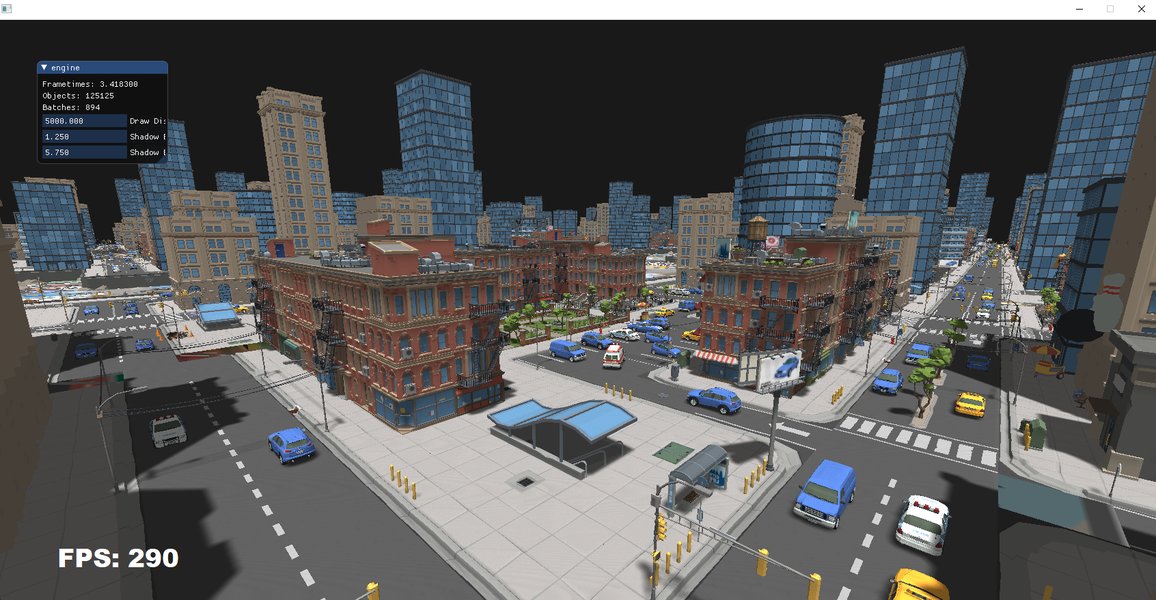
Visualizing a complex scene rendered using GPU-driven techniques, a concept relevant to advanced Vulkan development.
Core Vulkan Concepts to Master
- Vulkan API Setup: Instance, physical/logical device selection and creation, queue families, swap chain, render passes, and framebuffers.
- Explicit Resource Management: Allocating and managing device memory for buffers and images, and handling memory type requirements.
- Graphics Pipelines: Creating graphics pipelines, including shader stages, vertex input, viewport/scissor, rasterization, multisampling, depth/stencil, color blending.
- Descriptor Sets & Layouts: Defining how resources are bound to shaders using descriptor set layouts, pools, and sets.
- Shader Modules: Loading SPIR-V shader code (compiled from GLSL or HLSL).
- Command Buffers: Recording rendering commands into command buffers and submitting them to queues.
- Synchronization Primitives: Using semaphores, fences, events, and pipeline barriers for robust CPU-GPU and GPU-GPU synchronization.
Technical Implementation Roadmap
Setup and Environment
Install the Vulkan SDK. For C++, use a build system like CMake. Use libraries like GLFW or SDL for windowing and input, and GLM for math. If using Rust, ash provides excellent raw Vulkan bindings.
Core Rendering Structure
Follow a structured approach: initialize Vulkan, set up the swap chain, create render passes and framebuffers, establish graphics pipelines, allocate command buffers, and implement the main render loop (acquiring image, recording commands, submitting, presenting).
Shader Implementation (GLSL/SPIR-V)
Write shaders in GLSL and compile them to SPIR-V using glslc (from the Vulkan SDK). Focus on basic vertex and fragment shaders for a "basic render." Similar to DX12, this can be extended to PBR concepts.
Model Loading (Optional Extension)
Using a library like tinygltf or Assimp to load and display a simple 3D model will significantly elevate this project beyond just rendering a primitive.
Modern Vulkan Techniques for 2025
- Explicit Synchronization Mastery: Proper use of fences, semaphores, and barriers is paramount.
- Efficient Render Pass Usage: Structuring rendering operations effectively using render passes and subpasses.
- Descriptor Set Management: Strategies for managing descriptor sets efficiently.
- Debugging with RenderDoc: RenderDoc is an indispensable tool for Vulkan development.
- (Advanced awareness) Be cognizant of GPU-driven rendering techniques, dynamic rendering, and the use of compute shaders, even if not implemented.
Code Snippet Example (Conceptual Vulkan Instance Setup)
// main.cpp (Conceptual Vulkan Instance Setup)
#define GLFW_INCLUDE_VULKAN
#include <GLFW/glfw3.h>
#include <vulkan/vulkan.h>
#include <iostream>
#include <vector>

// ...

VkInstance instance;

void createInstance() {
    VkApplicationInfo appInfo{};
    appInfo.sType = VK_STRUCTURE_TYPE_APPLICATION_INFO;
    appInfo.pApplicationName = "Hello Vulkan Triangle";
    appInfo.applicationVersion = VK_MAKE_VERSION(1, 0, 0);
    appInfo.pEngineName = "No Engine";
    appInfo.engineVersion = VK_MAKE_VERSION(1, 0, 0);
    appInfo.apiVersion = VK_API_VERSION_1_0;

    VkInstanceCreateInfo createInfo{};
    createInfo.sType = VK_STRUCTURE_TYPE_INSTANCE_CREATE_INFO;
    createInfo.pApplicationInfo = &appInfo;

    // Get required extensions (e.g., from GLFW)
    uint32_t glfwExtensionCount = 0;
    const char** glfwExtensions;
    glfwExtensions = glfwGetRequiredInstanceExtensions(&glfwExtensionCount);
    createInfo.enabledExtensionCount = glfwExtensionCount;
    createInfo.ppEnabledExtensionNames = glfwExtensions;

    // Enable validation layers (for debug builds)
    // const std::vector<const char*> validationLayers = { "VK_LAYER_KHRONOS_validation" };
    // createInfo.enabledLayerCount = static_cast<uint32_t>(validationLayers.size());
    // createInfo.ppEnabledLayerNames = validationLayers.data();

    if (vkCreateInstance(&createInfo, nullptr, &instance) != VK_SUCCESS) {
        throw std::runtime_error("failed to create instance!");
    }
}
Visualizing API Characteristics: A Comparative Radar Chart
To better understand the trade-offs and strengths of WebGPU, DirectX 12, and Vulkan, this radar chart provides a visual comparison across several key characteristics. These are generalized assessments relevant for a graphics programmer starting these projects in 2025. The scores are on a scale of 1 (lower/less) to 10 (higher/more), where "Learning Curve" means higher score = steeper curve.
This chart highlights WebGPU's strength in cross-platform and web support with a more moderate learning curve. DirectX 12 excels in Windows performance and tooling, while Vulkan offers the highest degree of control and performance potential across multiple platforms, albeit with the steepest learning curve and most boilerplate.
Key Modern Rendering Techniques to Showcase: A Mindmap
This mindmap provides an overview of essential modern rendering techniques and concepts that are valuable to understand and potentially implement or demonstrate awareness of in your 2025 graphics programming portfolio. Focus on the core techniques for your projects, but understanding the broader landscape is beneficial.
HDR Environment Maps"] id1_4["Normal Mapping"] id2["Lighting & Shadows"] id2_1["Real-time Shadow Techniques
(e.g., Shadow Mapping)"] id2_2["Cascaded Shadow Maps (CSM)"] id2_3["Screen-Space Ambient Occlusion (SSAO)"] id2_4["Area Lights (approximations)"] id3["Resource Management & Pipeline API Concepts"] id3_1["Efficient Buffer Usage
(Uniforms, Storage Buffers)"] id3_2["Resource Binding Models
(Bind Groups, Descriptor Sets/Tables)"] id3_3["Pipeline State Objects (PSOs)"] id3_4["Root Signatures (DX12)"] id3_5["Command Buffers / Lists"] id3_6["Explicit Synchronization Primitives"] id4["Advanced Rendering Approaches & Efficiency"] id4_1["Deferred Shading / Rendering"] id4_2["Forward+ Rendering"] id4_3["GPU-Driven Rendering (awareness)"] id4_4["Compute Shaders (for post-processing, culling, etc.)"] id4_5["Multithreaded Rendering Concepts"] id4_6["Optimized Geometry Handling
(Instancing, Batching)"] id5["Shading Languages"] id5_1["WGSL (WebGPU)"] id5_2["HLSL (DirectX 12)"] id5_3["GLSL / SPIR-V (Vulkan)"]
This mindmap illustrates interconnected concepts vital for a graphics programmer. Prioritize PBR for the WebGPU project. For DX12 and Vulkan basic renderers, solid API fundamentals, resource management, and basic shading are key, with awareness of advanced topics being beneficial.
Project Feature Matrix: What to Emphasize
This table summarizes the core focus, key learning outcomes, and technologies for each of the three suggested portfolio projects. It can help you tailor each project to demonstrate specific skills effectively.
| Feature Focus | Project 1: WebGPU (Rust) | Project 2: DirectX 12 (C++) | Project 3: Vulkan (C++/Rust) |
|---|---|---|---|
| Primary API | WebGPU (via wgpu) |
DirectX 12 | Vulkan |
| Language | Rust | C++ (or Rust with bindings) | C++ (or Rust with ash) |
| Core Goal | BRDF PBR Render, Model Support | Basic, Efficient Windows Renderer | Basic, Robust Cross-Platform Renderer |
| Key Learning Outcome | Modern Web & Native Graphics, Rust's safety & concurrency | Windows-specific performance, low-level DX12 control, explicit resource states | Deep GPU control, explicit synchronization, cross-platform API mastery |
| Shading Language | WGSL | HLSL | GLSL (compiled to SPIR-V) |
| PBR/BRDF Focus | Primary (Cook-Torrance, material properties) | Foundational (can extend from basic shading to PBR concepts) | Foundational (can extend from basic shading to PBR concepts) |
| Model Loading | Yes (e.g., glTF format) | Basic Primitives / Optional: Simple Models | Basic Primitives / Optional: Simple Models |
| Resource Management | Bind Groups, Buffers, Textures | Descriptor Heaps, PSOs, Root Signatures, Resource Barriers | Descriptor Sets, Memory Allocation, Image/Buffer Views, Pipeline Barriers |
| Synchronization | Handled by wgpu largely, with GPU-side concepts |
Fences, Event-based, Resource Barriers | Semaphores, Fences, Events, Pipeline Barriers |
| Platform Focus | Cross-Platform (Desktop Native + WebAssembly) | Windows | Cross-Platform (Windows, Linux, Android potential) |
| Key "Modern Tech" Demo | PBR with WGSL, async Rust for GPU interaction, potential Web deploy | Explicit resource transitions, PSO management, HLSL shader techniques | Explicit synchronization model, render pass structure, SPIR-V shaders |
Insights from a Graphics Pro: Navigating Your Career Path
Building a strong portfolio is a crucial step. Understanding the industry landscape and career progression can also be very helpful. This video features Dihara Wijethunga, a Graphics Programmer and Developer Technology Engineer, sharing his personal experiences and insights into getting a graphics programming job, which can provide valuable context for your journey.
Reflecting on such experiences can help you align your learning and project goals with industry expectations.
Frequently Asked Questions (FAQ)
How much time should I realistically dedicate to each project?
Aim for approximately 1-2 weeks of focused development time per project. This timeframe encourages maintaining scope and prevents burnout. The goal is to create solid foundational renderers demonstrating key concepts, not necessarily feature-complete engines. Prioritize quality and understanding over quantity of features.
What's the most effective way to showcase these projects on GitHub?
A well-crafted `README.md` is crucial. It should include a project overview, technologies used, build/run instructions, key features demonstrated, and ideally, screenshots or GIFs of the output. Keep your code clean, well-commented, and use meaningful git commit messages. Ensure the project is easy for a potential employer to clone and build.
Should I aim for unique features in each "basic" renderer, or is consistency key?
While foundational consistency (e.g., PBR concepts) is good, each project should primarily highlight the unique strengths and paradigms of its respective API. For WebGPU, focus on its modernity and cross-platform PBR. For DX12, emphasize Windows-specific features and explicit resource control. For Vulkan, showcase deep hardware control and robust synchronization. Tailor the "modern techniques" to what best demonstrates mastery of that specific API.
Is C++ or Rust better for the Vulkan and DirectX 12 projects?
C++ is the traditional and most common language for DirectX 12 and Vulkan development in the industry. However, Rust is gaining traction, especially for Vulkan (with bindings like `ash`) due to its safety features. For DirectX 12, C++ is more straightforward. Choose the language you are more comfortable with or wish to showcase proficiency in. Demonstrating strong skills in either is valuable. If using Rust for these, be prepared to explain your choice and its advantages.
What if I get stuck on a complex feature or modern technique?
The primary goal is to create "basic" renderers that solidly demonstrate your understanding of each API's fundamentals. If a complex feature (like advanced shadow algorithms or GPU-driven pipelines) proves too time-consuming, it's better to simplify, ensure the core renderer is robust, and clearly document what you learned or attempted. You can always mention future work or areas of interest in your README. Focus on achieving the core objectives well.
Explore Further: Deepen Your Graphics Knowledge
Once you've built these foundational projects, you might be curious about more advanced topics. These queries can guide your further learning:
- What are some advanced PBR techniques for real-time rendering being explored in 2025?
- How can I optimize Vulkan applications for high-performance graphics on various hardware?
- What are the best practices for efficiently using DirectX 12 descriptor heaps and root signatures?
- How can I integrate compute shaders with WebGPU for advanced post-processing effects or GPGPU tasks?
References
Last updated May 10, 2025