
Understanding GUI Coding
Exploring Graphical Interfaces, Key Elements, and Frameworks in Software Development
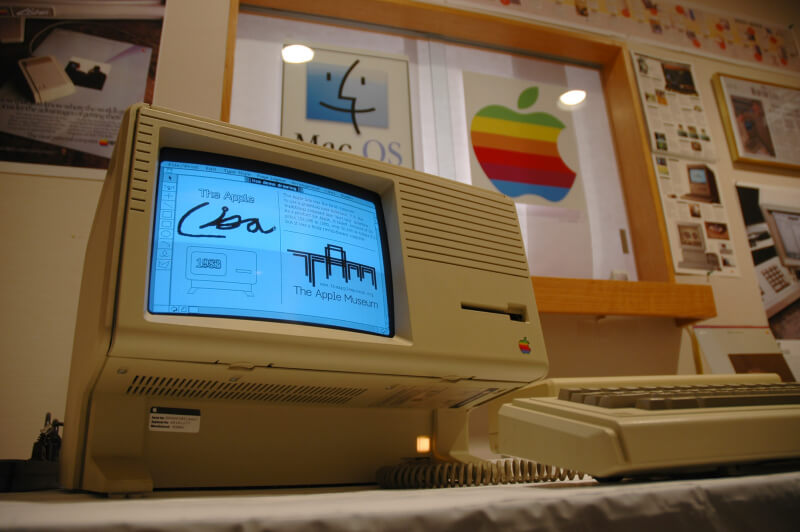
Key Highlights
- Definition & Purpose: GUI coding centers on designing visual elements that allow intuitive user interactions with software applications.
- Fundamental Components: Widgets, event-driven programming, layout managers, and main loops form the backbone of every GUI system.
- Frameworks and Tools: Diverse frameworks such as Tkinter, PyQt, and Swing empower developers to build robust and cross-platform interfaces.
Introduction to GUI Coding
Graphical User Interface (GUI) coding is the process of designing and programming the visual components of software applications. Unlike command-line interfaces which require textual commands, GUIs are based on intuitive visual elements like buttons, icons, text boxes, windows, and menus that enable users to interact with computer systems effortlessly. The primary goal of GUI coding is to create accessible, efficient, and aesthetically appealing software that enhances the user experience.
At its core, GUI coding relies on event-driven programming. This means that instead of the program running sequentially as in traditional scripting, it remains in a waiting state (or loop) listening for user events—such as mouse clicks, keyboard strokes, or touchscreen touches—to trigger specific functionalities. This style of programming not only makes the software responsive but also simplifies the overall design and usability.
Core Elements of GUI Coding
Widgets: Building Blocks of GUIs
Widgets are the individual components used to assemble a user interface. Common widgets include:
- Buttons: Trigger actions when clicked.
- Labels: Display non-editable text or information.
- Text Boxes/Entry Fields: Allow user input.
- Checkboxes and Radio Buttons: Enable selection among options.
- Menus: Provide a sequence of commands or options in a structured format.
Each widget comes with an array of properties which can be customized. These properties determine the size, color, font, and behavior of the widget within the GUI.
Event-Driven Programming
Event-driven programming is central to GUI development. In this paradigm, the application enters a main event loop becoming dormant until an event is fired. When the user performs an action, such as clicking a button or selecting an option from a menu, an event handler (i.e., a callback function) is triggered to process the specific event.
For example, when a file menu item is clicked, the event handler might launch a file dialog box or perform file operations such as open, save, or close.
Layout Management
Organizing widgets on the application window is a critical aspect of GUI coding. Layout management ensures that the interface is both aesthetically pleasing and functionally organized. Common layout management techniques include:
- Grid Layout: Divides the window into rows and columns to place widgets in a tabular format.
- Pack Layout: Stacks widgets in the order in which they are added, either vertically or horizontally.
- Place Layout: Allows absolute positioning of widgets within the window by specifying x and y coordinates.
The choice of layout method can significantly affect the usability and responsiveness of the GUI, especially when designing interfaces for different screen sizes and resolutions.
Main Event Loop
The main loop is an essential component that keeps the GUI application running and responsive. Once the graphical components have been rendered and the widgets are in place, the program enters the main loop, continuously waiting for and processing user inputs. Without an active event loop, the application would immediately close after execution.
An example of a simple event loop is seen in Python when using the Tkinter library. After creating the main window and adding all GUI elements, the call to window.mainloop() kicks off the loop that handles ongoing interactions.
Popular GUI Frameworks and Libraries
Python
Python is renowned for its simplicity and readability, making it a popular choice for beginners and professionals alike in GUI programming. The following are some of the widely used GUI libraries for Python:
Tkinter
Tkinter is the standard GUI library bundled with Python. It is well-documented, easy to learn, and provides the core functionalities for creating basic to moderately complex interfaces.
PyQt/PySide
These libraries offer bindings for the cross-platform Qt application framework. They are highly suitable for developing sophisticated and feature-rich applications and often include a more modern appearance compared to Tkinter.
PySimpleGUI
Designed to simplify GUI development, PySimpleGUI encapsulates functionalities from Tkinter and other frameworks to provide a more straightforward API, making rapid development accessible.
Java
Java offers Swing and JavaFX as two primary frameworks for GUI development:
- Swing: Provides a rich set of components and a consistent look across platforms, though sometimes criticized for its more complex syntax.
- JavaFX: A modern alternative to Swing with enhanced graphics capabilities and support for web integration.
C++
C++ specialists often utilize the Qt framework which offers extensive support for GUIs along with the advantages of a powerful object-oriented programming language.
Web-Based GUI Frameworks
With the increasing popularity of web applications, JavaScript-based frameworks have also become significant. These include:
- Electron: Allows building desktop applications with web technologies such as HTML, CSS, and JavaScript.
- React: While primarily a library for building user interfaces, it is used in conjunction with Electron or other native wrappers to build GUI applications.
Programming Concepts and Best Practices
Design Principles
Effective GUI design goes beyond simply placing widgets on a screen. It involves adherence to established design principles that lead to intuitive and user-friendly interfaces:
- Consistency: Maintain uniform design language across the application. This involves consistent use of fonts, colors, and widget behavior, ensuring that users can easily predict interactions.
- Feedback: Provide immediate and clear feedback for user actions. Whether it’s clicking a button or submitting a form, feedback indicates that the system has acknowledged the input.
- Simplicity: Avoid overwhelming users by keeping the interface minimalistic and focused on essential tasks.
- Accessibility: Ensure that the GUI is accessible to all users by following guidelines related to contrast, text size, and navigation supports like keyboard shortcuts.
Event Handling and Callbacks
Event handlers, or callback functions, are core to making GUI applications interactive. Each interactive element requires an associated event handler. For example, clicking a "Submit" button might trigger a callback that validates the input fields and then processes the data.
Efficient event handling is critical as it affects both user experience and application performance. Code should be organized in discrete functions corresponding to events, making the system modular and easier to maintain.
Object-Oriented Design
Many GUI applications benefit from an object-oriented approach where widgets and events are encapsulated within classes and objects. This methodology increases code reuse and simplifies the management of GUI components across larger applications. Frameworks like Tkinter and PyQt encourage the use of object-oriented programming (OOP) to manage application state and widget behavior.
Using inheritance and composition, developers can create custom widgets that extend standard functionalities, providing tailored solutions without having to rewrite extensive code from scratch.
Separation of Concerns
Another recommended practice in GUI development is following the Model-View-Controller (MVC) pattern. The MVC architecture divides an application into three interconnected parts:
- Model: Manages the data and business logic.
- View: Handles the visual representation.
- Controller: Acts as an intermediary, processing user inputs and updating the model or view as necessary.
This separation simplifies development, testing, and maintenance, ensuring that the codebase remains organized and scalable.
Comparative Overview of GUI Frameworks
Understanding the differences between various GUI frameworks can help developers choose the most appropriate tool for their project requirements. Below is a comparative table summarizing some of the prominent GUI frameworks across popular programming languages:
| Language | Framework/Library | Key Features | Typical Applications |
|---|---|---|---|
| Python | Tkinter | Easy to learn, bundled with Python, basic widgets | Basic to moderate GUI applications |
| Python | PyQt/PySide | Rich set of widgets, cross-platform, modern design | Complex and feature-rich applications |
| Python | PySimpleGUI | Simplified API, rapid development | Prototyping and smaller applications |
| Java | Swing/JavaFX | Extensive widget sets, cross-platform, robust design | Desktop applications with intricate interfaces |
| C++ | Qt | Powerful, highly customizable, excellent OOP support | High-performance desktop applications |
| JavaScript | Electron | Leverages web technologies, cross-platform, modern UI | Desktop applications built with HTML, CSS, JS |
This table highlights the main considerations, including ease-of-use, feature set, and typical application areas, that should be weighed when selecting a GUI framework.
Practical Example: Building a Simple GUI Application
Using Python Tkinter
To illustrate the concepts discussed, here is an example of how to create a simple "Hello World" GUI application using Python’s Tkinter library:
# Importing the tkinter module
import tkinter as tk
from tkinter import ttk

# Create the main application window
window = tk.Tk()
window.title("Hello GUI World")

# Create a label widget displaying a welcome message
my_label = ttk.Label(window, text="Hello World!")
my_label.grid(row=0, column=0, padx=20, pady=20)

# Adding a simple button widget which can be extended to perform actions
def on_button_click():
    print("Button clicked!")

my_button = ttk.Button(window, text="Click Me", command=on_button_click)
my_button.grid(row=1, column=0, padx=20, pady=10)

# Entering the main event loop, waiting for user interactions
window.mainloop()
In this example, the application creates a window, adds a label and a button, and enters the main loop. This illustrates the fundamental steps in GUI development: creating widgets, arranging them using a layout manager (here, the grid), binding events to functions, and running an event loop.
Advanced GUI Concepts
Responsive and Adaptive Design
With the proliferation of various devices and screen sizes, modern GUI coding also places a significant emphasis on responsive design. This ensures that applications are usable and visually appealing on desktops, laptops, tablets, and smartphones alike. Techniques include:
- Media Queries: Especially in web-based GUIs, media queries adjust the layout based on screen size.
- Dynamic Scaling: Adjusting the size and position of widgets dynamically as the window is resized.
- Flexible Layout Managers: Using relative positioning and grid systems that auto-adjust to display areas.
Cross-Platform Considerations
Many GUI frameworks are designed with cross-platform compatibility in mind, enabling developers to write code that runs seamlessly on Windows, macOS, and Linux. For instance, Python’s Tkinter and Java’s Swing offer consistent behavior across multiple operating systems. Utilizing such frameworks not only broadens the application's user base but also simplifies the development process when targeting multiple environments.
The abstraction provided by these libraries caters to different operating systems without requiring developers to write platform-specific code for basic functionalities, thus streamlining development and identifying potential platform-specific issues early.
Debugging and Optimization
Debugging GUI applications can be more challenging than traditional programs due to the asynchronous nature of event handling. Effective practices include:
- Logging: Consistent logging of user interactions and event triggers aids in troubleshooting unexpected behavior.
- Testing: Regular testing of the interface using both automated frameworks and manual testing to ensure all interactive elements function as expected.
- Profiling: Monitoring application performance to identify bottlenecks, especially in the event loop and rendering processes.
Summary of GUI Coding Advantages
Why Invest in GUI Coding?
The development of graphical user interfaces offers numerous benefits across different application areas:
- User-Friendly Interactions: GUIs lower barriers to entry, enabling individuals with minimal technical expertise to effectively use software applications.
- Enhanced Accessibility: Thoughtfully designed interfaces can cater to diverse user needs, including those with disabilities.
- Improved Productivity: Visual feedback and intuitive design reduce the learning curve and streamline operations.
- Broader Appeal: An engaging GUI can attract a larger user base, particularly in consumer-facing applications.
Regardless of the programming language or framework, the principles of clear, accessible, and responsive design remain universally applicable. As modern software continues to emphasize user experience above all, mastering GUI coding becomes an important facet of a developer's skill set.
Practical Tips and Resources
Tips for Beginners
If you are new to GUI coding, consider the following pragmatic tips to ease your learning process:
- Start Small: Initiate your learning journey by building simple applications, such as a calculator or a text editor, before progressing to more complex projects.
- Experiment with Examples: Utilize sample code, like the "Hello World" example provided above, and modify it to understand how different components interact.
- Refer to Documentation: Comprehensive documentation and community forums can help resolve challenges encountered during development.
- Leverage Tutorials: Online tutorials and courses offer guided instructions that build a strong foundation on GUI principles and frameworks.
Recommended Learning Resources
Below is a list of curated references and tutorials which can significantly boost your understanding and skills in GUI coding:
- Create Python GUI with Tkinter - Real Python
- Python Tkinter - GeeksforGeeks
- Python GUI Programming - TutorialsPoint
- Graphical User Interface - Wikipedia
- Python GUI Programming Tutorial - Programming Assignment Blog
Expanding Your Horizon
As you become more comfortable with the basics, consider exploring advanced concepts such as:
- Responsive Design Techniques: Learn how to develop interfaces that adapt to various screen sizes and orientations.
- Hybrid Applications: Investigate methods to combine web technologies with native capabilities using frameworks like Electron.
- Custom Widget Development: Delve into creating reusable and adaptable components that can be integrated across multiple projects.
- Integrating MVC Patterns: Understand and implement the Model-View-Controller architecture for better code organization and scalability.
References
- Create Python GUI with Tkinter - Real Python
- Python Tkinter - GeeksforGeeks
- Python GUI Programming - TutorialsPoint
- Graphical User Interface - Wikipedia
- Python GUI Programming Tutorial - Programming Assignment Blog
Recommended Queries
Last updated March 12, 2025