

Essential Insights into Web Development's Core Languages
- HTML is the Structural Backbone: It defines the content and organization of a webpage, utilizing tags for headings, paragraphs, images, and more.
- CSS is the Artistic Stylist: It dictates the visual presentation, controlling colors, fonts, layouts, and responsive behaviors across various devices.
- Seamless Collaboration is Key: While separate, HTML and CSS work in concert, with HTML providing the content "bones" and CSS applying the aesthetic "skin," ensuring maintainability and flexibility.
In the vast realm of the internet, every webpage you encounter is meticulously crafted using a powerful combination of two fundamental languages: HTML and CSS. These two technologies are inextricably linked, each playing a distinct yet complementary role in bringing web content to life. Understanding their individual functions and how they interact is the cornerstone of web development, empowering creators to build everything from simple informational pages to complex, interactive online experiences.
The Structural Foundation: Decoding HTML
HTML, or HyperText Markup Language, serves as the essential framework for any webpage. It's a markup language, not a programming language, meaning it uses a system of "tags" to define and structure the various components of content. Think of HTML as the blueprint or skeletal structure of a house. It dictates where the walls, rooms, windows, and doors will be, but it doesn't concern itself with the paint colors or interior design.
Key Elements of HTML Structure
HTML utilizes a wide array of tags, also known as elements, to categorize and organize content. These tags tell a web browser what each piece of information represents. For instance:
Defining the Document:
The<!DOCTYPE html>declaration specifies the document type, followed by the overarching<html>tag.Metadata and Page Information:
The<head>section contains metadata about the webpage, such as the character set (<meta charset="UTF-8">), the page title (<title>), and links to external resources like CSS files. This information isn't directly visible on the page but is crucial for browser rendering and search engine optimization.Visible Content:
All the content that users see and interact with resides within the<body>tags. This includes text, images, links, forms, and more.
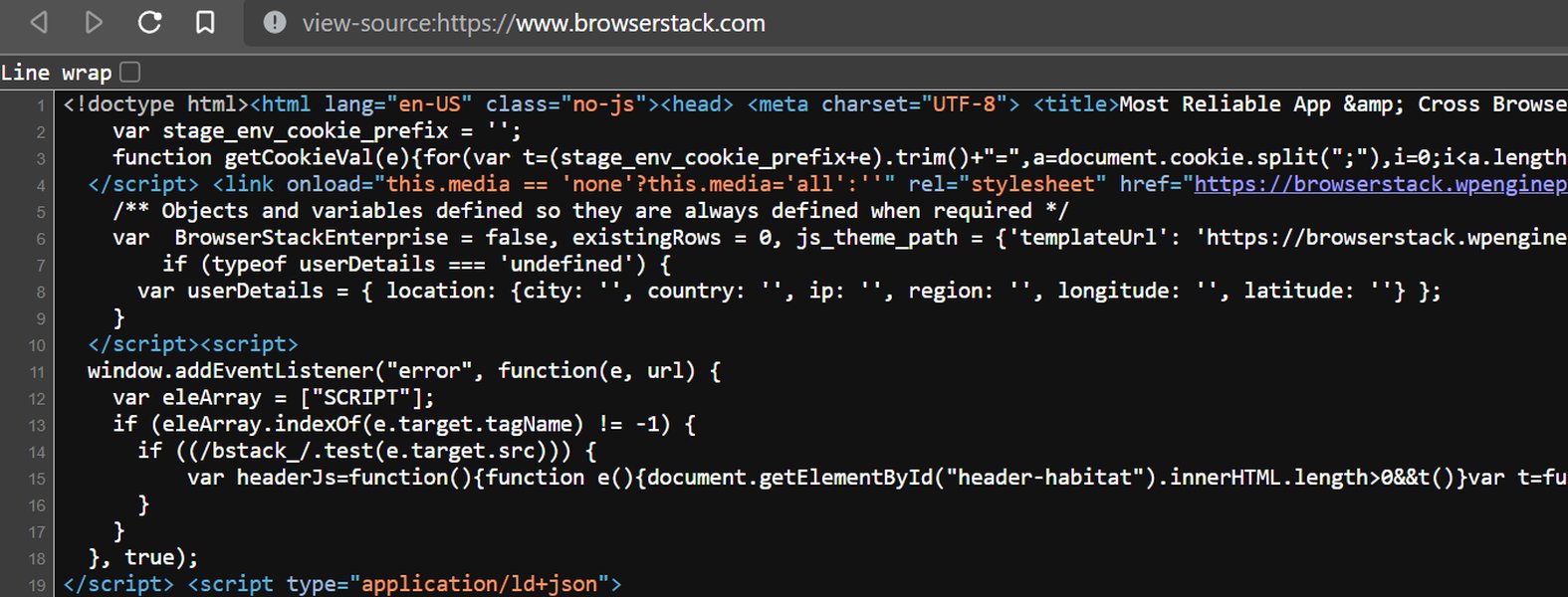
An example of HTML source code, illustrating its structural nature.
Core HTML Tags and Their Functions
Here's a breakdown of some fundamental HTML tags and their roles in structuring content:
| HTML Tag | Description | Example |
|---|---|---|
<h1> to <h6> |
Headings of different levels, from most important (h1) to least important (h6). | <h1>Main Title</h1> |
<p> |
Defines a paragraph of text. | <p>This is a paragraph.</p> |
<a> |
Creates a hyperlink to another page or resource. The href attribute specifies the destination. |
<a href="https://example.com">Visit Example</a> |
<img> |
Embeds an image into the document. Requires a src (source) attribute and an alt (alternative text) attribute for accessibility. |
<img src="image.jpg" alt="A descriptive image"> |
<ul> and <li> |
Unordered lists (bullet points), with each list item defined by <li>. |
<ul><li>Item 1</li><li>Item 2</li></ul> |
<div> |
A generic container for grouping content, often used for layout purposes with CSS. | <div>Grouped content</div> |
Semantic HTML, which uses tags like <header>, <nav>, <main>, and <footer>, further enhances the structure by describing the purpose of content, aiding both search engines and assistive technologies.
The Aesthetic Architect: Mastering CSS
While HTML provides the skeleton, CSS (Cascading Style Sheets) is the skin, hair, and clothing – it's responsible for all visual aspects of a webpage. CSS is a stylesheet language that defines how HTML elements should be presented on screen. It allows web developers to control everything from the most minute details like text color and font size to broader aspects like page layout and responsiveness.
Understanding CSS Styling Principles
CSS operates by applying rules to selected HTML elements. A CSS rule consists of a selector and a declaration block. The selector targets the HTML elements you want to style, and the declaration block contains one or more declarations, each specifying a property and its value.
h1 {
    color: #333;
    text-align: center;
}

p {
    font-family: Arial, sans-serif;
    background-color: #f0f0f0;
    padding: 10px;
    border: 1px solid #ccc;
}
In this example, h1 and p are selectors. color, text-align, font-family, background-color, padding, and border are properties, and their respective settings are values. CSS's "cascading" nature means that multiple stylesheets can be applied, with rules overriding each other based on specificity and order.
Key Areas of CSS Control
Typography:
Control font families, sizes, weights, colors, line heights, and text alignment.Color and Backgrounds:
Define background colors, images, and text colors.Layout and Positioning:
Arrange elements on the page using properties likedisplay(e.g.,flexorgrid),margin,padding, andposition. The CSS Box Model is crucial here, defining how elements take up space with content, padding, border, and margin.Responsiveness:
Utilize media queries (@mediarules) to apply different styles based on screen size, ensuring a consistent user experience across desktops, tablets, and mobile devices.Visual Effects:
Add borders, shadows, transformations, and transitions for enhanced visual appeal.
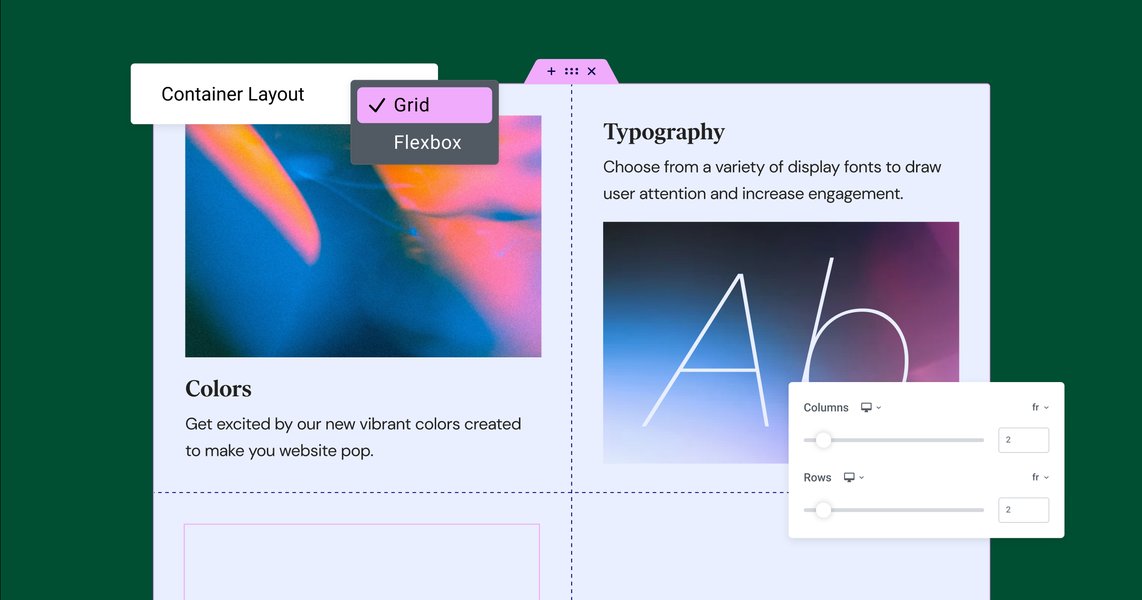
An illustration of CSS Grid for advanced layout management.
The Symbiotic Relationship: HTML and CSS in Action
The true power of web development emerges from the synergistic relationship between HTML and CSS. They are designed to work hand-in-hand, with HTML providing the raw content and semantic structure, and CSS transforming that raw content into a visually engaging and responsive user interface.
Separation of Concerns: A Best Practice
A fundamental principle in modern web development is the separation of concerns. This means keeping HTML and CSS in separate files. HTML files typically end with .html, and CSS files with .css. This practice offers several advantages:
- Maintainability: Changes to content (HTML) don't necessarily require changes to styling (CSS), and vice-versa, simplifying updates.
- Reusability: The same CSS file can be linked to multiple HTML pages, ensuring consistent styling across an entire website.
- Collaboration: Different developers can work on content and design simultaneously without interfering with each other's work.
- Performance: Browsers can cache CSS files, leading to faster load times for subsequent page visits.
To link an external CSS file to an HTML document, you use the <link> tag within the <head> section of your HTML:
<head>
    <meta charset="utf-8">
    <title>My Styled Page</title>
    <link rel="stylesheet" href="styles.css">
</head>
The Browser's Role in Rendering
When a web browser loads a webpage, it first parses the HTML document to understand its structure and content. Then, it applies the CSS rules to determine how each HTML element should be displayed. This two-step process allows for dynamic and flexible web design, where content can be easily updated without altering its presentation, and vice-versa.
Embarking on Your Web Development Journey
Learning HTML and CSS is the first step towards becoming a web developer. The accessibility of these languages means you can start with very basic tools and gradually build your expertise.
Getting Started: Tools and First Steps
You don't need complex software to begin. A simple text editor like Notepad (Windows), TextEdit (Mac), or more sophisticated code editors like VS Code are sufficient. The basic workflow involves:
- Create an HTML file: Save a plain text file with a
.htmlextension (e.g.,index.html). - Add basic HTML structure: Include the
<!DOCTYPE html>,<html>,<head>, and<body>tags. - Add content: Populate the
<body>with headings, paragraphs, and other elements. - Create a CSS file: Save another plain text file with a
.cssextension (e.g.,styles.css). - Write CSS rules: Define styles for your HTML elements in the CSS file.
- Link CSS to HTML: Use the
<link>tag in your HTML's<head>to connect the stylesheet. - View in browser: Open your HTML file in any web browser to see your styled webpage.
<!-- index.html -->
<!DOCTYPE html>
<html lang="en">
<head>
  <meta charset="utf-8">
  <title>My First Webpage</title>
  <link rel="stylesheet" href="styles.css">
</head>
<body>
  <h1>Welcome to My Page!</h1>
  <p>This is a simple paragraph styled with CSS.</p>
</body>
</html>

/* styles.css */
body {
    font-family: 'Segoe UI', Tahoma, Geneva, Verdana, sans-serif;
    background-color: #f7f7f7;
    margin: 20px;
}

h1 {
    color: #333;
    text-align: center;
}

p {
    color: #555;
    line-height: 1.6;
}
Key Topics for Continued Learning
Once you grasp the basics, expand your knowledge with these core concepts:
- Advanced HTML: Explore tables, forms, media elements (audio, video), and more semantic tags.
- Advanced CSS: Dive into Flexbox and CSS Grid for complex layouts, transitions, animations, and pseudo-classes/elements.
- Responsive Design: Master media queries to create websites that adapt seamlessly to various screen sizes.
- Accessibility: Learn best practices for making your websites usable by everyone, including those with disabilities.
- Development Tools: Become proficient with browser developer tools for debugging and inspecting web elements.
This mindmap provides a hierarchical overview of HTML and CSS, their core components, their symbiotic relationship, and key aspects of starting your learning journey. It highlights how these fundamental technologies underpin all modern web development.
Understanding the Synergy: A Visual Explanation
To further contextualize the integral relationship between HTML and CSS in web development, this video offers a comprehensive overview. It delves into their individual roles, how they interact, and provides practical demonstrations of their combined power in shaping the web.
This video, "HTML & CSS Full Course - Beginner to Pro," offers an in-depth look at the fundamentals of HTML and CSS. It's particularly relevant as it covers practical exercises and aims to guide learners from basic concepts to more advanced web development techniques, reinforcing the core principles discussed.
Frequently Asked Questions
What is the primary difference between HTML and CSS?
Can a webpage exist without CSS?
Is it possible to embed CSS directly within an HTML file?
- Internal CSS: By placing CSS rules within
<style>tags in the<head>section of the HTML document. - Inline CSS: By applying styles directly to individual HTML elements using the
styleattribute.
.css file is the recommended practice.What is responsive design in the context of HTML and CSS?
What are some essential resources for learning HTML and CSS?
Conclusion
HTML and CSS are not just languages; they are the fundamental building blocks that have shaped and continue to evolve the World Wide Web. HTML meticulously constructs the information architecture, providing meaning and order to digital content. CSS, with its artistic flair, then transforms this raw structure into captivating visual experiences, ensuring that websites are not only functional but also engaging and accessible across a myriad of devices. Together, they form an indispensable partnership, empowering developers and designers to bring their creative visions to life and build the dynamic, interactive web experiences we rely on daily.
Recommended Next Steps
- Understanding the CSS Box Model for layout.
- Introduction to responsive web design with media queries.
- Exploring semantic HTML5 elements.
- Best practices for organizing CSS stylesheets.