
Seamless Tailscale Integration on NixOS
Unlocking Secure and Reproducible Network Connectivity
Key Insights
- Declarative Configuration is Key: Installing and managing Tailscale on NixOS is best achieved by leveraging Nix's declarative configuration model, integrating Tailscale directly into your
configuration.nix. - Official Nixpkgs Module Simplifies Setup: Tailscale has an official module available in Nixpkgs, making the basic setup straightforward by simply enabling the service in your system configuration.
- Addressing Advanced Features and Potential Issues: For advanced features like subnet routers, exit nodes, or containerized setups, additional configuration within the NixOS module is required. Be aware of potential issues with DNS and IPv6 when configuring exit nodes.
NixOS, with its unique declarative and reproducible approach to system configuration, offers a powerful platform for managing services like Tailscale. Tailscale, a mesh VPN built on WireGuard, simplifies secure network access to your devices, regardless of their location. Combining the strengths of both allows for a robust and easily manageable private network.
This guide will walk you through the process of installing and configuring Tailscale on NixOS, highlighting the advantages of using the Nix package manager and its modules for a seamless integration. We will cover the basic setup, explore advanced features, and address potential troubleshooting steps.
Understanding Tailscale and NixOS Synergy
Tailscale creates a secure network between your devices, allowing them to communicate directly and securely, even if they are behind different firewalls or NATs. It leverages the WireGuard protocol for encrypted connections and uses your existing identity provider (like Google, Microsoft, or GitHub) for authentication and access control.
NixOS, on the other hand, manages your entire system configuration through declarative expressions written in the Nix language. This means you define the desired state of your system, and NixOS handles the process of achieving and maintaining that state. This approach brings significant benefits, including reproducibility, atomic upgrades and rollbacks, and simplified system management.
The synergy between Tailscale and NixOS lies in the ability to declaratively configure your Tailscale client as part of your system configuration. This ensures that Tailscale is always set up correctly and consistently across your NixOS machines, making it an ideal choice for managing private networks in a reproducible way.
Basic Tailscale Installation on NixOS
The most idiomatic way to install Tailscale on NixOS is by enabling the official Tailscale module available in the Nixpkgs repository. This method integrates Tailscale directly into your system configuration, managed by Nix.
Enabling the Tailscale Service
To enable the Tailscale client on your NixOS machine, you need to modify your system's configuration file, typically located at /etc/nixos/configuration.nix. Add the following lines within your configuration.nix:
services.tailscale.enable = true;This line tells NixOS to include and enable the Tailscale service as part of your system build. After adding this line, you need to rebuild your NixOS system for the changes to take effect. You can do this by running the following command in your terminal:
sudo nixos-rebuild switchThis command will build the new system configuration and switch to it. If the build is successful, the Tailscale daemon will be running on your system.
Authenticating with Tailscale
After enabling the service and rebuilding your system, you need to authenticate your NixOS machine with your Tailscale account. This is typically done using the tailscale up command.
sudo tailscale upRunning this command will usually provide a URL that you need to open in a web browser on another device where you are logged into your Tailscale account. Clicking the authentication link will add your NixOS machine to your Tailscale network. Alternatively, you can use an authentication key for headless machines or automated setups.
sudo tailscale up --auth-key=YOUR_AUTH_KEY_HEREReplace YOUR_AUTH_KEY_HERE with an authentication key generated from your Tailscale admin console. Using a pre-auth key is particularly useful for provisioning servers without requiring manual interaction.
Advanced Tailscale Configurations on NixOS
Beyond the basic client setup, the NixOS Tailscale module provides options for configuring advanced features like subnet routers and exit nodes, as well as specific settings for containerized environments.
Configuring Subnet Routers and Exit Nodes
Tailscale's routing features, such as advertising subnets or acting as an exit node, require additional configuration within your configuration.nix. To enable these features, you need to set the services.tailscale.useRoutingFeatures option.
services.tailscale.useRoutingFeatures = "server"; # Or "client" or "both"Setting this option enables the necessary system configurations for routing. However, you will still need to use the sudo tailscale set command with the relevant flags (--advertise-exit-node, --exit-node, --advertise-routes) after the Tailscale service has started to activate the specific routing functionalities.
sudo tailscale set --advertise-exit-nodeor
sudo tailscale set --exit-node=exit_node_ip_or_nameKeep in mind that configuring exit nodes on NixOS can sometimes lead to issues with internet connectivity or IPv6. Troubleshooting may involve checking firewall configurations and ensuring proper DNS resolution.
Tailscale in Containerized Environments
For running Tailscale inside containers on NixOS, you might consider using userspace networking mode to avoid needing host tunnel device permissions. This can be achieved by setting the services.tailscale.interfaceName option:
services.tailscale.interfaceName = "userspace-networking";Additionally, there are community-contributed NixOS modules for managing Tailscale within containers, which can simplify the setup by handling directory creation, file mounting, and permissions.
Addressing Common Issues
While the NixOS Tailscale module simplifies installation, you might encounter some issues. Here are a few common problems and potential solutions:
Internet Connectivity Loss with Exit Nodes
Some users have reported losing internet connectivity when enabling a Tailscale exit node on NixOS. This could be related to how the Tailscale client detects IPv6 NAT support or issues with DNS configuration.
Potential workarounds or debugging steps include:
-
Checking firewall rules to ensure traffic is allowed through the
tailscale0interface. -
Investigating DNS resolution issues. Enabling
systemd-resolvedmight help, and ensuring DHCP is not enabled on thetailscale0interface is also recommended. -
Reviewing the Tailscale client logs for error messages.
Tailscale Autostart and Authentication
Ensuring Tailscale starts automatically on boot and authenticates without manual intervention is crucial for server deployments. While the NixOS module enables the service, you might need to configure automatic authentication using a pre-auth key or set up a systemd service that waits for the network and Tailscale daemon before authenticating.
systemd.services.tailscale-autoconnect = {
  description = "Automatic connection to Tailscale";
  after = [ "network-pre.target" "tailscale.service" ];
  wants = [ "network-pre.target" "tailscale.service" ];
  wantedBy = [ "multi-user.target" ];
  serviceConfig.Type = "oneshot";
  script = ''
    # wait for tailscaled to settle
    sleep 2
    # check if we are already authenticated to tailscale
    status="$(${pkgs.tailscale}/bin/tailscale status 2>&1)"
    if [[ "$status" == *"Logged out"* ]]; then
      ${pkgs.tailscale}/bin/tailscale up --auth-key=YOUR_AUTH_KEY_HERE
    fi
  '';
};
This systemd service, defined in your configuration.nix, attempts to authenticate Tailscale automatically on boot using a pre-auth key if it detects that the client is logged out.
Illustrative Use Cases
The combination of Tailscale and NixOS is powerful for various use cases, from securing home lab services to deploying reproducible server environments.
Securing Home Lab and Private Services
Using Tailscale on NixOS allows you to easily expose services running on your home lab to your Tailscale network without exposing them to the public internet. This is ideal for accessing services like a Pi-hole, a Minecraft server, or other self-hosted applications securely from anywhere.
By configuring Tailscale on your NixOS machine and joining it to your Tailscale network, you can access these services using their Tailscale IP addresses or hostnames from any other device on your Tailscale network.
Reproducible Server Deployments
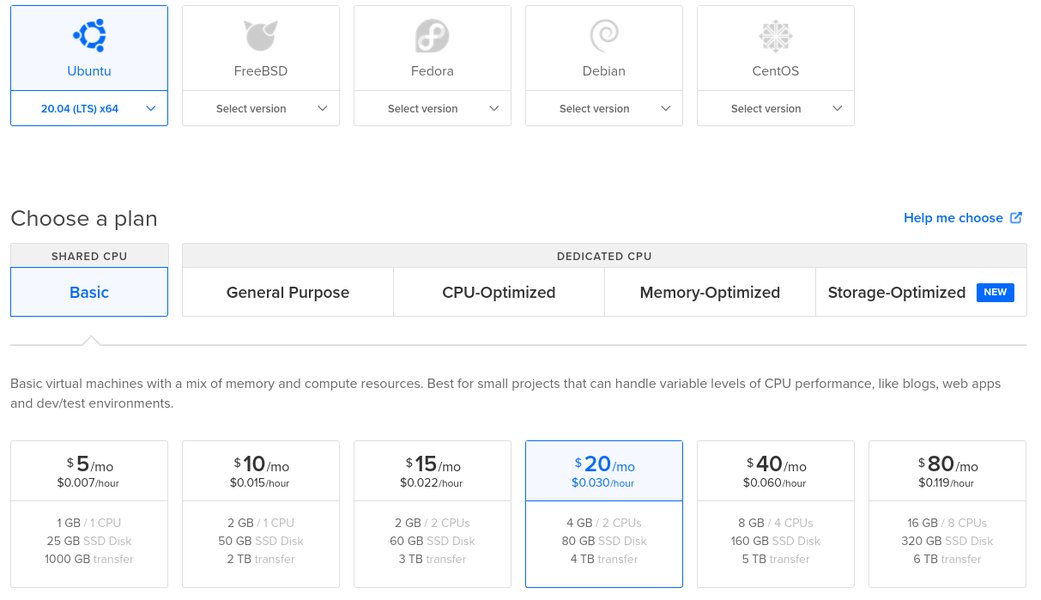
NixOS's declarative nature makes it perfect for creating reproducible server deployments. By including your Tailscale configuration in your NixOS configuration files (potentially using flakes for better dependency management), you can easily provision new servers that automatically join your Tailscale network upon deployment. This simplifies server management and ensures consistent network connectivity.
For example, you can use tools like nixos-infect on cloud providers that don't offer a native NixOS image to replace an existing OS with a pre-configured NixOS image that includes Tailscale setup.
Further Customization and Integration
The NixOS module for Tailscale offers several options for further customization and integration with other services:
Firewall Configuration
While Tailscale aims to work without complex firewall rules, explicitly allowing UDP traffic on the Tailscale port might be necessary in some setups. You can configure the NixOS firewall using the networking.firewall options.
networking.firewall.allowedUDPPorts = [ ${services.tailscale.port} ];Integrating with Other Services
Tailscale can be integrated with other services for enhanced functionality. For instance, you can use Tailscale with NGINX as a reverse proxy for authentication or combine it with Caddy for serving private services.
Community efforts exist to package Tailscale-related tools and integrations within Nixpkgs, expanding the possibilities for building a comprehensive and secure network environment on NixOS.
FAQ
How do I update Tailscale on NixOS?
Since Tailscale is installed via Nixpkgs, updating it is part of your regular NixOS system updates. Simply run sudo nixos-rebuild switch --upgrade (or your preferred update command) to pull the latest packages, including the Tailscale client, and rebuild your system.
Can I run multiple Tailscale instances on one NixOS machine?
While the standard setup enables a single Tailscale service, advanced configurations or containerized setups might involve running multiple instances. This would require careful configuration of state directories and sockets for each instance.
How do I check the status of the Tailscale service on NixOS?
You can check the status of the Tailscale systemd service using the following command:
systemctl status tailscaleTo view the Tailscale client status and connected devices, use:
sudo tailscale statusWhat should I do if Tailscale is not starting after a NixOS rebuild?
First, check the systemd service status using systemctl status tailscale. Review the logs using journalctl -fu tailscale for any error messages. Ensure that your configuration.nix has services.tailscale.enable = true; and that you have successfully rebuilt and switched to the new configuration.
Is it possible to use Tailscale with Nix flakes?
Yes, you can integrate Tailscale into your Nix flakes configuration. This allows you to define your system and its dependencies, including Tailscale, in a reproducible and portable manner. You would typically include the Tailscale package from Nixpkgs in your flake's inputs and configure the service within your system module.
Further Resources
This video provides a guide on building a private, self-hosted LLM server with Proxmox and PCIe passthrough on NixOS, featuring Tailscale integration.
References
Last updated May 2, 2025