
Interactive Game for Students with Intellectual Disabilities
Engaging, Inclusive, and Adaptive Learning Environments
Key Highlights
- Inclusive Design: Games must be tailored to address diverse cognitive, sensory, and physical challenges, ensuring each student feels engaged and empowered.
- Adaptive Gameplay: Customization options, adjustable difficulty levels, and varied modes of play enable individualized learning and enhance growth.
- Social and Cognitive Benefits: Interactive games support cognitive skill development, enhance social interaction, and promote emotional growth through fun, collaborative activities.
Introduction and Rationale
Interactive games serve as vital tools in modern education by providing an engaging, multisensory platform for students with intellectual disabilities. These games transcend traditional learning methods by combining entertainment, education, and social interaction. The incorporation of tactile elements, visual storytelling, and assistive technology creates immersive and personalized learning experiences. By promoting active participation, interactive games help develop essential life skills such as problem-solving, memory enhancement, and social cooperation, ultimately leading to improved cognitive and emotional outcomes.
Components of an Effective Interactive Game
A well-designed interactive game for students with intellectual disabilities integrates multiple components that address various learning and developmental needs. The following outlines the key components:
Storyline and Narrative
A simple yet engaging storyline is essential. The narrative should incorporate visual aids like pictures, symbols, and straightforward language to capture the student's interest. This approach enables students to understand context, follow instructions, and actively participate in the learning experience. For example, a treasure hunt theme or adventure storyline can provide a structured yet flexible framework that motivates students to engage with the content.
Game Board and Physical Interaction
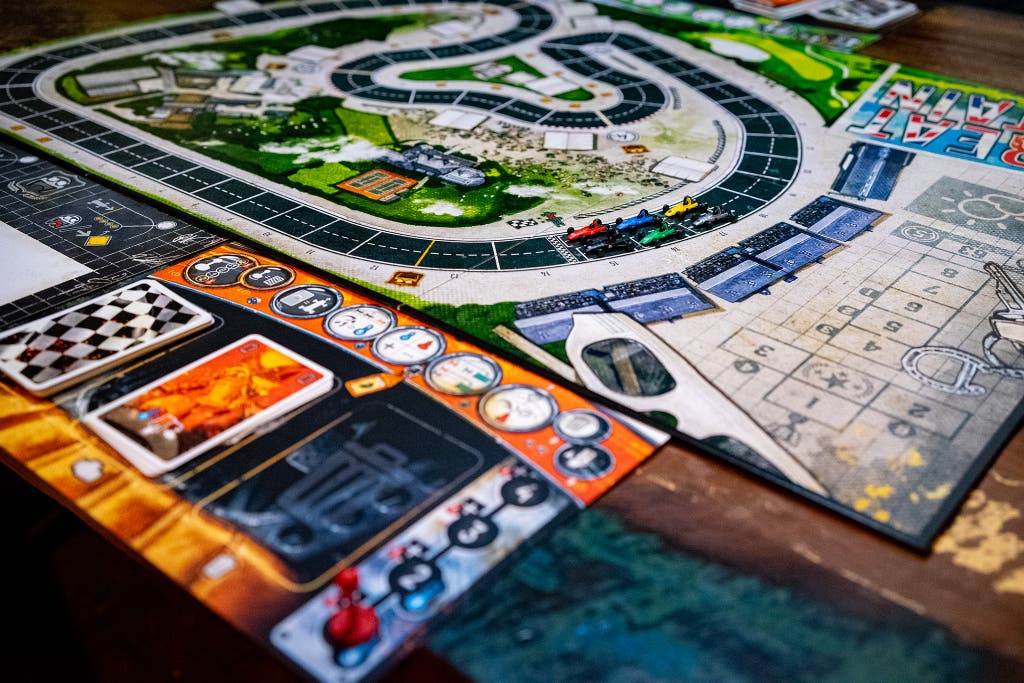
The physical aspect of the game board should be designed with sensory richness in mind. This includes the use of tactile elements such as different textures, colors, and shapes. A large, interactive board can have spaces that offer varied sensory inputs like soft surfaces or raised patterns, appealing to students who benefit from tactile stimulation. Moreover, incorporating physical activities such as rolling a dice or moving pieces around the board can help improve motor skills and hand-eye coordination.
Challenge and Treasure Cards
Challenge cards can involve puzzles, matching exercises, or simple physical tasks. These cards should be designed to cater to different learning levels, ensuring that each challenge is achievable yet stimulating. Complementarily, treasure cards serve as rewards that incentivize continued participation and reinforce positive behavior. They might contain messages of encouragement, small prizes, or privileges that help build self-esteem.
Assistive Technology and Customization
Integrating assistive technology enhances the accessibility of the game. Options like text-to-speech software, switch compatibility, or even joysticks allow students with varying degrees of physical or cognitive limitations to take part confidently. Adjustable sensory features—including sound, visual effects, and interactive elements—are crucial for minimizing sensory overload and customizing the experience based on individual needs.
Designing the Game: Step-by-Step Approach
The creation of an interactive game aimed at students with intellectual disabilities involves a careful planning process with attention to both educational outcomes and accessibility. The following outlines a detailed, step-by-step design process:
1. Define Purpose and Learning Goals
Begin by setting clear objectives for the game. Decide whether the focus will be on cognitive skill development, social interaction, motor skill improvement, or a combination of these aspects. For instance, a game might focus on:
- Enhancing memory and pattern recognition through repetition-based tasks.
- Facilitating teamwork and cooperative problem-solving through group challenges.
- Improving fine and gross motor skills by integrating physical activities within the gameplay.
2. Build an Adaptive Storyline
Create a captivating narrative that simplifies complex concepts and uses imagery and symbols. Ensure that the storyline is flexible so that the narrative can easily be adapted in relation to each student's progress. For instance, a “Treasure Hunt Adventure” narrative might involve clues scattered throughout the game board that lead to a final reward, allowing students to participate actively in a quest.
3. Develop a Tactile and Visual Game Board
The game board should be interactive and incorporate sensory elements. Consider a design where each section of the board provides distinct tactile feedback—such as varied textures or shaped paths—that can be navigated both visually and physically. This encourages students to not only see but feel and interact with the content, reinforcing learning through sensory experiences.
4. Create Interactive Cards and Rewards
Design challenge cards that offer tasks such as matching symbols, solving puzzles, or participating in simple physical activities. Treasure cards act as positive reinforcement, rewarding students for completing challenges. The cards must be visually appealing and easy to manipulate, with clear, simple instructions.
5. Integrate Assistive Technologies
Ensure that the game is accessible by embedding assistive technologies that support learning. For example, text-to-speech software can verbalize instructions, and user-friendly interfaces can facilitate easier control, especially for students who may have motor difficulties. Providing customizable options for sensory inputs, such as adjustable sound levels or visual cues, helps cater to individual needs.
6. Facilitate Role of the Educator or Caregiver
The role of the facilitator is critical. Educators and caregivers should be provided with instructional guides and training sessions to understand the game's mechanics and how to best support students during gameplay. Clear guidelines help ensure that every participant receives equitable assistance, reinforcing learning and ensuring safety.
Benefits of Interactive Games in Special Education
Interactive games designed with accessibility in mind offer multi-dimensional benefits for students with intellectual disabilities. Here are some of the principal benefits:
Cognitive Development
Repeated participation in memory tasks, pattern recognition exercises, and problem-solving challenges enhances cognitive functions. As students engage with various challenges, they experience incremental improvements in concentration, memory, and adaptive thinking capabilities.
Social Interaction and Emotional Growth
Games that encourage group participation foster social skills such as communication, teamwork, and empathy. Through cooperative challenges and team-based rewards, students learn to express themselves, collaborate with peers, and build self-confidence. These social interactions are pivotal in creating an inclusive and supportive learning environment.
Motor Skills and Sensory Integration
Integrating physical tasks within the game helps improve both fine motor and gross motor skills. By interacting with a tactile game board, manipulating cards, and participating in movement-oriented challenges, students strengthen their motor coordination. Additionally, the customizability of sensory inputs helps students with sensory processing issues to engage without feeling overwhelmed, affording a balanced sensory experience.
Inclusive and Adaptive Learning
One of the standout advantages of interactive games is their ability to adapt to individuals' needs. By incorporating adjustable difficulty settings, customizable sensory features, and assistive technology, these games ensure that every student, regardless of the severity of their disability, can engage in a meaningful learning experience. This flexibility also provides educators with tools to fine-tune the game in response to individual progress.
A Practical Example: "Treasure Hunt Adventure"
To illustrate the theoretical framework discussed above, let’s consider a detailed example of an interactive game, "Treasure Hunt Adventure," designed specifically for students with intellectual disabilities.
Game Concept
"Treasure Hunt Adventure" is constructed around an engaging narrative where students embark on a quest to find hidden treasure. The game board is interactive and tactile, with designated spaces for different challenges and rewards. The storyline is supported by visual cues and clear, simple language that guides students throughout their journey.
Components and Gameplay
The game is divided into several key components:
| Component | Description |
|---|---|
| Storyline | A visual, simplified narrative using images and symbols that introduces students to their adventure. |
| Game Board | An interactive tactile board featuring different textures, colors, and interactive zones that provide sensory feedback. |
| Challenge Cards | Cards that explain tasks through match puzzles, motor challenges, or sensory activities, designed at various difficulty levels. |
| Treasure Cards | Reward cards with positive reinforcements, such as a small prize, an encouraging note, or a privileged activity. |
| Assistive Technology | Optional integrations like text-to-speech, switch compatibility, or joysticks to cater to students who require additional support. |
For example, students take turns to roll a tactile die, move along the board, and pick up a challenge card when landing on a designated space. Completing the challenge earns them a Treasure Card that symbolizes progress and success. This cycle not only motivates students but also provides continuous feedback on their cognitive and motor improvements.
Customization and Flexibility
A distinct advantage of "Treasure Hunt Adventure" is its inherent flexibility. Educators can tailor the difficulty level of the challenges based on the student's current abilities and progress. For students with higher functional skills, the challenges might involve higher-level puzzles or multi-step tasks, while for others, the tasks remain simple and reinforce basic cognitive and motor skills. Additionally, sensory options such as adjustable sound cues and brightness levels ensure that sensory-sensitive students remain comfortable and engaged.
Role of the Educator
Educators play a central role in facilitating the game. They provide guidance, monitor progress, and offer support whenever necessary. Instructions are designed to be straightforward and supplemented by visual schedules, which help maintain the flow of activities and build student confidence. The game also allows for spontaneous adaptations depending on how students respond, offering a dynamic way to address individual learning gaps.
Assessment and Evaluation
Continual assessment and evaluation are critical to understanding the effectiveness of the interactive game. Teachers can utilize the game as an informal assessment tool to monitor:
- Student progress in cognitive and motor skills.
- Social interactions and teamwork during group activities.
- Adaptability of the game mechanics based on the varying needs of the students.
- Areas requiring further reinforcement or modifications to the game design.
Data collected from these assessments can be used to refine the gameplay mechanics further. By observing the outcomes, educators can develop individualized learning plans that directly address each student’s strengths and areas of improvement. This responsive design not only enriches the learning experience but also ensures that the game remains an effective educational tool over time.
Benefits and Impact on Learning
The introduction of interactive games specifically tailored for students with intellectual disabilities has profound benefits:
Cognitive Skill Enhancement
Repeated exposure to puzzles and memory games reinforces cognitive pathways, aiding in the development of critical thinking skills. The interactive components require quick decision making, which gradually improves attention span and cognitive flexibility.
Enhanced Social Interaction
Group-based challenges and cooperative games promote interaction, mutual support, and communication among students. The social aspect of gameplay helps in building empathy and cultivating a sense of community within the classroom, which is vital for emotional well-being.
Improved Motor and Sensory Skills
Engaging with a tactile game board and physically interactive elements helps develop fine and gross motor skills. The sensory integration provided by the customizable elements of the game caters to individual sensory preferences, leading to better focus and lesser sensory overload.
Implementation and Future Considerations
When implementing an interactive game in classrooms or therapy sessions, educators should consider the following aspects:
- Training and Support: Teachers and support staff should receive proper training on using the game and managing adaptive technologies, ensuring they can confidently integrate the game into regular learning sessions.
- Feedback Mechanisms: Establish channels for regular feedback from students, educators, and therapists. This feedback informs ongoing improvements and adaptations to the game.
- Integrating Technology: Continually update the assistive technologies incorporated into the game to keep up with advancements in accessibility tools and adaptive learning systems.
- Scaling and Customization: Future iterations of the game may include more advanced levels, additional sensory-motor activities, and deeper integration with digital learning platforms, all of which can further individualize learning experiences.
In the ever-evolving field of special education, the integration of interactive games holds great promise. By fostering an environment of inclusivity, engagement, and adaptive learning, these games not only meet educational needs but also inspire confidence and a sense of accomplishment among students with intellectual disabilities.
References
- Tovertafel Games - Tover
- Interactive Games for Special Needs - Brainwave
- Intellectual Disability Care - Tovertafel
- Accessible Game Apps - Disability Horizons
- Interactive Video Games - Brainwave
Recommended Related Queries
Last updated March 22, 2025