
Building a Successful Aggregator LLM iOS App: Ideas and Strategies
Exploring the Potential of a User-Choice LLM Platform on iOS
Developing an iOS application that allows users to select and interact with various Large Language Models (LLMs) presents a compelling product idea with significant potential for user value, acquisition, and retention. The increasing interest in and availability of diverse LLMs create a demand for platforms that offer flexibility and choice. By aggregating different models, your app can cater to a wide range of user needs and preferences, from creative writing and coding assistance to specialized tasks like medical information retrieval or personalized learning.
Key Highlights for Your LLM Aggregator App
- User Choice and Flexibility: Offering users the ability to select from multiple LLMs is a core strength, addressing diverse needs and allowing users to find the model best suited for their specific tasks.
- Focus on User Experience (UX): A clean, intuitive, and efficient user interface (UI) is paramount for user engagement and retention, especially when integrating various LLMs with potentially different interfaces and capabilities.
- Prioritizing Privacy and Offline Capability: Integrating local LLM options that run on-device can be a significant draw for privacy-conscious users and those needing offline access, providing a distinct advantage over cloud-based solutions.
The Value Proposition: Why Users Will Be Attracted
The primary value of an LLM aggregator app lies in its ability to provide a centralized hub for accessing and utilizing different LLMs without requiring users to download and manage multiple individual applications. This convenience is a major attraction. Consider the following aspects that enhance the value proposition:
Diverse Capabilities Under One Roof
Each LLM has its strengths and weaknesses, often excelling in specific domains or tasks. By integrating a variety of models, your app can offer a broader range of capabilities. For example:
- Some LLMs might be better for creative writing or generating different text formats.
- Others might be more adept at coding tasks or generating code snippets.
- Specialized LLMs could provide expert knowledge in areas like medicine or law.
Allowing users to switch between these models based on their current need provides a level of versatility not found in single-model applications.
Empowering User Control and Customization
Users often appreciate having control over the tools they use. An aggregator app empowers users by letting them experiment with different models and discover which ones yield the best results for their particular workflows. This can include allowing users to:
- Select specific LLM versions or quantized models suitable for their device's capabilities.
- Adjust parameters for the chosen LLM to fine-tune responses.
- Potentially train or fine-tune models locally on their device (though this is a more advanced feature).
Addressing Privacy Concerns with Local LLMs
A significant concern for many users of AI applications is data privacy. Integrating LLMs that can run locally on the iOS device, such as those utilizing the llama.cpp framework or Apple's MLX Swift, directly addresses this. Local processing ensures that user data and interactions remain on the device and are not sent to external servers. Highlighting this privacy aspect can be a powerful differentiator and attract users who prioritize data security.
Apps like Private LLM and LLMFarm demonstrate the feasibility and appeal of running LLMs locally on iOS devices.
Here is an image illustrating the concept of on-device AI:
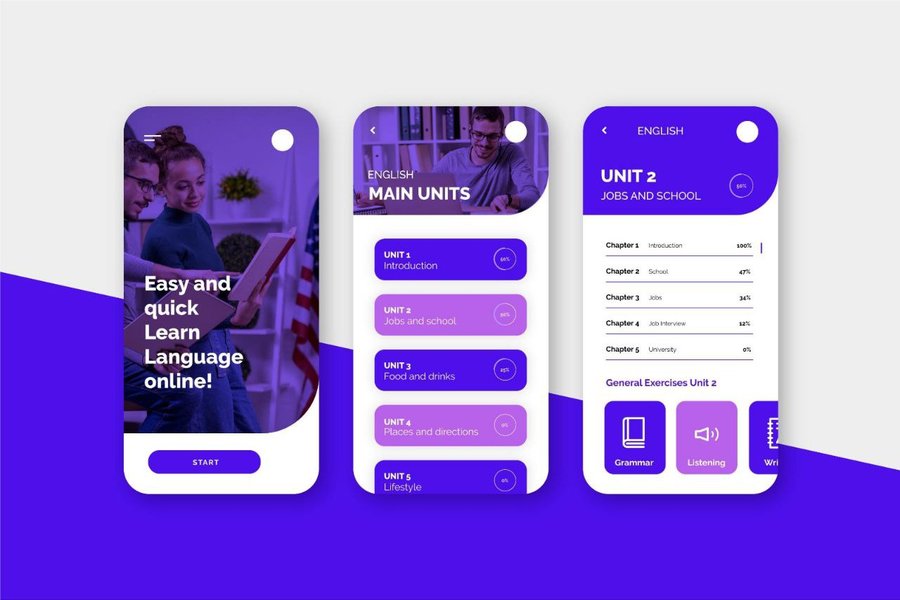
On-device AI processing keeps data private.
Strategies for User Retention
Attracting users is only the first step; retaining them is crucial for long-term success. Here are strategies to enhance user retention in your LLM aggregator app:
Exceptional User Interface and Experience
A seamless and intuitive user interface (UI) is critical. Navigating between different LLMs, managing settings, and viewing conversation history should be effortless. Pay close attention to:
- Clean and modern design.
- Logical organization of features.
- Fast and responsive interactions.
- Clear feedback to the user during LLM processing.
While some existing local LLM apps on iOS have been noted for having less-than-ideal UIs, this presents an opportunity for your app to stand out by prioritizing a superior user experience.
Examples of good UI design for AI applications can provide inspiration:
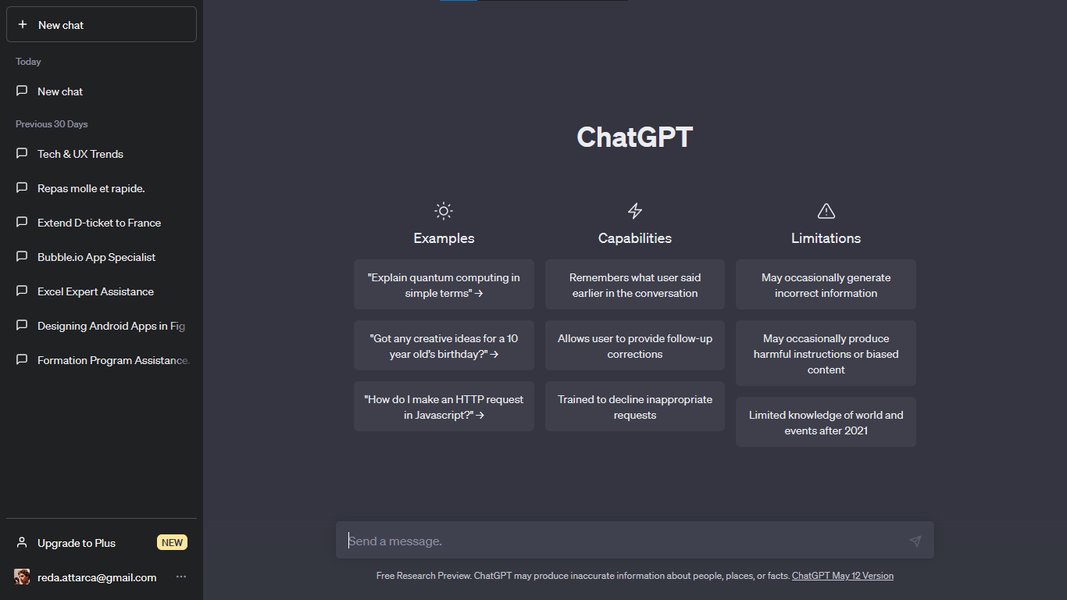
A clean chatbot UI enhances user engagement.
Continuous Integration of New LLMs and Features
The field of LLMs is rapidly evolving. Regularly updating your app to include newer, more capable, or specialized LLMs will keep the app fresh and provide ongoing value to users. Consider integrating models like Llama 3, Gemini Flash, and Grok as they become available and suitable for mobile deployment. Beyond new models, implement features that enhance the core functionality:
- Improved conversation management (folders, search).
- Tools for comparing responses from different LLMs.
- Integration with other iOS features (e.g., Siri shortcuts, sharing).
- Ability to handle multimodal inputs (text, images, audio) if the integrated LLMs support it.
LLMFarm, for instance, supports various inferences and sampling methods, showcasing the kind of technical depth that can appeal to power users.
Personalization and Customization Options
Allowing users to personalize their experience can significantly boost retention. This could involve:
- Setting default LLMs for specific tasks.
- Customizing the app's appearance.
- Saving and organizing frequently used prompts or model configurations.
Spotify's success in retention, partly through personalized playlists and recommendations, highlights the power of tailoring the user experience.
Building a Community or Feedback Loop
Engaging with your user base and incorporating their feedback is vital. This can be achieved through:
- In-app feedback mechanisms.
- Forums or community channels for users to share tips and model experiences.
- Regular updates based on user suggestions and bug reports.
Understanding user behavior and preferences through metrics like conversation length, feature usage, and retention rates is crucial for informed decision-making.
Effective Onboarding
A clear and concise onboarding process is essential to quickly demonstrate the app's value and guide users on how to utilize the different LLMs. Given the technical nature of LLMs, explaining how to select and load models, adjust parameters, and understand potential limitations is important, especially for users less familiar with these concepts. Consider including:
- Interactive tutorials.
- Explanations of different LLMs and their best use cases.
- Tips for effective prompting.
Technical Considerations and Implementation
Building an LLM aggregator app for iOS involves several technical considerations:
Integrating Diverse LLMs
You will need to explore various methods for integrating LLMs. This could involve:
- Utilizing frameworks like MLC LLM or MLX Swift for on-device inference.
- Interfacing with APIs for cloud-based LLMs (while being transparent with users about data handling).
- Supporting different model formats (e.g., GGUF).
Ensuring compatibility and smooth performance across different iOS devices and LLMs will be a key challenge.
Managing Model Downloads and Storage
Local LLMs can be large. Your app will need an efficient way for users to download and manage model files, considering storage space limitations on mobile devices. Offering quantized versions of models can help reduce their size.
Optimizing Performance
Running LLMs on mobile devices requires careful optimization to ensure responsiveness and minimize battery drain. Leveraging Apple's Metal framework for GPU acceleration, as used in LLMFarm, is one approach.
Designing a Flexible Architecture
A modular and flexible architecture will be necessary to easily integrate new LLMs and features in the future. This involves designing a system that can handle different model types and interaction patterns.
Potential Challenges
While the concept is promising, be mindful of potential challenges:
-
Performance Variation: The performance of different LLMs will vary significantly depending on the device and model size. Managing user expectations regarding speed and capability is important.
-
Model Compatibility: Ensuring compatibility with a wide range of LLMs and their formats can be complex.
-
User Education: Users may need guidance on selecting appropriate models and using them effectively.
-
Staying Current: The rapid pace of LLM development requires continuous effort to integrate new models and advancements.
-
App Store Guidelines: Ensure compliance with App Store guidelines regarding AI content and functionality.
Relevant Metrics for Success
To gauge the success of your app and identify areas for improvement, track relevant metrics:
| Metric | Description | Why it's Important |
|---|---|---|
| User Acquisition Cost (UAC) | The cost to acquire a new user. | Helps assess the efficiency of marketing efforts. |
| Daily Active Users (DAU) / Monthly Active Users (MAU) | Number of unique users interacting with the app daily/monthly. | Indicates overall engagement and reach. |
| User Retention Rate | Percentage of users who return to the app over time. | Crucial for long-term sustainability and value. |
| Average Session Duration | The average time users spend in the app per session. | Reflects how engaging the app and its features are. |
| Feature Adoption Rate (especially for different LLMs) | How quickly and widely new LLMs or features are used. | Shows which models and features resonate with users. |
| Conversation Metrics (length, frequency) | Analyzes user interaction patterns with the LLMs. | Provides insight into how users utilize the core LLM functionality. |
Focusing on user retention metrics is particularly important for LLM apps, as retaining existing users is often more cost-effective than acquiring new ones.
FAQ
What are some examples of local LLMs that can run on iOS?
Several LLMs can be optimized to run on iOS devices, including various versions of Llama, Mistral, Phi, and Qwen. The feasibility depends on the model size, quantization level, and the processing power of the specific iOS device.
How can I ensure a good user experience when integrating multiple LLMs?
Prioritize a consistent and intuitive UI across the app, regardless of the underlying LLM. Provide clear feedback to the user about which model is being used and its capabilities. Abstract away technical complexities from the user as much as possible.
Is it possible to run LLMs offline on an iPhone?
Yes, by utilizing frameworks and models designed for on-device inference, it is possible to run LLMs offline on compatible iOS devices. Apps like Private LLM and LLMFarm offer this capability.
How important is user feedback for this type of app?
User feedback is extremely important. It can help identify which LLMs are most useful, uncover usability issues, and suggest new features that would enhance the user experience and retention.
What are the potential monetization strategies for an LLM aggregator app?
Potential strategies include a one-time purchase for the app, a subscription model for premium features or access to a wider range of LLMs, or freemium with limitations on free usage.
References
Last updated May 8, 2025