
Unlock AI Power on iOS: Which Languages Let You Build a Multi-LLM Chat App?
Your guide to the essential programming skills for creating an iOS app that connects to OpenAI, Claude, Grok, DeepSeek, and more.
Building an iOS application that acts as a central hub for various Large Language Models (LLMs) like ChatGPT, Claude, Grok, and DeepSeek is an ambitious but achievable goal. Such an app requires a blend of native iOS development prowess, robust backend communication strategies, and potentially even on-device machine learning capabilities. To succeed, you'll need to master specific programming languages tailored to these tasks.
Key Languages and Skills at a Glance
- Swift is Non-Negotiable: As the primary language for native iOS development, Swift is essential for building the user interface, managing app logic, and integrating with Apple's ecosystem.
- Backend Prowess (Python Recommended): A backend language is crucial for securely managing API keys and mediating communication with diverse LLM APIs. Python stands out due to its extensive AI/ML libraries and strong support from LLM providers.
- API Integration & ML Knowledge: Understanding how to work with RESTful APIs, manage different authentication methods, and potentially leverage frameworks like CoreML for on-device processing is vital.
Mastering the iOS Frontend: The Role of Swift
Building the Native Experience
Swift is Apple's modern, powerful, and preferred language for creating applications across all its platforms, including iOS. For an app aiming to provide a seamless user experience for interacting with various LLMs, Swift is indispensable.
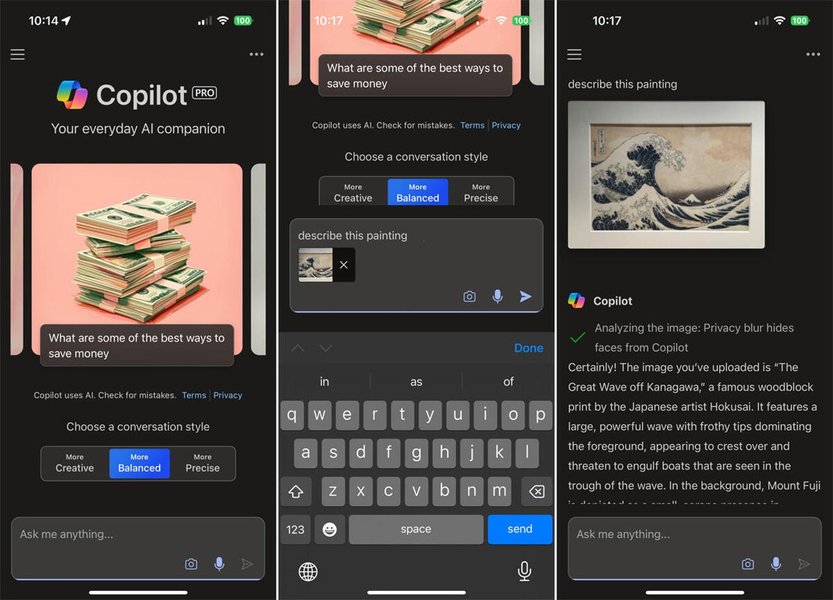
Modern AI chatbot apps leverage native iOS features for a smooth user experience.
Why Swift is Essential:
- Native Performance and UI: Swift allows you to leverage Apple's UI frameworks like SwiftUI (for modern, declarative interfaces) or UIKit (for mature, fine-grained control) to build a responsive and intuitive chat interface where users can easily select their desired LLM.
- Ecosystem Integration: It provides seamless access to iOS features, secure storage for potentially sensitive information (like user preferences or API keys stored locally, although backend management is generally safer), and frameworks like Combine for handling asynchronous operations like fetching responses from LLMs.
- Safety and Modernity: Swift's strong typing and safety features help prevent common programming errors, crucial for building a reliable application.
- CoreML Integration: Swift works directly with CoreML, Apple's machine learning framework. This is vital if you plan to incorporate any on-device ML features, such as preprocessing input, analyzing output, or even running smaller, optimized LLMs directly on the iPhone for offline capabilities or enhanced privacy.
Learning Swift is the first and most critical step for the client-side part of your application.
Objective-C: A Note on Legacy
While Swift is the future, Objective-C was the original language for iOS development. You might encounter it if integrating older third-party libraries or specific SDKs. Basic familiarity can be helpful, but focus your primary learning efforts on Swift.
Handling the Brains: Backend and API Management
Connecting to Diverse LLMs
Your iOS app needs a way to communicate with the APIs provided by OpenAI, Anthropic (Claude), xAI (Grok), DeepSeek, and others. Each service has its own API endpoint, authentication method (usually API keys), request format, and response structure. Managing this complexity directly within the iOS app can be insecure and difficult to maintain.
Therefore, a backend service is highly recommended. This intermediary server can:
- Securely store and manage API keys for various LLM services.
- Receive requests from the iOS app.
- Route the request to the user-selected LLM provider's API.
- Handle authentication with the specific LLM service.
- Process the response and send it back to the iOS app in a standardized format.
- Manage user accounts and preferences if needed.
Python: The Leading Choice for AI Backends
Python is widely regarded as the top language for AI and machine learning development, making it an excellent choice for your backend.
- Rich AI/ML Ecosystem: Python boasts extensive libraries and frameworks specifically designed for AI tasks, including Natural Language Processing (NLTK, SpaCy) and interacting with LLMs (like OpenAI's official Python library, Anthropic's SDK, LangChain for orchestrating multiple models).
- API Frameworks: Frameworks like Flask or FastAPI make it relatively simple to build lightweight, efficient web APIs that your Swift app can communicate with.
- Community and Support: There's vast community support and readily available documentation for using Python to integrate with virtually any major LLM provider.
- Prototyping Speed: Python's concise syntax allows for rapid development and iteration of your backend logic.
Alternative Backend Languages
- Node.js (JavaScript/TypeScript): Excellent for building real-time applications and handling asynchronous I/O efficiently. Many LLM providers also offer JavaScript SDKs. TypeScript adds static typing for better code maintainability.
- Java: Known for its stability, scalability, and strong typing, making it suitable for enterprise-level backends. It has a mature ecosystem for building robust APIs.
While alternatives exist, Python's strong alignment with the AI/ML landscape often makes it the most pragmatic choice for this type of project.
Language Suitability Analysis
Comparing Key Languages for Your Project
Choosing the right languages involves balancing strengths across different project aspects. Swift excels at the native iOS experience, while Python dominates the AI backend. JavaScript offers versatility, and C++ provides raw performance for potential on-device tasks. The radar chart below visualizes a comparative assessment based on relevance to building a multi-LLM iOS app:
This chart highlights Swift's dominance for the iOS frontend and CoreML integration, while Python leads significantly in backend development, AI ecosystem richness, and LLM API integration ease. JavaScript/Node.js offers a strong alternative for backend and cross-platform scenarios. C++ is relevant mainly for optimizing performance-critical on-device inference, if pursued.
Exploring On-Device LLM Execution (Advanced)
Bringing Intelligence Directly to the iPhone
While most large, powerful models like GPT-4, Claude 3, or Grok require cloud-based APIs, there's a growing trend towards running smaller, optimized LLMs directly on devices. This offers advantages like offline functionality, lower latency, and enhanced user privacy as data doesn't need to leave the device.
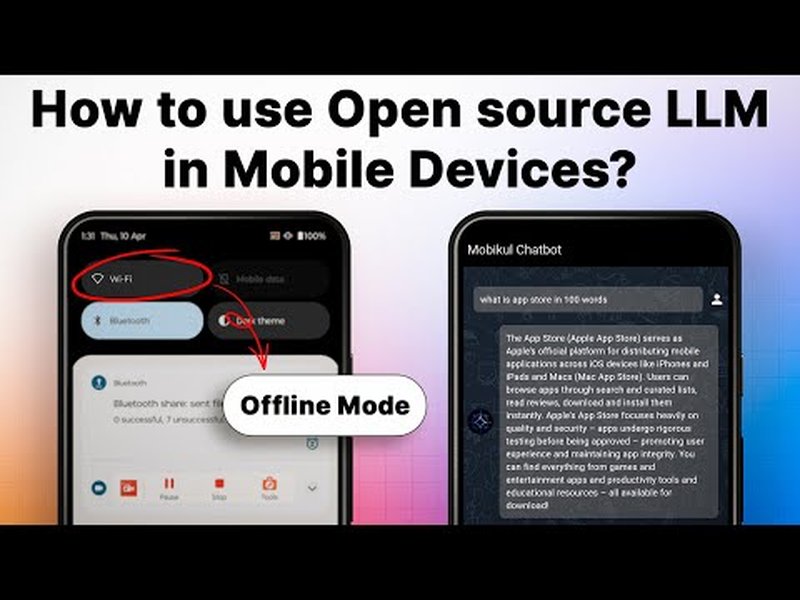
Running LLMs locally on mobile devices is an emerging capability.
Technologies Involved:
- Swift & CoreML: As mentioned, Swift integrates with CoreML, which can run models converted to Apple's format. Apple itself has released small models optimized for on-device use.
- Metal: For maximum performance, direct access to the GPU via Apple's Metal framework might be necessary, often abstracted by higher-level libraries.
- C++ Libraries (e.g., llama.cpp): Many efficient open-source LLM inference engines are written in C++. Integrating these into an iOS app requires bridging C++ code with Swift/Objective-C. This demands proficiency in both Swift and C++.
- Specialized Frameworks: Projects like LLMFarm, MLX Swift Chat (using Apple's MLX framework), and apps like Private LLM demonstrate running models like Llama or Mistral locally on iOS. Learning from these open-source projects can be invaluable.
Incorporating local models adds significant complexity but can be a powerful differentiator. It likely requires advanced Swift skills and potentially C++ knowledge.
Video Insight: Open Source LLMs on Mobile
Understanding the possibilities and challenges of running open-source LLMs on mobile platforms is key if considering on-device features. The following video explores concepts related to deploying models on mobile devices, providing context for this advanced capability:
This video discusses the landscape of using open-source large language models on mobile platforms. While not a direct tutorial for iOS implementation, it covers the motivations, available models, and general approaches, relevant for deciding whether to incorporate on-device LLMs alongside API-based ones in your app.
Project Architecture Overview
Visualizing the Components
A typical architecture for your multi-LLM iOS app would involve the Swift-based frontend communicating with a backend (likely Python), which then interacts with the various external LLM APIs. An optional path for local inference could also exist directly within the iOS app. The mindmap below illustrates these interconnected components:
This mindmap shows the flow: the user interacts with the Swift app, which sends requests to the backend. The backend securely handles communication with the chosen external LLM API. Optionally, the Swift app might directly run a local model for certain tasks.
Comparing Target LLM Providers
Understanding Your Integration Options
To allow users to select between models like OpenAI, Claude, Grok, and DeepSeek, you need to understand how they are typically accessed. Most large, state-of-the-art models are primarily available via cloud-based APIs.
| LLM Provider | Prominent Models | Primary Access Method | Typical Use Case Focus | Key Considerations |
|---|---|---|---|---|
| OpenAI | GPT-4, GPT-3.5 | Cloud API | General purpose chat, coding, content generation | Well-documented API, various model tiers, usage-based pricing. |
| Anthropic | Claude 3 (Opus, Sonnet, Haiku) | Cloud API | Constitutional AI focus, strong reasoning, long context | Emphasis on safety and ethics, API access required. |
| xAI | Grok | Cloud API (via X Premium+ initially, broader API potentially) | Real-time information access (via X platform), conversational AI | Access may be tied to specific platforms/subscriptions, API details may evolve. |
| DeepSeek | DeepSeek Coder, DeepSeek LLM | Cloud API, Open Source Models | Strong coding capabilities (Coder), general chat (LLM) | Offers both API access and open-source models that could potentially be adapted for local use (with significant effort). |
| Other (e.g., Meta, Mistral) | Llama 3, Mistral Large/Small | Open Source Models, Cloud API (Mistral) | Varies (General purpose, efficiency) | Open source models offer potential for local deployment (Llama, smaller Mistral), requires technical expertise. Mistral also offers API access. |
This table summarizes that most of the target models require interacting with Cloud APIs, reinforcing the need for strong backend and API integration skills using languages like Python or Node.js. The availability of open-source models from providers like DeepSeek or Meta offers a path for potential (though complex) on-device integration.
Frequently Asked Questions (FAQ)
1. Do I absolutely need a backend server?
While technically possible to call LLM APIs directly from the iOS app, it's strongly discouraged for security and maintainability. Embedding API keys directly in the app makes them vulnerable. A backend server allows you to securely manage keys, centralize logic for interacting with different LLMs, standardize responses, and potentially handle user authentication or rate limiting.
2. Which language is more important: Swift or Python?
Both are crucial for the recommended architecture. Swift is essential for building the actual iOS application (the part the user interacts with). Python (or another backend language) is essential for securely and efficiently connecting that app to the various cloud-based LLM APIs. You'll likely need proficiency in both: Swift for the frontend and Python for the backend/AI integration.
3. Can I really run models like GPT-4 or Claude directly on an iPhone?
Currently, running very large models like OpenAI's GPT-4 or Anthropic's Claude 3 Opus directly on an iPhone is not feasible due to their massive size and computational requirements. On-device execution is generally limited to smaller, specifically optimized models (e.g., smaller variants of Llama, Mistral, or models fine-tuned for specific tasks). Your app would likely use APIs for the large models and could potentially offer smaller local models as an alternative for offline use or specific features.
4. How difficult is it to integrate multiple different LLM APIs?
It adds complexity. Each LLM provider (OpenAI, Anthropic, etc.) has its own API specifics: authentication methods, request parameters (like temperature, max tokens), response formats, and error handling. Building a robust system requires writing adaptable code (often in the backend) to handle these differences, manage API keys securely, potentially parse different JSON structures, and present a consistent experience to the user via the Swift app. Using libraries like LangChain in Python can help abstract some of this complexity.
Recommended Next Steps
Dive deeper into specific aspects of building your multi-LLM iOS app:
- Explore how to leverage CoreML within Swift for potential on-device NLP tasks.
- Learn about creating a secure Python backend using Flask or FastAPI for managing diverse AI APIs.
- Investigate the pros and cons of SwiftUI versus UIKit for developing sophisticated chat UIs.
- Discover which smaller, open-source LLMs are most promising for potential on-device deployment on platforms like iOS.
References
Last updated April 29, 2025