
Unlock Clearer Conversations: Finding the Best Large-Screen Captioning Solution for Paula
Navigating tech options to enhance call caption readability when phone screens feel too small.
It's a common challenge: needing large, clear captions for phone calls, but finding that a standard smartphone screen then shows too few words at once. This can make following conversations difficult and frustrating. Fortunately, there are excellent technological solutions to provide Paula with a larger display for her call captions, making communication significantly easier and more comfortable. The core idea of using a second device with a bigger screen is indeed a promising approach.
Key Highlights for Enhancing Caption Visibility
- Dedicated Devices & Apps: Specialized captioning tablets and apps designed for larger screens offer seamless integration and user-friendly experiences.
- Cost-Effective Solutions: Many high-quality call captioning services are available at no cost to eligible U.S. residents with hearing loss, often funded by the FCC.
- Customization is Key: The ability to adjust font size, colors, and the amount of text displayed is crucial for optimal readability on any chosen device.
Understanding the Need: Why a Larger Screen Matters
When relying on captions for phone conversations, readability is paramount. Enlarging the font on a small smartphone screen, while necessary for visual clarity, inherently limits the number of words visible at any given time. This can lead to:
- Loss of Context: Constantly scrolling or waiting for new lines of text can make it hard to keep up with the flow of conversation.
- Increased Cognitive Load: The effort to piece together fragmented sentences can be mentally taxing.
- Reduced Engagement: Difficulty in following can lead to less effective communication and participation in calls.
A larger secondary screen, such as a tablet, can display significantly more captioned text simultaneously, even with a large font. This allows for a more natural reading experience, helping Paula follow conversations more fluidly and with less strain.
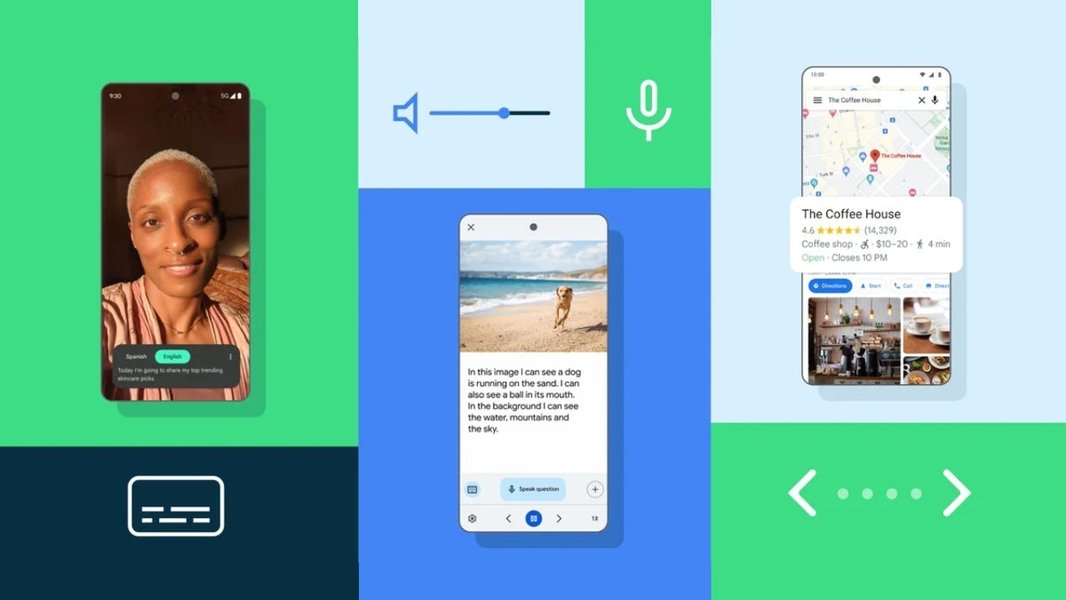
A tablet displaying live captions, illustrating how a larger screen enhances readability.
Top Tech Solutions for Enhanced Caption Readability
Several excellent options can provide Paula with a larger screen for her call captions. These range from dedicated devices to versatile apps and system features.
Dedicated Captioning Tablets
These devices are specifically designed for individuals with hearing loss and offer optimized captioning experiences on a larger, portable screen.
Caption Companion
The Caption Companion is an 8-inch tablet that provides real-time speech-to-text captioning. A key advantage is its ability to work offline, ensuring privacy as no user account is required and no data is collected. Captioned text remains on the device and is typically deleted automatically after 24 hours. It's designed to be user-friendly and is often available at no cost to qualifying U.S. residents.
Teltex GLT Captioning Tablet
This solution, often paired with the Geemarc V2T-10, utilizes services like Google Live Transcribe to provide free, real-time captions on an 8-inch tablet. It's tailored for displaying captions from phone calls on its larger screen, directly addressing Paula's need. Like other FCC-funded services, it's generally available at no cost to eligible users.
Leveraging Standard Tablets with Captioning Apps
If Paula already owns or prefers a standard tablet (like an iPad or Android tablet), many captioning apps can be used effectively on these larger screens.
ClearCaptions Mobile App
ClearCaptions offers a mobile app for both smartphones and tablets. Eligible U.S. residents with hearing loss can use this service at no cost. The app provides real-time captioning of phone calls, and using it on a tablet naturally provides more screen real estate for larger fonts and more text.
CaptionMate
CaptionMate is a free app that transcribes both sides of a phone call in real-time. It's versatile, working on smartphones, landlines, tablets, or computers. By installing CaptionMate on a tablet, Paula can benefit from its larger display. This service is also FCC-funded and free for registered individuals with hearing loss.
InnoCaption (with InnoCaption Web)
InnoCaption is another FCC-certified service providing real-time call captioning. A standout feature is "InnoCaption Web," which allows users to stream captions from their phone call directly to a larger screen, such as a tablet or computer, via a web browser. This is an excellent solution for easily extending caption visibility.
CaptionCall Mobile (by Sorenson)
CaptionCall Mobile provides no-cost, real-time mobile captioning for eligible individuals. The app supports smartphones and tablets (iOS 15+ and Android 9+). Using the app on a tablet will allow Paula to see more of the conversation at once with her preferred font size.
Utilizing Built-in Operating System Features
Modern operating systems often include powerful accessibility features that can be leveraged on larger devices.
Android Live Caption
Devices running Android 10 or later (including many tablets) feature Live Caption. This system-wide feature automatically captions speech from various media, including phone calls on compatible devices (like Pixel phones). The captions can be customized for size and style, making it a useful option if Paula uses an Android tablet.
Windows 11 Live Captions
If Paula uses a Windows tablet or laptop, Windows 11 has a built-in live caption feature. It can provide on-screen captions for any audio playing on the PC, including calls routed through or connected to the computer. Some newer PCs even offer live translation features with these captions.
Screen Mirroring and Casting
If Paula's current captioning app doesn't natively support a secondary display or web streaming, screen mirroring can be a viable workaround. Technologies like Apple AirPlay (for iPhone to iPad/Apple TV) or Chromecast/Miracast (for Android devices) can duplicate the phone's screen onto a larger tablet or TV. While this mirrors the entire screen, it effectively enlarges the existing caption display.
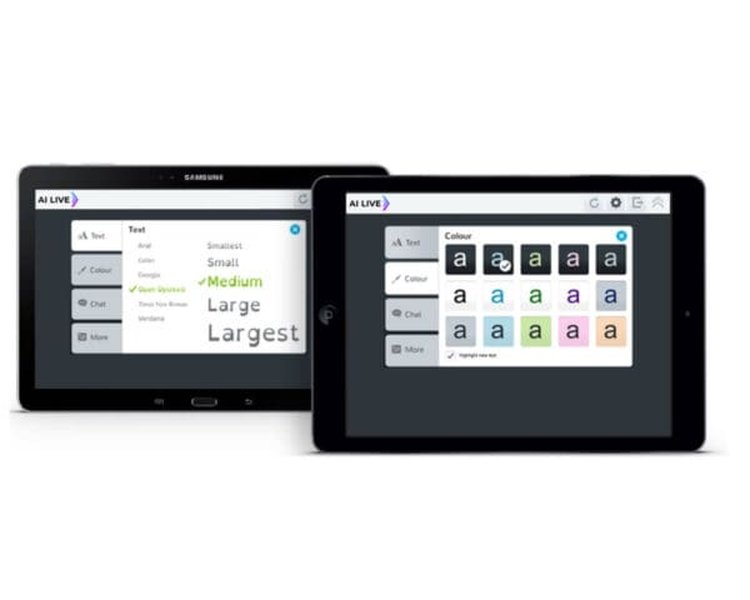
Customizable caption settings, like those available in many apps, are crucial for readability.
Visualizing Solution Effectiveness
To help compare these different approaches, the radar chart below visualizes key attributes for various types of solutions. These are general assessments based on typical user experiences:
This chart suggests that while dedicated tablets might offer the highest readability boost due to specialized design, standard tablets with apps provide a strong balance of features and cost-effectiveness, especially if Paula already owns a tablet. Screen mirroring is highly cost-effective if existing devices can be used, though setup and integration might be less seamless.
Key Factors to Consider When Choosing
Selecting the best solution for Paula involves weighing several important factors. The mindmap below outlines these considerations to help guide the decision-making process:
(e.g., Caption Companion, Teltex GLT)"] id1b["Standard Tablets
(iPad, Android Tablet)"] id1c["Laptops / PCs
(with Windows Live Captions or Web Apps)"] id2["Software & App Features"] id2a["Direct App Support for Large Screens
(App runs on tablet)"] id2b["Web-based Caption Streaming
(e.g., InnoCaption Web)"] id2c["OS-level Live Captioning
(Android Live Caption, Windows Captions)"] id2d["Screen Mirroring / Casting"] id3["Critical Considerations"] id3a["Readability & Customization
(Font size, color, contrast, text flow)"] id3b["Connectivity & Integration
(Wi-Fi, Bluetooth, call forwarding, phone compatibility)"] id3c["Cost & Eligibility
(Free FCC-funded services, device cost)"] id3d["Privacy & Data Security
(Offline options, data handling policies)"] id3e["Ease of Use & Setup
(Technical proficiency required)"] id3f["Portability
(Device size and weight, battery life)"] id3g["Accuracy & Speed of Captions
(Technology used: ASR, stenographers)"]
Thinking through these aspects—how Paula will connect her devices, the importance of privacy, her comfort with technology, and the specific features of each app or device—will help pinpoint the most suitable and sustainable solution.
Comparing Captioning Solution Approaches
To further clarify the differences, here's a table comparing the general characteristics of the main solution categories:
| Feature/Solution Approach | Dedicated Captioning Tablets | Standard Tablet + Captioning App | Screen Mirroring to Tablet/Display |
|---|---|---|---|
| Primary Use Case | Optimized for call captioning | Call captioning + general tablet functions | Displaying phone's entire screen |
| Screen Size Advantage | Good (e.g., 8-inch+), designed for task | Varies (7-inch to 12-inch+), user choice | Matches target display (tablet, TV) |
| Setup Complexity | Generally low to moderate | Moderate (app installation, account setup) | Moderate (pairing, potential lag issues) |
| Caption Integration | Often direct with call service, may be standalone | App-dependent; some offer web streaming | Mirrors phone app's captions exactly |
| Portability | Good, designed as portable units | Good, standard tablet portability | Depends on secondary display used |
| Service Cost | Often free for eligible users (FCC funded) | Often free for eligible users (FCC funded) | N/A (uses existing app's service) |
| Device Cost | May be provided at no cost or purchased | User-purchased tablet (if not owned) | Uses existing phone and secondary display |
| Caption Customization | Usually good, specific to captioning | App-dependent, generally good | Limited to phone app's capabilities |
| Privacy Focus | Can be high (e.g., offline options, no data collection) | App-dependent; review privacy policies | App-dependent; as per phone app |
Exploring Hearing Assistive Technology
The video below provides a general overview of Hearing Assistive Technology (HAT), which encompasses a wide range of devices and systems designed to help individuals with hearing loss. While not specific to call captioning on a second screen, it offers valuable context on the broader landscape of assistive solutions available.
Understanding the types of technologies available can empower Paula to explore options that best suit her overall communication needs, beyond just phone call captioning.
Frequently Asked Questions (FAQ)
How do these captioning services handle different accents or noisy environments?
Are these services and devices difficult to set up?
What if Paula travels? Can she use these solutions on the go?
Do all these options require an internet connection?
How does Paula verify eligibility for the free services?
Conclusion
Finding the right technology to display call captions on a larger screen can significantly improve Paula's communication experience. By considering dedicated captioning tablets, versatile apps on standard tablets, built-in OS features, or even screen mirroring, she can find a solution that offers the clarity and comfort she needs. Many of these services are accessible at no cost to eligible individuals, making them powerful tools for overcoming communication barriers.
Recommended Further Exploration
- How do the privacy features of different call captioning apps for tablets compare?
- What is a step-by-step guide to setting up InnoCaption Web for displaying captions on a computer or tablet?
- Are there user reviews comparing the Caption Companion and Teltex GLT captioning tablets for ease of use and caption accuracy?
- What are the latest advancements in Android Live Caption for phone call transcription on tablets?