
Unlock Jaw-Dropping Images: Master Advanced Prompting in Leonardo AI
Dive deep into the techniques that transform simple ideas into stunning visual realities using Leonardo AI's powerful engine.
Leonardo AI stands as a formidable tool in the realm of AI image generation, capable of translating textual descriptions into intricate visuals. The quality of the output, however, hinges significantly on the sophistication of your prompts. While you might have specific themes in mind, this guide focuses on universal, advanced prompting techniques drawn from established best practices. Mastering these methods will empower you to craft detailed, nuanced, and high-quality images for a wide array of creative projects. It's important to remember that platforms like Leonardo AI have terms of service and community guidelines, often restricting the generation of explicit, harmful, or non-consensual content, which users must adhere to for responsible use.
Key Insights for Prompt Mastery
- Structure is Paramount: Begin with the core subject, then layer details like actions, environment, and descriptors using comma separation for clarity.
- Descriptive Language Fuels Detail: Employ vivid adjectives and adverbs to define mood, atmosphere, texture, and specific visual characteristics.
- Leverage Advanced Features & Iteration: Utilize tools like Image Guidance, ControlNet, negative prompts, specific pipelines, and iterative refinement to achieve precision and consistency.
Deconstructing the Perfect Prompt: Structure, Descriptors, and Style
Crafting an effective prompt is an art form that balances clarity with detail. Understanding the fundamental components allows you to guide the AI with greater precision.
The Power of Structure: Building Your Prompt Logically
Subject First, Details Follow
Begin your prompt by clearly stating the main subject. This anchors the AI's focus. Subsequently, add layers of detail separated by commas. This structured approach, often recommended in Leonardo AI guides, prevents ambiguity and helps the AI process each element distinctly. For instance, start with "A cyberpunk cityscape," then add ", neon lights reflecting on wet pavement, flying vehicles in the distance, dramatic low-angle shot."
Layering for Complexity
Think of your prompt as building blocks. Start with the subject, add modifiers for appearance or action, specify the setting, and then incorporate stylistic or technical elements. Example: `[Subject: ancient warrior]`, `[Action/Pose: standing defiantly on a mountaintop]`, `[Clothing/Details: wearing ornate bronze armor, holding a glowing sword]`, `[Environment: during a raging thunderstorm, dramatic clouds]`, `[Style: hyperrealistic, cinematic lighting]`. This layered method provides granular control.
Choosing Your Words Wisely: Descriptors for Detail & Mood
The adjectives and adverbs you use significantly influence the final image's look and feel. Go beyond basic descriptions to inject atmosphere and specificity.
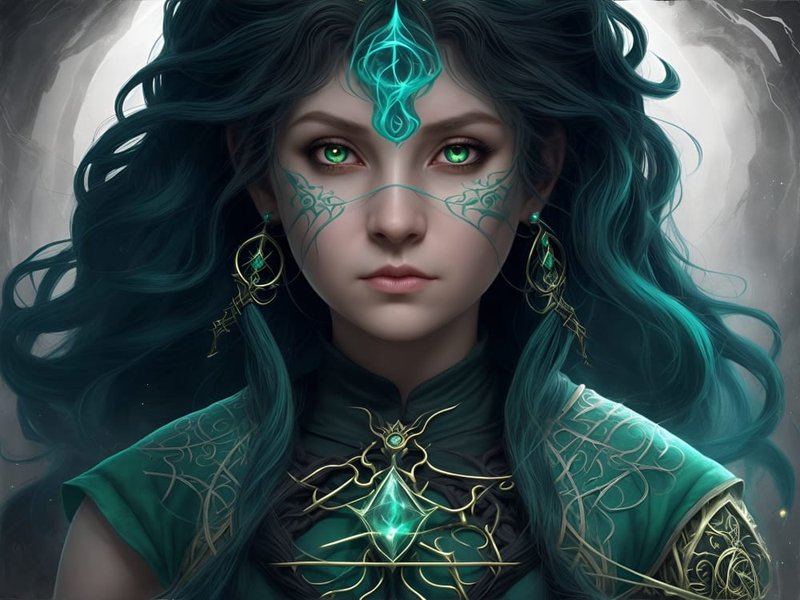
This image showcases the potential for creating highly detailed and realistic characters using sophisticated prompting techniques.
Evoking Atmosphere and Emotion
Use words that convey a specific mood or feeling, such as "serene," "chaotic," "mysterious," "joyful," or "melancholic." For atmosphere, try terms like "foggy," "sun-drenched," "eerie," "vibrant," or "desolate."
Detailing Appearance and Texture
Be specific about materials, surfaces, and visual qualities. Instead of just "dress," try "flowing crimson silk dress with intricate gold embroidery." For textures, use words like "rough," "smooth," "metallic," "glossy," "weathered," or "translucent." While you inquired about specific types of clothing like "see-through" or "mesh," ensure your descriptions align with platform guidelines.
Specifying Artistic Style
Guiding the AI towards a particular aesthetic is crucial. Reference established art movements, techniques, or even specific artists (though be mindful of ethical considerations).
Style Keywords
Incorporate terms like "photorealistic," "hyperrealistic," "cinematic," "anime," "manga," "cartoon," "impressionistic," "surreal," "steampunk," "cyberpunk," "fantasy art," "concept art," or "watercolor painting."
Referencing Artists or Mediums
You can mention styles "in the style of Van Gogh" or "like a Studio Ghibli film," but be aware that mimicking living artists or copyrighted styles can raise ethical issues. Specifying mediums like "oil painting," "charcoal sketch," "3D render," or "DSLR photograph" also helps define the output.
Leveraging Leonardo AI's Advanced Features
Beyond basic prompting, Leonardo AI offers powerful tools to refine your creations further.
Image Guidance and ControlNet
These features offer unparalleled control by using reference images.

Features like ControlNet allow for precise manipulation, such as maintaining character consistency across different poses or transforming elements based on reference images.
Using Reference Images
Upload an image to guide the generation process. This is useful for achieving a specific composition, pose, color palette, or overall style. Leonardo AI's documentation details how Image Guidance works.
ControlNet for Precision
ControlNet allows you to extract elements like pose, depth, or edges from a reference image and apply them to your generation. This is incredibly useful for creating consistent characters in different scenarios or ensuring specific poses are accurately rendered. You inquired about specific poses; ControlNet is the feature designed for such precise pose replication, provided the pose itself aligns with platform guidelines.
Technical Precision: Settings That Matter
Adjusting technical parameters can prevent distortions and enhance quality.
Aspect Ratios
Using aspect ratios that match the model's training data (often specified in the model details, e.g., 640x832 or 1024x1024) can prevent awkward stretching or cropping of subjects, which is particularly important for figures and poses.
Perspectives and Camera Angles
Specify camera angles like "close-up shot," "medium shot," "wide-angle," "aerial view," "low angle," or "Dutch angle" to control composition and emphasis.
Refining with Negative Prompts
Negative prompts tell the AI what *not* to include. This is essential for removing unwanted elements, styles, or artifacts.
Excluding Unwanted Elements
Use negative prompts to avoid common issues like "extra limbs," "malformed hands," "blurry," "low quality," "text," "watermarks," or "mutated." You can also exclude stylistic elements, like "photorealistic" if you want an illustration, or specific objects/colors.
Fine-Tuning Aesthetics
If you're aiming for a specific mood or theme (like the "suggestive" or specific facial expressions you mentioned), you might use negative prompts to exclude counteracting elements, such as "sad expression," "modest clothing," or "childlike," always ensuring compliance with platform rules.
Special Modes and Pipelines
Leonardo AI often includes different generation pipelines or modes that affect the output style and quality.
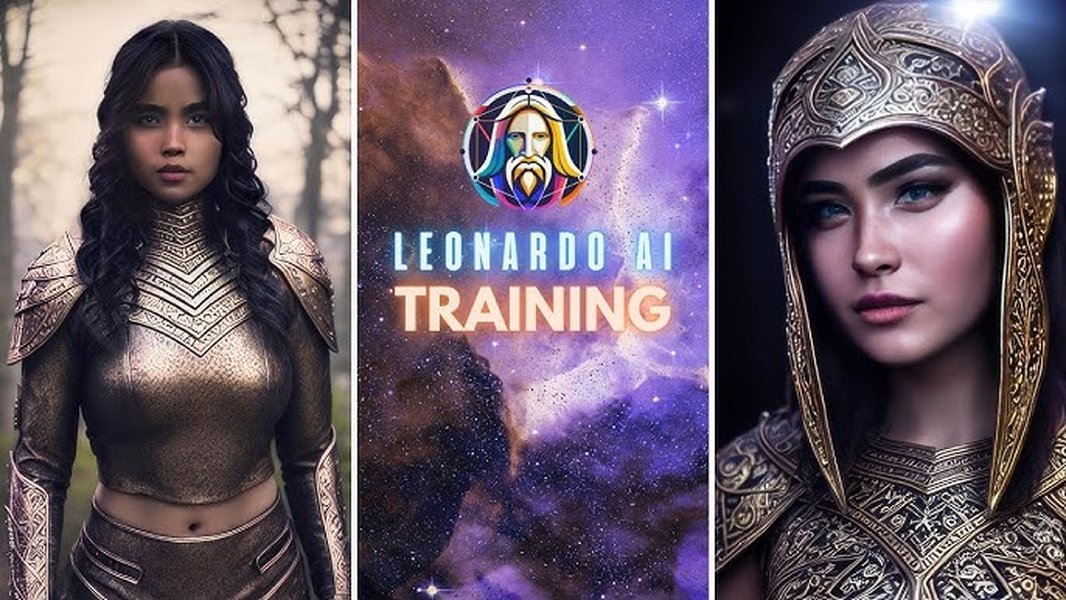
Leonardo AI allows training custom models and using specialized pipelines like PhotoReal or Alchemy to achieve specific high-quality results.
RAW Mode and Tiling
Some platforms offer a "RAW mode" which may interpret prompts more literally or offer less stylistic intervention from the AI. Features like "Tiling" are designed for creating seamless patterns, which can be useful for intricate clothing textures or backgrounds.
PhotoReal and Alchemy Pipelines
Leonardo AI includes pipelines like "PhotoReal" or "Alchemy" designed for specific outputs, often focusing on higher fidelity, realism, or enhanced prompt adherence. Experimenting with these can significantly impact results, especially for photorealistic styles.
Visualizing Prompt Component Importance
Different elements of a prompt contribute differently to the final image. This chart offers a conceptual view of the relative importance one might assign to various components when aiming for highly specific and controlled outputs in Leonardo AI. Factors like 'Subject Clarity' and 'Detail Level' are often foundational, while 'Negative Prompts' and 'Technical Settings' become crucial for refinement and avoiding errors. 'Iteration' underpins the entire process.
Mindmap: Anatomy of an Advanced Leonardo AI Prompt
This mindmap breaks down the core elements contributing to a sophisticated and effective prompt for Leonardo AI image generation. It visualizes how structure, detailed descriptions, style definition, technical settings, and iterative refinement interconnect to produce high-quality, targeted results.
(Action, Env, etc.)"] id2["Descriptors"] id2a["Mood & Atmosphere
(e.g., serene, vibrant)"] id2b["Visual Details
(e.g., texture, color, shape)"] id2c["Action/Pose Verbs"] id3["Style Definition"] id3a["Artistic Style Keywords
(e.g., photorealistic, anime)"] id3b["Artist/Medium Reference
(Use ethically)"] id3c["Cinematic Terms
(e.g., lighting, composition)"] id4["Technical Settings"] id4a["Aspect Ratio"] id4b["Camera Angle/Perspective"] id4c["Negative Prompts"] id4d["Seed Usage"] id4e["Pipeline Choice
(e.g., PhotoReal, Alchemy)"] id5["Advanced Features"] id5a["Image Guidance"] id5b["ControlNet
(Pose, Depth, Edges)"] id5c["RAW Mode / Tiling"] id6["Iteration & Refinement"] id6a["Start Simple, Build Up"] id6b["Analyze Results"] id6c["Experimentation"] id6d["Community Feedback"]
Mastering the Iterative Process
Generating the perfect image rarely happens on the first try. Iteration is a fundamental part of working with AI image generators.
Start Simple, Build Complexity
Begin with a basic prompt containing your core subject and style. Generate an image, evaluate it, and then refine the prompt by adding more detail, adjusting keywords, or using negative prompts based on the output. This feedback loop is crucial for honing in on your desired result.
Experimentation is Key
Don't be afraid to try different combinations of keywords, styles, and settings. Swap out adjectives, change the perspective, try a different pipeline, or add unexpected elements. Sometimes the best results come from experimentation.
Using Seeds for Consistency
If you generate an image you like, note its "seed" number (if provided by the platform). Using the same seed with slightly modified prompts can help you generate variations while maintaining a consistent style or composition, which is excellent for exploring alternatives or refining details.
Key Prompt Components Summarized
This table provides a quick reference to essential prompt components and their functions in guiding the AI:
| Component | Purpose | Example Keyword Types / Settings |
|---|---|---|
| Subject | Defines the main focus of the image. | Nouns (e.g., "dragon," "astronaut," "forest clearing") |
| Descriptors | Adds detail, mood, texture, color. | Adjectives, Adverbs (e.g., "majestic," "glowing," "ancient," "smooth texture," "vibrant colors") |
| Action/Pose | Specifies what the subject is doing or how it is positioned. | Verbs, Poses (e.g., "flying," "sitting thoughtfully," "dynamic action pose," "serene stance") |
| Environment/Setting | Describes the background or context. | Locations, Atmospherics (e.g., "futuristic city," "enchanted forest," "stormy sea," "foggy morning") |
| Style | Determines the artistic look and feel. | Style names, Artist references, Mediums (e.g., "photorealistic," "impressionism," "anime style," "oil painting," "3D render") |
| Composition/Camera | Controls framing and viewpoint. | Angles, Shots (e.g., "close-up," "wide shot," "low angle," "cinematic lighting," "depth of field") |
| Technical Modifiers | Influences quality, realism, specific engine behavior. | Quality tags, Engine commands (e.g., "hyperdetailed," "8k," "RAW mode," "using PhotoReal pipeline") |
| Negative Prompts | Excludes unwanted elements or styles. | Keywords to avoid (e.g., "blurry," "cartoonish," "extra fingers," "text," "ugly") |
Helpful Video Tutorial: Prompt Structure Basics
Understanding the fundamentals of prompt structure is essential before diving into more complex techniques. This video provides a clear overview of how to structure basic prompts effectively in Leonardo AI, covering core concepts that form the foundation for more advanced prompting.
Watching tutorials like this can provide practical insights and visual examples that complement the techniques discussed here, helping you grasp how to apply these principles in the Leonardo AI interface.
Ethical Considerations and Platform Guidelines
It is crucial to approach AI image generation responsibly. Platforms like Leonardo AI have specific Terms of Service and Community Guidelines designed to prevent the creation and dissemination of harmful, explicit, non-consensual, or unethical content. While you asked about techniques for generating images with themes such as "sexy poses," "revealing clothing," "see-through," specific body part emphasis, "suggestive poses," "ahegao faces," and suggestive actions, generating such content often violates these platform rules. Attempting to bypass filters or create restricted content can lead to warnings or account suspension.
The techniques outlined in this guide focus on enhancing creative control for a wide range of artistic goals *within* ethical boundaries. Always review and adhere to the platform's specific policies before generating images, particularly those involving sensitive themes or depictions of people.
Frequently Asked Questions (FAQ)
What exactly are negative prompts and why use them? +
How important is matching the aspect ratio to the model? +
Can I really use reference images to guide the AI? How does that work? +
What are pipelines like 'PhotoReal' or 'Alchemy', and when should I use them? +
References
- Prompting Tips & Tricks - Leonardo.Ai Help Center
- Formatting a basic prompt with Leonardo.Ai - Leonardo.ai Wiki
- How to Write Great Text-to-Image Prompts - Leonardo.Ai Help Center
- 15 Tips to Use Leonardo AI Like a Pro - Medium
- The Ultimate Guide to Leonardo AI Realistic Prompts: Mastering Hyper-Realism - Reddit
- Leonardo AI Tips & Tricks | Prompt Structure - YouTube
- Leonardo 101: Image Generation Basics | Tutorial - YouTube
Recommended Exploration
Last updated April 14, 2025