
Unlocking LinkedIn: Your Gateway to Professional Growth (and How I Can Help)
While I can't log in for you, I can guide you through mastering LinkedIn's powerful features for career success.
As an AI assistant, I don't have personal accounts or the ability to directly access or log into external websites like LinkedIn. My purpose is to process information and provide comprehensive guidance based on up-to-date knowledge. However, I can certainly help you understand how to access and effectively utilize LinkedIn for your professional journey.
Highlights: Mastering LinkedIn
- Profile Perfection: Your LinkedIn profile is your digital handshake. Crafting a compelling summary, using a professional photo, and highlighting relevant skills are crucial for making a strong first impression and improving search visibility.
- Strategic Networking: Building a robust network is key. Connect with colleagues, alumni, industry leaders, and join relevant groups to expand your reach, gain insights, and uncover new opportunities.
- Active Engagement: LinkedIn is more than a resume repository. Sharing valuable content, participating in discussions, and engaging with your network's posts can establish you as a thought leader and keep you top-of-mind.
What is LinkedIn and Why Is It Essential?
The Premier Platform for Professional Advancement
LinkedIn is the world's largest professional networking platform, boasting over a billion users globally, including millions of companies. It's designed to help individuals advance their careers, connect with professionals across various industries, find job opportunities, and stay informed about industry trends. Whether you're a student embarking on your career, a seasoned professional seeking new challenges, or a business looking to build its brand, LinkedIn offers a wealth of tools and resources.
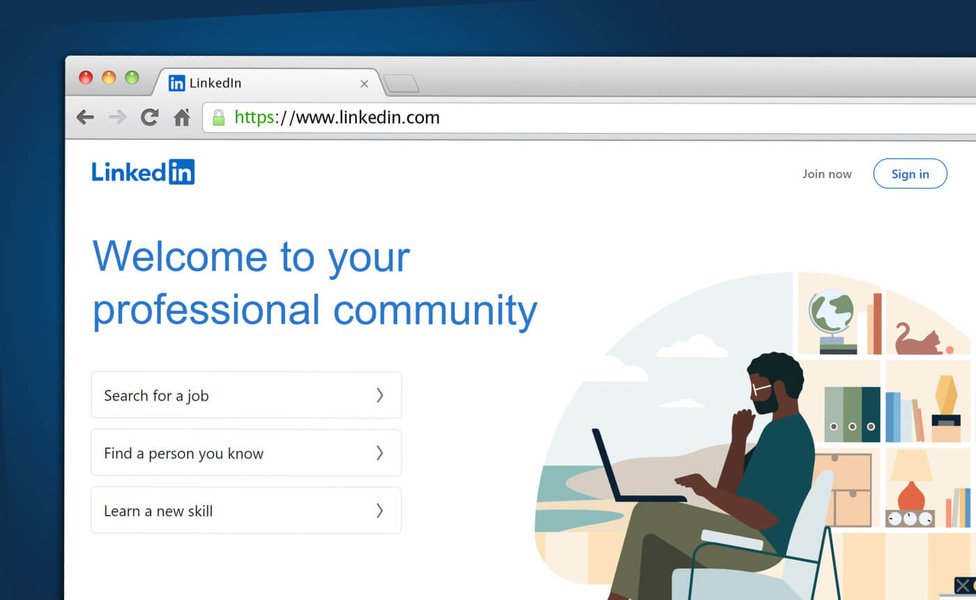
The LinkedIn platform serves as a digital hub for professional connections and opportunities.
Getting Started: Your LinkedIn Journey
Signing Up and Securing Your Account
Accessing LinkedIn begins with creating an account and ensuring its security. This process is straightforward and essential for leveraging the platform's benefits.
Creating Your LinkedIn Account
To join LinkedIn, you'll need to sign up using your real name, email address, and create a password. You can typically do this directly on the LinkedIn website or through options like signing up with your Google account for a quicker process. It's recommended to add at least one personal email address to your account for recovery purposes.
- Visit the LinkedIn homepage ([https://www.linkedin.com/](https://www.linkedin.com/)).
- Provide your first and last name, email address (or phone number), and create a secure password.
- Verify your account via the confirmation email or code sent by LinkedIn.
Logging In and Account Security
Once your account is created, you can sign in using your registered email and password. LinkedIn also offers features to enhance your account's security:
- Two-Step Verification: It's highly recommended to enable two-step verification (also known as two-factor authentication). This adds an extra layer of security by requiring a second form of identification, typically a code sent to your phone via SMS or an authenticator app, in addition to your password.
- Password Strength: Use a strong, unique password for your LinkedIn account to prevent unauthorized access.
- Recognized Devices: LinkedIn keeps track of devices you frequently use to log in, which can help in identifying suspicious activity.
Crafting an All-Star Profile
Showcasing Your Professional Brand
Your LinkedIn profile is your digital resume, personal brand statement, and networking hub all in one. Investing time in creating a comprehensive and compelling profile is crucial for making a positive impact.
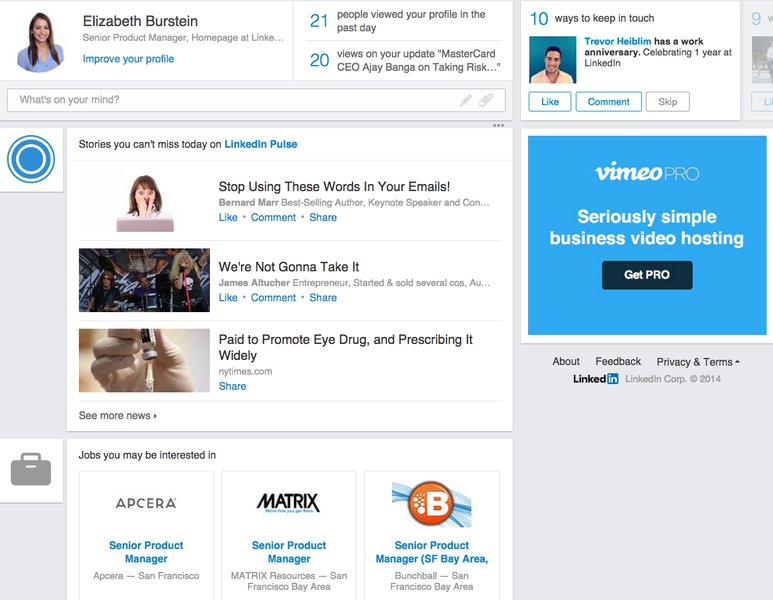
A well-structured LinkedIn profile is key to professional visibility.
Essential Profile Components
- Professional Photo: A high-quality, professional headshot makes your profile more engaging and recognizable.
- Compelling Headline: Go beyond your job title. Use your headline to summarize your expertise, value proposition, or career aspirations.
- Engaging Summary (About Section): This is your chance to tell your professional story. Showcase your accomplishments, skills, passions, and career goals. Use keywords relevant to your industry to improve searchability. Avoid overused buzzwords; instead, demonstrate your qualities with specific examples.
- Detailed Experience: List your work experience with clear descriptions of your roles, responsibilities, and achievements. Quantify your accomplishments whenever possible.
- Education and Certifications: Include your educational background, degrees, and any relevant certifications.
- Skills & Endorsements: List at least five relevant skills. Your connections can endorse these skills, adding credibility to your profile.
- Recommendations: Request and give recommendations. These personal testimonials can significantly enhance your profile's impact.
- Multimedia: Add work samples, presentations, videos, or articles to showcase your expertise visually.
- Custom URL: Personalize your LinkedIn profile URL (e.g., linkedin.com/in/yourname) to make it easier to share.
Optimizing for Visibility
Use relevant keywords throughout your profile, especially in your headline, summary, and experience sections. Think about the terms recruiters or potential connections might use to search for someone with your skills and experience. Regularly update your profile to reflect your latest achievements and career developments.
Building and Nurturing Your Network
Connecting with Purpose
Networking is at the heart of LinkedIn. Building and maintaining a strong professional network can open doors to new opportunities, collaborations, and insights.
Making Connections
- Start with People You Know: Connect with current and former colleagues, classmates, friends, and family members.
- Personalize Invitations: When sending connection requests, especially to people you don't know well, always include a personalized message explaining why you want to connect.
- Follow Industry Leaders and Companies: Stay updated on trends and news by following influencers, thought leaders, and companies in your field.
- Join LinkedIn Groups: Participate in groups related to your industry, interests, or alumni associations. Groups are excellent platforms for discussions, asking questions, and connecting with like-minded professionals.
Engaging with Your Network
Active participation is key to leveraging your network effectively.
- Share Valuable Content: Post articles, insights, and updates relevant to your industry or expertise. This can include your own original content or sharing informative posts from others.
- Like and Comment: Engage with your connections' posts by liking and providing thoughtful comments. This helps maintain visibility and strengthen relationships.
- Offer Help and Support: Be willing to share your knowledge, offer advice, or make introductions for your connections.
LinkedIn for Career Advancement and Job Seeking
Navigating Opportunities and Growth
LinkedIn is an invaluable tool for job seekers and those looking to advance their careers. It provides numerous features to help you find relevant opportunities and connect with recruiters.
Finding Job Opportunities
- Job Search Functionality: Use LinkedIn's robust job search engine to find openings based on keywords, location, industry, and company. You can set up job alerts to be notified of new postings that match your criteria.
- "Open to Work" Feature: Signal your interest in new opportunities to recruiters (privately) or to your entire network (publicly) by enabling the "Open to Work" feature on your profile.
- Company Research: Research companies you're interested in. Follow their LinkedIn pages, learn about their culture, and see who works there. You might find connections who can provide insights or referrals.
- Informational Interviews: Use LinkedIn to identify professionals in your desired field or companies and request informational interviews to learn more about their roles and industries.
Leveraging LinkedIn for Professional Development
Beyond job searching, LinkedIn offers resources for continuous learning and skill enhancement. LinkedIn Learning (a premium feature) provides a vast library of online courses taught by industry experts.
This video offers practical tips for beginners to effectively use LinkedIn and optimize their profiles for professional success.
LinkedIn Effectiveness Radar
Visualizing Key Areas for LinkedIn Success
To maximize your impact on LinkedIn, it's helpful to focus on several key areas. The radar chart below illustrates a hypothetical assessment of these areas, showing a balanced approach to LinkedIn usage. Striving for strength across these dimensions can significantly enhance your professional presence and opportunities. Consider how your current efforts align with these key pillars.
This chart highlights that a balanced approach, focusing on consistent improvement across all areas—from optimizing your profile to actively engaging with content and building your personal brand—is crucial for LinkedIn success. An 'Advanced User' excels across these domains, creating a powerful professional presence.
LinkedIn Core Features & Benefits Mindmap
Understanding LinkedIn's Ecosystem
LinkedIn is a multifaceted platform with interconnected features designed to support various professional goals. The mindmap below illustrates the core components of LinkedIn and how they contribute to a user's overall experience, from building a foundational profile to engaging in advanced networking and job seeking activities. Understanding these connections can help you navigate the platform more strategically.
This mindmap visually breaks down LinkedIn into its key functional areas. Your Profile is your foundation. From there, you engage in Networking by building connections and joining groups. These activities support Job Seeking and allow you to participate in Content & Engagement. Businesses leverage specific tools for Business & Marketing, all while users manage their Security & Settings. Each element plays a role in maximizing your professional presence.
Key LinkedIn Features at a Glance
A Quick Guide to Essential Tools
LinkedIn offers a diverse set of features. Understanding their purpose can help you utilize the platform more effectively. The table below summarizes some of the core functionalities and their primary benefits for users.
| Feature | Description | Primary Benefit(s) |
|---|---|---|
| Profile | Your digital professional resume and brand statement. Includes summary, experience, skills, education, etc. | Showcase expertise, attract recruiters, build credibility. |
| Connections | Your network of professional contacts. | Expand reach, access opportunities, gain industry insights. |
| Groups | Communities based on interests, industries, or affiliations. | Network with like-minded professionals, share knowledge, participate in discussions. |
| Job Postings | A dedicated section for searching and applying for jobs. | Find relevant job opportunities, set up alerts, apply directly. |
| News Feed | A stream of updates from your connections, followed companies, and topics. | Stay informed about industry news, network activities, and trending topics. |
| Articles & Posts | Tools for publishing your own long-form articles or short updates. | Share expertise, establish thought leadership, engage your network. |
| LinkedIn Learning | An online learning platform with courses on various professional skills (Premium). | Skill development, career advancement, continuous learning. |
| "Open to Work" | A profile feature to signal your job-seeking status. | Alert recruiters and your network that you are looking for new opportunities. |
| Company Pages | Profiles for organizations to share updates, job openings, and company culture. | Research potential employers, follow industry leaders, stay updated on company news. |
| Sales Navigator | A premium tool for sales professionals. | Advanced lead generation, relationship building, sales insights. |
By familiarizing yourself with these features, you can tailor your LinkedIn strategy to meet your specific professional goals, whether it's finding a new job, building your professional brand, or expanding your industry knowledge.
Troubleshooting Common Access Issues
Ensuring Smooth Access to LinkedIn
While LinkedIn is generally accessible, users may occasionally encounter issues. Here are some common problems and potential solutions:
- Incorrect Login Credentials: Double-check your email address and password. Use the "Forgot password?" link if needed.
- Browser Issues: Try clearing your browser's cache and cookies, or using a different browser. Ensure your browser is updated to the latest version.
- Internet Connection: Verify your internet connection is stable.
- DNS Cache: Sometimes, flushing your DNS cache can resolve connectivity problems.
- VPN Configuration: If using a VPN, ensure it's configured correctly, or try accessing LinkedIn without the VPN to see if it's the source of the issue. Some users report needing to contact VPN support for specific configurations.
- LinkedIn Server Issues: Rarely, LinkedIn itself might experience temporary outages. You can check social media or outage reporting sites for information.
- Account Security Holds: If LinkedIn detects suspicious activity, your account might be temporarily restricted. Follow any instructions provided by LinkedIn to resolve this.
For persistent issues, the LinkedIn Help Center is a valuable resource, offering detailed troubleshooting guides and support options.
Frequently Asked Questions (FAQ)
How do I sign up for LinkedIn?
You can sign up by visiting [linkedin.com](https://www.linkedin.com) and clicking "Join now." You'll need to provide your first and last name, email address, and create a password. You can also sign up using your Google account. Remember to use your real name as per LinkedIn's policies.
What are the most important parts of a LinkedIn profile?
Key elements include a professional photo, a compelling headline and summary, detailed work experience with achievements, relevant skills (with endorsements), and recommendations. A complete and well-written profile significantly increases your visibility and credibility.
How can I use LinkedIn to find a job?
Utilize the "Jobs" tab to search for relevant positions, set up job alerts, and apply. Optimize your profile with keywords related to your desired roles. Network with recruiters and employees at target companies. Use the "Open to Work" feature to signal your job search status.
What is LinkedIn Sales Navigator?
LinkedIn Sales Navigator is a premium tool designed for sales professionals. It offers advanced search filters, lead recommendations, and insights to help users find and connect with prospects more effectively, ultimately aiming to build relationships and close more deals.
How can I enhance the security of my LinkedIn account?
Enable two-step verification (2FA) for an added layer of security. Use a strong, unique password and change it periodically. Be cautious about suspicious messages or links. Regularly review your account's active sessions and privacy settings.
Recommended Next Steps
Explore Further Insights
- How can I write an effective LinkedIn summary to attract recruiters?
- What are the best strategies for networking on LinkedIn with professionals I don't know?
- How does the LinkedIn algorithm work for content visibility?
- What are the benefits of a LinkedIn Premium subscription for job seekers?
References
Sources for Further Reading
Last updated May 13, 2025