
Unleashing Custom AI: The Ultimate Fine-Tuning Guide for Ollama and Python
Transform pre-trained models into personalized AI assistants with these proven fine-tuning techniques and deployment strategies
Essential Fine-Tuning Insights
- Fine-tuning enables powerful adaptation of pre-trained models to specialized domains with minimal resources compared to training from scratch
- LoRA (Low-Rank Adaptation) technique significantly reduces memory requirements while maintaining performance, making it ideal for consumer hardware
- Deploying to Ollama or Python frameworks allows seamless integration with applications while maintaining control over your data and models
Understanding Model Fine-Tuning Fundamentals
Model fine-tuning represents a powerful transfer learning technique that allows you to adapt pre-trained language models to specific tasks or domains without the computational expense of training from scratch. When targeting deployment platforms like Ollama or Python-based applications, fine-tuning becomes an essential skill for creating specialized AI solutions.
Fine-tuning builds upon the general knowledge captured in foundation models, focusing computational resources on adapting these models to specific use cases. This approach is particularly valuable when working with large language models (LLMs) where training from scratch would be prohibitively expensive.
Key Benefits of Model Fine-Tuning
Fine-tuning offers several significant advantages compared to using generic models or attempting to train models from scratch:
- Enhanced performance on domain-specific tasks
- Reduced computational requirements compared to full training
- Improved response quality for specialized applications
- Control over model behavior and output style
- Data privacy by keeping sensitive information within your infrastructure
Fine-Tuning vs. Other Adaptation Methods
While prompt engineering and in-context learning offer ways to adapt models without modifying weights, fine-tuning provides more permanent and reliable adaptations by actually updating model parameters. This is particularly important for deployment environments like Ollama where consistent performance is critical.
The radar chart above compares different model adaptation approaches based on key performance metrics. LoRA fine-tuning offers an excellent balance between adaptation quality and resource efficiency, making it ideal for most deployment scenarios targeting Ollama or Python environments.
Comprehensive Fine-Tuning Workflow
Successfully fine-tuning a language model for deployment to Ollama or Python-based applications involves a structured workflow. Let's explore each step in detail.
Step 1: Environment Preparation
Before beginning the fine-tuning process, you'll need to set up your development environment with the necessary tools and libraries.
Setting Up Python Environment
Create a dedicated Python environment for your fine-tuning project:
conda create -n llm_finetune python=3.10
conda activate llm_finetune
pip install torch transformers datasets accelerate peft trl
Installing Ollama (Optional)
If you plan to deploy directly to Ollama, install it using the appropriate method for your operating system:
# For Linux/macOS
curl -fsSL https://ollama.com/install.sh | sh

# For Windows
# Download the installer from https://ollama.com/download
Step 2: Data Preparation
Preparing high-quality training data is crucial for effective fine-tuning. Your dataset should closely match the target task and be formatted appropriately for the fine-tuning framework.
Data Collection and Cleaning
Gather data that represents the specific domain or task you want your model to excel at. For instruction-based models, format your data as input-output pairs that demonstrate the desired behavior.
Data Formatting
For most fine-tuning frameworks, data should be formatted as JSON files with consistent structure. Here's a common format for instruction-tuning:
[
  {
    "instruction": "Explain the process of photosynthesis",
    "input": "",
    "output": "Photosynthesis is the process by which green plants and some other organisms use sunlight to synthesize foods with carbon dioxide and water. It involves capturing light energy to convert carbon dioxide into carbohydrates and release oxygen as a byproduct."
  },
  {
    "instruction": "Translate the following English text to French",
    "input": "Hello, how are you doing today?",
    "output": "Bonjour, comment allez-vous aujourd'hui?"
  }
]
Step 3: Selecting Fine-Tuning Technique
There are several approaches to fine-tuning models, each with different trade-offs in terms of performance, memory requirements, and training speed.
| Technique | Description | Memory Requirements | Training Speed | Ideal For |
|---|---|---|---|---|
| Full Parameter Fine-Tuning | Updates all model parameters during training | Very High | Slow | Maximum performance with sufficient resources |
| LoRA (Low-Rank Adaptation) | Trains small adapter matrices while freezing original weights | Low | Fast | Consumer hardware with limited VRAM |
| QLoRA | Combines quantization with LoRA for even better memory efficiency | Very Low | Medium | Fine-tuning large models on consumer GPUs |
| P-Tuning | Optimizes continuous prompt embeddings | Low | Very Fast | Simple classification or generation tasks |
For most deployments to Ollama or Python applications, LoRA or QLoRA are recommended due to their excellent balance of performance and resource efficiency.
Fine-Tuning Implementation
Using LLaMA-Factory for Fine-Tuning
LLaMA-Factory is a versatile framework that simplifies the fine-tuning process for multiple model architectures and supports various fine-tuning techniques, making it ideal for preparing models for Ollama or Python deployment.
Setting Up LLaMA-Factory
git clone https://github.com/hiyouga/LLaMA-Factory.git
cd LLaMA-Factory
pip install -e .[metrics]
Running Fine-Tuning with LoRA
Execute the following command to fine-tune a model using LoRA:
python src/train_bash.py \
    --model_name_or_path meta-llama/Llama-3-8B-chat \
    --do_train \
    --dataset alpaca_gpt4_en \
    --template llama3 \
    --finetuning_type lora \
    --lora_rank 8 \
    --lora_alpha 16 \
    --lora_dropout 0.05 \
    --output_dir output/llama3-8b-lora \
    --cutoff_len 4096 \
    --learning_rate 5e-5 \
    --num_train_epochs 3 \
    --per_device_train_batch_size 4 \
    --gradient_accumulation_steps 4 \
    --save_steps 100 \
    --logging_steps 10 \
    --tf32 True
Using Unsloth for Efficient Fine-Tuning
Unsloth is a specialized library designed for efficient fine-tuning of LLaMA models, which can significantly speed up training and reduce memory requirements.
Installing Unsloth
pip install unslothSimple Fine-Tuning Script
from unsloth import FastLanguageModel
import torch
from datasets import load_dataset

# Load model with Unsloth optimizations
model, tokenizer = FastLanguageModel.from_pretrained(
    model_name="meta-llama/Llama-3-8B-chat",
    max_seq_length=4096,
    dtype=torch.bfloat16,
    load_in_4bit=True,
)

# Prepare model for LoRA fine-tuning
model = FastLanguageModel.get_peft_model(
    model,
    r=16,
    target_modules=["q_proj", "k_proj", "v_proj", "o_proj"],
    lora_alpha=32,
    lora_dropout=0.05,
)

# Load your dataset
dataset = load_dataset("json", data_files="your_dataset.json")

# Fine-tune the model
trainer = FastLanguageModel.get_trainer(
    model=model,
    tokenizer=tokenizer,
    train_dataset=dataset["train"],
    max_steps=1000,
    learning_rate=2e-4,
    output_dir="./fine_tuned_model",
)

trainer.train()

# Save the model for deployment
model.save_pretrained("./fine_tuned_model")
Monitoring and Evaluating Fine-Tuning
Monitor training progress and evaluate model performance to ensure your fine-tuned model meets quality expectations:
Key Metrics to Track
- Training and validation loss
- Perplexity (lower is better)
- Task-specific metrics (accuracy, BLEU, ROUGE, etc.)
- Qualitative evaluation on test prompts
Deploying Fine-Tuned Models
Deploying to Ollama
Ollama provides a simple way to run fine-tuned models locally with minimal resource requirements. To deploy your model to Ollama, you'll need to convert your fine-tuned model to a format compatible with Ollama.
Creating a Modelfile for Ollama
Create a Modelfile that describes your fine-tuned model:
FROM llama3
PARAMETER temperature 0.7
PARAMETER top_p 0.9
PARAMETER stop "User:"
PARAMETER stop "Assistant:"

# Apply your fine-tuned LoRA weights
ADAPTER ./fine_tuned_model

# Set a custom system prompt
SYSTEM """You are a helpful AI assistant fine-tuned for specific domain knowledge."""
Building and Running the Model
# Build the model
ollama create mymodel -f Modelfile

# Run the model
ollama run mymodel
Deploying with Python
For Python-based deployments, you can use frameworks like HuggingFace Transformers, vLLM, or FastAPI to serve your fine-tuned model.
Simple Python Inference Server
from transformers import AutoModelForCausalLM, AutoTokenizer
from peft import PeftModel
from fastapi import FastAPI
import uvicorn
import torch

app = FastAPI()

# Load base model and apply LoRA weights
base_model = AutoModelForCausalLM.from_pretrained(
    "meta-llama/Llama-3-8B-chat",
    torch_dtype=torch.bfloat16,
    device_map="auto"
)
tokenizer = AutoTokenizer.from_pretrained("meta-llama/Llama-3-8B-chat")
model = PeftModel.from_pretrained(base_model, "./fine_tuned_model")
model.eval()

@app.post("/generate")
async def generate(prompt: str):
    inputs = tokenizer(prompt, return_tensors="pt").to(model.device)
    with torch.no_grad():
        outputs = model.generate(
            inputs.input_ids,
            max_new_tokens=512,
            temperature=0.7,
            top_p=0.9
        )
    response = tokenizer.decode(outputs[0], skip_special_tokens=True)
    return {"response": response}

if __name__ == "__main__":
    uvicorn.run(app, host="0.0.0.0", port=8000)
Using vLLM for High-Performance Deployment
vLLM provides optimized inference for large language models:
python -m vllm.entrypoints.openai.api_server \
    --model /path/to/fine_tuned_model \
    --served-model-name my-fine-tuned-model \
    --host 0.0.0.0 \
    --port 8000
Fine-Tuning Process Visualization
The following mindmap illustrates the complete fine-tuning workflow from preparation to deployment, highlighting the key components and decisions involved in the process.
Video Tutorial: Fine-Tuning LLaMA 3 for Local Deployment
This video tutorial demonstrates the process of fine-tuning LLaMA 3 models on your local machine, then deploying them with Ollama. It covers data preparation, using Unsloth for efficient fine-tuning, and deploying the resulting model for local inference.
The video provides a hands-on walkthrough of the entire process, making it easier to understand the practical aspects of fine-tuning and deployment even with limited hardware resources.
Sample Fine-Tuning Projects
Below are some example fine-tuning projects that demonstrate the versatility of model fine-tuning for specific applications.
Domain-Specific Applications
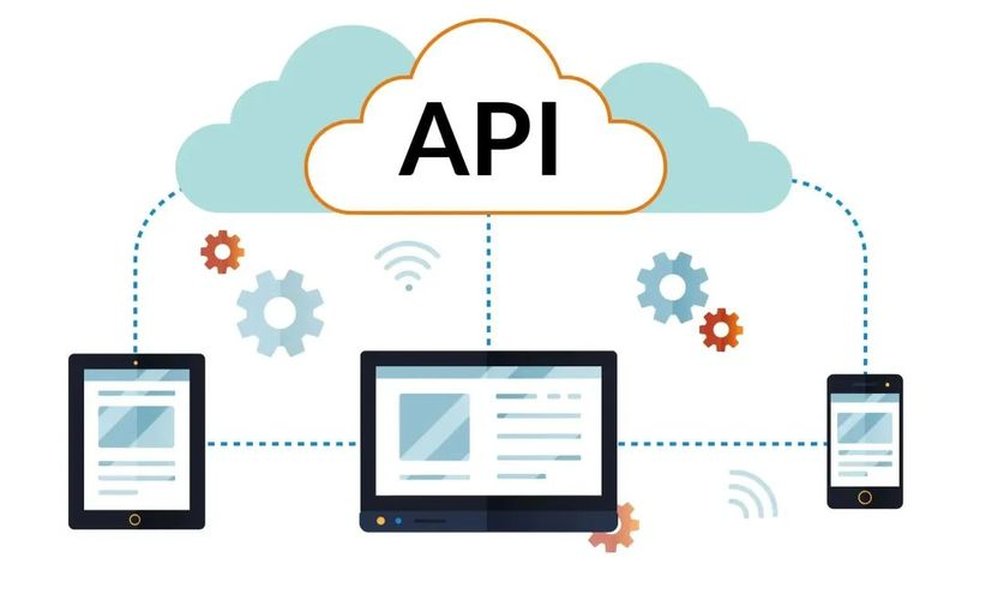
Python API frameworks enable seamless integration of fine-tuned models into applications
Fine-tuned models can be integrated into specialized applications through Python APIs, allowing for custom AI solutions in fields like healthcare, finance, education, and customer service.

Properly packaging fine-tuned models ensures smooth deployment and distribution
Using Python's package management tools, fine-tuned models can be packaged as reusable components for integration into larger systems or distribution to end users.
Common Challenges and Solutions
Fine-tuning and deploying models can present various challenges. Here are some common issues and their solutions:
Memory Limitations
Challenge
Large language models require substantial GPU memory, which can exceed the capacity of consumer hardware.
Solutions
- Use parameter-efficient fine-tuning methods like LoRA or QLoRA
- Implement gradient checkpointing to trade computation for memory
- Enable mixed precision training (fp16 or bf16)
- Reduce batch size and increase gradient accumulation steps
Catastrophic Forgetting
Challenge
Fine-tuned models may lose general capabilities when overly specialized.
Solutions
- Include a mix of general and specialized examples in training data
- Use a lower learning rate to prevent drastic weight changes
- Implement early stopping based on validation performance
- Consider continual learning approaches to preserve general knowledge
Frequently Asked Questions
References
- Ollama 模型微调方法详解 - CSDN博客
- 使用 LLaMA-Factory 进行模型微调的步骤 - CSDN博客
- 大型语言模型微调实用系列之二 - AWS 中国博客
- 使用 LLaMA-Factory 微调模型并使用 vLLM 进行部署 - 李学端的博客
- 使用 LoRA 微调预训练的 LLM - CSDN博客
- Ollama 使用自己的微调模型 - CSDN博客
- AIGC 实战:如何使用 Ollama 开发自定义的大模型 - CSDN博客
Recommended Searches
 aws.amazon.com
Last updated April 6, 2025