
Decoding the Python Puzzle: Why Can't 'Headers' Be Imported from 'h11._headers'?
Unraveling the mystery behind this common ImportError and how to get your Python environment back on track.
Encountering an ImportError: cannot import name 'Headers' from 'h11._headers', especially with a path like (c:\Users\ahmed\anaconda3\lib\site-packages\h11\_headers.py), can be a frustrating roadblock. This error signals a problem within your Python environment, specifically related to the h11 library, a low-level HTTP/1.1 protocol implementation. Let's dive into why this happens and how to resolve it.
Quick Wins: Key Insights
- Version Vicissitudes: The most common culprit is an incompatible or outdated version of the
h11library where theHeadersclass is either not exposed for direct import fromh11._headersor its internal structure has changed. - Reinstallation Remedy: Often, a clean reinstallation of
h11, and potentially the libraries that depend on it (like Quart, httpx, or Selenium-Wire), can resolve the issue. - Internal Affairs: The module
h11._headers(note the leading underscore) is typically an internal part of theh11package. Directly importing from internal modules is generally discouraged as their structure can change without notice between versions.
Understanding the "ImportError: cannot import name 'Headers' from 'h11._headers'"
The h11 library is a foundational tool for handling the intricacies of the HTTP/1.1 protocol without managing I/O operations itself. It's often a dependency for higher-level HTTP clients, servers, or web frameworks. The error message you're seeing indicates that your Python interpreter, or a library you're using, is attempting to import a specific class named Headers from an internal module h11._headers, but it cannot find it there.
Why Does This Happen?
Several factors can lead to this specific import failure:
- Internal Structure Changes: The
h11library, like any software, evolves. In some versions, theHeadersobject might have been an internal detail, not intended for direct external use, or its definition or location withinh11._headersmight have changed. Versions 0.13.0 and newer, for instance, saw refinements in how headers are handled. - Version Mismatches: You might have a version of
h11installed that is not compatible with the library attempting to use it (e.g., an older version ofh11with a newer version of Quart, or vice-versa). - Corrupted Installation: Sometimes, the
h11package installation itself might be incomplete or corrupted, leading to missing or inaccessible modules/classes. - Dependency Conflicts: If multiple libraries in your project depend on different, conflicting versions of
h11, it can lead to an unstable state where the loaded version ofh11is not the one expected by a particular part of your code. - Environment Path Issues: Particularly in complex environments like Anaconda (as indicated by your path
c:\Users\ahmed\anaconda3\lib\site-packages\h11\_headers.py), there could be issues with how Python resolves import paths, or conflicts between different Python installations or environments.
It's important to note that accessing internals like _headers directly is risky. Library authors usually only guarantee the stability of their public API. The h11 library generally expects headers to be passed as a list of (name, value) byte tuples for events like Request or Response, rather than requiring users to instantiate an internal Headers class.
Troubleshooting and Resolving the Error
Here’s a systematic approach to diagnose and fix this ImportError:
Step 1: Verify Your Environment and Versions
Check Python Version
Ensure you are using a Python version compatible with h11 (Python 3.7+ is generally required). You can check with:
python --versionIf you're using Anaconda, make sure you're in the correct activated environment:
conda activate your_environment_name # Replace 'base' if you use a specific env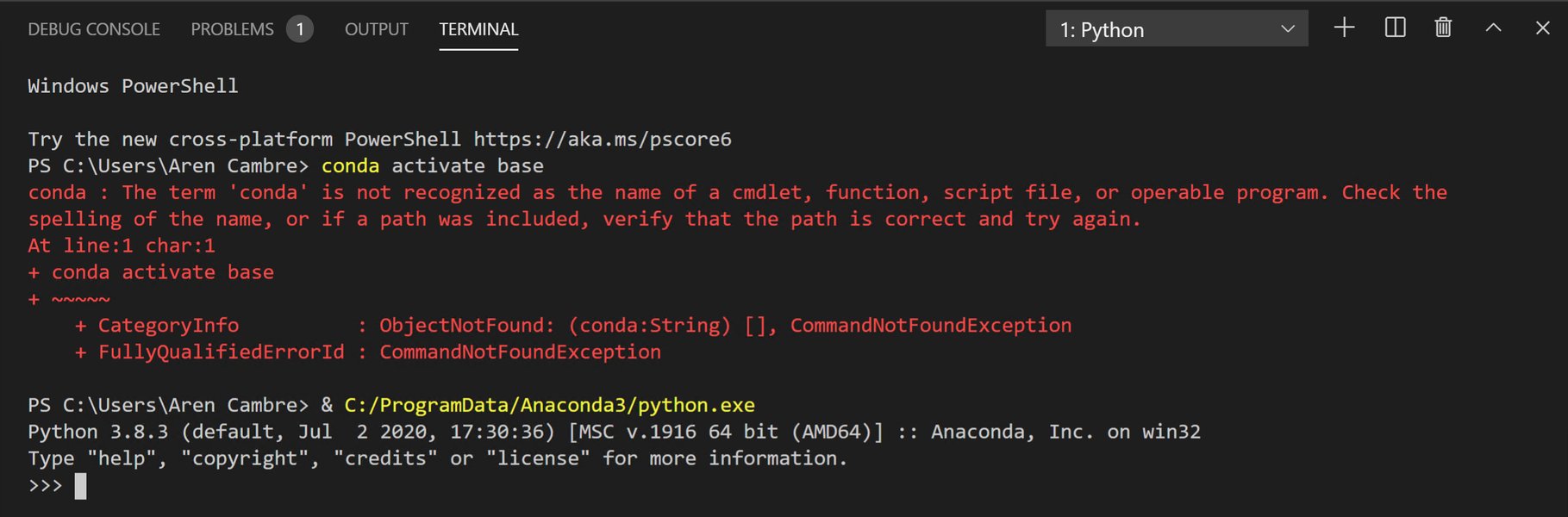
Example of an Anaconda prompt error, highlighting the importance of correct environment activation.
Check h11 Version
Find out which version of h11 is currently installed:
pip show h11Or, within a Python interpreter:
import h11
print(h11.__version__)
Step 2: Reinstall or Upgrade h11
Often, the simplest fix is to ensure you have a clean, up-to-date, or compatible version of h11.
Standard Reinstall/Upgrade
pip uninstall h11
pip install h11
Or, to upgrade to the latest version:
pip install --upgrade h11Install a Specific Version (e.g., 0.13.0)
Some users and dependent libraries have found stability with specific versions, particularly h11==0.13.0, due to internal changes around that version. If upgrading to the latest version doesn't work or causes issues with other packages, try pinning to this version:
pip install h11==0.13.0Step 3: Handle Potentially Corrupted Installations
If a simple reinstall doesn't work, residual files from a previous or broken installation might be causing problems. You can try manually cleaning up:
- Navigate to your Anaconda
site-packagesdirectory (e.g.,c:\Users\ahmed\anaconda3\lib\site-packages\on Windows). - Delete the
h11folder. - Delete any
h11-*.dist-infoorh11-*.egg-infofolders. - After cleaning, reinstall
h11using one of thepip installcommands from Step 2.
Step 4: Reinstall Dependent Libraries
If you're encountering this error while using a library that depends on h11 (like Quart, httpx, Selenium-Wire), reinstalling that parent library can often resolve dependency mismatches by pulling in a compatible version of h11.
For example, if you're using Quart:
pip uninstall quart
pip install quart
Do similarly for other libraries like httpx or selenium-wire if they are part of your stack.
Step 5: Correctly Using Headers in h11
If your own code is directly trying to import from h11._headers import Headers, this is likely the issue. The public API of h11 usually involves passing headers as a list of bytestring tuples. Here's an example of how headers are typically handled when creating an h11.Request object:
import h11

# Headers are a list of (name, value) tuples, both as bytes
headers = [
    (b"host", b"example.com"),
    (b"accept", b"*/*"),
    (b"user-agent", b"my-cool-client/1.0")
]

# Create a GET request
request_event = h11.Request(
    method=b"GET",
    target=b"/some/path",
    headers=headers
)

# You would then serialize this event and send it over a socket
# conn = h11.Connection(client_side=True)
# data_to_send = conn.send(request_event)
# print(data_to_send)
Always consult the latest h11 documentation for the correct API usage.
Visualizing Causes and Solutions
Potential Causes and Solution Effectiveness Radar
The following chart provides a visual estimation of the likelihood of different root causes for the ImportError and the general effectiveness of common solutions. This is based on community reports and common troubleshooting outcomes, not on hard statistical data.
This chart suggests that version mismatches and corrupted installations are highly likely causes, and reinstalling h11 is often very effective. Pinning to a specific version like 0.13.0 can be particularly useful for resolving dependency conflicts.
Mindmap: Navigating the h11 ImportError
This mindmap illustrates the relationships between the error, its potential causes, and the pathways to resolution.
(e.g., with dependent libs)"] id2_2["Corrupted h11 Installation"] id2_3["Dependency Conflicts
(Quart, httpx, Selenium-Wire)"] id2_4["Python Environment Issues
(Anaconda, venv pathing)"] id2_5["Direct Import of Internal Class
(User code issue)"] id3["Solutions & Troubleshooting"] id3_1["Verify Versions"] id3_1_1["Python (3.7+)"] id3_1_2["h11 (pip show h11)"] id3_2["Reinstall/Upgrade h11"] id3_2_1["pip uninstall h11 && pip install h11"] id3_2_2["pip install --upgrade h11"] id3_2_3["Consider h11==0.13.0"] id3_3["Clean Installation"] id3_3_1["Manually delete h11 folders
from site-packages"] id3_3_2["Reinstall after cleanup"] id3_4["Reinstall Dependent Libraries"] id3_4_1["e.g., pip install --upgrade quart"] id3_5["Environment Management"] id3_5_1["Ensure correct Anaconda env is active"] id3_5_2["Consider new virtual environment"] id3_6["Code Modification (if applicable)"] id3_6_1["Avoid 'from h11._headers import Headers'"] id3_6_2["Use public API (list of tuples for headers)"]
This mindmap helps to quickly grasp the core problem, its origins, and the structured steps one can take to address it.
Fixing General Python Import Errors
While the h11 specific error often relates to versioning or installation, understanding general Python ImportError mechanics can be beneficial. Circular dependencies, incorrect `PYTHONPATH`, or typos in module names are common sources of import issues. The video below provides a general overview of tackling such errors, which might offer additional perspectives.
This video discusses common Python `ImportError` scenarios, including circular dependencies, which can be a tricky issue to debug.
Targeted Solutions for Libraries Using h11
The h11 library is a dependency for several popular Python packages. Here's a quick reference table for addressing the Headers import error when working with them:
Library Using h11 |
Common Symptom / Context | Primary Recommended Action | Secondary Action / Consideration |
|---|---|---|---|
| Quart | ImportError during application startup or when processing an HTTP request. |
Reinstall Quart: pip uninstall quart && pip install quart |
Try installing a specific h11 version (e.g., pip install h11==0.13.0) then reinstall Quart. Ensure Quart is up-to-date. |
| httpx | ImportError when making HTTP requests using the httpx client. |
Upgrade or reinstall httpx: pip install --upgrade httpx |
Check the installed h11 version; ensure it's compatible with your httpx version. Trying h11==0.13.0 might help. |
| Selenium-Wire | ImportError when initializing Selenium-Wire or when it attempts to intercept/modify requests. |
Reinstall both Selenium-Wire and h11: pip uninstall selenium-wire h11 && pip install selenium-wire h11 |
Manually delete h11 and h11-*.dist-info from site-packages, then reinstall Selenium-Wire (which should pull a compatible h11). |
Direct h11 usage |
ImportError in your own Python scripts that directly utilize h11 for HTTP protocol handling. |
Review your code to ensure you are not trying to import Headers from h11._headers. Use the public API (e.g., headers as List[Tuple[bytes, bytes]]). |
Ensure your h11 library is up-to-date. Consult the official h11 documentation for correct usage patterns. |
Note: Always ensure your package manager (pip) is up to date: pip install --upgrade pip.
Frequently Asked Questions (FAQ)
What exactly is the `h11` library?
h11 is a "bring-your-own-I/O" HTTP/1.1 library for Python. This means it implements the rules and state machine of the HTTP/1.1 protocol (parsing requests, formatting responses, handling connection states, etc.) but doesn't handle the actual network communication (sending/receiving data over sockets). You need to integrate it with your own networking code. It's valued for its correctness and simplicity, making it a good foundation for web servers, clients, and frameworks.
Why does from h11._headers import Headers cause an import error?
The module h11._headers is an internal part of the h11 library, indicated by the leading underscore. Library authors typically don't guarantee the stability of internal APIs. The Headers class might have been renamed, moved, made private, or its usage pattern changed in different versions of h11. Relying on direct imports from such internal modules makes your code brittle and prone to break when the library is updated. The public API of h11 usually involves passing headers as lists of (name, value) tuples.
Is installing h11==0.13.0 a universal fix?
While installing h11==0.13.0 has resolved this specific ImportError for many users and is compatible with several libraries that had issues with later or earlier h11 versions, it's not a guaranteed universal fix for all scenarios. The ideal solution is to have all your packages (h11 and its dependents) updated to versions that are mutually compatible. However, if newer versions are problematic, pinning h11 to 0.13.0 can be an effective workaround, particularly if a dependent library was developed against or expects behavior from that specific h11 version range.
How should I correctly provide headers when using h11?
According to h11's public API, headers are typically represented as a list of 2-tuples, where each tuple is (name, value). Both name and value should be bytestrings. For example:
headers_list = [
    (b'Content-Type', b'application/json'),
    (b'X-Custom-Header', b'SomeValue')
]
# When creating a request or response event:
request = h11.Request(method=b'POST', target=b'/api/data', headers=headers_list)
response = h11.Response(status_code=200, headers=headers_list, reason=b'OK')
Avoid trying to instantiate or import an internal Headers class unless explicitly guided by the library's official documentation for a specific use case.
Recommended Next Steps
To delve deeper into related topics or troubleshoot further, you might find these queries helpful:
- How to manage Python dependencies in Anaconda for web development projects?
- What are best practices for using the h11 library in a Python async application?
- Understanding Python ImportError and ModuleNotFoundError in depth.
- How do I resolve package version conflicts in a Python project using pip?
References
This response synthesizes information from various sources, including community discussions and official documentation. For further reading, consider these resources:
Last updated May 14, 2025