
Unlock the Power of Functions: How React Hooks Simplify Your Code
Discover the magic behind Hooks and how they let functional components do more with less fuss.
React Hooks, introduced in React 16.8, revolutionized the way developers write React components. They allow you to use state and other React features directly within functional components, which were previously limited to class components for such capabilities. In simple terms, Hooks are special functions that let you "hook into" React's internal mechanisms like state management and lifecycle events from your function components.
Key Insights: React Hooks at a Glance
- Functional Empowerment: Hooks enable functional components to manage their own state and handle side effects (like data fetching or subscriptions), capabilities previously exclusive to class components.
- Simpler, Cleaner Code: By using Hooks, developers can write components that are often more concise, readable, and easier to test compared to their class-based counterparts.
- Reusable Logic: Hooks promote the creation of custom Hooks, allowing you to extract and reuse stateful logic across different components without resorting to complex patterns like higher-order components or render props.
What Exactly Are React Hooks?
Bridging the Gap for Functional Components
Before Hooks, if your React component needed to hold some data that could change over time (state) or perform actions after rendering (lifecycle methods like componentDidMount), you had to write it as a JavaScript class. Functional components were typically "stateless" and primarily used for rendering UI based on the props they received.
React Hooks changed this paradigm. They are JavaScript functions, but with a special characteristic: they allow you to access React's state and lifecycle features from within functional components. This means you can write your entire application using functions, leading to a more unified and often simpler codebase.
The core idea is to provide more direct access to the React features you already know — like state, context, refs, and lifecycle — without the boilerplate of classes. This doesn't mean classes are obsolete; React continues to support them. However, Hooks offer a more modern and often preferred way to build components.
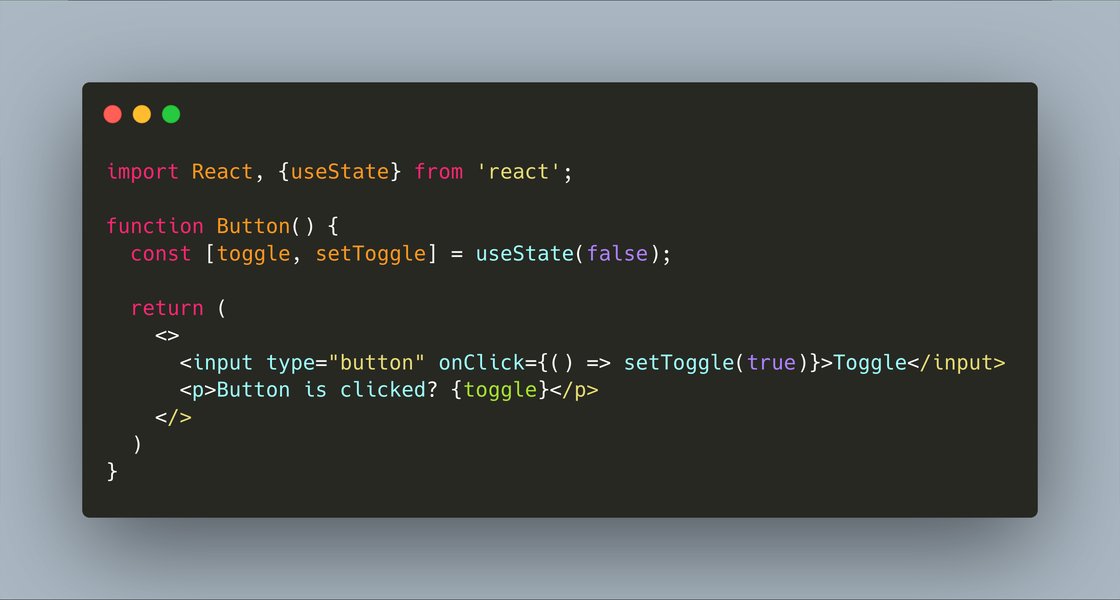
Visualizing the shift towards functional components powered by Hooks.
The "Magic" Behind the Scenes: How React Remembers
You might wonder: if functional components are just JavaScript functions, how do they "remember" state between renders? When a function executes, its local variables are typically discarded once it finishes.
React performs some clever work internally. For each component that uses Hooks, React maintains a persistent "memory cell" or an internal list associated with that component instance. When you call a Hook like `useState`, React reads from (or writes to) its corresponding memory cell for that specific call within that specific component.
The Rules of Hooks: Maintaining Order
This internal mechanism relies on a crucial contract: Hooks must always be called in the same order on every render. This is why there are two main rules for using Hooks:
- Only Call Hooks at the Top Level: Don't call Hooks inside loops, conditions, or nested functions. Always use Hooks at the top level of your React function component (or custom Hook).
- Only Call Hooks from React Functions: Call Hooks from React functional components or custom Hooks. Don't call them from regular JavaScript functions.
By following these rules, React can correctly associate Hook calls with their stored state and effects across multiple renders. Tools like ESLint plugins (e.g., `eslint-plugin-react-hooks`) help enforce these rules automatically.
Core React Hooks Explained Simply
While React offers several built-in Hooks, a few form the foundation of most Hook-based development.
1. `useState`: Managing Local Component State
The `useState` Hook is the most fundamental Hook. It allows functional components to declare and manage their own local state.
How it Works:
When you call `useState`, you pass an initial value for your state. It returns an array containing two elements:
- The current state value.
- A function to update that state value.
When the update function is called, React re-renders the component (and its children) with the new state value.
Example: A Simple Counter
import React, { useState } from 'react';

function Counter() {
  // Declare a state variable called "count", initialized to 0
  // "setCount" is the function to update "count"
  const [count, setCount] = useState(0);

  return (
    <div>
      <p>You clicked {count} times</p>
      <button onClick={() => setCount(count + 1)}>
        Click me
      </button>
    </div>
  );
}

export default Counter;
In this example, `useState(0)` initializes `count` to 0. Each button click calls `setCount` with the new value, triggering a re-render.
2. `useEffect`: Handling Side Effects
The `useEffect` Hook allows you to perform side effects in functional components. Side effects are operations that happen outside the normal flow of rendering UI, such as data fetching, setting up subscriptions, or manually changing the DOM.
How it Works:
`useEffect` accepts a function (the "effect") that will run after the component renders. Optionally, it can also return a "cleanup" function, which React will run when the component unmounts or before re-running the effect due to dependency changes.
It also takes a second argument: an array of dependencies.
- If the dependency array is omitted, the effect runs after every render.
- If it's an empty array (`[]`), the effect runs only once after the initial render (and cleans up on unmount), similar to `componentDidMount` and `componentWillUnmount`.
- If it has values (`[prop, state]`), the effect runs after the initial render and whenever any of those dependency values change.
Example: Fetching Data
import React, { useState, useEffect } from 'react';

function DataFetcher() {
  const [data, setData] = useState(null);
  const [loading, setLoading] = useState(true);

  useEffect(() => {
    // This function is the effect
    fetch('https://api.example.com/data')
      .then(response => response.json())
      .then(result => {
        setData(result);
        setLoading(false);
      })
      .catch(error => {
        console.error("Failed to fetch data:", error);
        setLoading(false);
      });

    // The empty dependency array [] means this effect runs once after the initial render
  }, []);

  if (loading) {
    return <p>Loading...</p>;
  }

  return <div>{data ? <p>Data: {JSON.stringify(data)}</p> : <p>No data loaded.</p>}</div>;
}

export default DataFetcher;
3. `useContext`: Accessing Shared Data
The `useContext` Hook allows functional components to subscribe to React context without introducing nesting. Context provides a way to pass data through the component tree without having to pass props down manually at every level (a problem known as "prop drilling").
How it Works:
You first create a Context object using `React.createContext()`. Then, a Provider component higher up in the tree supplies a value. Any component deeper in the tree can then use `useContext` with that Context object to read the current value.
Core React Hooks Overview
The following table summarizes some of the most commonly used React Hooks and their primary purpose, giving you a quick reference for their roles in functional component development.
| Hook | Purpose | Simple Use Case |
|---|---|---|
useState |
Manages local component state. | Storing a user's input in a form field, or a toggle's on/off status. |
useEffect |
Performs side effects after rendering. | Fetching data from an API when the component mounts, setting up an event listener. |
useContext |
Accesses shared data (context) without prop drilling. | Accessing global theme settings (e.g., dark/light mode) or user authentication status. |
useReducer |
An alternative to `useState` for managing complex state logic involving multiple sub-values or when the next state depends on the previous one. | Managing the state of a shopping cart with multiple actions like add item, remove item, update quantity. |
useCallback |
Returns a memoized version of a callback function that only changes if one of its dependencies has changed. | Preventing unnecessary re-renders of child components that rely on callback props. |
useMemo |
Returns a memoized value, recomputing it only when one of its dependencies has changed. | Optimizing expensive calculations so they are not re-run on every render. |
useRef |
Returns a mutable ref object whose `.current` property is initialized to the passed argument. Can hold a reference to a DOM element or any mutable value. | Accessing underlying DOM elements (e.g., to focus an input field) or storing a mutable value that doesn't trigger re-renders. |
Comparing Component Approaches: Hooks vs. Classes
The introduction of Hooks marked a significant shift in React development. The radar chart below provides a conceptual comparison between functional components using Hooks and traditional class components across several development aspects. This is an opinionated analysis based on common developer experiences rather than hard benchmarks.
This chart suggests that Hooks generally offer improvements in areas like reusability and conciseness. While "Ease of Learning" can be subjective, Hooks aim to simplify concepts like `this` binding and lifecycle methods found in classes, though understanding their own rules (like the order of Hooks) is key.
Visualizing React Hooks Concepts
To better understand the ecosystem of React Hooks and their relationships, the mindmap below illustrates the core ideas, key built-in Hooks, the fundamental rules governing their use, and the benefits they bring to React development.
This mindmap provides a hierarchical view, starting from the central concept of React Hooks and branching out into their specific types, guiding principles, and overall advantages.
Learn More with a Video Introduction
For a visual and auditory explanation, this video provides a great introduction to what React Hooks are and their fundamental concepts. It helps solidify understanding, especially for those new to Hooks.
Video: "What are React Hooks - An Introduction to React Hooks" by Program With Dom.
This video covers the basics of why Hooks were introduced and walks through some initial examples, making it a good starting point for grasping their utility in modern React development.
Frequently Asked Questions (FAQ)
1. Why were React Hooks introduced?
Hooks were introduced to solve several problems React developers commonly faced with class components:
- Complex components become hard to understand: Stateful logic in class components often became spread across lifecycle methods (e.g., data fetching in `componentDidMount` and `componentDidUpdate`). Hooks allow you to group related logic together (e.g., all logic for a subscription in one `useEffect`).
- Reusing stateful logic is difficult: Patterns like render props and higher-order components were used to share stateful logic, but they often led to "wrapper hell" (deeply nested component trees) and made code harder to follow. Custom Hooks provide a cleaner way to reuse stateful logic.
- Classes can be confusing: Concepts like the `this` keyword, binding event handlers, and understanding the different lifecycle methods can be a barrier for learners and even experienced developers. Hooks allow you to use more React features with simpler JavaScript functions.
2. Can I use Hooks in my existing class-based React projects?
Yes, absolutely! Hooks are backward-compatible. You can start using Hooks in new functional components within an existing project that also uses class components. React does not plan to remove class components, so you can adopt Hooks gradually at your own pace. You cannot, however, use Hooks inside class components.
3. What is a "custom Hook"?
A custom Hook is a JavaScript function whose name starts with "use" (e.g., `useFormInput`, `useFetchData`) and that can call other Hooks (like `useState` or `useEffect`). It's a way to extract component logic into reusable functions. Instead of sharing logic via render props or higher-order components, you can create a custom Hook that encapsulates specific behavior and state, and then use it in any functional component as if it were a built-in Hook.
For example, you could create a `useWindowWidth` custom Hook that uses `useState` and `useEffect` to track and provide the current browser window width.
4. What happens if I break the Rules of Hooks?
Breaking the Rules of Hooks (e.g., calling them conditionally or in loops) can lead to unpredictable behavior and bugs that are hard to track down. React relies on the consistent call order of Hooks to correctly associate state and effects with the component instance. If the order changes between renders, React might mix up the state from different Hook calls. Linting tools like `eslint-plugin-react-hooks` are highly recommended as they can catch these errors during development.
Recommended Further Exploration
To deepen your understanding of React Hooks and related concepts, consider exploring these queries:
- How do custom React Hooks improve code reusability?
- What are the differences between useState and useReducer in React?
- Explain the useEffect dependency array and its impact on performance.
- Best practices for managing complex state with React Hooks.
References
Last updated May 9, 2025