
Unlock Your Earning Potential: Transform Your 3D Printer, Laser Cutter & Digital Library into a Thriving Business
A step-by-step guide to monetizing your maker tools and digital assets effectively.
You possess a powerful combination of tools and resources: a 3D printer for creating objects, an xTool P2S for precise laser engraving and cutting, and a valuable digital library filled with files, guides, and standard operating procedures (SOPs). This unique setup positions you perfectly to start a profitable business or side hustle. Let's explore how to strategically leverage these assets and launch your venture.
Key Highlights to Get Started
Essential takeaways for launching your maker business:
- Leverage Synergies: Combine the capabilities of your 3D printer and xTool P2S laser cutter to create unique, hybrid products that stand out in the market.
- Niche Down for Profit: Focus on specific target markets (e.g., personalized gifts, cosplay accessories, custom signage) where customization is highly valued, rather than trying to appeal to everyone.
- Utilize Your Digital Library: Your collection of files, guides, and SOPs is a major asset for streamlining production, ensuring quality, inspiring new ideas, and potentially creating digital products to sell.
Step 1: Understand Your Assets and Capabilities
Know the strengths of your tools and resources.
Before jumping into product creation, it's crucial to fully grasp the potential and limitations of each component of your setup.
3D Printer Capabilities
Your 3D printer allows you to create complex, three-dimensional objects from digital models. It's ideal for:
- Rapid prototyping for inventors or businesses.
- Creating custom objects, replacement parts, or unique components.
- Producing intricate designs that are difficult to manufacture traditionally.
- Working with various materials like plastics (PLA, ABS, PETG) or resins, depending on your printer type.
xTool P2S Laser Engraver/Cutter Capabilities
The xTool P2S is a versatile tool known for its precision in working with various materials. Its strengths include:
- Engraving: Adding detailed designs, text, or logos to surfaces like wood, acrylic, leather, glass, coated metals, and more. This is perfect for personalization.
- Cutting: Precisely cutting shapes and patterns from materials like wood, acrylic, leather, fabric, and paper. Ideal for creating custom signage, decorative items, or components.
- User-friendliness, making it suitable for starting a small business, even for beginners.
The Power of Your Digital Library
Your collection of digital files (designs, models), guides (how-tos, tutorials), and SOPs (standard operating procedures) is a strategic advantage:
- Efficiency: SOPs and guides ensure consistent quality and streamline your workflow, reducing errors and production time.
- Product Base: Existing design files provide a starting point for products, allowing for quick adaptation and customization.
- Knowledge Resource: Guides can help you master techniques or troubleshoot issues.
- Potential Asset: Well-structured guides or unique design files could potentially be packaged and sold as digital products.
Step 2: Identify Your Niche and Target Market
Focus your efforts for maximum impact.
Trying to cater to everyone is rarely effective. Instead, focus on identifying a specific niche where your unique capabilities can shine.
Conduct Market Research
Investigate what's currently in demand. Look at online marketplaces like Etsy, Shopify stores, or even local craft fairs. What kinds of personalized or custom items are selling well? What problems can your tools solve? Analyze competitors to understand pricing and product variety.
Combine Technologies for Unique Offerings
Think about how your 3D printer and laser cutter can work together. Examples include:
- 3D printing a custom phone stand and laser-engraving a personalized message on it.
- Creating 3D printed jewelry components and using the laser to cut intricate wooden or acrylic inlays.
- Laser cutting custom packaging for your 3D printed products.
- Building multi-part items where some components are printed and others are laser-cut/engraved.
Focus on Personalization and Customization
Both 3D printing and laser engraving excel at creating one-of-a-kind items. This is a major trend, and customers are often willing to pay a premium for products tailored specifically to them. Think about personalized gifts, custom home décor, bespoke accessories, or branded merchandise for businesses.
Potential Niche Markets
- Personalized Gifts (wedding favors, birthday presents, holiday items)
- Home Décor (custom signs, wall art, coasters, engraved cutting boards)
- Jewelry and Accessories (earrings, pendants, keychains, custom patches)
- Gaming and Cosplay Accessories (custom props, miniature figures, game pieces)
- Tech Accessories (custom phone cases, laptop stands, cable organizers)
- Business Solutions (prototypes, custom jigs, promotional items, signage)
- Educational Models or Tools
- Pet Accessories (personalized tags, custom toy parts)
Step 3: Choose Your Business Model
Decide how you will generate revenue.
There are several ways to monetize your skills and equipment:
- Selling Physical Products: Create and sell finished items directly to consumers through online platforms (Etsy, Shopify, Amazon Handmade), your own website, or local markets. This is often the most direct route.
- Offering Services: Provide 3D printing or laser cutting/engraving services to others. Clients might provide their own designs, or you might offer design services as well. This could include print-on-demand or engraving-on-demand.
- Selling Digital Assets: If your digital library contains unique and high-quality 3D models or laser-ready design files, you could sell these on platforms like Cults3D, MyMiniFactory, or Etsy. You could also sell well-documented guides or SOPs.
- Prototyping Services: Target inventors, engineers, or businesses needing prototypes for new product development. Your 3D printer is ideal for this.
- Educational Content/Workshops: If you have significant expertise, consider creating online tutorials, running local workshops, or offering consulting services related to 3D printing or laser operation.
Step 4: Prepare Your Operations
Set up your workspace and processes for efficiency and safety.
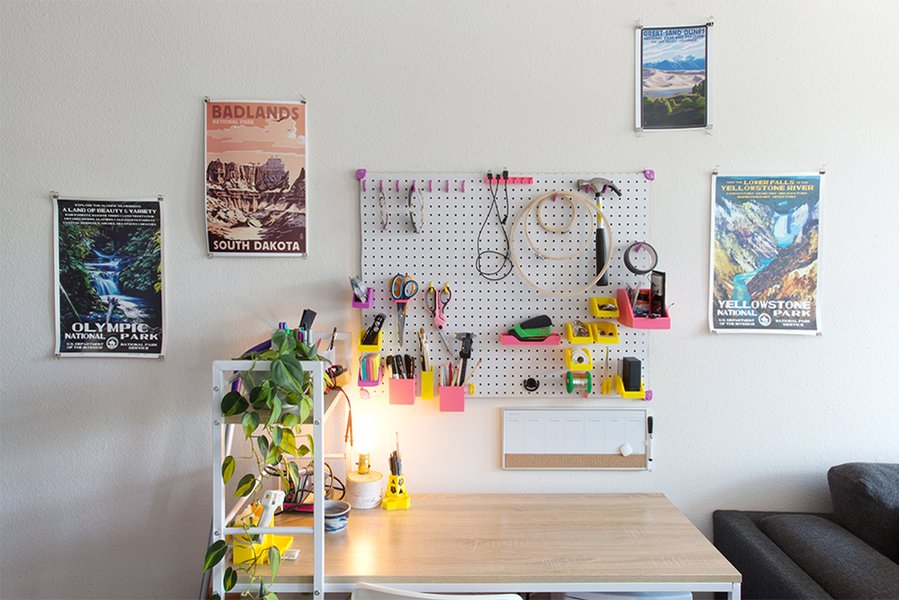
An example of an organized workspace for 3D printing.
Workspace Setup
Designate a dedicated area for your equipment. Ensure:
- Ventilation: Crucial, especially for the laser cutter (fumes from materials like acrylic or MDF can be harmful) and potentially for some 3D printing filaments/resins. Consider an air filtration system or venting outdoors.
- Safety: Have appropriate safety gear (safety glasses for laser work), fire safety equipment (extinguisher), and follow all manufacturer guidelines for your machines.
- Organization: Keep materials, tools, and finished products organized for an efficient workflow.
Materials Sourcing
Identify reliable suppliers for your 3D printing filaments/resins and laser-compatible materials (wood, acrylic, leather, etc.). Buying in bulk might save costs, but start with smaller quantities until you know what sells.
Pricing Strategy
Calculate your prices carefully, considering:
- Material costs
- Machine time (electricity, wear and tear)
- Design time (if applicable)
- Labor time (preparation, finishing, packing)
- Overhead costs (software, platform fees, workspace)
- Desired profit margin
Research competitor pricing, but don't undervalue unique or highly customized work.
Workflow and Quality Control
This is where your digital library's SOPs become invaluable. Establish a clear process:
- Order intake and design finalization.
- Material preparation.
- Machine setup and operation (using SOPs for consistent settings).
- Post-processing (cleaning prints, finishing engraved items).
- Quality check.
- Packaging and shipping.
Maintaining high quality is essential for customer satisfaction and positive reviews.
Visualizing Your Maker Business Journey
A mindmap outlining the key steps and considerations.
Starting a business involves many interconnected elements. This mindmap provides a visual overview of the core areas you need to focus on, from understanding your assets to scaling your operations.
(Files, Guides, SOPs)"] id1b["Define Niche"] id1b1["Market Research"] id1b2["Target Audience"] id1b3["Combine Technologies"] id1b4["Focus: Personalization"] id2["Operations"] id2a["Business Model"] id2a1["Physical Products"] id2a2["Services (Printing/Engraving)"] id2a3["Digital Assets (Files/Guides)"] id2a4["Prototyping"] id2a5["Education/Consulting"] id2b["Setup"] id2b1["Workspace (Safety, Ventilation)"] id2b2["Material Sourcing"] id2b3["Pricing Strategy"] id2b4["Workflow (Use SOPs)"] id2b5["Quality Control"] id3["Execution"] id3a["Product Development"] id3a1["Leverage Digital Library"] id3a2["Hybrid Products (3D + Laser)"] id3a3["Prototyping & Testing"] id3b["Marketing & Sales"] id3b1["Online Platforms (Etsy, Shopify)"] id3b2["Social Media Presence"] id3b3["High-Quality Photography"] id3b4["Networking"] id3b5["Customer Service"] id3c["Legal & Financial"] id3c1["Business Registration"] id3c2["Financial Planning"] id3c3["IP Considerations"] id4["Growth"] id4a["Scale Operations"] id4b["Expand Product Lines"] id4c["Explore Partnerships"] id4d["Refine Processes"]
Step 5: Leverage Your Digital Library Effectively
Maximize the value of your digital assets.
Your existing library is more than just storage; it's a springboard for your business.
- Streamline Production: Use SOPs consistently for machine settings, material handling, and finishing processes. This ensures predictable results and quality. Guides can help train yourself or future helpers quickly.
- Accelerate Product Development: Adapt existing design files from your library instead of starting from scratch. Modify them for customization or combine elements to create new products.
- Inspiration Source: Browse your library for dormant ideas or concepts that can be revisited with your current tools.
- Develop Digital Products: Identify high-value guides, comprehensive SOPs, or unique/complex design files within your library. Consider refining and packaging them for sale on platforms like Etsy or your own website.
- Maintain Consistency: Using standardized files and procedures helps maintain brand consistency, especially if offering variations of a core product.
Comparative Potential of Different Business Models
Evaluating scalability, startup effort, and profit margins.
Choosing the right business model depends on your goals, resources, and risk tolerance. This radar chart provides a comparative overview of common models based on factors like initial effort, scalability, potential profit margin, required customer interaction, and reliance on your specific equipment. Note that these are generalized assessments.
Consider which factors are most important to you. Selling digital assets offers high scalability and potentially lower equipment reliance once created, while offering services requires high customer interaction and equipment uptime. Selling physical products often strikes a balance but involves managing inventory and shipping.
Step 6: Marketing and Sales Strategy
Reach your customers and make sales.
Creating great products is only half the battle; you need to effectively market and sell them.
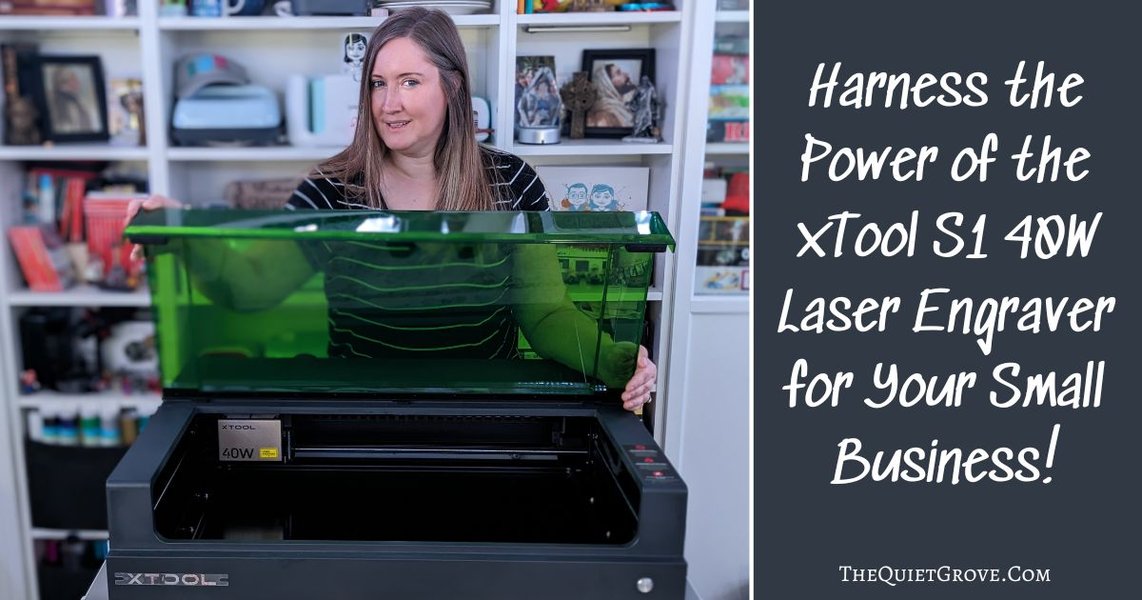
Showcasing appealing laser-engraved products is key for marketing.
Establish an Online Presence
- Marketplaces: Platforms like Etsy are excellent starting points, especially for custom and personalized items. They have a built-in audience looking for unique products. Amazon Handmade is another option.
- Your Own Store: Consider platforms like Shopify or WooCommerce (with WordPress) to build your own branded online store. This gives you more control but requires more effort in driving traffic.
- Social Media: Use visually oriented platforms like Instagram, Pinterest, and TikTok to showcase your creations. Post high-quality photos and videos of your products and the creation process. Engage with relevant communities.
High-Quality Visuals
Invest time in taking excellent photos and videos of your products. Good lighting, clean backgrounds, and showing the product in use can significantly impact sales, especially online.
Networking and Local Presence
Don't underestimate local opportunities. Attend craft fairs, maker markets, or local business events. Connect with other artisans or small businesses for potential collaborations.
Customer Service
Provide excellent customer service. Respond promptly to inquiries, manage expectations regarding production times, and handle any issues professionally. Positive reviews and word-of-mouth are powerful marketing tools.
Niche Comparison: 3D Printing vs. Laser Engraving/Cutting
Understanding where each tool excels.
While there's overlap, your 3D printer and xTool P2S have distinct strengths suited to different types of products and niches. This table highlights some common applications.
| Feature/Niche | Strong Suit: 3D Printing | Strong Suit: Laser Engraving/Cutting (xTool P2S) | Potential for Hybrid Approach |
|---|---|---|---|
| Complex Geometries | Excellent (creating intricate, multi-dimensional shapes) | Limited (primarily 2D cutting/surface engraving) | Yes (e.g., 3D printed base with laser-cut decorative panels) |
| Personalization (Surface) | Possible (e.g., embossed text), but often less detailed | Excellent (highly detailed engraving on wood, acrylic, leather, glass) | Yes (e.g., Laser-engrave names onto 3D printed items) |
| Prototyping Functional Parts | Excellent (creating working prototypes quickly) | Less common, but possible for flat components or jigs | Yes (Combine printed mechanisms with cut structural elements) |
| Custom Signage | Possible (3D letters), but often slower/more material | Excellent (cutting letters/shapes, engraving designs on wood/acrylic) | Yes (3D printed frames for laser-cut/engraved signs) |
| Jewelry & Accessories | Good (intricate shapes, custom fittings) | Good (engraved pendants, cut leather/acrylic pieces) | Excellent (Combine printed elements with engraved/cut charms or findings) |
| Home Décor | Good (vases, planters, figurines) | Excellent (engraved cutting boards, coasters, wall art, custom boxes) | Yes (3D printed planter with laser-engraved patterns) |
| Material Variety | Plastics, Resins (varies by printer) | Wood, Acrylic, Leather, Fabric, Glass, Coated Metal, Stone (varies by laser power/type) | Leverages the best materials suited for each process. |
Step 7: Legal and Financial Setup
Ensure your business is compliant and financially sound.
Business Registration
Research your local requirements for starting a small business. This might involve registering your business name, deciding on a legal structure (sole proprietorship, LLC, etc.), and obtaining any necessary permits or licenses.
Financial Planning
Set up a system for tracking income and expenses. Consider opening a separate business bank account. Understand your tax obligations. Estimate startup costs (beyond equipment, consider materials, software, marketing) and ongoing operational expenses.
Intellectual Property (IP)
Be mindful of copyright and licensing when using design files from your digital library, especially if you didn't create them yourself. Ensure you have the rights to use designs commercially. Protect your own original designs if necessary.
Insights from Experienced Makers
Tips for succeeding in the 3D printing market.
Learning from others can provide valuable shortcuts and inspiration. This video offers practical advice for monetizing 3D printing skills, covering aspects like finding profitable niches and effective selling strategies, much of which can be adapted to laser cutting/engraving businesses as well.
Top 5 Tips for Making Money With 3D Printing in 2024 - Provides actionable advice relevant to starting your venture.
Frequently Asked Questions (FAQ)
Quick answers to common questions about starting a maker business.
Where is the best place to start selling my items?
Many sources recommend starting on platforms like Etsy, especially for custom, personalized, or unique items made with 3D printers and laser cutters. It has a large, built-in audience actively looking for such products. As you grow, you might consider building your own website using Shopify or WooCommerce for more control and branding, but Etsy often provides the quickest path to initial sales.
How important is niching down?
Very important. Both 3D printing and laser cutting fields can be competitive. Focusing on a specific niche (e.g., custom wedding decor, parts for a specific hobby, personalized pet products) allows you to become an expert, target your marketing effectively, and often command better prices. It helps you stand out from general sellers.
Can I really make significant money doing this?
Yes, but it requires effort, strategy, and persistence. Sources mention potential earnings ranging from a side income of hundreds or a few thousand dollars per month to significant revenue, especially if you find a profitable niche, offer high-quality products/services, and market effectively. Success depends on factors like product demand, pricing, efficiency (where your SOPs help), and marketing reach. Some users report earning $1,000-$9,000+ monthly once established, but results vary widely.
How can I best use my existing digital library?
Your digital library is a key asset. Use the SOPs to standardize your production for efficiency and quality. Use the design files as a starting point for products, adapting or customizing them. Use the guides to improve your skills or troubleshoot. Consider identifying unique or high-demand files/guides within your library that could be polished and sold as digital products for an additional revenue stream.
What are the main challenges I should anticipate?
Common challenges include finding the right niche, effective marketing to reach customers, pricing competitively while remaining profitable, managing production time and potential equipment issues, ensuring consistent quality, and handling customer service effectively. Starting requires dedication beyond just making things; you also need to manage the business aspects.
Recommended Next Steps
Explore these related topics for deeper insights:
- What are the most profitable niches specifically for xTool P2S laser engraving businesses?
- How can I accurately calculate pricing for custom 3D printed and laser engraved items?
- What marketing strategies are most effective for selling handmade maker items on Etsy?
- What are some innovative product ideas that combine both 3D printing and laser cutting techniques?
References
Sources used to compile this guide:


Last updated May 4, 2025