
Unlocking Your Digital Brain: Finding and Self-Hosting Supermemory
A Simplified Guide to Setting Up Your Personal AI Knowledge Hub
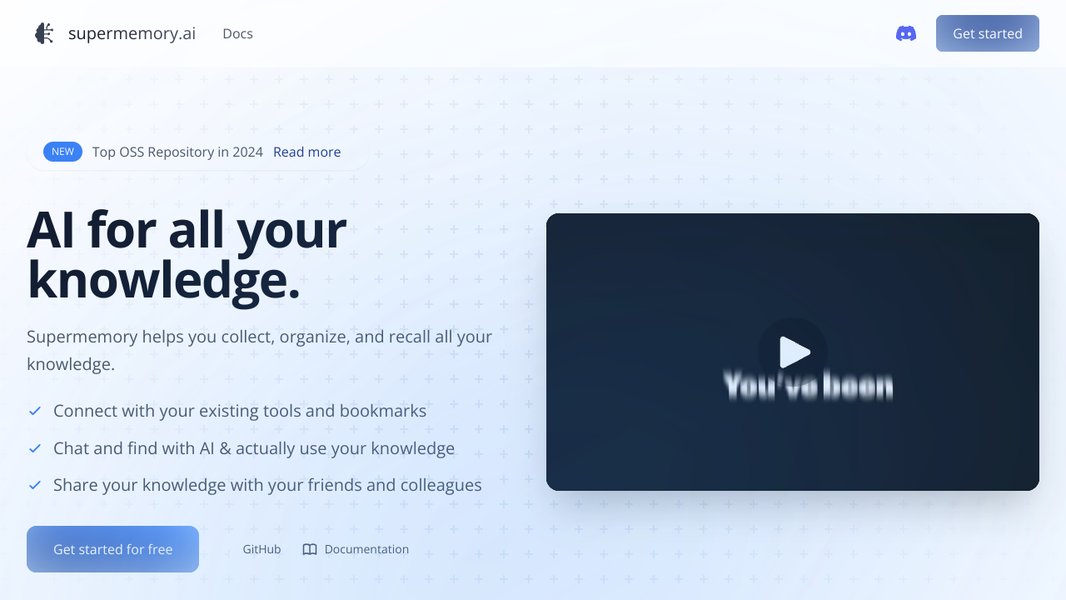
Supermemory is an innovative open-source project designed to act as your personal AI-powered second brain. It allows you to organize, search, and utilize all your saved content from various sources, such as articles, tweets, and documents, in one centralized and searchable location. Think of it as a ChatGPT for your bookmarks, enhanced with powerful organizational tools like a knowledge canvas and writing assistant. This guide will help you locate the Supermemory GitHub repository and provide a simplified walkthrough for self-hosting it on a local Windows machine.
Key Highlights of Supermemory
- AI-Powered Second Brain: Supermemory leverages artificial intelligence to help you organize and understand your saved content, making it easily searchable and retrievable.
- Universal Memory API: Designed for developers, Supermemory can act as a central memory layer for various AI applications, enabling personalized LLM experiences.
- Open-Source and Self-Hostable: With a strong emphasis on user privacy and control, Supermemory is open-source, offering the option to self-host and customize your instance.
Locating the Supermemory GitHub Repository
The primary source for the Supermemory project, including its source code and documentation, is hosted on GitHub. Finding the official repository is the first step in exploring its capabilities, contributing to the project, or setting up your own self-hosted instance.
You can find the main Supermemory repository on GitHub by searching for "supermemoryai/supermemory". This repository serves as the central hub for the project, containing the core code, issues, pull requests, and essential documentation like the self-hosting guide.
Exploring the Repository
Once you've located the repository, you'll find various directories and files. Key areas to look for include:
README.md: This file typically provides a general overview of the project, its purpose, features, and quick start instructions.SELF-HOSTING-GUIDE.md: This specific file is crucial for those looking to set up Supermemory on their own infrastructure. It contains detailed steps and prerequisites.packages: This directory might contain different modules or components of the Supermemory project.
The GitHub repository also provides insights into the project's activity, including recent commits, contributors, and open issues, giving you a sense of its ongoing development.
Simplified Guide to Self-Hosting on a Local Windows Machine
Self-hosting Supermemory on your local Windows machine allows you to have complete control over your data and customize the environment. While the official self-hosting guide provides comprehensive instructions, this section offers a simplified approach for getting started.
Before you begin, ensure you have the necessary prerequisites installed on your Windows machine. These typically include:
- Git: For cloning the Supermemory repository.
- Node.js and npm or Yarn: Supermemory is built with JavaScript/TypeScript, so you'll need a JavaScript runtime and package manager.
- Docker and Docker Compose: Often used for setting up the necessary database and other services easily.
Step-by-Step Self-Hosting Process
1. Clone the Repository
Open your Git-enabled terminal (like Git Bash or Windows Subsystem for Linux) and clone the Supermemory repository:
git clone https://github.com/supermemoryai/supermemory.gitNavigate into the cloned directory:
cd supermemory2. Set up the Database
The self-hosting guide often recommends using Docker Compose to spin up the required database. If you have Docker and Docker Compose installed, you can typically set up the database with a single command from the root of the cloned repository:
docker-compose up -dThis command reads the docker-compose.yml file (if present and configured for the database) and starts the database service in the background.
3. Install Dependencies
Install the project dependencies using your preferred package manager (npm or Yarn). If the project uses bun, you might need to install that first.
npm installor
yarn installor
bun install4. Configure Environment Variables
Supermemory will likely require environment variables for database connection, API keys, and other settings. Look for a file like .env.example in the repository, copy it to .env, and update the values according to your setup and any specific instructions in the self-hosting guide.
5. Database Migrations (if applicable)
If the project uses a database and has migrations, you'll need to run them to set up the database schema. The self-hosting guide or the project's documentation should provide the specific commands, often involving a command-line interface (CLI) tool.
# Example command (may vary depending on the project)
npm run db:migrate
6. Build the Application
Build the Supermemory application. The build process compiles the code and prepares it for running.
npm run build7. Run the Application
Start the Supermemory application. The command to run the application will be specified in the documentation, often using a development or start script defined in the package.json file.
npm run devor
npm startOnce the application is running, you should be able to access it through your web browser, usually at http://localhost:3000 or another port specified in the configuration.
Illustrative Overview of the Self-Hosting Process
Here's a simplified visual flow of the self-hosting steps:
| Step | Action | Description |
|---|---|---|
| 1 | Clone Repository | Download the Supermemory source code from GitHub to your local machine. |
| 2 | Set up Database | Start the required database service, often using Docker Compose for simplicity. |
| 3 | Install Dependencies | Download and install the necessary software packages and libraries the project relies on. |
| 4 | Configure Environment | Set up configuration variables for database connection, API keys, etc. |
| 5 | Database Migrations | Apply database schema changes to the running database instance. |
| 6 | Build Application | Compile the source code into an executable application. |
| 7 | Run Application | Start the Supermemory application on your local server. |
Important Considerations for Windows
When self-hosting on Windows, you might encounter specific challenges related to file paths, permissions, and environment setup compared to Linux or macOS. Using Windows Subsystem for Linux (WSL) can often simplify the process by providing a Linux-like environment within Windows, which is often better supported for development tools and environments.
Always refer to the official SELF-HOSTING-GUIDE.md in the Supermemory GitHub repository for the most accurate and detailed instructions, as steps and requirements can change with project updates.
The Vision and Capabilities of Supermemory
Supermemory's core vision is to provide a universal memory engine for the age of Large Language Models (LLMs). By centralizing and organizing your personal knowledge, Supermemory aims to provide contextual intelligence to LLMs, making them more useful and personalized for individual users. This goes beyond simple retrieval; Supermemory seeks to transform scattered data into actionable insights.
Key Features and Use Cases
Supermemory offers a range of features designed to help you manage and utilize your knowledge effectively:
-
Organizing Saved Content: Import and categorize various types of content, including articles, tweets, and web pages.
-
Powerful Search: Quickly find specific information within your stored content using advanced search capabilities, including filtering, reranking, and hybrid search.
-
Chat with Collections: Interact with specific sets of knowledge within Supermemory using conversational AI.
-
Writing Assistant: Utilize your stored knowledge to assist in writing and content creation.
-
Knowledge Canvas: A visual tool for organizing and connecting ideas from your saved content.
Supermemory is not just a personal tool; it's also built with developers in mind. The Supermemory API allows developers to integrate this powerful memory layer into their own applications, enabling them to personalize LLMs for their users and avoid building retrieval systems from scratch. Its open-source nature encourages contributions and allows for a high degree of customization.
Frequently Asked Questions
What is Supermemory?
Supermemory is an open-source, AI-powered second brain that helps you organize, search, and utilize all your saved digital content in one place. It acts as a universal memory layer, particularly useful for providing context to Large Language Models (LLMs).
Is Supermemory free?
Supermemory is open-source and offers a freemium model, allowing users to explore its capabilities. The open-source nature also means you can self-host it without licensing costs, though you will have infrastructure costs.
Can I use Supermemory with other AI models?
Yes, Supermemory is designed to work with any LLM provider, serving as a versatile memory API.
What kind of content can I save in Supermemory?
You can save various types of digital content, including articles, tweets, web pages, and documents.
Why would I want to self-host Supermemory?
Self-hosting provides you with complete control over your data, enhances privacy, and allows for deeper customization of the Supermemory instance.
References
Last updated May 4, 2025