
Unveiling the Ultimate User-Centric Program: Top 10 Features & A Rust Blueprint
Discover coveted software features by end-users and see how they could conceptually come alive in a single, powerful Rust application.
Key Highlights
- User-Driven Design: Delve into features that genuinely enhance usability, boost productivity, and skyrocket user engagement.
- The Power of Synergy: Explore how ten distinct, highly-desired features can be conceptually woven into one cohesive and powerful program.
- Rust in Action: Uncover a conceptual blueprint for a Rust application, demonstrating how these cutting-edge features could be approached in development.
The Quest for "Cool": What End-Users Truly Desire
In today's rapidly evolving digital landscape, software is more than just a tool; it's an experience. End-users gravitate towards programs that are not only functional but also intuitive, personalized, efficient, and even delightful to use. The "coolest" features are often those that seamlessly integrate into a user's workflow, anticipate their needs, and empower them to achieve their goals with greater ease and satisfaction. Below, we explore ten such features that consistently rank high in user appeal.
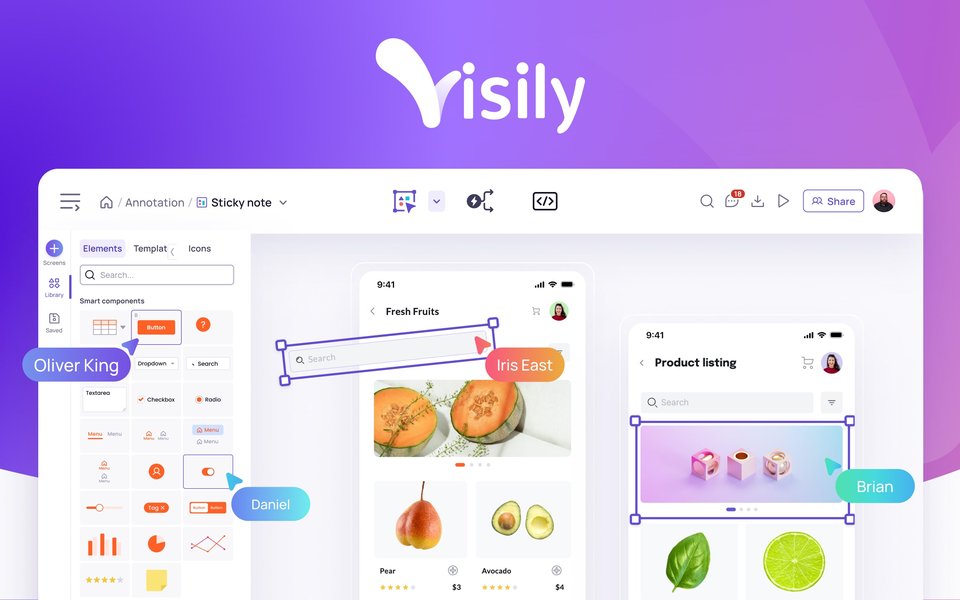
Modern applications often combine sleek design with powerful, AI-driven features.
The Top 10 "Coolest" Features from an End-User Perspective
Based on prevailing user expectations and technological trends, here are ten features that can make a software application stand out:
-
Intuitive User Interface (UI) & Seamless Navigation
A clean, well-organized, and aesthetically pleasing interface that allows users to find what they need and perform actions effortlessly. This includes logical layouts, clear labeling, consistent design language, and minimal friction in navigating through the application's functionalities.
-
Advanced Personalization & Customization Options
The ability for users to tailor the software to their specific needs and preferences. This can range from cosmetic changes like themes and layouts to functional customizations such as custom shortcuts, preferred settings, and personalized content feeds or recommendations.
-
Effective Onboarding & Contextual Help
A smooth introduction for new users, guiding them through essential features and functionalities. Interactive tutorials, tooltips, contextual help prompts, and easily accessible documentation significantly reduce the learning curve and improve user adoption.
-
Powerful Search Functionality & Smart Filtering
A robust search engine within the application that allows users to quickly and accurately find information, files, features, or specific data points. Advanced filtering options further refine search results, saving users valuable time.
-
AI-Powered Features
Integration of Artificial Intelligence to provide smart suggestions, automate complex decision-making, offer generative assistance (e.g., content creation), or enhance personalization. Features like intelligent assistants, predictive text, or smart replies make the application feel more adaptive and intelligent.
-
Real-Time Collaboration & Instant Feedback Mechanisms
For applications used by teams, features enabling multiple users to work on the same project or document simultaneously, with changes reflected instantly. This includes shared workspaces, co-editing, version history, and clear indicators of system status and user actions (instant feedback).
-
Intelligent Automation & Scripting Capabilities
The ability for the software to automate repetitive tasks or for users to create custom scripts or macros to streamline their workflows. This frees up users from manual drudgery and boosts overall productivity.
-
Enhanced Security & Privacy Controls
Robust security measures that protect user data and ensure privacy. Features like end-to-end encryption, multi-factor authentication, transparent data usage policies, and granular privacy settings build trust and make users feel safe.
-
Seamless Multi-Platform Experience & Responsive Design
The application works consistently and effectively across various devices (desktops, laptops, tablets, smartphones) and operating systems. A responsive design ensures the UI adapts gracefully to different screen sizes, providing an optimal experience everywhere.
-
Robust Performance & High Efficiency
The software loads quickly, responds promptly to user input, and performs tasks efficiently without lags, freezes, or excessive resource consumption. Snappy performance is a cornerstone of a positive user experience.
Visualizing Feature Dynamics
The appeal of a feature is often weighed against its development complexity and its overall impact on the user experience. The radar chart below offers a conceptual visualization of these dynamics for our top 10 features. "User Desirability" reflects how much users generally want the feature, "Implementation Complexity" estimates the development effort, and "UX Impact Potential" gauges how significantly the feature can enhance the user's interaction with the software.
This chart helps illustrate that while some highly desirable features like AI integration or real-time collaboration can be complex to implement, their potential impact on user experience is often significant, justifying the investment.
Mapping the Ideal Application: A Feature Mindmap
To better understand how these features interrelate and contribute to an overall exceptional user experience, let's visualize them in a mindmap. The central idea is an "Ideal User-Focused Application," with each of the top 10 features branching out as core components, further detailed by their key attributes.
Seamless Navigation"] F1_1["Clear Layouts"] F1_2["Consistent Design"] F1_3["Minimal Friction"] F2["2. Advanced Personalization
& Customization"] F2_1["Themes & Layouts"] F2_2["Custom Shortcuts"] F2_3["Personalized Content"] F3["3. Effective Onboarding
& Contextual Help"] F3_1["Interactive Tutorials"] F3_2["Tooltips & Guides"] F3_3["Accessible Docs"] F4["4. Powerful Search
& Smart Filtering"] F4_1["Fast & Accurate"] F4_2["Advanced Filters"] F4_3["Natural Language Search (Optional)"] F5["5. AI-Powered Features"] F5_1["Smart Suggestions"] F5_2["Generative Assistance"] F5_3["Predictive Analytics"] F6["6. Real-Time Collaboration
& Instant Feedback"] F6_1["Co-editing"] F6_2["Shared Workspaces"] F6_3["System Status Indicators"] F7["7. Intelligent Automation
& Scripting"] F7_1["Task Automation"] F7_2["Macros & Scripts"] F7_3["Workflow Streamlining"] F8["8. Enhanced Security
& Privacy Controls"] F8_1["End-to-End Encryption"] F8_2["MFA Support"] F8_3["Granular Permissions"] F9["9. Multi-Platform Experience
& Responsive Design"] F9_1["Cross-Device Sync"] F9_2["OS Agnostic"] F9_3["Adaptive UI"] F10["10. Robust Performance
& High Efficiency"] F10_1["Fast Load Times"] F10_2["Low Latency"] F10_3["Resource Optimization"]
This mindmap illustrates how each feature contributes to a holistic, user-centric application. The goal is not just to pack in features, but to create a synergistic environment where each element enhances the others.
Bringing it to Life: A Conceptual Rust Program - "FeatureFusionApp"
Implementing all ten of these sophisticated features into a single, production-ready application is a monumental task, requiring significant time, resources, and expertise. However, we can conceptually outline how these features might be approached in a Rust program. Rust, known for its performance, safety, and concurrency features, provides a solid foundation for building complex and reliable software.
The following is a simplified command-line interface (CLI) application in Rust, named "FeatureFusionApp." It aims to conceptually touch upon each of the ten features. This example is illustrative and not a full-fledged implementation.
Conceptual Rust Code Snippet
This Rust program simulates a basic task management application with user preferences, attempting to demonstrate aspects of the top 10 features.
// main.rs
use serde::{Serialize, Deserialize};
use std::collections::HashMap;
use std::fs;
use std::io::{self, Write};
use std::path::Path;
use std::sync::{Arc, Mutex}; // For mock collaboration
use std::thread; // For mock background tasks (automation/performance)
use std::time::Duration;

// --- 2. Advanced Personalization & Customization ---
#[derive(Serialize, Deserialize, Debug, Clone)]
struct UserPreferences {
    theme: String,
    notifications_enabled: bool,
    language: String,
}

impl Default for UserPreferences {
    fn default() -> Self {
        UserPreferences {
            theme: "dark".to_string(),
            notifications_enabled: true,
            language: "en".to_string(),
        }
    }
}

// --- Data Structures for the App (e.g., a simple task manager) ---
#[derive(Serialize, Deserialize, Debug, Clone)]
struct Task {
    id: u32,
    description: String,
    completed: bool,
    assigned_to: Option<String>, // For collaboration
}

// --- Shared state for mock collaboration ---
type SharedDocument = Arc<Mutex<HashMap<String, String>>>;

// --- Main Application Structure ---
struct FeatureFusionApp {
    preferences: UserPreferences,
    tasks: Vec<Task>,
    current_user: String,
    shared_doc: SharedDocument, // 6. For real-time collaboration mock
    is_first_run: bool,
}

impl FeatureFusionApp {
    fn new(user: &str) -> Self {
        let prefs_path = format!("{}_prefs.json", user);
        let (preferences, is_first_run) = if Path::new(&prefs_path).exists() {
            let data = fs::read_to_string(&prefs_path).unwrap_or_default();
            (serde_json::from_str(&data).unwrap_or_default(), false)
        } else {
            (UserPreferences::default(), true) // Enables onboarding
        };

        let tasks = vec![ // Mock data
            Task { id: 1, description: "Design UI mockups".to_string(), completed: false, assigned_to: Some("Alice".to_string()) },
            Task { id: 2, description: "Develop core engine".to_string(), completed: false, assigned_to: Some("Bob".to_string()) },
        ];

        FeatureFusionApp {
            preferences,
            tasks,
            current_user: user.to_string(),
            shared_doc: Arc::new(Mutex::new(HashMap::new())),
            is_first_run,
        }
    }

    // --- 3. Effective Onboarding & Contextual Help ---
    fn run_onboarding_if_needed(&self) {
        if self.is_first_run {
            println!("Welcome to FeatureFusionApp, {}!", self.current_user);
            println!("This is your first run. Let's guide you through some basics.");
            println!("- Type 'tasks' to see your tasks.");
            println!("- Type 'search <keyword>' to find tasks.");
            // ... more onboarding messages ...
        }
    }

    // --- 1. Intuitive UI (CLI version) & Seamless Navigation ---
    fn process_command(&mut self, command_line: &str) {
        let parts: Vec<&str> = command_line.trim().split_whitespace().collect();
        if parts.is_empty() { return; }
        let cmd = parts[0];

        match cmd {
            "help" => self.show_contextual_help(parts.get(1).cloned()),
            "settings" => self.manage_settings(), // Part of Personalization
            "tasks" => self.list_tasks(),
            // --- 4. Powerful Search Functionality & Smart Filtering ---
            "search" => if parts.len() > 1 { self.search_tasks(&parts[1..].join(" ")) } else { println!("Usage: search <keyword>"); },
            // --- 5. AI-Powered Features (Mock) ---
            "ai_suggest" => self.get_ai_suggestion(),
            // --- 6. Real-Time Collaboration (Mock) ---
            "collab_write" => if parts.len() > 2 { self.collab_write_doc(parts[1], &parts[2..].join(" ")) } else { /* ... */ },
            "collab_read" => if parts.len() > 1 { self.collab_read_doc(parts[1]) } else { /* ... */ },
            // --- 7. Intelligent Automation (Mock) ---
            "automate_cleanup" => self.run_automation_task(),
            // --- 8. Enhanced Security & Privacy (Conceptual) ---
            "check_perms" => self.check_permissions_mock(),
            // --- 9. Multi-Platform Experience (Conceptual for CLI) ---
            "info" => println!("FeatureFusionApp v1.0 - Running on your platform (Rust is cross-platform)."),
            // --- 10. Robust Performance & High Efficiency (Conceptual) ---
            "bg_task" => self.start_background_task_mock(),
            "exit" => return, // Handled in main loop
            _ => println!("Unknown command. Type 'help' for options."),
        }
    }

    fn show_contextual_help(&self, topic: Option<&str>) { /* ... */ }
    fn manage_settings(&mut self) { /* ... code for changing theme, notifications ... */ self.save_preferences(); }
    fn save_preferences(&self) { /* ... code to save UserPreferences to JSON ... */ }
    fn list_tasks(&self) { /* ... code to display tasks ... */ }
    fn search_tasks(&self, keyword: &str) { /* ... code to filter and display tasks ... */ }

    fn get_ai_suggestion(&self) {
        println!("AI Suggestion: Based on your tasks, consider focusing on 'core engine development' next.");
    }

    fn collab_write_doc(&mut self, key: &str, value: &str) {
        let mut doc = self.shared_doc.lock().unwrap(); // Mutex for safe concurrent access
        doc.insert(key.to_string(), value.to_string());
        println!("Document updated by {}: {} = {}", self.current_user, key, value);
        // Mock real-time feedback: In a real app, this would notify other collaborators.
        if self.preferences.notifications_enabled {
            println!("[Notification] Shared document '{}' was updated.", key);
        }
    }
    fn collab_read_doc(&self, key: &str) { /* ... */ }

    fn run_automation_task(&self) {
        println!("Running automated task: Archiving old completed tasks...");
        thread::sleep(Duration::from_secs(1)); // Simulate work
        println!("Automated task finished.");
    }

    fn check_permissions_mock(&self) {
        println!("Security Check: User '{}' permissions verified (mock). Data is conceptually encrypted at rest.", self.current_user);
    }

    fn start_background_task_mock(&self) {
        println!("Starting a background data processing task (simulated)...");
        let prefs_clone = self.preferences.clone(); // Clone for thread
        thread::spawn(move || {
            thread::sleep(Duration::from_secs(3)); // Simulate demanding work
            // Rust's concurrency model helps maintain responsiveness.
            if prefs_clone.notifications_enabled {
                 // This print is just for CLI demo; real apps would use OS notifications or in-app alerts.
                println!("[Background Notification] Data processing complete.");
            }
        });
        println!("Background task initiated. App remains responsive.");
    }
}

fn main() {
    let mut app = FeatureFusionApp::new("Alice"); // Mock user login
    app.run_onboarding_if_needed();
    println!("FeatureFusionApp CLI. Theme: '{}'. Type 'help'.", app.preferences.theme);

    loop {
        print!("{}> ", app.current_user);
        io::stdout().flush().unwrap();
        let mut input = String::new();
        io::stdin().read_line(&mut input).expect("Failed to read line");

        if input.trim() == "exit" {
            app.save_preferences();
            println!("Exiting. Goodbye!");
            break;
        }
        app.process_command(&input);
    }
}
Mapping Features to the Rust Example
The table below outlines how each of the top 10 features is conceptually addressed or hinted at in the FeatureFusionApp Rust example:
| Feature | Conceptual Implementation in Rust Example |
|---|---|
| 1. Intuitive UI & Seamless Navigation | Simple command-line parsing (process_command), clear prompts, and a help command. |
| 2. Advanced Personalization & Customization | UserPreferences struct, loading/saving settings (theme, notifications, language) to a JSON file. |
| 3. Effective Onboarding & Contextual Help | run_onboarding_if_needed function for first-time users, show_contextual_help for command-specific assistance. |
| 4. Powerful Search Functionality & Smart Filtering | Basic keyword search in tasks (search_tasks function). |
| 5. AI-Powered Features | A mock get_ai_suggestion function placeholder for intelligent recommendations. |
| 6. Real-Time Collaboration & Instant Feedback | SharedDocument with Arc<Mutex> for shared state, mock collab_write_doc and collab_read_doc, simulated notifications. |
| 7. Intelligent Automation & Scripting | A mock run_automation_task function (e.g., cleanup). Scripting would require embedding a language like Lua. |
| 8. Enhanced Security & Privacy Controls | Conceptual check_permissions_mock. Rust's memory safety contributes to overall security. Actual features (encryption, auth) would be extensive. |
| 9. Seamless Multi-Platform Experience | Rust compiles to native binaries on many platforms. CLI apps are inherently cross-platform friendly. |
| 10. Robust Performance & High Efficiency | Rust's inherent performance characteristics. start_background_task_mock uses threading to simulate responsiveness during demanding operations. |
This conceptual program provides a glimpse into how Rust's capabilities can be leveraged to build applications striving for a rich user experience by incorporating these "cool" features.
Focusing on User Goals: A Key Insight
While exploring exciting features is valuable, it's crucial to remember that features should ultimately serve user goals. The video below offers an interesting perspective on prioritizing user needs over simply adding more features.
"Stop Obsessing Over Features: Focus on User Goals" - A reminder that features are means to an end.
Understanding the "why" behind a feature request often leads to more impactful and user-centric solutions. The "coolest" features are those that not only impress but also genuinely improve the user's life or work.
Frequently Asked Questions (FAQ)
1. Why are these specific features considered "coolest" by end-users?
These features generally address core user needs such as ease of use (Intuitive UI, Onboarding), efficiency (Automation, Search, Performance), empowerment (Personalization, AI Features), connectivity (Collaboration, Multi-Platform), and trust (Security). They contribute to a more productive, engaging, and enjoyable interaction with software, making tasks feel less like chores and more like seamless experiences.
2. Is it realistic to implement all these advanced features in a single program?
Implementing all ten features to a high standard in one program is a very ambitious undertaking, typically seen in large-scale, well-funded software projects. For smaller projects or individual developers, it's more realistic to prioritize a subset of these features based on the target audience and core purpose of the application. The Rust example provided is a conceptual illustration, not a production-ready solution.
3. Why choose Rust for developing a program with such diverse features?
Rust offers a compelling combination of performance (comparable to C/C++), memory safety (without a garbage collector), and powerful concurrency features. This makes it suitable for building reliable and efficient backends, systems software, and even frontends (via WebAssembly). Its strong type system and ecosystem can help manage the complexity inherent in developing many advanced features like AI integration, real-time systems, and secure applications.
4. How critical is AI in modern "cool" software features?
AI is increasingly becoming a critical component. It powers features like smart personalization, intelligent automation, predictive analytics, natural language understanding for search and commands, and generative capabilities. While not every "cool" feature relies on AI, its ability to make software more adaptive, insightful, and proactive significantly enhances user experience and is a major trend in modern applications.
5. What's the first step to building a user-centric application incorporating some of these features?
The first step is always understanding your target users: their needs, pain points, and goals. Conduct user research, create user personas, and map out user journeys. Based on this understanding, prioritize which features will deliver the most value. Start with a Minimum Viable Product (MVP) focusing on core functionality and a great user experience for those features, then iteratively add more capabilities based on user feedback and data.
Recommended Further Exploration
If you're interested in diving deeper, consider exploring these related topics:
- How to design intuitive user interfaces for complex applications.
- Best practices for implementing AI-driven personalization in software.
- Challenges and solutions for real-time collaboration in distributed teams.
- Getting started with Rust for building high-performance applications.
References
Last updated May 18, 2025