
Unlock Professional WordPress Plugin Development: Building an Efficient QR Code Edit Page
Discover the best practices for creating a seamless edit experience in your plugin, leveraging React and WordPress core features.
Creating an "Edit" page that mirrors the functionality of your "Create" page is a common task in WordPress plugin development. You're on the right track thinking about reusing UI components and managing data flow efficiently. Let's explore the professional approach to building this edit functionality for your QR code plugin, combining WordPress standards with modern JavaScript techniques.
Highlights: Key Takeaways for Your Edit Page
- Component Reusability is Key: Leveraging your existing "Create" page UI components for the "Edit" page is efficient and ensures UI consistency. Conditional logic within components can handle both scenarios.
- Smart Data Handling: Using
wp_localize_script(or its modern alternativewp_add_inline_script) is the standard WordPress way to pass initial data (like the existing QR code details) from PHP to your JavaScript/React frontend for pre-filling the edit form. - Context for Shared State: React Context Providers are excellent for managing *shared* UI state (e.g., menu visibility, global settings) across different parts of your plugin's admin interface, including potentially shared elements between create and edit pages.
Integrating with WordPress: Data Flow and Security
Building within the WordPress ecosystem means leveraging its APIs and adhering to its standards for security and compatibility.
Fetching and Passing QR Code Data
Using wp_localize_script for Initial Data
Your idea to use wp_localize_script to pass the specific QR code's data from the database (PHP) to your edit page's JavaScript is a widely accepted and standard practice in WordPress development. It's perfect for providing the *initial* state needed to populate your edit form fields when the page loads.
- How it works: When WordPress loads your plugin's admin page script,
wp_localize_scriptinjects a JavaScript object containing the data you fetched from the database. Your React app can then access this object to get the QR code details. - Benefit: This avoids an extra AJAX request just to get the initial data, making the page load feel faster.
- Consideration: Ensure you properly sanitize this data on the PHP side before passing it to JavaScript to prevent potential security issues.
Using AJAX/REST API for Saving Data
While localization handles the initial data load, saving the *edited* QR code data back to the database should typically be done asynchronously using AJAX or the WordPress REST API.
- AJAX: WordPress provides a built-in mechanism for handling AJAX requests in admin screens (using
admin-ajax.php). This allows you to send the updated form data back to a PHP function in your plugin to save it to the database without a full page reload. - REST API: For more complex interactions or if you prefer a more modern approach, you can create custom REST API endpoints within your plugin. Your React component can then send
POSTorPUTrequests to these endpoints to update the QR code data. - Benefit: Both methods provide a smoother user experience by avoiding page reloads when saving changes. The REST API offers more structure and flexibility, especially if the data might be consumed elsewhere.
Security Best Practices
Security is paramount in WordPress development.
- Nonces: Always use WordPress nonces (numbers used once) when handling form submissions (via AJAX or standard POST requests) to verify the user's intent and protect against Cross-Site Request Forgery (CSRF) attacks.
- Sanitization & Validation: Sanitize all data received from the user on the server-side (PHP) before saving it to the database (e.g., using
sanitize_text_field,esc_url_raw). Validate data to ensure it meets expected formats or constraints. - Capabilities: Check user capabilities (e.g.,
current_user_can('edit_posts')or a custom capability for your plugin) before allowing access to the edit page or processing updates.
Leveraging React for a Modern UI
Using React for your plugin's admin interface allows for dynamic and reusable components. Your approach fits well within this paradigm.
Component Reusability and Conditional Logic
Reusing your "Create QR code" UI components for the "Edit" page is a cornerstone of efficient development (following the DRY - Don't Repeat Yourself - principle). You can achieve this through conditional logic:
- Check for Initial Data: As you suggested, components can check if the initial data (passed via
wp_localize_script) exists. If it does, the component renders in "edit" mode, pre-filling fields. If not, it renders in "create" mode with empty fields. - Pass a
modeProp: Alternatively, the parent component that renders the form can explicitly pass amodeprop (e.g.,mode="edit"ormode="create") to the shared UI components. This can sometimes make the logic clearer within the component.
Here’s a conceptual example of modifying a component based on data presence:
// Example React component structure
import React, { useState, useEffect } from 'react';

// Assume localizedData is available globally, passed via wp_localize_script
// e.g., const localizedData = window.myPluginQrCodeData || {};

function QRCodeForm() {
  // Initialize state based on localized data (if editing) or defaults (if creating)
  const isEditMode = localizedData && localizedData.id;
  const [url, setUrl] = useState(isEditMode ? localizedData.url : '');
  const [size, setSize] = useState(isEditMode ? localizedData.size : 256);
  // ... other state variables

  const handleSubmit = async (event) => {
    event.preventDefault();
    const qrData = { url, size /* ... */ };

    // Use AJAX or Fetch API to send data to WordPress backend
    const endpoint = isEditMode
      ? <code>/wp-json/myplugin/v1/qrcodes/${localizedData.id} // REST API example
      : '/wp-json/myplugin/v1/qrcodes';

    const method = isEditMode ? 'PUT' : 'POST';

    try {
      const response = await fetch(endpoint, {
        method: method,
        headers: {
          'Content-Type': 'application/json',
          // Include WordPress nonce header for security
          'X-WP-Nonce': localizedData.nonce
        },
        body: JSON.stringify(qrData),
      });
      // Handle response (success/error feedback)
      if (response.ok) {
        console.log('QR Code Saved Successfully!');
        // Optionally redirect or show success message
      } else {
        console.error('Failed to save QR Code.');
      }
    } catch (error) {
      console.error('Error submitting form:', error);
    }
  };

  return (
    <form onSubmit={handleSubmit}>
      <h3>{isEditMode ? 'Edit QR Code' : 'Create New QR Code'}</h3>
      <div>
        <label htmlFor="qr-url">URL:</label>
        <input
          type="url"
          id="qr-url"
          value={url}
          onChange={(e) => setUrl(e.target.value)}
          required
        />
      </div>
      <div>
        <label htmlFor="qr-size">Size (px):</label>
        <input
          type="number"
          id="qr-size"
          value={size}
          onChange={(e) => setSize(parseInt(e.target.value, 10))}
          min="50"
          max="1000"
        />
      </div>
      {/* Add other form fields for color, error correction, etc. */}
      <button type="submit">
        {isEditMode ? 'Save Changes' : 'Create QR Code'}
      </button>
    </form>
  );
}

export default QRCodeForm;
State Management with React Context
When to Use Context Providers
React Context is designed to share state that can be considered "global" for a tree of React components, avoiding the need to pass props down manually through many levels (prop drilling).
- Good Use Cases: Theme (dark/light mode), user authentication status, UI state like menu visibility, application settings, or perhaps data that needs to be accessed by deeply nested components without passing it down explicitly.
- Your Scenario (
MenuStateContext): If yourMenuStateContextmanages state related to the overall admin menu structure, navigation, or settings shared across *both* the Create and Edit pages (and potentially other plugin pages), then having your UI components consume this context makes perfect sense. - Caution: Avoid using Context for all state. Local component state (managed with
useStateoruseReducer) is often simpler and more performant for data specific to a single component or a small group of related components (like form input values). Overuse of Context can make components harder to reuse independently and can lead to performance issues if not optimized.
Handling Edit Data with Context
If you decide the QR code data itself needs to be globally accessible within the edit page's component tree, you could load the localized data into a specific QrCodeEditContext. However, often it's sufficient to load the localized data into the top-level state of your Edit page component and pass it down via props or manage it within the form component itself, as shown in the code example above.
Using your existing MenuStateContext and modifying it to check for the QR code variable (indicating edit mode) is a valid approach *if* that context is already managing related global state. Ensure the context's purpose remains clear and doesn't become a dumping ground for unrelated state.
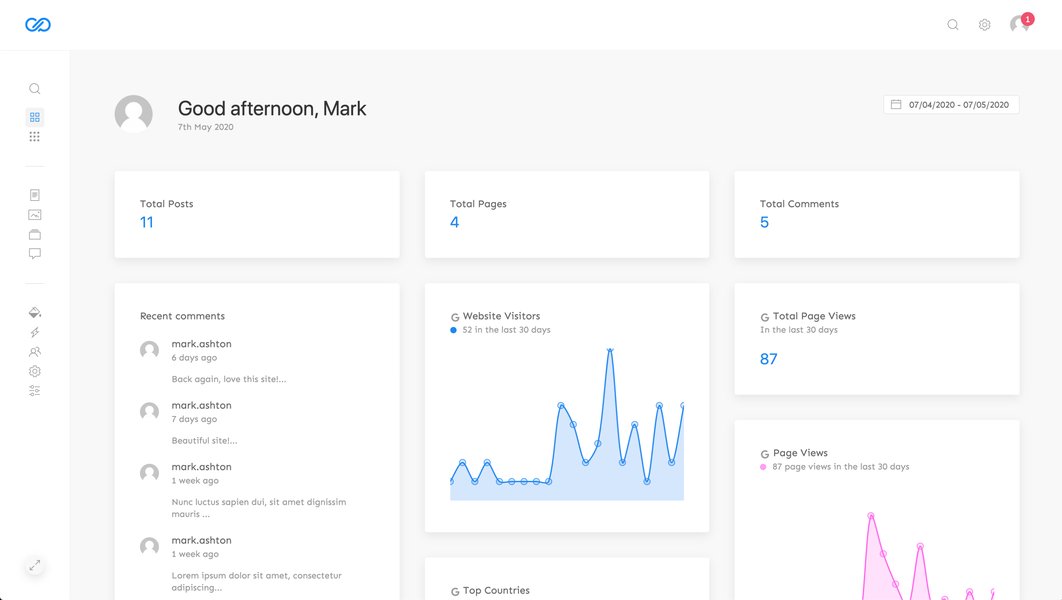
Modern WordPress admin interfaces often leverage frameworks like React for dynamic UIs.
Visualizing the Development Approach
Approach Comparison: Key Factors
Choosing between different architectural nuances involves trade-offs. This chart compares using wp_localize_script heavily with React Context versus relying more on AJAX/REST calls and local component state for the edit functionality. Both are viable, but suit different complexities.
As the chart suggests, using wp_localize_script combined with React Context is often slightly simpler for basic create/edit pages and offers good initial load performance. Relying more on AJAX/REST APIs with local component state tends to scale better for complex applications, enhances real-time capabilities, and often encourages a stronger focus on API security, though it might involve slightly more setup.
Data Flow Mindmap
This mindmap illustrates the typical flow of data and components when building a React-based edit page within a WordPress plugin:
wp_localize_script (Initial Data + Nonce)"]
id1e["Handle AJAX / Register REST API Endpoint"]
id1e1["Save/Update QR Data"]
id1e2["Sanitize & Validate Input"]
id2["WordPress Admin UI"]
id2a["Plugin Admin Page Rendered"]
id3["JavaScript Frontend (React App)"]
id3a["Load Initial Data (from Localize)"]
id3b["React Component Tree"]
id3b1["Context Providers (Optional - Shared State)"]
id3b1a["e.g., MenuStateContext"]
id3b2["Edit Page Component"]
id3b2a["Manage Local State (useState)"]
id3b2a1["Form Input Values"]
id3b2b["Conditional Logic (Create vs. Edit)"]
id3b2c["Consume Context (if needed)"]
id3b2d["Render Reusable UI Components"]
id3b2d1["e.g., QRCodeForm"]
id3b2e["Handle Form Submission"]
id3b2e1["Send Data via AJAX/Fetch to WP"]
id3b2e2["Include Nonce"]
id3b2e3["Handle Response (Success/Error UI)"]
The mindmap shows how PHP prepares the data and security tokens, passes initial data via localization, and handles save requests. The React frontend uses this data to initialize, manages its state (potentially using Context for shared aspects), renders components conditionally, and communicates back to WordPress via AJAX/REST.
Is Your Approach the "Best"? How Professionals Do It
Yes, your proposed approach—using wp_localize_script for initial data, reusing UI components, and leveraging React Context for appropriate shared state—is a solid, professional, and common practice in modern WordPress plugin development.
- Alignment with Standards: It effectively combines WordPress's standard mechanisms (localization, AJAX/REST APIs, security functions) with modern frontend development patterns (React components, state management).
- Efficiency: Reusing components saves development time and ensures consistency.
- Maintainability: Separating concerns (PHP backend, React frontend, state management) leads to more maintainable code.
- Scalability: While you might adopt more advanced state management or API strategies for very complex plugins, this approach is perfectly scalable for typical CRUD (Create, Read, Update, Delete) operations like managing QR codes.
Professionals choose tools and patterns appropriate for the project's scale. For many plugin admin interfaces, the combination you're considering hits a sweet spot between WordPress integration, development efficiency, and modern UI capabilities. Key refinements often involve robust error handling, clear user feedback (loading states, success/error messages), and thorough security implementation.
Comparing Data Loading Methods
Here's a simple comparison of the primary methods for getting data into your edit page:
| Method | Pros | Cons | Best Use Case |
|---|---|---|---|
wp_localize_script / wp_add_inline_script |
- Data available immediately on page load. - Simple setup for initial data. - Standard WordPress practice. |
- Only suitable for initial data load. - Can increase initial HTML size if data is large. - Data is static until page refresh (unless updated via JS). |
Providing initial data required to render the component state (e.g., pre-filling forms), passing nonces, basic configuration. |
| AJAX / REST API Fetch | - Can fetch data dynamically after page load. - Keeps initial page load lighter. - Suitable for saving data and getting updates. - More flexible for complex data interactions. |
- Requires an additional request after page load (latency). - Needs careful implementation of endpoints and security. - Requires handling loading states in the UI. |
Fetching data on demand, saving updates, real-time interactions, handling large datasets, separating frontend/backend communication. |
Watch: Creating QR Codes in WordPress
While not specifically about building the edit page itself, understanding how QR codes are generally handled in WordPress can provide context. This video offers a guide on creating QR codes within a WordPress site, touching upon plugin usage and general concepts.
This tutorial covers the basics of generating QR codes, which is the foundation upon which your create and edit functionalities are built. Observing how existing plugins handle generation might offer UI ideas for your own implementation.
Frequently Asked Questions (FAQ)
Is wp_localize_script secure for passing database data?
It's secure *if* you treat the passed data correctly. Never pass highly sensitive information (like raw passwords or API keys) this way unless absolutely necessary and properly handled. Always sanitize data on the PHP side before localizing it to prevent XSS vulnerabilities if the data is ever rendered directly. For your QR code data (like URL, settings), it's generally safe, especially when combined with nonce checks for actions based on this data. Also, ensure you pass WordPress nonces via localization for use in subsequent AJAX/API calls.
When should I use React Context vs. local component state (`useState`)?
Use Context for state that needs to be accessed by multiple components at different nesting levels without passing props down manually (e.g., theme, user info, global settings, shared UI state like menu visibility). Use local component state (`useState`, `useReducer`) for state that is only relevant to a single component or its direct children (e.g., form input values, toggle states within a component, data specific to that component's instance).
Can I reuse the exact same React component for both Create and Edit?
Yes, absolutely. This is a common and recommended pattern. You design the component (e.g., `QRCodeForm`) to handle both scenarios. It can accept the initial QR code data as a prop (or retrieve it from context/localized script). Inside the component, you use conditional logic (`if (initialData) { ... } else { ... }`) to determine whether to pre-fill fields and change labels/button text ("Save Changes" vs. "Create") and potentially the submission endpoint/logic.
Should I use the WordPress REST API instead of admin-ajax.php?
Both are valid options for handling asynchronous requests from your plugin's admin page. The REST API is generally considered more modern, structured, and potentially more reusable if you envision other applications interacting with your plugin's data. It requires defining routes and endpoint callbacks. `admin-ajax.php` is the traditional WordPress way, simpler for basic requests, and involves hooking into specific action hooks (`wp_ajax_{action}`). For purely internal plugin admin actions, `admin-ajax` is often sufficient and slightly easier to set up initially. For more complex data interactions or future-proofing, the REST API is often preferred.
Recommended Further Exploration
- How can I securely handle AJAX requests in WordPress plugins using nonces?
- What are the best practices for using the React Context API within WordPress admin pages?
- How do I create custom WordPress REST API endpoints for managing my plugin's data?
- What is the difference between wp_localize_script and wp_add_inline_script in WordPress?
References
 wordpress.com
wordpress.com
wordpress.com
wordpress.com
wordpress.com
Last updated May 6, 2025