
Exploring the Synergy of Simulation and Graphics Software in 3D Printing for Educational Research
A deep dive into the tools and applications shaping the future of additive manufacturing in education and beyond.
Key Highlights
- Simulation software is increasingly crucial in 3D printing for optimizing designs, predicting material behavior, and ensuring successful prints, especially in complex applications and additive manufacturing processes.
- A wide array of graphics and CAD software options are available for 3D printing, catering to different skill levels and needs, from beginner-friendly web apps to advanced professional tools.
- 3D printing and simulation are significantly impacting educational research and training, particularly in fields like healthcare and engineering, by providing hands-on, realistic learning experiences.
The intersection of simulation, graphical software, and 3D printing represents a significant area of growth and innovation, particularly within educational research. These technologies are transforming how we design, analyze, and produce physical objects, offering powerful tools for learning and exploration. By leveraging simulation and advanced graphics programs, educators and researchers can create more complex and functional 3D printed parts, optimize printing processes, and gain deeper insights into material behavior and structural integrity.
This comprehensive exploration delves into the current landscape of educative research concerning the use of simulations and graphical programs in 3D printing. We will examine the types of software utilized, the benefits of integrating simulation into the 3D printing workflow, and the diverse applications of these technologies in educational settings.
The Role of Simulation in 3D Printing
Simulation software plays a vital role in enhancing the 3D printing process by allowing users to predict and analyze various aspects of the print before physical fabrication. This is particularly important for complex geometries, high-performance materials, and critical applications where print failure can be costly or detrimental.
By simulating the printing process, users can:
- Optimize part design for additive manufacturing, including considerations for support structures, print orientation, and material distribution.
- Predict potential issues such as warping, residual stress, and structural weaknesses.
- Analyze the thermal and mechanical behavior of materials during and after printing.
- Reduce material usage and build times through optimized designs and processes.
- Validate the performance of a part under real-world conditions before committing to a physical print.
Simulation in 3D printing often involves analyzing thermo-mechanical phenomena that occur during the layering process. Advanced simulation packages use techniques like voxelization, representing the 3D volume of the part as small cubes, similar to how pixels represent a 2D image.
Graphical Programs and CAD Software for 3D Printing
Creating a 3D printable object begins with a digital model. This is where graphical programs and Computer-Aided Design (CAD) software come into play. These tools allow users to design, sculpt, and modify 3D models with varying degrees of complexity and precision.
Popular CAD and Modeling Software
The landscape of 3D design software for printing is diverse, catering to beginners, hobbyists, educators, and professionals alike. Here are some prominent examples:
Beginner-Friendly Options
- Tinkercad: A free, web-based app ideal for introducing individuals to 3D design, electronics, and coding. Its intuitive interface makes it excellent for educational settings and early-stage prototyping.
- SketchUp Free: A user-friendly program with a sleek interface and solid tools for creating basic shapes and more complex parts.
Intermediate to Advanced Options
- Fusion 360: A powerful cloud-based tool that integrates CAD, simulation, and manufacturing workflows. It's known for its collaborative features and increasingly incorporates AI-driven design optimization.
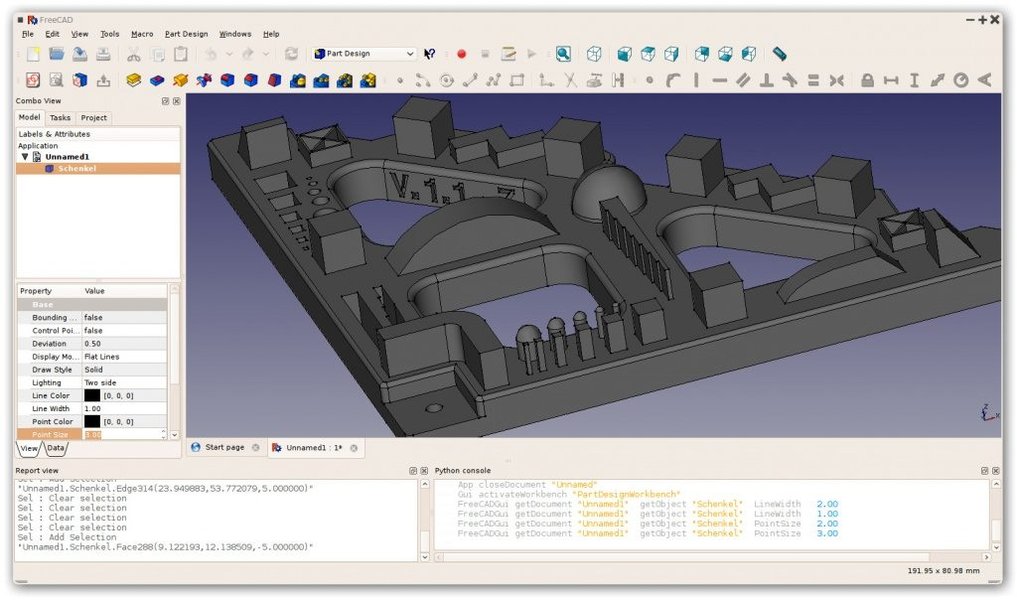
- FreeCAD: An open-source parametric 3D modeler that is highly customizable and suitable for designing complex 3D printable parts.
- Blender: A free and open-source 3D creation suite that includes tools for modeling, sculpting, animation, and simulation. It has a steeper learning curve but offers extensive capabilities.
Professional-Grade Software
- SolidWorks: A widely used professional CAD software known for its precision, robust design capabilities, and integrated simulation tools for validating designs before printing.
- CATIA: Offers high-precision design and refined workflows specifically for additive manufacturing, including robust simulation tools.
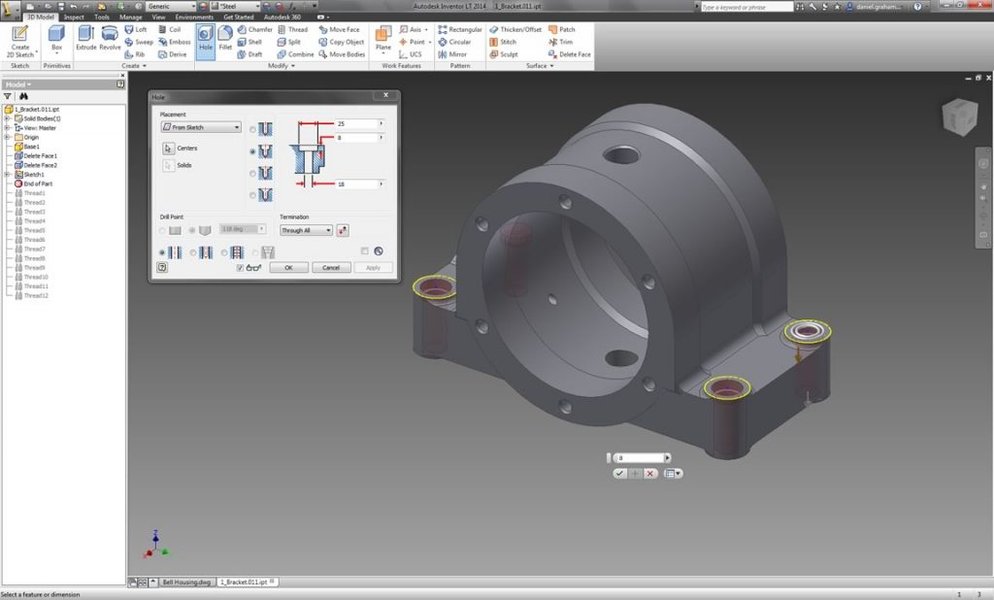
- Inventor: Developed by Autodesk, Inventor provides automation and simulation tools and is used in various professional settings.
After a 3D model is created, it needs to be converted into a format that a 3D printer can understand, typically G-code. This process is called slicing, and it's performed by slicer software.
Slicer Software
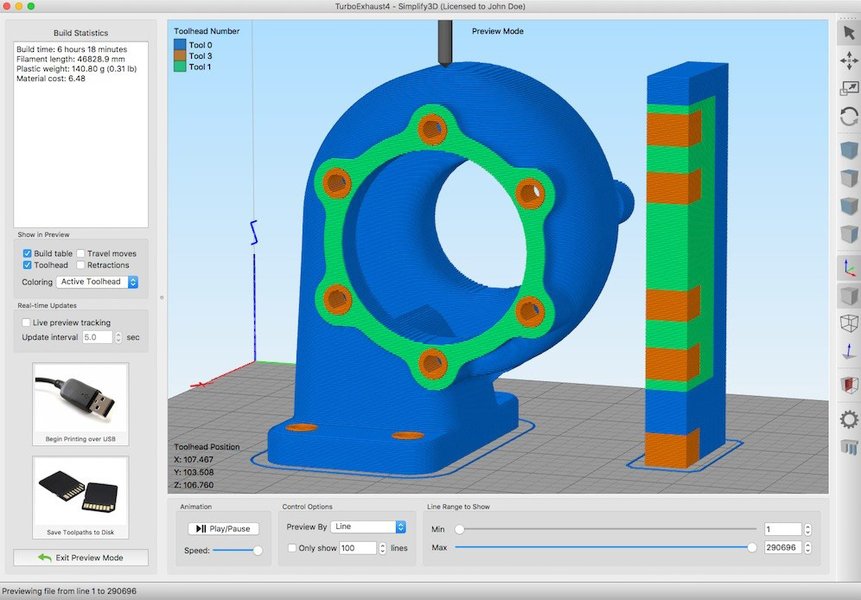
Slicer software takes a 3D model (often in STL or OBJ format) and divides it into thin layers, generating the toolpaths and instructions for the 3D printer. Key features of slicer software include:
- Generating G-code.
- Visual preview of toolpaths.
- Controlling print settings like layer height, print speed, temperature, and infill density.
- Generating support structures.
- Managing print queues.
Examples of popular slicer software include UltiMaker Cura and Slic3r.
Integrating Simulation into the 3D Printing Workflow
The integration of simulation throughout the 3D printing workflow is becoming increasingly important for achieving successful and optimized prints. This integration can occur at various stages:
Design for Additive Manufacturing (DfAM)
Simulation helps designers make informed decisions during the initial design phase, considering the specific constraints and capabilities of the 3D printing process. This includes optimizing part geometry, minimizing material usage through techniques like lattice structures, and designing for reduced support requirements.
Process Simulation
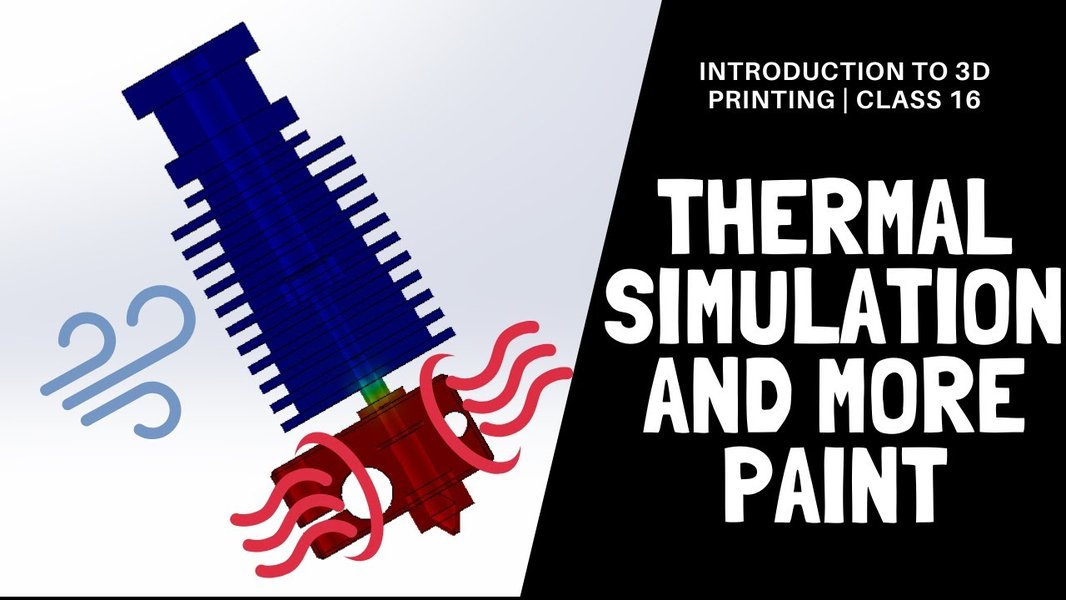
Simulating the actual printing process allows for the prediction of potential issues like distortion, residual stress, and thermal variations. This is particularly critical for metal 3D printing processes like SLM/DMLS and EBM, where thermal effects are significant.
Performance Validation
Simulation software can be used to test the structural integrity and performance of the designed part under simulated loads and conditions. This helps ensure that the printed part will meet the required specifications and avoid failure in its intended application.
The use of simulation is particularly valuable when working with advanced materials or complex parts where trial-and-error printing would be prohibitively expensive and time-consuming. By identifying potential problems virtually, users can significantly reduce failed prints and optimize their processes.
Educative Research and Applications
3D printing, combined with simulation and graphical software, is having a transformative impact on educational research and training across various disciplines.
Enhancing Surgical Training
In medical education, 3D printed anatomical models are increasingly being used as simulators for surgical training. These models, often created with the help of medical imaging data and advanced graphical software, can be highly accurate and intricately detailed. Simulation can further enhance the realism of these models by mimicking tissue properties or fluid dynamics.

Studies have shown that 3D printed simulators can effectively reduce learning curves and improve trainees' surgical skills by providing a realistic, hands-on practice environment without the risks associated with live patients.
Engineering and Design Education
For engineering students, the ability to design, simulate, and 3D print prototypes provides invaluable practical experience. They can learn about the principles of DfAM, understand the impact of design choices on printability and performance, and iterate on their designs quickly and efficiently.
Simulation tools integrated into CAD software allow students to test the structural integrity of their designs under various loads and identify areas for improvement before printing. This fosters a deeper understanding of engineering principles and the relationship between design and manufacturing.
Accessible Learning Environments
The increasing availability of user-friendly graphical software and affordable 3D printers is making 3D printing more accessible in educational institutions. Furthermore, virtual simulation environments of 3D printing workshops can provide accessible learning opportunities, allowing students to familiarize themselves with the process and equipment in a risk-free digital space.
Below is a table summarizing some of the discussed software types and their applications in 3D printing and education:
| Software Type | Examples | Primary Function for 3D Printing | Educational Relevance |
|---|---|---|---|
| CAD Software | Tinkercad, FreeCAD, SolidWorks, Fusion 360 | Creating and modifying 3D models | Teaching design principles, spatial reasoning, digital modeling skills |
| Slicer Software | UltiMaker Cura, Slic3r, Simplify3D | Preparing models for printing, generating G-code | Understanding print parameters, preparing files for fabrication |
| Simulation Software (often integrated with CAD) | Ansys Additive Suite, SolidWorks Simulation, Fusion 360 Simulation | Predicting print outcomes, analyzing material behavior, validating performance | Teaching engineering analysis, material science, optimizing designs for manufacturing |
| Graphical/Modeling Software (for organic shapes) | Blender, Modo | Creating complex organic or artistic 3D models | Teaching digital sculpting, artistic design, visual communication |
The ongoing development of simulation software, particularly with the integration of AI and cloud-based collaboration features, is expected to further enhance its role in educational and research contexts by making complex analysis tools more accessible and powerful.
The Future of Simulation and Graphics in 3D Printing Education
The future of using simulation and graphical programs in 3D printing for educational research appears promising. As these technologies continue to evolve, we can anticipate even more sophisticated tools and widespread adoption in educational settings.
Potential future developments include:
-
More intuitive and powerful AI-driven design tools that assist users in creating optimized and printable geometries.
-
Real-time simulation capabilities integrated directly into design software, providing immediate feedback on design choices.
-
Enhanced cloud-based platforms that facilitate collaboration on 3D design and simulation projects among students and researchers.
-
Further development of realistic virtual and augmented reality environments for simulating 3D printing processes and equipment operation.
-
Increased availability of open-source databases for sharing 3D printable simulator designs and educational resources.
These advancements will likely make 3D printing and associated simulation and design tools even more valuable for teaching complex concepts, fostering creativity, and preparing students for careers in fields that leverage additive manufacturing.
Frequently Asked Questions
What types of simulation are used in 3D printing?
Simulation in 3D printing can include thermal simulation to predict heat distribution and cooling, mechanical simulation to analyze stress and deformation, and process simulation to model the layer-by-layer building process.
Why is simulation important for educational 3D printing projects?
Simulation helps students understand the underlying physics of the printing process, identify potential design flaws before printing, reduce material waste from failed prints, and optimize their designs for better performance.
What are some free graphical programs suitable for 3D printing in education?
Tinkercad, FreeCAD, and Blender are popular free options with varying levels of complexity, suitable for different educational levels and project types.
How can 3D printing simulation be used in medical education?
Simulation can be used to create realistic anatomical models with properties that mimic human tissues, allowing medical students and professionals to practice surgical procedures and interventions in a safe and controlled environment.
What role does slicer software play in the 3D printing workflow?
Slicer software is essential for converting a 3D model into a set of instructions (G-code) that the 3D printer can follow to build the object layer by layer. It allows users to control various print settings that affect the final outcome.
References
Last updated April 23, 2025