
Unlock AI's Full Coding Potential: Mastering System Instructions and Prompts
Discover the art of crafting precise AI prompts to revolutionize your coding workflow, generate superior code, and debug with unparalleled efficiency.
Key Insights: Elevate Your AI Coding Prompts
- System Instructions are Foundational: Define the AI's role, expertise, and output constraints before specific tasks for consistent, high-quality results. Think of it as setting the stage for the AI's performance.
- Specificity and Context are King: Vague prompts yield vague code. Clearly state the programming language, desired functionality, input/output formats, libraries, and any existing code snippets.
- Iterative Refinement is Crucial: Your first prompt might not be perfect. Treat AI interaction as a dialogue, refining your instructions based on the AI's responses to achieve optimal outcomes.
The Power of Precise Prompts in AI-Assisted Coding
In the rapidly evolving landscape of software development, AI coding assistants have become indispensable tools. However, their true power is unlocked not just by their underlying models, but by the quality of the instructions—or prompts—they receive. Crafting effective prompts, especially "system instructions," is akin to artfully guiding an immensely skilled, albeit literal-minded, collaborator. These instructions set the stage for the AI's behavior, ensuring it aligns with your specific coding needs, whether for generation, debugging, refactoring, or learning.
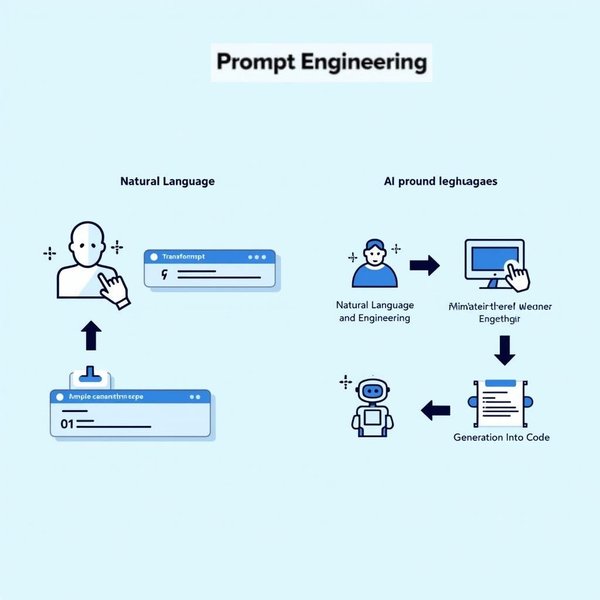
The art and science of prompt engineering: guiding AI effectively.
Understanding System Instructions
System instructions, or system-level prompts, are foundational directives given to an AI model at the beginning of an interaction. They define the AI's persona, constraints, and overall objectives for the entire session or a significant portion of it. Unlike task-specific prompts that address immediate requests, system instructions provide a persistent context that shapes all subsequent responses. For AI coding, this means you can establish:
- The AI's Role: "You are an expert Python developer specializing in data science libraries like Pandas and NumPy."
- Coding Standards: "All Python code must adhere to PEP 8 guidelines and include comprehensive docstrings."
- Output Format: "Provide code solutions first, followed by a detailed explanation of the logic and any assumptions made."
- Error Handling Philosophy: "Prioritize robust error handling and suggest edge cases to consider."
- Language & Framework Focus: "Assume all JavaScript tasks are for a Node.js environment using Express.js, unless specified otherwise."
By setting these parameters upfront, you guide the AI to produce code and explanations that are more relevant, consistent, and directly applicable to your project's requirements. Google Cloud Vertex AI documentation, for instance, highlights the utility of system instructions in shaping model behavior for more predictable and high-quality outputs in coding tasks.
Core Principles for Crafting Effective AI Coding Prompts
Beyond system instructions, every prompt benefits from adhering to certain principles. These ensure the AI has all the necessary information to perform the desired coding task accurately and efficiently.
1. Unwavering Clarity and Specificity
Leave No Room for Ambiguity
Vague requests lead to generic or incorrect code. Be explicit about what you want the AI to do. Instead of "Write code for a list," try "Write a Python function named find_even_numbers that accepts a list of integers and returns a new list containing only the even numbers from the input list."
- Define the Goal: Clearly state the programming task.
- Specify Language and Technologies: Mention the programming language (e.g., Python, JavaScript, Java) and any relevant frameworks or libraries (e.g., React, Django, Spring Boot).
- Detail Inputs and Outputs: Describe the expected format and type of input data, and the desired format and type of output. For example, "Input: a string. Output: the string reversed."
2. Providing Comprehensive Context
Equip the AI with Necessary Background
The more context the AI has, the better its suggestions will align with your project.
- Include Code Snippets: If you're asking for refactoring, debugging, or completion, provide the relevant existing code. Use delimiters like triple backticks () or XML-like tags (e.g.,
<code>...</code>) to clearly separate code from instructions. - Specify Constraints: Mention any performance requirements (e.g., time complexity, memory usage), coding standards, or design patterns that must be followed.
- Define Output Format: Clearly state if you need just the code, code with comments, code with explanations, unit tests, or a specific structure.
3. Adopting a Modular and Iterative Approach
Break Down Complexity and Refine
Complex problems are best tackled in stages. Don't expect the AI to write an entire application from a single prompt.
- Decompose Tasks: Break down large coding tasks into smaller, manageable sub-tasks. Prompt the AI for each part sequentially. This mirrors modular programming principles.
- Iterate and Refine: The AI's first attempt might not be perfect. Use its output as a starting point. Provide feedback, ask for clarifications, or request modifications in subsequent prompts. This feedback loop is crucial for honing the AI's output.
4. Leveraging AI Capabilities Across Diverse Tasks
Tailor Prompts to the Specific Coding Activity
AI can assist with a wide range of coding activities. Your prompts should reflect the specific task at hand.
- Code Generation: Requesting specific functions, classes, or boilerplate code.
- Debugging: Providing error messages and code snippets for troubleshooting.
- Refactoring & Optimization: Asking for improvements in readability, efficiency, or maintainability.
- Documentation: Generating comments, docstrings, or explanatory text for code.
- Learning & Explanation: Requesting clarification of complex code or programming concepts.
- Test Generation: Asking for unit tests or integration tests for specific code segments.
Visualizing Prompt Effectiveness
The effectiveness of an AI coding prompt can be evaluated across several dimensions. The radar chart below illustrates hypothetical scores for different types of prompts based on key characteristics. A "System-Level Instruction" aims for high scores across the board to establish a strong foundation, while an "Advanced Refactoring Prompt" would heavily emphasize context and specificity for an existing codebase. A "Basic Code Gen Prompt" might be simpler but still requires clarity.
This chart helps visualize how different prompt strategies might excel in certain areas, guiding you to choose the right approach for your specific coding assistance needs.
Practical Prompt Examples for Common Coding Tasks
The following table outlines various AI coding tasks, their objectives, essential components for prompts, and structural examples. These examples are designed to be adapted to your specific needs and AI coding tool.
| Task Category | Objective | Key Prompt Components | Example Prompt Structure |
|---|---|---|---|
| System Instruction Setup | Establish AI persona, rules, and context for the session. | Role, expertise, language, framework, output style, constraints. | "You are an expert [Language] developer specializing in [Framework/Library]. All code should be [Standard, e.g., PEP 8 compliant], well-commented, and handle edge cases. Prioritize [e.g., readability, performance]. Explain complex logic clearly." |
| Code Generation | Create new code snippets, functions, classes, or boilerplate. | Language, function/class name, parameters, return type, logic description, specific algorithms if any. | "Write a [Language] function named [FunctionName] that accepts [Parameters with types] and returns [ReturnType]. It should [Detailed logic description]. Ensure it handles [Edge cases]." |
| Debugging | Identify and fix errors in existing code. | Language, code snippet with error, error message (if any), expected behavior, environment details. | "Debug the following [Language] code: [Paste Code]. It produces the error: [Paste Error Message]. The expected behavior is [Describe expected behavior]. Explain the issue and provide the corrected code." |
| Code Refactoring & Optimization | Improve existing code for readability, performance, or maintainability. | Language, code snippet to refactor, specific goals (e.g., reduce complexity, improve speed, adhere to a pattern), constraints. | "Refactor this [Language] code: [Paste Code] to improve [e.g., performance by optimizing loops / readability by using more descriptive variable names]. Ensure functionality remains identical. Explain the changes made." |
| Code Explanation / Learning | Understand complex code or programming concepts. | Code snippet or concept, specific questions, desired level of detail (e.g., for a beginner, for an experienced developer). | "Explain this [Language] code snippet: [Paste Code]. What does it do? How does [specific part] work? Explain it as if to a [target audience, e.g., junior developer]." |
| Unit Test Generation | Create test cases for functions or modules. | Language, code snippet to test, testing framework/library (e.g., Jest, PyTest), types of tests needed (e.g., positive, negative, edge cases). | "Generate unit tests for the following [Language] function using [Testing Framework]: [Paste Function Code]. Include tests for [happy path], [edge cases like empty input], and [invalid input types]." |
| System Design Advice | Get suggestions for software architecture or scalability. | Project description, current technology stack, expected user load, future growth plans, specific architectural concerns. | "Advise on designing a scalable backend for a [Project Type, e.g., social media app] using [Tech Stack, e.g., Node.js, PostgreSQL, Redis]. Current users: [Number], expected growth: [Percentage/year]. Focus on [specific concerns, e.g., database sharding, microservices vs. monolith]." |
| Code Completion | Finish partially written code or suggest next steps. | Language, partial code snippet, desired functionality of the completed code. | "Complete the following [Language] function to [describe what the completed function should do]: [Paste Partial Code] // TODO: Complete this part " |
Remember to adapt these structures to the specific AI tool you are using, as some might have unique syntax or capabilities for handling prompts.
Mapping the Landscape of Effective AI Coding Prompts
An effective AI coding prompt strategy involves several interconnected components. The mindmap below visualizes these relationships, from foundational principles to specific techniques and desired outcomes when instructing an AI coding assistant.
)"]
          id3c2["For Instructions"]
        id3d["Provide Examples"]
          id3d1["Illustrative Input/Output"]
          id3d2["Show Desired Style"]
      id4["Task-Specific Prompt Categories"]
        id4a["Code Generation"]
        id4b["Debugging & Error Resolution"]
        id4c["Refactoring & Optimization"]
        id4d["Code Documentation"]
        id4e["Learning & Code Explanation"]
        id4f["Unit Test Creation"]
        id4g["Algorithm & Data Structure Suggestion"]
        id4h["System Design & Architecture"]
      id5["Desired Outcomes"]
        id5a["Accurate & Efficient Code"]
        id5b["Resolved Bugs & Errors"]
        id5c["Improved Code Quality"]
        id5d["Clear Documentation"]
        id5e["Enhanced Understanding"]
This mindmap highlights how a well-structured approach to prompting, combining overarching system instructions with tailored task-specific requests and iterative refinement, leads to more powerful and reliable AI coding assistance.
Enhancing Your Prompting Skills: Video Guide
For those looking to dive deeper into practical tips and advanced strategies for AI coding prompts, the following video provides an extensive guide. It covers numerous techniques that can help you get the most out of AI coding tools, refine your prompting approach, and ultimately accelerate your development workflow.
This "AI Coding 101: Ultimate Prompt Guide (37 tips)" offers a wealth of actionable advice, reflecting many of the principles discussed here. Watching it can provide further context and practical examples to solidify your understanding of effective AI prompt engineering for coding.
Frequently Asked Questions (FAQ)
What are "system instructions" in AI coding, and why are they important?
System instructions (or system prompts) are high-level directives given to an AI model at the start of an interaction to define its role, behavior, constraints, and output style throughout the conversation. They are crucial for AI coding because they help ensure consistency, relevance, and quality in the AI's responses. For example, you can instruct the AI to act as an "expert Java developer," always provide "well-commented code," or "prioritize security best practices." This sets a baseline context, making subsequent task-specific prompts more effective.
How can I make my AI coding prompts more specific?
To make your prompts more specific:
- Clearly state the programming language and any frameworks/libraries. (e.g., "Python with Flask," "JavaScript with React").
- Define the exact task: "Write a function," "debug this code," "refactor for performance."
- Provide input/output examples or formats: "Input: an array of integers. Output: the sum of the integers."
- Include relevant code snippets if you're modifying or discussing existing code. Use delimiters (like ) to separate code.
- Mention any constraints: "The solution must have a time complexity of O(n log n)," "Avoid using external libraries."
- Specify the desired output format: "Provide only the code," "Include comments explaining each step."
What are some common mistakes to avoid when writing prompts for AI coders?
Common mistakes include:
- Vagueness: "Write some code" is too open-ended.
- Missing Context: Not specifying the language, libraries, or relevant existing code.
- Ambiguity: Using unclear terms or instructions that can be interpreted in multiple ways.
- Overly Complex Single Prompts: Trying to get the AI to do too much in one go. Break complex tasks down.
- Not Providing Examples: AI often learns well from examples, especially for formatting or style.
- Failing to Iterate: Accepting the first output without trying to refine the prompt or ask for modifications if it's not perfect.
- Assuming AI Understands Implicit Knowledge: Always state requirements explicitly, even if they seem obvious to a human developer.
How do I get the AI to generate code in a specific style or follow certain constraints?
Explicitly state the desired style or constraints in your prompt. You can:
- Reference coding standards: "Generate Python code adhering to PEP 8 guidelines."
- Request specific design patterns: "Implement this using the Factory pattern."
- Provide examples of the desired style: "Here's an example of how I'd like the comments formatted: [Example Comment]"
- Specify performance constraints: "Optimize this function for memory usage rather than speed."
- Demand certain error handling: "Ensure all potential null pointer exceptions are handled gracefully."
- Ask for explanations of choices: "If you deviate from standard practice, explain why."
System instructions are particularly useful for setting these kinds of global style and constraint rules.
Is it better to give the AI one large complex prompt or break it into smaller steps?
Generally, it's better to break complex tasks into smaller, more manageable steps (a modular approach). While some advanced AI models can handle fairly complex single prompts, you'll often get more accurate and controlled results by guiding the AI incrementally.
Benefits of breaking down prompts:
- Reduced Ambiguity: Each small step is easier for the AI to understand.
- Better Control: You can review and correct the output at each stage.
- Easier Debugging: If something goes wrong, it's easier to pinpoint which step caused the issue.
- Improved Quality: The AI can focus its "attention" more effectively on a smaller sub-task.
Think of it like building software: you write individual functions or modules before integrating them into a larger system.
Recommended Related Queries
- How can AI assist in automatically generating comprehensive code documentation?
- What are advanced techniques for debugging complex software using AI coding assistants?
- Which AI coding tools are most effective for Python development, and how do their prompting needs differ?
- What are the ethical considerations and best practices for integrating AI-generated code into production software?
References
Last updated May 14, 2025