
Ultimate Snake Game Implementation
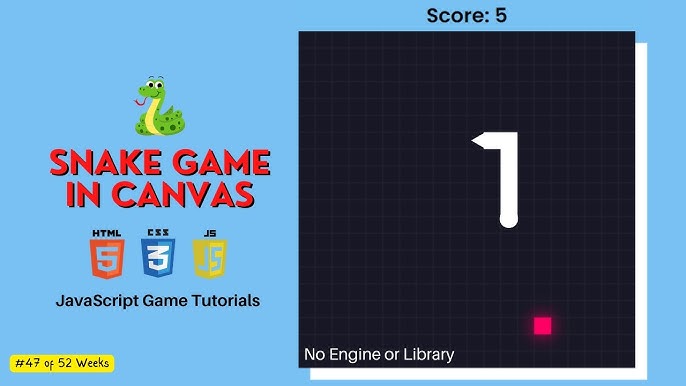
Experience the classic Snake game with enhanced features and seamless gameplay.
Key Takeaways
- Responsive Design: The game adapts to various screen sizes, ensuring optimal playability across devices.
- Efficient Collision Detection: Robust algorithms prevent the snake from crossing itself or hitting the walls, ensuring fair and challenging gameplay.
- Dynamic Score Tracking: Real-time score updates motivate players to achieve higher scores and enhance competitiveness.
Introduction
The Snake game is a timeless classic that has entertained generations of players. Its simple yet addictive gameplay makes it a perfect candidate for web-based implementation. This comprehensive guide provides a detailed walkthrough to create a feature-rich Snake game using HTML, CSS, and JavaScript. Whether you're a beginner looking to learn game development or an enthusiast aiming to enhance your coding skills, this guide offers valuable insights and practical code examples.
Game Structure
Overview
The Snake game involves controlling a snake that moves around a grid, consuming food items to grow longer. The game concludes if the snake collides with the boundaries of the grid or with itself. This implementation leverages the HTML5 <canvas> element for rendering graphics, CSS for styling, and JavaScript for game logic and interactivity.
HTML Structure
Markup
The foundational structure of the game is built using HTML. Below is the complete HTML code necessary to set up the game environment:
<!DOCTYPE html>
<html lang="en">
<head>
    <meta charset="UTF-8">
    <meta name="viewport" content="width=device-width, initial-scale=1.0">
    <title>Ultimate Snake Game</title>
    <style>
        /* CSS styles will be inserted here */
    </style>
</head>
<body>
    <h1>Ultimate Snake Game</h1>
    <h3>Control the snake using arrow keys and aim for the highest score!</h3>
    <canvas id="gameCanvas" width="400" height="400"></canvas>
    <div id="scoreBoard">Score: 0</div>
    <script>
        // JavaScript code will be inserted here
    </script>
</body>
</html>
Styling with CSS
Responsive and Aesthetic Design
CSS is utilized to enhance the visual appeal and responsiveness of the game. The following CSS code ensures that the game looks polished and adapts to different screen sizes:
body {
    display: flex;
    flex-direction: column;
    align-items: center;
    justify-content: center;
    background-color: #1a1a1a;
    margin: 0;
    height: 100vh;
    font-family: Arial, sans-serif;
}
h1 {
    color: #cc9900;
    margin-bottom: 10px;
}
h3 {
    color: #388278;
    margin-top: 0;
}
#gameCanvas {
    border: 2px solid #388278;
    background-color: #000;
    margin-bottom: 10px;
}
#scoreBoard {
    color: #fff;
    font-size: 24px;
}
@media (max-width: 500px) {
    #gameCanvas {
        width: 300px;
        height: 300px;
    }
}
Game Logic with JavaScript
Comprehensive JavaScript Implementation
The heart of the Snake game lies in its JavaScript code, which manages game state, user input, rendering, and collision detection. Below is the complete JavaScript code that brings the game to life:
// Selecting the canvas and getting the 2D context
const canvas = document.getElementById('gameCanvas');
const ctx = canvas.getContext('2d');

// Game configuration
const gridSize = 20;
const tileCount = canvas.width / gridSize;

// Game state variables
let snake = [{x: 10, y: 10}];
let dx = 0;
let dy = 0;
let food = getRandomFood();
let score = 0;
let gameInterval;

// Event listener for keyboard input
document.addEventListener('keydown', changeDirection);

// Function to start or restart the game
function startGame() {
    snake = [{x: 10, y: 10}];
    dx = 0;
    dy = 0;
    food = getRandomFood();
    score = 0;
    document.getElementById('scoreBoard').textContent = `Score: ${score}`;
    clearInterval(gameInterval);
    gameInterval = setInterval(drawGame, 100);
}

// Function to generate random food position not occupied by the snake
function getRandomFood() {
    let newFood;
    while (newFood == null || snake.some(segment => segment.x === newFood.x && segment.y === newFood.y)) {
        newFood = {
            x: Math.floor(Math.random() * tileCount),
            y: Math.floor(Math.random() * tileCount)
        };
    }
    return newFood;
}

// Function to handle direction changes based on arrow keys
function changeDirection(event) {
    const key = event.key;
    const goingUp = dy === -1;
    const goingDown = dy === 1;
    const goingLeft = dx === -1;
    const goingRight = dx === 1;

    if (key === 'ArrowUp' && !goingDown) {
        dx = 0;
        dy = -1;
    }
    if (key === 'ArrowDown' && !goingUp) {
        dx = 0;
        dy = 1;
    }
    if (key === 'ArrowLeft' && !goingRight) {
        dx = -1;
        dy = 0;
    }
    if (key === 'ArrowRight' && !goingLeft) {
        dx = 1;
        dy = 0;
    }
}

// Function to draw the game state
function drawGame() {
    // Move the snake by updating the head position
    const head = {x: snake[0].x + dx, y: snake[0].y + dy};

    // Check for collision with walls
    if (head.x < 0 || head.x >= tileCount || head.y < 0 || head.y >= tileCount) {
        endGame();
        return;
    }

    // Check for collision with itself
    if (snake.some(segment => segment.x === head.x && segment.y === head.y)) {
        endGame();
        return;
    }

    // Add new head to the snake
    snake.unshift(head);

    // Check if the snake has eaten the food
    if (head.x === food.x && head.y === food.y) {
        score++;
        document.getElementById('scoreBoard').textContent = `Score: ${score}`;
        food = getRandomFood();
    } else {
        // Remove the tail segment if no food eaten
        snake.pop();
    }

    // Clear the canvas
    ctx.fillStyle = '#000';
    ctx.fillRect(0, 0, canvas.width, canvas.height);

    // Draw the snake
    ctx.fillStyle = '#0f0';
    snake.forEach(segment => {
        ctx.fillRect(segment.x * gridSize, segment.y * gridSize, gridSize - 2, gridSize - 2);
    });

    // Draw the food
    ctx.fillStyle = '#f00';
    ctx.fillRect(food.x * gridSize, food.y * gridSize, gridSize - 2, gridSize - 2);
}

// Function to handle game over state
function endGame() {
    clearInterval(gameInterval);
    alert(`Game Over! Your score: ${score}`);
    startGame();
}

// Initialize the game when the window loads
window.onload = startGame;
Game Features
| Feature | Description |
|---|---|
| Responsive Design | The game canvas adjusts to different screen sizes, ensuring a consistent experience across devices. |
| Efficient Collision Detection | Accurate detection prevents the snake from moving through walls or itself, maintaining fair gameplay. |
| Dynamic Score Tracking | Real-time updates of the player's score, displayed prominently to encourage higher performance. |
| Random Food Generation | Food items appear at random locations not occupied by the snake, ensuring varied and unpredictable gameplay. |
| Keyboard Controls | Intuitive arrow key controls allow for smooth and responsive movement of the snake. |
| Game Restart | Upon game over, the game automatically resets, allowing players to start a new session seamlessly. |
Enhancements and Customizations
Adding Levels and Difficulty
To escalate the challenge, introduce multiple levels with increasing speeds or obstacles. For instance, as the player's score increases, the game's refresh rate can be accelerated:
// Function to increase game speed based on score
function updateSpeed() {
    clearInterval(gameInterval);
    let newInterval = Math.max(50, 200 - score * 10);
    gameInterval = setInterval(drawGame, newInterval);
}

// Modify the drawGame function to include speed updates
function drawGame() {
    // Existing drawGame code...

    // Update speed based on score
    updateSpeed();
}
High Score Tracking
Implementing a high score system using the browser's local storage allows players to track their best performances:
// Retrieve high score from local storage
let highScore = localStorage.getItem('highScore') || 0;

// Update high score if current score exceeds it
function updateHighScore() {
    if (score > highScore) {
        highScore = score;
        localStorage.setItem('highScore', highScore);
        alert(`New High Score: ${highScore}!`);
    }
}

// Modify the endGame function to include high score update
function endGame() {
    clearInterval(gameInterval);
    alert(`Game Over! Your score: ${score}`);
    updateHighScore();
    startGame();
}
Mobile Support
Enhance the game for mobile devices by adding touch controls. This can be achieved by detecting swipe gestures to control the snake's direction:
// Variables to track touch positions
let touchStartX = null;
let touchStartY = null;

// Event listeners for touch events
canvas.addEventListener('touchstart', handleTouchStart, false);
canvas.addEventListener('touchend', handleTouchEnd, false);

// Function to handle touch start
function handleTouchStart(event) {
    const firstTouch = event.touches[0];
    touchStartX = firstTouch.clientX;
    touchStartY = firstTouch.clientY;
}

// Function to handle touch end and determine swipe direction
function handleTouchEnd(event) {
    if (!touchStartX || !touchStartY) return;

    const touchEndX = event.changedTouches[0].clientX;
    const touchEndY = event.changedTouches[0].clientY;

    const diffX = touchEndX - touchStartX;
    const diffY = touchEndY - touchStartY;

    if (Math.abs(diffX) > Math.abs(diffY)) {
        if (diffX > 0 && dx !== -1) {
            dx = 1;
            dy = 0;
        } else if (diffX < 0 && dx !== 1) {
            dx = -1;
            dy = 0;
        }
    } else {
        if (diffY > 0 && dy !== -1) {
            dx = 0;
            dy = 1;
        } else if (diffY < 0 && dy !== 1) {
            dx = 0;
            dy = -1;
        }
    }

    touchStartX = null;
    touchStartY = null;
}
Enhanced Graphics and Animations
Improve the visual appeal by adding images or animations for the snake and food. Utilizing sprite sheets can provide smoother and more engaging graphics:
// Example: Using images for snake and food
const snakeImage = new Image();
snakeImage.src = 'snake.png'; // Path to snake image

const foodImage = new Image();
foodImage.src = 'food.png'; // Path to food image

// Modify the drawGame function to use images
function drawGame() {
    // Existing drawGame code...

    // Draw the snake with image
    snake.forEach(segment => {
        ctx.drawImage(snakeImage, segment.x * gridSize, segment.y * gridSize, gridSize - 2, gridSize - 2);
    });

    // Draw the food with image
    ctx.drawImage(foodImage, food.x * gridSize, food.y * gridSize, gridSize - 2, gridSize - 2);
}
Sound Effects
Incorporate sound effects to enhance user experience. Adding sounds for food consumption and game over events provides auditory feedback:
// Load sound files
const eatSound = new Audio('eat.mp3');
const gameOverSound = new Audio('gameover.mp3');

// Play eat sound when food is consumed
if (head.x === food.x && head.y === food.y) {
    score++;
    document.getElementById('scoreBoard').textContent = `Score: ${score}`;
    eatSound.play();
    food = getRandomFood();
}

// Play game over sound on collision
function endGame() {
    clearInterval(gameInterval);
    gameOverSound.play();
    alert(`Game Over! Your score: ${score}`);
    startGame();
}
Mathematical Considerations
Understanding the mathematical foundations of the game ensures smooth and consistent gameplay. The game operates on a grid-based system where the snake moves in discrete steps defined by the grid size.
Collision with Walls: The snake's head must remain within the boundaries of the grid. Mathematically, this is represented as:
$$ \text{If } head.x < 0 \text{ or } head.x \geq tileCount \text{ or } head.y < 0 \text{ or } head.y \geq tileCount \text{, collision occurs.} $$
Self-Collision Detection: The snake cannot overlap itself. A collision is detected if the head's coordinates match any of the snake's body segments:
$$ \text{Collision occurs if } \exists i \in [1, \text{length of snake}] \text{ such that } head.x = snake[i].x \text{ and } head.y = snake[i].y $$
Recap
This comprehensive guide presents an advanced implementation of the Snake game using HTML, CSS, and JavaScript. It covers the essential aspects of game development, including responsive design, efficient collision detection, dynamic score tracking, and user input handling. Additionally, it explores enhancements such as levels, high score tracking, mobile support, improved graphics, and sound effects. By following this guide, developers can create a polished and engaging Snake game that offers both nostalgic appeal and modern functionality.
References
Last updated January 26, 2025