
Understanding JSON Format
Introduction to JSON
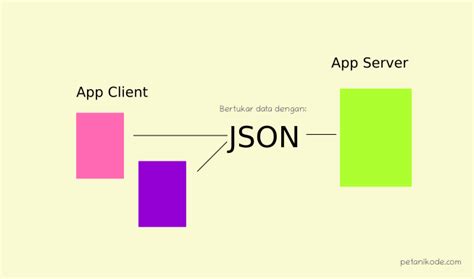
JSON, which stands for JavaScript Object Notation, is a lightweight data interchange format that is both easy for humans to read and write and straightforward for machines to parse and generate. Originally derived from JavaScript, JSON has become a ubiquitous format for data exchange in web applications, enabling seamless communication between servers and clients. Its simplicity and self-describing nature make it a preferred choice for transmitting structured data over networks.
JSON Syntax
Data in Name/Value Pairs
At the heart of JSON is the concept of name/value pairs, where each piece of data is represented by a key (name) and its corresponding value. This structure allows for clear and organized data representation. In JSON, keys must be strings enclosed in double quotes, and they are separated from their values by a colon. Multiple key/value pairs are separated by commas.
Example:
{
  "firstName": "John",
  "lastName": "Doe"
}
Objects
JSON objects are collections of key/value pairs wrapped in curly braces. They can represent complex data structures by nesting objects within objects. This hierarchical arrangement allows for the representation of real-world entities with multiple attributes.
Example:
{
  "name": "John Doe",
  "age": 30,
  "address": {
    "street": "123 Main St",
    "city": "Anytown",
    "state": "CA",
    "zip": "12345"
  }
}
Arrays
Arrays in JSON are ordered lists of values, which can include objects, strings, numbers, booleans, null, or even other arrays. Arrays are enclosed in square brackets and can hold multiple items separated by commas. This feature is particularly useful for representing collections of similar items.
Example:
{
  "employees": [
    { "firstName": "John", "lastName": "Doe" },
    { "firstName": "Anna", "lastName": "Smith" },
    { "firstName": "Peter", "lastName": "Jones" }
  ]
}
Data Types
JSON supports a variety of data types, ensuring flexibility in data representation. The primary data types include:
- Strings: Enclosed in double quotes, e.g., "Hello World".
- Numbers: Can be integers or floating-point, e.g., 42 or 3.14.
- Booleans: Represent true or false values.
- null: Represents a null value.
- Objects: As described above.
- Arrays: As described above.
Parsing and Converting JSON
One of JSON's strengths lies in its seamless integration with programming languages, particularly JavaScript. Converting JSON data into native objects allows for easy manipulation and access within code. This process is typically achieved using built-in functions provided by the language.
In JavaScript, the JSON.parse() function is used to parse a JSON string and convert it into a JavaScript object. Conversely, the JSON.stringify() function converts a JavaScript object into a JSON string, facilitating data transmission.
const jsonString = '{"name":"John Doe","age":30}';
const obj = JSON.parse(jsonString);
console.log(obj.name); // Output: John Doe

const newJsonString = JSON.stringify(obj);
console.log(newJsonString); // Output: {"name":"John Doe","age":30}
Example JSON Structures
Understanding JSON is greatly enhanced by examining practical examples. Below are sample JSON structures that demonstrate various features and complexities.
Basic JSON Object
{
  "name": "Jane Doe",
  "age": 25,
  "isStudent": true,
  "courses": ["Biology", "Chemistry", "Physics"]
}
This example showcases a simple JSON object with string, number, boolean, and array data types.
Nested JSON Object
{
  "company": "Tech Solutions",
  "employees": [
    {
      "name": "Alice",
      "role": "Developer",
      "skills": ["JavaScript", "React", "Node.js"]
    },
    {
      "name": "Bob",
      "role": "Designer",
      "skills": ["Photoshop", "Illustrator"]
    }
  ],
  "location": {
    "address": "456 Corporate Blvd",
    "city": "Metropolis",
    "country": "USA"
  }
}
In this structure, the JSON object contains nested objects and arrays, illustrating how complex data relationships can be represented.
Advantages of JSON
JSON offers numerous benefits that contribute to its widespread adoption in data interchange:
- Lightweight: JSON's minimalistic syntax reduces data size, enhancing transmission efficiency.
- Language-Independent: While originating from JavaScript, JSON is supported by virtually all programming languages, making it versatile for diverse applications.
- Human-Readable: JSON's clear and straightforward structure facilitates easy reading and debugging by developers.
- Ease of Use: With built-in support in many languages, parsing and generating JSON data is straightforward.
- Support for Complex Data Structures: JSON can represent complex hierarchical data through nested objects and arrays.
- Wide Adoption: JSON is a standard in web APIs, configuration files, and data storage solutions, ensuring compatibility across various platforms and services.
Key Resources
To delve deeper into JSON and leverage its full potential, the following resources are invaluable:
- Official JSON Specification: The authoritative source for JSON syntax and standards.
- JSON RFC Documentation: Detailed specifications and guidelines for JSON format.
- Mozilla Developer Network (MDN) JSON Guide: Comprehensive tutorials and references for working with JSON in JavaScript.
- W3Schools JSON Tutorial: Beginner-friendly tutorials and examples for understanding and using JSON.
- Javatpoint JSON Examples: Practical examples and explanations to enhance your JSON knowledge.
Validating JSON
Ensuring that JSON data is correctly formatted is crucial for preventing errors during data parsing and manipulation. Validation involves checking that the JSON structure adheres to the standard syntax rules, such as proper use of commas, brackets, and quotation marks.
Various tools and libraries can assist in validating JSON:
- Online Validators: Websites like JSONLint allow users to paste JSON data and check for syntax errors.
- Integrated Development Environment (IDE) Plugins: Many IDEs, such as Visual Studio Code, offer extensions that highlight JSON syntax errors in real-time.
- Programming Libraries: Languages like Python offer libraries (e.g.,
jsonmodule) that can parse and validate JSON data programmatically.
Transforming JSON
Transforming JSON involves converting JSON data into different formats or structures to meet specific requirements. Common transformations include:
- JSON to XML: Useful for systems that prefer XML data structures.
- JSON to CSV: Facilitates the import of JSON data into spreadsheet applications.
- JSON to YAML: YAML offers a more human-readable format, beneficial for configuration files.
Tools and libraries are available to perform these transformations efficiently. For example, in JavaScript, libraries like xml2js can convert JSON to XML, while Python's pandas library can transform JSON data into CSV format.
Analyzing JSON
Analyzing JSON data involves extracting meaningful insights, summarizing information, or identifying patterns within the data. This can be achieved through various methods:
- Data Extraction: Using programming languages to traverse JSON objects and retrieve specific data points.
- Data Aggregation: Summarizing data, such as calculating averages or totals from numerical values within the JSON.
- Pattern Identification: Detecting trends or recurring themes within the data, which can inform decision-making processes.
For instance, in JavaScript, one might use array methods like map() and filter() to process and analyze JSON data effectively.
Best Practices for Working with JSON
To maximize the efficiency and effectiveness of using JSON, adopting certain best practices is recommended:
- Consistent Formatting: Maintain a consistent structure and naming convention across JSON files to enhance readability and maintainability.
- Minimal Nesting: While JSON supports nested structures, excessive nesting can complicate data access and manipulation. Aim for a balanced structure.
- Use of Meaningful Keys: Choose clear and descriptive key names to make the data self-explanatory.
- Validation: Always validate JSON data before processing to avoid runtime errors.
- Security Considerations: Be cautious of JSON data sources to prevent injection attacks. Use secure parsing methods and sanitize inputs as necessary.
Common Use Cases for JSON
JSON's versatility makes it suitable for a wide range of applications:
-
Web APIs: Many web services and APIs use JSON to exchange data between clients and servers.
-
Configuration Files: Applications often store settings and configurations in JSON format due to its readability.
-
Data Storage: Some databases, like MongoDB, use JSON-like documents for data storage.
-
Mobile Applications: JSON is widely used in mobile app development for data interchange between the app and backend services.
-
Server-to-Server Communication: JSON facilitates data sharing between different server-side applications and microservices.
JSON in Modern Development
In contemporary software development, JSON plays a pivotal role in various technologies and frameworks:
- RESTful APIs: JSON is the de facto standard for data exchange in RESTful web services.
- Single Page Applications (SPAs): Frameworks like React, Angular, and Vue.js rely on JSON for managing state and data fetching.
- Data Serialization: JSON is commonly used to serialize and deserialize data for storage and transmission.
- IoT Devices: Internet of Things devices utilize JSON to communicate data efficiently over networks.
Conclusion
JSON's simplicity, flexibility, and wide-ranging support make it an indispensable tool in modern programming and data interchange. Whether you're building web applications, designing APIs, or managing complex data structures, understanding and effectively utilizing JSON can significantly enhance your development workflow. By adhering to best practices and leveraging the numerous resources available, developers can harness the full potential of JSON to create robust and efficient applications.
Last updated January 5, 2025