
Unlocking Digital Equality: The Ultimate Guide to Effective Accessibility Testing
A comprehensive framework for ensuring your digital products are truly accessible to all users, regardless of ability
Key Insights for Accessibility Testing Success
- Hybrid approaches yield the best results - Combining automated tools with manual testing provides comprehensive coverage that neither method alone can achieve
- Early integration is critical - Incorporating accessibility testing throughout the development lifecycle prevents costly remediation later
- Real user testing is irreplaceable - Involving people with disabilities provides insights that automated tools cannot capture
Understanding Accessibility Testing Approaches
Accessibility testing ensures digital products—websites, mobile apps, and software—are usable by everyone, including people with disabilities. An effective accessibility testing approach combines multiple methodologies to identify barriers that might prevent equal access to digital content.
The goal is to create inclusive digital experiences that comply with standards like the Web Content Accessibility Guidelines (WCAG) and legal requirements such as the Americans with Disabilities Act (ADA) and Section 508. By implementing a comprehensive testing strategy, organizations can ensure their digital products are accessible to all users, regardless of ability.
The Three Core Testing Methodologies
The radar chart above illustrates the comparative strengths of different accessibility testing approaches across key performance metrics. While automated testing excels in speed and scalability, manual testing provides superior context understanding and user experience insights. A hybrid approach leverages the strengths of both methodologies to achieve the most comprehensive testing coverage.
Automated Testing: The Foundation
Automated accessibility testing utilizes specialized tools to systematically scan digital content for common accessibility issues. These tools can quickly evaluate large volumes of content, making them essential for initial assessments and ongoing monitoring.
Benefits of Automated Testing
- Efficiently scans large volumes of content
- Provides consistent, objective results
- Identifies common issues like missing alt text, insufficient color contrast, and improper heading structure
- Integrates seamlessly into development workflows and CI/CD pipelines
- Enables regular testing throughout the development lifecycle
Limitations of Automated Testing
- Typically catches only 30-40% of accessibility issues
- Cannot effectively evaluate subjective aspects like meaningful alt text quality or logical reading order
- May produce false positives that require human verification
- Lacks the ability to understand context and user experience
Manual Testing: The Human Element
Manual accessibility testing involves human testers evaluating digital content using various methods and assistive technologies. This approach provides critical insights into user experience that automated tools simply cannot detect.
Essential Manual Testing Techniques
- Keyboard Navigation Testing: Verifying that all functionality is accessible without a mouse
- Screen Reader Testing: Using tools like JAWS, NVDA, or VoiceOver to evaluate how content is presented to visually impaired users
- Color Contrast Analysis: Checking that text and interface elements have sufficient contrast for users with low vision
- Cognitive Review: Assessing if content is clear, consistent, and understandable
- Content Structure Analysis: Evaluating heading hierarchy, landmark regions, and reading order
Hybrid Testing: The Optimal Approach
A hybrid accessibility testing approach combines automated and manual methods to achieve comprehensive coverage. This strategy leverages the efficiency of automated tools for broad scanning while using human expertise to address nuanced issues and provide context-aware evaluations.
The hybrid approach typically follows this sequence:
- Run automated scans to identify common issues and establish a baseline
- Conduct manual testing to verify automated results and check for issues that automated tools miss
- Perform user testing with people with disabilities to gain real-world insights
- Integrate findings from all methods to create a comprehensive remediation plan
Key Areas of Accessibility Testing
A thorough accessibility testing approach must address multiple aspects of digital accessibility. The following table outlines the essential areas to evaluate, along with testing methods and relevant WCAG success criteria.
| Testing Area | Description | Testing Methods | Key WCAG Criteria |
|---|---|---|---|
| Keyboard Accessibility | Ensuring all functionality can be accessed and operated using only a keyboard | Manual keyboard navigation, focus indicator inspection | 2.1.1, 2.1.2, 2.4.7 |
| Screen Reader Compatibility | Verifying content is properly announced and navigable using screen readers | Testing with JAWS, NVDA, VoiceOver, examining semantic structure | 1.1.1, 1.3.1, 4.1.2 |
| Color and Contrast | Ensuring sufficient contrast between text/controls and background | Automated contrast tools, visual inspection, color blindness simulation | 1.4.3, 1.4.11 |
| Content Structure | Checking proper heading hierarchy, landmark regions, and semantic markup | DOM inspection, screen reader navigation, automated structure analysis | 1.3.1, 2.4.1, 2.4.6 |
| Forms and Controls | Verifying form fields have proper labels, instructions, and error handling | Manual form completion, automated label checking, screen reader testing | 1.3.1, 2.4.6, 3.3.1, 3.3.2 |
| Images and Media | Ensuring all non-text content has appropriate alternatives | Alt text review, transcript verification, automated detection of missing alts | 1.1.1, 1.2.1-1.2.5 |
| Dynamic Content | Testing interactive elements like modals, carousels, and AJAX updates | Keyboard testing, screen reader announcements, ARIA implementation review | 2.1.1, 4.1.2, 4.1.3 |
| Mobile Accessibility | Evaluating touch targets, gestures, and responsive design | Testing on mobile devices, zooming, touch-only interaction | 2.5.1, 2.5.2, 1.4.10 |
Essential Tools for Accessibility Testing
A comprehensive accessibility testing approach requires the right tools. Below is a mindmap of the most valuable accessibility testing tools categorized by their primary functions.
Spotlight: Automated Testing Tools
Automated tools form the foundation of efficient accessibility testing. Here's a closer look at some leading tools:
- Axe: One of the most popular and reliable automated testing tools, available as browser extensions, developer tools, and with CI/CD integration capabilities. Axe is highly praised for its accuracy and low rate of false positives.
- WAVE: Provides visual feedback about accessibility issues directly on the webpage, making it intuitive for non-specialists to understand problems and their impact.
- Lighthouse: Built into Chrome DevTools, offering accessibility audits alongside performance, SEO, and best practices evaluations.
- Cypress-axe: A plugin that integrates accessibility testing into Cypress automated testing workflows.
Video Demonstration: Using Axe for Accessibility Testing
This video demonstrates how to use Axe, a powerful accessibility testing tool that helps identify accessibility issues on web pages. It shows how to install the browser extension and interpret the test results, providing practical guidance for incorporating automated testing into your workflow.
Accessibility Testing in Practice
The Comprehensive Testing Process
Implementing an effective accessibility testing approach involves a structured process that combines various testing methods at different stages of development. Here's a step-by-step framework:
- Planning and Preparation:
- Define the scope of testing and target conformance level (WCAG A, AA, or AAA)
- Identify critical user journeys and key functionality to test
- Select appropriate testing tools and methods
- Establish acceptance criteria and reporting mechanisms
- Automated Testing:
- Run automated scans across the application
- Generate reports of potential issues
- Categorize findings by severity and impact
- Integrate automated testing into CI/CD pipelines
- Manual Expert Testing:
- Verify automated test results to eliminate false positives
- Conduct keyboard navigation testing
- Perform screen reader testing with multiple assistive technologies
- Evaluate cognitive and usability aspects
- User Testing:
- Recruit participants with various disabilities
- Define specific scenarios and tasks
- Observe and document user experiences and barriers
- Gather qualitative feedback about usability and accessibility
- Reporting and Remediation:
- Consolidate findings from all testing methods
- Prioritize issues based on impact and complexity
- Create detailed remediation plans with specific solutions
- Establish timeline and responsibilities for fixes
- Verification and Monitoring:
- Verify fixes with the same testing methods
- Implement ongoing monitoring for regression issues
- Continue testing as new features are developed
- Establish accessibility as part of the quality assurance process
Visual Examples of Accessibility Testing in Action
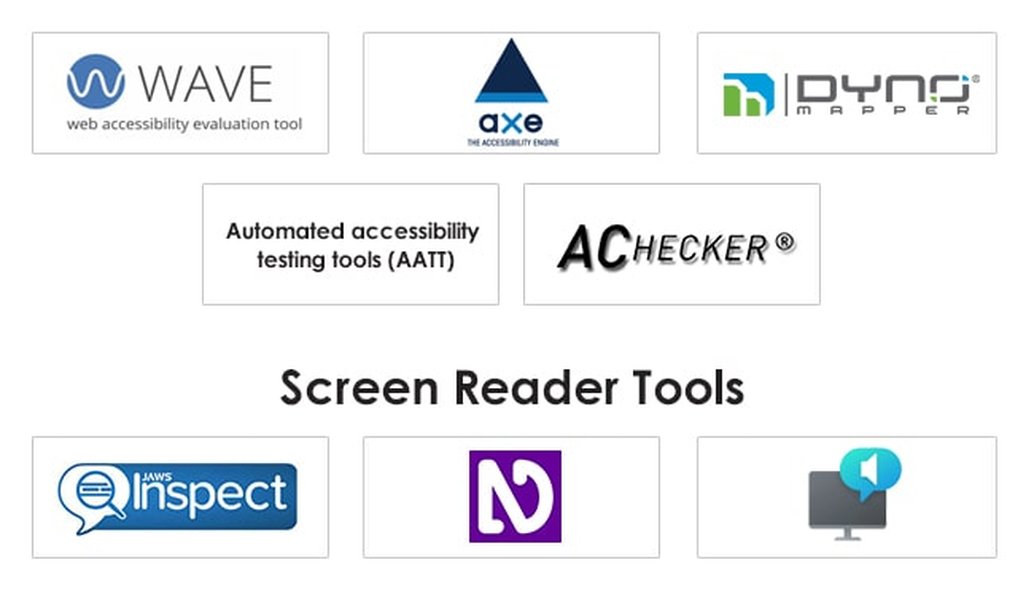
The image above showcases various accessibility testing tools being used simultaneously, illustrating the multi-faceted approach required for comprehensive testing. Notice how both automated and manual testing methods are represented, reinforcing the importance of a hybrid approach.

Screen reader testing is a critical component of manual accessibility testing. This image shows a user engaging with content through a screen reader, demonstrating how people with visual impairments access digital content through assistive technology.
Frequently Asked Questions
References
- Accessibility Testing Tools - Level Access
- Accessibility Testing Tools and Practices - Harvard University
- Top 10 Web Accessibility Testing Tools - Applitools
- WCAG & ADA Testing Tools Guide - BrowserStack
- Accessibility Testing Tools - University of Michigan
- Free Accessibility Testing Tools - TPGi
- Best Web Accessibility Testing Tools - The CTO Club
- How to Test Websites for Accessibility - Digital.gov
Recommended Searches
Last updated April 6, 2025