
Mastering Your Custom Java LinkedList: A Junior Developer's Guide
Unlock the power of dynamic data structures with a robust, custom LinkedList implementation and comprehensive JUnit 5 tests.
Essential Insights for Your LinkedList Implementation
- Foundation with Node Class: Every custom LinkedList begins with a
Nodeinner class, which encapsulates the data and a reference to the next element, forming the backbone of the linked structure. - Comprehensive Operations with Edge Case Handling: A complete LinkedList implementation requires methods for
size(),addFirst(),addLast(),add(index, el),getFirst(),getLast(),get(index),removeFirst(),removeLast(), andremove(index), all meticulously designed to manage various scenarios, including empty lists, single-element lists, and valid/invalid indices. - Robust Unit Testing with JUnit 5: Ensuring the reliability of your custom LinkedList is paramount. JUnit 5 provides a powerful framework for writing effective unit tests that validate the behavior of each operation, covering normal scenarios and crucial edge cases with assertions.
As a junior Java developer, tackling the implementation of your own custom LinkedList is an excellent way to deepen your understanding of fundamental data structures. While Java's java.util.LinkedList exists, creating one from scratch provides invaluable insight into how these structures operate internally. This guide will walk you through building a robust singly linked list, complete with essential operations and thorough unit tests using JUnit 5, ensuring you can confidently address your task.
Understanding the Anatomy of a Singly Linked List
A singly linked list is a linear data structure where each element, known as a "node," consists of two parts: the data it holds and a reference (or pointer) to the next node in the sequence. Unlike arrays, elements in a linked list are not stored in contiguous memory locations. Instead, they are connected through these references, forming a chain.
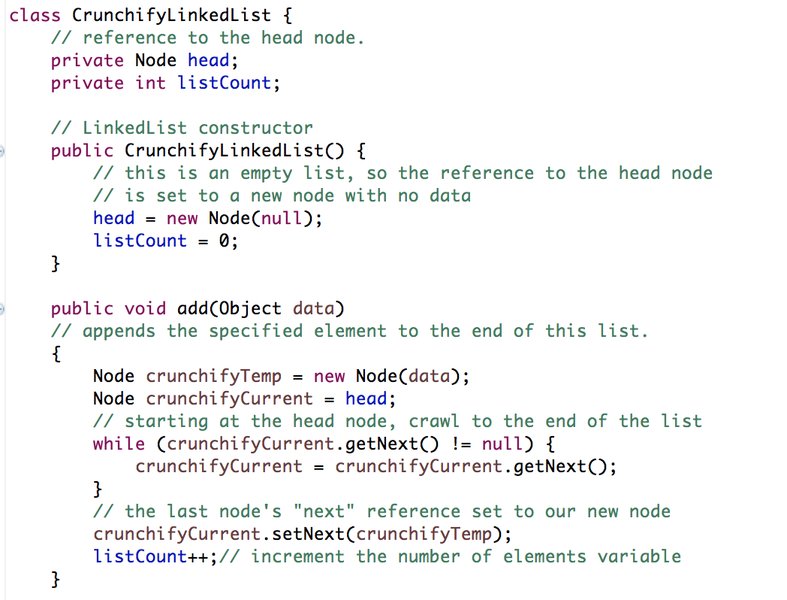 A visual representation of a singly linked list, showing nodes connected by 'next' pointers.
For our custom implementation, we'll focus on a singly linked list, which is a common starting point due to its relative simplicity compared to doubly or circular linked lists. Our CustomLinkedList will manage a collection of Node objects. Key fields will include:
head: A reference to the very first node in the list. This is our entry point.tail: A reference to the very last node in the list. Maintaining this reference significantly optimizes operations like adding elements to the end.size: An integer counter to keep track of the total number of elements currently in the list.
The Foundation: The Node Class
Every element stored in our linked list will be encapsulated within a Node object. This will be a private static inner class within our CustomLinkedList, ensuring it's closely tied to the list's functionality and type-safe with generics.
public class CustomLinkedList<E> {
    private Node<E> head;
    private Node<E> tail;
    private int size;

    // Inner Node class representing each element in the linked list
    private static class Node<E> {
        E data; // The actual data stored in this node
        Node<E> next; // Reference to the next node in the sequence

        // Constructor for a new Node
        Node(E data) {
            this.data = data;
            this.next = null; // Initially, no next node
        }
    }

    // Constructor for the CustomLinkedList
    public CustomLinkedList() {
        this.head = null; // List is empty initially
        this.tail = null; // Tail is also null for an empty list
        this.size = 0;    // Size is 0 for an empty list
    }
    // ... rest of the LinkedList methods
}
Implementing Core LinkedList Operations
A functional linked list requires a set of standard operations to manipulate its elements. Each method must handle various scenarios, including an empty list, a list with a single element, and lists with multiple elements. Crucially, operations involving indices must also validate the index to prevent errors.
Querying List Information
These methods provide basic information about the list without modifying its structure.
size(): Determining the List's Current Size
This method simply returns the number of elements currently stored in the list. It's a direct lookup, leveraging the size field we maintain.
public int size() {
    return size;
}
getFirst(): Accessing the First Element
This method returns the data held by the head node. It's vital to check if the list is empty before attempting to access the head's data to avoid a NullPointerException or similar issues. If the list is empty, a NoSuchElementException is thrown.
public E getFirst() {
    if (head == null) {
        throw new NoSuchElementException("List is empty");
    }
    return head.data;
}
getLast(): Accessing the Last Element
Similar to getFirst(), this method returns the data of the tail node. The presence of a tail reference makes this an O(1) operation, as no traversal is needed. An empty list also results in a NoSuchElementException.
public E getLast() {
    if (tail == null) {
        throw new NoSuchElementException("List is empty");
    }
    return tail.data;
}
get(index): Retrieving an Element by Index
To get an element at a specific index, we must traverse the list from the head until we reach the desired position. Before traversal, we validate the index to ensure it's within the valid range (0 to size - 1). If the index is invalid, an IndexOutOfBoundsException is thrown.
public E get(int index) {
    // Helper method to check if the index is valid for an existing element
    checkElementIndex(index);
    Node<E> current = head;
    for (int i = 0; i < index; i++) {
        current = current.next;
    }
    return current.data;
}
Adding Elements to the List
These methods enable the insertion of new elements at various positions.
addFirst(el): Inserting at the Beginning
Adding an element to the beginning is a straightforward operation. A new node is created, its next pointer is set to the current head, and then the list's head is updated to the new node. Special care is taken if the list was initially empty, in which case the new node also becomes the tail.
public void addFirst(E el) {
    Node<E> newNode = new Node<>(el);
    newNode.next = head; // New node points to the old head
    head = newNode;      // New node becomes the new head
    if (size == 0) {     // If list was empty, new node is also the tail
        tail = head;
    }
    size++;
}
addLast(el): Appending to the End
Adding an element to the end of a singly linked list is efficient when a tail reference is maintained. The current tail's next pointer is updated to the new node, and then the list's tail is updated to the new node. If the list is empty, the new node becomes both head and tail.
public void addLast(E el) {
    Node<E> newNode = new Node<>(el);
    if (size == 0) { // If list is empty, new node is both head and tail
        head = tail = newNode;
    } else {
        tail.next = newNode; // Current tail points to new node
        tail = newNode;      // New node becomes the new tail
    }
    size++;
}
add(index, el): Inserting at a Specific Index
This method allows insertion anywhere in the list. It first checks for valid indices, redirecting to addFirst() or addLast() for edge cases (index 0 or index size). For insertions in the middle, it traverses to the node *before* the target index, updates pointers to insert the new node, and then reconnects the chain.
public void add(int index, E el) {
    // Helper method to check if the index is valid for adding an element
    checkPositionIndex(index);
    if (index == 0) {
        addFirst(el);
        return;
    }
    if (index == size) {
        addLast(el);
        return;
    }
    Node<E> newNode = new Node<>(el);
    Node<E> prev = head;
    for (int i = 0; i < index - 1; i++) {
        prev = prev.next; // Traverse to the node before the insertion point
    }
    newNode.next = prev.next; // New node points to what prev used to point to
    prev.next = newNode;      // Prev now points to the new node
    size++;
}
Removing Elements from the List
These methods handle the removal of elements, also returning the removed data.
removeFirst(): Deleting from the Beginning
This operation involves updating the head to point to the next node in the sequence. The data of the original head is returned. If the list becomes empty after removal, the tail is also set to null. An empty list will throw a NoSuchElementException.
public E removeFirst() {
    checkElementExists(); // Throws IllegalStateException if list is empty
    E data = head.data;   // Store data of the node to be removed
    head = head.next;     // Head moves to the next node
    size--;
    if (size == 0) {      // If list becomes empty, tail must also be null
        tail = null;
    }
    return data;
}
removeLast(): Deleting from the End
Removing the last element in a singly linked list requires a traversal to find the second-to-last node. This node will become the new tail, and its next pointer must be set to null. Special handling is needed for lists with only one element. An empty list will throw a NoSuchElementException.
public E removeLast() {
    checkElementExists(); // Throws IllegalStateException if list is empty
    if (size == 1) {      // Special case: only one element in the list
        E data = head.data;
        head = tail = null; // List becomes empty
        size = 0;
        return data;
    }
    Node<E> prev = head;
    // Traverse to the second-to-last node
    while (prev.next != tail) {
        prev = prev.next;
    }
    E data = tail.data; // Store data of the node to be removed
    tail = prev;        // Second-to-last becomes the new tail
    tail.next = null;   // New tail's next pointer is null
    size--;
    return data;
}
remove(index): Deleting an Element by Index
This method removes an element at a given index. It delegates to removeFirst() or removeLast() for boundary indices (0 or size - 1). For middle removals, it traverses to the node *before* the target node and updates its next pointer to bypass the node to be removed, effectively deleting it from the chain. Index validation is crucial here, too.
public E remove(int index) {
    checkElementIndex(index); // Throws IndexOutOfBoundsException if index is invalid
    if (index == 0) return removeFirst();
    if (index == size - 1) return removeLast();

    Node<E> prev = head;
    for (int i = 0; i < index - 1; i++) {
        prev = prev.next; // Traverse to the node before the target
    }
    E data = prev.next.data;     // Store data of the node to be removed
    prev.next = prev.next.next;  // Bypass the node to be removed
    size--;
    return data;
}
Helper Methods for Robustness
To keep the main methods clean and prevent redundant code, it's good practice to create private helper methods for common checks:
checkPositionIndex(int index)
Used by add(index, el) to validate an index where an element can be inserted. The valid range for insertion is 0 <= index <= size.
private void checkPositionIndex(int index) {
    if (index < 0 || index > size) {
        throw new IndexOutOfBoundsException("Index: "+index+", Size: "+size);
    }
}
checkElementIndex(int index)
Used by get(index) and remove(index) to validate an index that must already contain an element. The valid range for existing elements is 0 <= index < size.
private void checkElementIndex(int index) {
    if (index < 0 || index >= size) {
        throw new IndexOutOfBoundsException("Index: "+index+", Size: "+size);
    }
}
checkElementExists()
Used by getFirst(), getLast(), removeFirst(), and removeLast() to ensure the list is not empty before performing operations that require elements to exist.
private void checkElementExists() {
    if (size == 0) {
        throw new NoSuchElementException("List is empty");
    }
}
Visualizing LinkedList Performance
Understanding the time complexity of operations is crucial for a junior developer. Here's a radar chart comparing the theoretical best-case time complexity of various LinkedList operations, providing an intuitive sense of their relative efficiency.
This radar chart illustrates the approximate time complexity for various operations. Values are relative: '1' indicates an O(1) operation (constant time, very fast), while '5' indicates an O(N) operation (linear time, scales with list size). For a singly linked list, operations like addFirst and removeFirst are typically O(1) because they only involve modifying the head pointer. However, operations like add(index), get(index), remove(index), and especially removeLast, often require traversing a portion of the list, leading to O(N) complexity in the worst case.
Unit Testing Your LinkedList with JUnit 5
Writing comprehensive unit tests is an essential practice for any Java developer. JUnit 5 is the modern framework for this task, allowing you to systematically verify that each method in your CustomLinkedList behaves exactly as expected, especially under various conditions including edge cases.
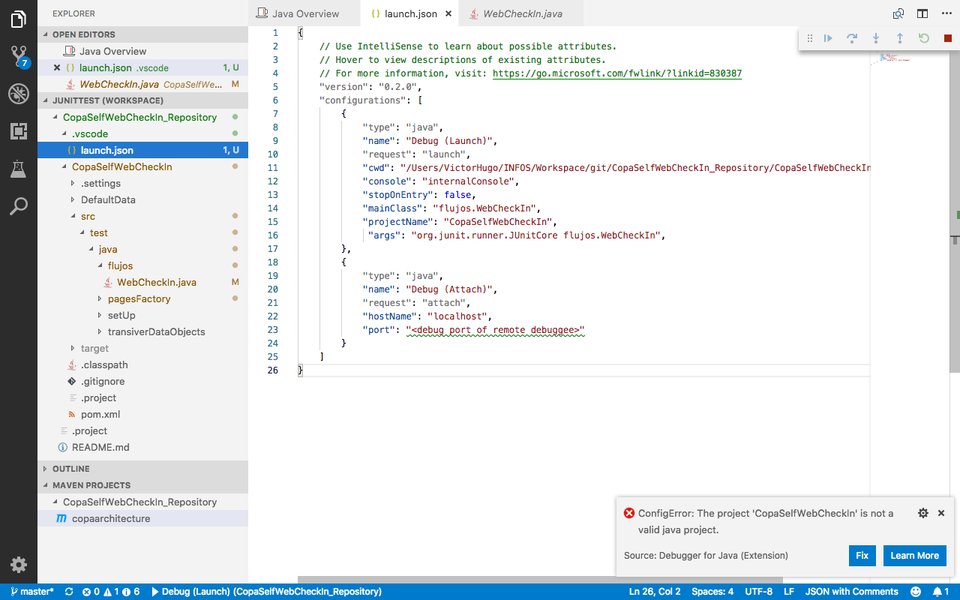 An example of JUnit test results displayed in a development environment, highlighting successful tests.
To use JUnit 5, you'll need to include its dependencies in your project's build file (e.g., pom.xml for Maven or build.gradle for Gradle). Here's a typical Maven dependency setup:
<!-- Maven Dependency for JUnit Jupiter API -->
<dependency>
    <groupId>org.junit.jupiter</groupId>
    <artifactId>junit-jupiter-api</artifactId>
    <version>5.10.0</version> <!-- Use the latest stable version -->
    <scope>test</scope>
</dependency>
<!-- Maven Dependency for JUnit Jupiter Engine (for running tests) -->
<dependency>
    <groupId>org.junit.jupiter</groupId>
    <artifactId>junit-jupiter-engine<</artifactId>
    <version>5.10.0</version> <!-- Use the latest stable version -->
    <scope>test</scope>
</dependency>
Crafting Your Test Class: CustomLinkedListTest.java
Your test class will contain multiple test methods, each focusing on a specific functionality of your CustomLinkedList. Key annotations and assertions from JUnit 5 are utilized:
@BeforeEach: This annotation marks a method that will run before every test method. It's ideal for setting up a fresh instance of yourCustomLinkedListfor each test, ensuring tests are independent and reproducible.@Test: This annotation identifies a method as a test case.@DisplayName("Test Name"): (Optional but recommended) Provides a more human-readable name for your test in reports, making it easier to understand test outcomes.assertEquals(expected, actual): Asserts that two values are equal. This is frequently used to check the size of the list or the data returned byget,getFirst, etc.assertThrows(ExpectedException.class, () -> methodCall()): Asserts that a specific exception is thrown when a piece of code is executed. This is crucial for testing error handling, such as attempting to get an element from an empty list or accessing an invalid index.
Here's a comprehensive set of unit tests for your CustomLinkedList:
import org.junit.jupiter.api.BeforeEach;
import org.junit.jupiter.api.Test;
import java.util.NoSuchElementException;
import static org.junit.jupiter.api.Assertions.*;

public class CustomLinkedListTest {
    private CustomLinkedList<String> list;

    @BeforeEach
    void setUp() {
        list = new CustomLinkedList<>();
    }

    @Test
    void testSize() {
        assertEquals(0, list.size(), "Size of empty list should be 0");
        list.addLast("A");
        assertEquals(1, list.size(), "Size should be 1 after adding one element");
        list.addFirst("B");
        assertEquals(2, list.size(), "Size should be 2 after adding another element");
    }

    @Test
    void testAddFirst() {
        list.addFirst("A");
        assertEquals("A", list.getFirst(), "First element should be A");
        assertEquals(1, list.size());
        list.addFirst("B");
        assertEquals("B", list.getFirst(), "First element should be B after adding B first");
        assertEquals(2, list.size());
    }

    @Test
    void testAddLast() {
        list.addLast("A");
        assertEquals("A", list.getLast(), "Last element should be A");
        assertEquals(1, list.size());
        list.addLast("B");
        assertEquals("B", list.getLast(), "Last element should be B after adding B last");
        assertEquals(2, list.size());
    }

    @Test
    void testAddWithIndex() {
        list.addLast("A");
        list.addLast("B");
        list.add(1, "C"); // List: [A, C, B]
        assertEquals("C", list.get(1), "Element at index 1 should be C");
        assertEquals(3, list.size(), "Size should be 3 after insertion");

        // Test adding at beginning (index 0)
        list.add(0, "Z"); // List: [Z, A, C, B]
        assertEquals("Z", list.getFirst(), "Element at index 0 should be Z");
        assertEquals(4, list.size());

        // Test adding at end (index == size)
        list.add(list.size(), "Y"); // List: [Z, A, C, B, Y]
        assertEquals("Y", list.getLast(), "Element at last index should be Y");
        assertEquals(5, list.size());

        // Test invalid index
        assertThrows(IndexOutOfBoundsException.class, () -> list.add(-1, "D"), "Should throw IndexOutOfBoundsException for negative index");
        assertThrows(IndexOutOfBoundsException.class, () -> list.add(list.size() + 1, "E"), "Should throw IndexOutOfBoundsException for index > size");
    }

    @Test
    void testGetFirst() {
        assertThrows(NoSuchElementException.class, list::getFirst, "Should throw NoSuchElementException for empty list");
        list.addFirst("Hello");
        assertEquals("Hello", list.getFirst(), "Should return 'Hello'");
    }

    @Test
    void testGetLast() {
        assertThrows(NoSuchElementException.class, list::getLast, "Should throw NoSuchElementException for empty list");
        list.addLast("World");
        assertEquals("World", list.getLast(), "Should return 'World'");
    }

    @Test
    void testGetWithIndex() {
        list.addLast("Alpha");
        list.addLast("Beta");
        list.addLast("Gamma");
        assertEquals("Alpha", list.get(0), "Should return 'Alpha' at index 0");
        assertEquals("Beta", list.get(1), "Should return 'Beta' at index 1");
        assertEquals("Gamma", list.get(2), "Should return 'Gamma' at index 2");
        assertThrows(IndexOutOfBoundsException.class, () -> list.get(3), "Should throw IndexOutOfBoundsException for out-of-bounds index");
        assertThrows(IndexOutOfBoundsException.class, () -> list.get(-1), "Should throw IndexOutOfBoundsException for negative index");
    }

    @Test
    void testRemoveFirst() {
        assertThrows(NoSuchElementException.class, list::removeFirst, "Should throw NoSuchElementException for empty list");
        list.addLast("A"); // List: [A]
        assertEquals("A", list.removeFirst(), "Should remove and return A");
        assertEquals(0, list.size(), "Size should be 0 after removing the only element");
        assertThrows(NoSuchElementException.class, list::getFirst, "Head should be null after removal");
        assertThrows(NoSuchElementException.class, list::getLast, "Tail should be null after removal");

        list.addLast("B");
        list.addLast("C"); // List: [B, C]
        assertEquals("B", list.removeFirst(), "Should remove and return B");
        assertEquals(1, list.size(), "Size should be 1");
        assertEquals("C", list.getFirst(), "New first element should be C");
    }

    @Test
    void testRemoveLast() {
        assertThrows(NoSuchElementException.class, list::removeLast, "Should throw NoSuchElementException for empty list");
        list.addLast("A"); // List: [A]
        assertEquals("A", list.removeLast(), "Should remove and return A");
        assertEquals(0, list.size(), "Size should be 0 after removing the only element");
        assertThrows(NoSuchElementException.class, list::getFirst, "Head should be null after removal");
        assertThrows(NoSuchElementException.class, list::getLast, "Tail should be null after removal");

        list.addLast("B");
        list.addLast("C");
        list.addLast("D"); // List: [B, C, D]
        assertEquals("D", list.removeLast(), "Should remove and return D");
        assertEquals(2, list.size(), "Size should be 2");
        assertEquals("C", list.getLast(), "New last element should be C");
    }

    @Test
    void testRemoveWithIndex() {
        list.addLast("One");
        list.addLast("Two");
        list.addLast("Three");
        list.addLast("Four");
        // List: [One, Two, Three, Four]
        assertEquals(4, list.size());

        // Remove from middle
        assertEquals("Two", list.remove(1), "Should remove and return 'Two'");
        // List: [One, Three, Four]
        assertEquals(3, list.size(), "Size should be 3");
        assertEquals("One", list.get(0));
        assertEquals("Three", list.get(1));
        assertEquals("Four", list.get(2));

        // Remove first element (index 0)
        assertEquals("One", list.remove(0), "Should remove and return 'One'");
        // List: [Three, Four]
        assertEquals(2, list.size(), "Size should be 2");
        assertEquals("Three", list.getFirst());

        // Remove last element (index == size - 1)
        assertEquals("Four", list.remove(1), "Should remove and return 'Four'");
        // List: [Three]
        assertEquals(1, list.size(), "Size should be 1");
        assertEquals("Three", list.getFirst());
        assertEquals("Three", list.getLast());

        // Remove the only element
        assertEquals("Three", list.remove(0), "Should remove and return 'Three'");
        // List: []
        assertEquals(0, list.size(), "Size should be 0");
        assertThrows(NoSuchElementException.class, list::getFirst, "Should throw NoSuchElementException");

        // Test invalid index
        assertThrows(IndexOutOfBoundsException.class, () -> list.remove(0), "Should throw IndexOutOfBoundsException for empty list");
        assertThrows(IndexOutOfBoundsException.class, () -> list.remove(-1), "Should throw IndexOutOfBoundsException for negative index");
        list.addLast("X");
        assertThrows(IndexOutOfBoundsException.class, () -> list.remove(1), "Should throw IndexOutOfBoundsException for index >= size");
    }
}
Operational Overview: LinkedList Method Characteristics
This table provides a concise overview of each method, its primary function, and typical time complexity. Understanding these characteristics is fundamental for designing efficient algorithms.
| Method | Description | Time Complexity (Singly Linked List) | Exception Handling |
|---|---|---|---|
size() |
Returns the number of elements in the list. | O(1) | None |
addFirst(el) |
Adds an element at the beginning of the list. | O(1) | None |
addLast(el) |
Adds an element at the end of the list. | O(1) (with tail reference) |
None |
add(index, el) |
Adds an element at the specified index. | O(N) (worst case, requires traversal) | IndexOutOfBoundsException |
getFirst() |
Returns the first element. | O(1) | NoSuchElementException |
getLast() |
Returns the last element. | O(1) | NoSuchElementException |
get(index) |
Returns the element at the specified index. | O(N) (worst case, requires traversal) | IndexOutOfBoundsException |
removeFirst() |
Removes and returns the first element. | O(1) | NoSuchElementException |
removeLast() |
Removes and returns the last element. | O(N) (requires traversal to find new tail) | NoSuchElementException |
remove(index) |
Removes and returns the element at the specified index. | O(N) (worst case, requires traversal) | IndexOutOfBoundsException, NoSuchElementException (indirectly via removeFirst/removeLast) |
Deep Dive into Linked List Concepts and Implementations
For a junior developer, understanding the theoretical underpinnings of data structures like linked lists is just as important as the practical implementation. This video provides a great visual explanation of linked lists and their implementation in Java.
Video: Create a Singly Linked List in Java (Implementation) by Knowledge Gate.This video from Knowledge Gate offers a clear and concise guide to creating a singly linked list in Java, covering the foundational concepts and practical implementation steps. It reinforces the ideas of nodes, pointers, and the basic operations that are crucial for your custom LinkedList project. Watching this video can help solidify your theoretical knowledge and provide an alternative perspective on the implementation logic, which is invaluable for any developer seeking to understand data structures more deeply.
Conceptualizing Linked Lists: A Mindmap
To further aid in understanding the structure and operations of a linked list, here's a mindmap that visually connects the core concepts, operations, and considerations for a custom implementation.
(Generic type)"] id1_1_2["next
(Reference to next Node)"] id1_2["CustomLinkedList Class"] id1_2_1["head
(First Node)"] id1_2_2["tail
(Last Node for efficiency)"] id1_2_3["size
(Number of elements)"] id2["Key Operations"] id2_1["Querying"] id2_1_1["size()"] id2_1_2["getFirst()"] id2_1_3["getLast()"] id2_1_4["get(index)"] id2_2["Adding"] id2_2_1["addFirst(el)"] id2_2_2["addLast(el)"] id2_2_3["add(index, el)"] id2_3["Removing"] id2_3_1["removeFirst()"] id2_3_2["removeLast()"] id2_3_3["remove(index)"] id3["Exception Handling"] id3_1["IndexOutOfBoundsException"] id3_1_1["Invalid index for add/get/remove"] id3_2["NoSuchElementException"] id3_2_1["Operation on empty list (getFirst, getLast, removeFirst, removeLast)"] id4["Best Practices"] id4_1["Generics (<E>)
for type safety"] id4_2["Edge Case Testing"] id4_3["Efficiency
(Time Complexity)"] id4_4["Clear Naming"] id4_5["Comments
and Javadoc"] id5["Unit Testing (JUnit 5)"] id5_1["@BeforeEach"] id5_2["@Test"] id5_3["Assertions"] id5_3_1["assertEquals()"] id5_3_2["assertThrows()"] id5_4["Test Coverage"] id5_4_1["Normal cases"] id5_4_2["Empty list"] id5_4_3["Single element list"] id5_4_4["Boundary indices (0, size-1, size)"]
This mindmap serves as a quick reference, illustrating the hierarchical relationships between the core components of a singly linked list, its essential operations, crucial aspects like exception handling, and best practices for robust implementation and testing. It visually reinforces the interconnectedness of these concepts, which is vital for a holistic understanding.
Frequently Asked Questions (FAQ)
Why implement a custom LinkedList instead of using Java's built-in java.util.LinkedList?
java.util.LinkedList is optimized and robust for production, building your own version is invaluable for learning data structures and algorithms.What is the difference between a singly linked list and a doubly linked list?
removeLast() or adding/removing at a specific index, more efficient in a doubly linked list, but at the cost of increased memory usage per node.Why is it important to handle IndexOutOfBoundsException and NoSuchElementException?
IndexOutOfBoundsException signals that an attempt was made to access an index that is outside the valid range of the list (e.g., negative index or an index greater than or equal to the size for get/remove operations). NoSuchElementException indicates that an operation requiring an element was performed on an empty list (e.g., trying to get the first element from an empty list). Properly throwing and catching these exceptions prevents crashes and provides clear feedback to the user of your data structure about invalid operations.How does the tail reference improve efficiency in a singly linked list?
tail reference, adding an element to the end of a singly linked list (addLast()) would require traversing the entire list from the head to find the last node, resulting in an O(N) time complexity. By maintaining a direct reference to the tail, addLast() becomes an O(1) operation, as you can directly append the new node without traversal. This optimization is crucial for performance when frequent additions to the end of the list are expected.Conclusion
Implementing a custom LinkedList in Java, complete with a comprehensive suite of operations and robust JUnit 5 tests, is a significant accomplishment for any junior Java developer. This task not only solidifies your understanding of core data structures but also reinforces best practices in object-oriented design, error handling, and, crucially, unit testing. By meticulously handling edge cases and ensuring full test coverage, you've built a reliable and functional piece of code. This hands-on experience will be invaluable as you progress in your development journey, equipping you with a deeper appreciation for the tools you use daily and the underlying mechanics that power modern applications.
Recommended Further Exploration
- How to implement a doubly linked list in Java with JUnit tests?
- Understanding Big O notation for data structures.
- Implementing other common data structures in Java (Stack, Queue, Tree).
- Advanced JUnit 5 features for complex test scenarios.
Referenced Search Results
 javarevisited.blogspot.com