
Unlock Stunning Presentations for Free: Discover the Power of AI Tools in 2025!
Effortlessly create professional, engaging slideshows without spending a dime using cutting-edge artificial intelligence.
In 2025, the landscape of presentation creation has been revolutionized by Artificial Intelligence. Numerous AI-powered tools now offer the ability to design compelling and visually rich presentations entirely for free. These platforms leverage sophisticated algorithms to automate design, suggest content, and streamline the entire process, making it easier than ever for anyone—regardless of design expertise—to produce high-quality slideshows quickly.
Essential Insights: Free AI Presentation Makers
- Broad Accessibility: Many powerful AI presentation tools offer robust free tiers, making advanced design accessible to everyone.
- Time Efficiency: AI significantly cuts down creation time by automating slide design, content suggestions, and even generating entire decks from simple prompts.
- Enhanced Creativity: These tools provide vast libraries of templates, images, and design elements, often suggesting creative layouts you might not have considered.
Top Free AI Presentation Tools You Can Use Today
Several AI-driven platforms stand out for their free offerings, empowering users to craft impressive presentations. These tools typically allow you to input a topic or text, and the AI assists in generating structured, well-designed slides.
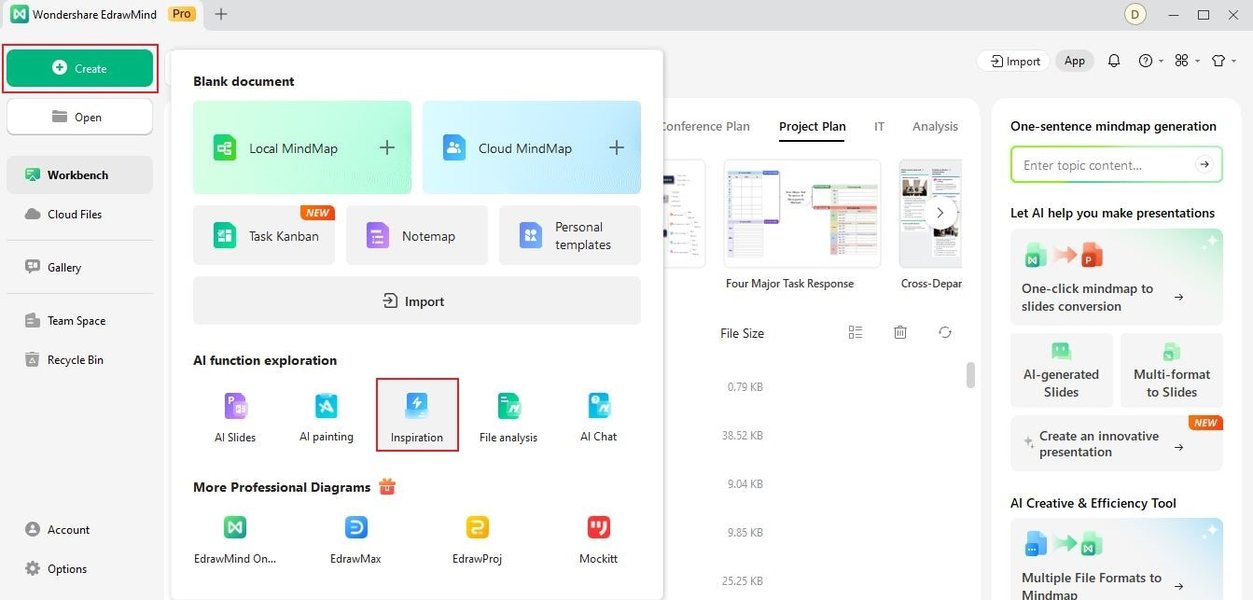
AI tools can transform simple text prompts into visually appealing slides.
1. Canva AI Presentation Maker (Magic Design™)
Overview and Features
Canva is a widely recognized online design platform that incorporates a powerful AI presentation maker called Magic Design™. It excels in user-friendliness and offers a vast array of templates and design assets even in its free plan. Users can generate professional, on-brand slides within seconds by providing a text prompt. The AI suggests layouts, color schemes, and fonts, which can then be easily customized.
Free Tier Details
Canva’s free plan is generous, providing access to its AI presentation creation capabilities, a large library of free photos, videos, templates, and design elements. Collaboration and sharing features are also included. While some advanced AI features or premium assets might require an upgrade, the core functionality for creating and exporting complete presentations is available for free.
2. Slidesgo AI Presentation Generator
Overview and Features
Slidesgo offers a dedicated free AI presentation maker that allows users to quickly generate customizable templates. You simply input your topic, choose a desired tone and style, and the AI crafts a complete presentation. It's particularly effective for users needing visually appealing slides without extensive design knowledge. It integrates access to free images and icons from Freepik and Flaticon.
Free Tier Details
The AI presentation generation on Slidesgo is fully functional and free. Users can create, edit online, and export presentations in formats compatible with PowerPoint and Google Slides. This makes it an excellent choice for students, educators, and professionals looking for quick, high-quality outputs.
3. Presentations.AI
Overview and Features
Described by some as "ChatGPT for presentations," Presentations.AI leverages AI to help create various presentation materials, including standard slides, infographics, charts, and timelines, from simple text prompts. It focuses on efficiency, generating comprehensive decks with minimal user effort and is adept at handling data-heavy content by automatically incorporating charts and graphs.
Free Tier Details
Presentations.AI offers a completely free version or at least a generous free trial allowing users to test its capabilities. This free access is suitable for basic creation and downloading, making it accessible for individuals wanting to explore AI-driven presentation design without immediate financial commitment. Reviews note it performs well, even in its free iteration.
4. Adobe Express AI Presentation Maker
Overview and Features
Adobe Express, powered by generative AI, enables users to import content or use prompts to create highly designed presentations. It provides access to numerous design assets, templates, and generative AI tools that suggest layouts and visual elements, streamlining the creative process. It is geared towards producing visually rich presentations quickly.
Free Tier Details
Adobe Express offers a free plan that includes its AI presentation-making tools. Users can access a good range of design assets and templates. While more advanced AI capabilities or premium assets might be part of paid plans, the free version is robust enough for creating and exporting professional-looking presentations.
5. SlidesAI.io
Overview and Features
SlidesAI.io operates as a Google Workspace Marketplace add-on, designed to transform textual content into well-designed slides directly within Google Slides. It supports over 100 languages and allows users to customize fonts and colors. The AI can convert text from a document or a simple topic prompt into a presentation in minutes.
Free Tier Details
A free plan is available for SlidesAI.io, offering basic features for generating presentations. This makes it an excellent tool for users already embedded in the Google ecosystem who need a quick, integrated solution for slide creation.
6. Gamma
Overview and Features
Gamma is an AI-powered tool capable of creating presentations, documents, or webpages from a single prompt. It's praised for its speed and ability to generate full slide decks, complete with content, design, and even data visualizations. It aims to be an alternative to traditional slide-creation software by focusing on AI-first generation.
Free Tier Details
Gamma offers a generous free trial or a free tier with a certain number of credits, allowing users to create and export several presentations. While advanced features like extensive team collaboration or unlimited AI generation are typically part of paid plans, the free offering is substantial enough for individuals to produce professional-quality work.
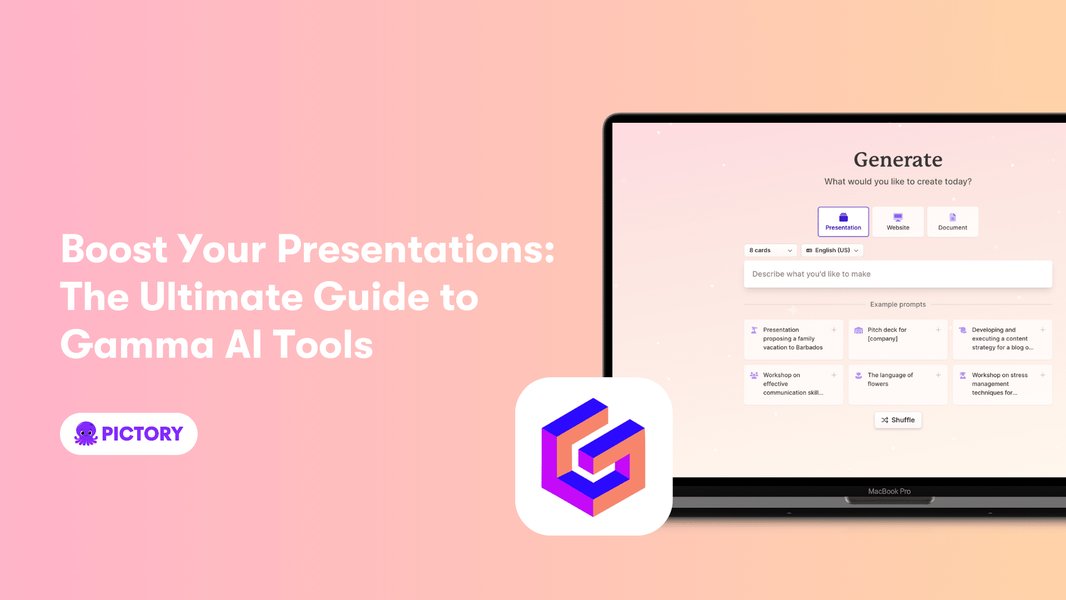
Interface of Gamma, an AI tool known for generating full presentations from prompts.
Other Noteworthy Free Options
- Beautiful.ai: Known for its design-focused AI that helps maintain visual consistency. Offers a free plan suitable for basic professional use.
- Tome: An AI-powered storytelling and presentation tool. Its free plan allows users to experience its unique approach to creating narratives.
- SlideSpeak: Offers a free platform to create presentations with AI, design slides, and even summarize existing PowerPoint files. It can also chat with uploaded documents.
- Appy Pie AI Presentation Maker: Provides a user-friendly interface for creating engaging presentations with AI assistance.
- Mentimeter AI Menti Builder: Focuses on creating interactive presentations from text prompts, excellent for audience engagement. A free plan is available for basic use.
Comparative Overview of Top Free AI Presentation Tools
To help you choose the best tool for your needs, the following radar chart offers a visual comparison of some leading free AI presentation makers based on key features. The ratings (from 3 to 10, where 10 is best) are based on their typical free-tier offerings and general user experience. Note that "beginAtZero" is set to false, and data points are scaled to be above the axis minimum for clarity.
This chart highlights how different tools excel in various areas. For instance, Canva is strong in ease of use and free template variety, while tools like Gamma and Presentations.AI might offer more advanced AI content generation in their initial free offerings.
The AI Presentation Creation Process
Understanding how these AI tools generally operate can help you make the most of them. The process usually involves providing some form of input, which the AI then uses to generate a draft presentation. This mindmap illustrates the typical workflow:
(e.g., 'Future of Renewable Energy')"] id1_2["Existing Text Document
(e.g., Report, Article)"] id1_3["Detailed Outline or Key Points"] id1_4["Target Audience & Tone Selection"] id2["AI Presentation Tool"] id2_1["Natural Language Processing (NLP)
Understands user input"] id2_2["Generative AI Models
Creates content and visuals"] id2_3["Extensive Template & Asset Library"] id2_4["Design & Layout Algorithms"] id3["Core AI-Driven Features"] id3_1["Automated Slide Generation
Creates initial deck structure"] id3_2["Content Suggestion & Writing
Drafts text for slides"] id3_3["Visual Element Integration
Suggests images, icons, charts"] id3_4["Layout & Theme Application
Ensures visual consistency"] id3_5["Real-time Design Adjustments (some tools)"] id4["User Customization & Refinement"] id4_1["Editing Text & Images"] id4_2["Changing Colors, Fonts, Layouts"] id4_3["Adding/Removing Slides"] id4_4["Incorporating Brand Elements"] id5["Final Output"] id5_1["Downloadable Presentation File
(PPTX, PDF, Google Slides)"] id5_2["Shareable Web Link"] id5_3["Embeddable Presentation"]
This flow demonstrates that while AI significantly automates the initial creation, user input and refinement remain crucial for achieving the desired final product. The AI acts as a powerful assistant, kickstarting the process and handling much of the heavy lifting in design and content structuring.
Feature Comparison of Free AI Presentation Tools
While many AI presentation tools offer free versions, their features and limitations can vary. This table provides a summary to help you compare some of the popular options:
| Tool Name | Key Free Features | Common Limitations of Free Tier | Best For |
|---|---|---|---|
| Canva AI | AI slide generation (Magic Design™), large template/asset library, basic collaboration, multiple export options. | Some advanced AI tools, premium templates/assets may be paid. | Overall ease of use, quick designs, individuals and small teams. |
| Slidesgo AI | AI template generation based on topic/style, access to Freepik/Flaticon assets, online editing, PPT/Google Slides export. | May have limits on the number of AI generations per month or advanced customization. | Students, educators, users needing quick, stylish templates. |
| Presentations.AI | ChatGPT-like AI for content/slide generation, infographics, charts. Free version for basic use. | Full feature set, advanced analytics, or higher usage limits likely require paid plans. Watermarks may apply on free exports. | Users needing AI-generated content and data visualization from prompts. |
| Adobe Express AI | Generative AI for slide creation, design assets and templates, basic editing and export. | Access to full Adobe Stock library, premium features, and advanced AI capabilities may be restricted. | Creative professionals, quick visual-rich presentations, users in the Adobe ecosystem. |
| SlidesAI.io | Text-to-slide conversion within Google Slides, basic customization, supports many languages. | Limited number of free presentations per month, fewer design options than standalone platforms. | Google Slides users, quick conversion of text documents into presentations. |
| Gamma | Generates full presentations from a single prompt, content and image suggestions, basic export. Free credits provided. | Limited credits for free use, advanced AI, branding controls, and team features are typically paid. | Users wanting fast, comprehensive first drafts of presentations or documents. |
| SlideSpeak | AI presentation creation, slide design, summarizing existing PPTs, chatting with documents. | Functionality might be limited in the free version; notes that it is currently free but this could change. | Users working primarily with PowerPoint files, needing summarization or content interaction. |
Video: Exploring Free AI Presentation Tools
For a visual walkthrough and comparison of some free AI presentation tools, the following video provides helpful insights and demonstrations. It discusses several options and showcases how they can be used to create stunning presentations quickly.
This video, "Top FREE AI Tools For Creating STUNNING Presentations," explores various AI tools, including those that integrate with platforms like PowerPoint using ChatGPT-like capabilities.
Watching such reviews can give you a better feel for each tool's interface and capabilities before you decide which one to try.
Benefits and Considerations When Using Free AI Presentation Tools
Advantages
- Significant Time Savings: AI automates tedious tasks like slide layout, color selection, and even initial content drafting, reducing creation time from hours to minutes.
- Professional Aesthetics: Even without design skills, users can achieve polished, visually appealing presentations thanks to AI-driven design principles and templates.
- Enhanced Engagement: AI can suggest more dynamic layouts, relevant imagery, and sometimes even interactive elements, leading to more engaging presentations.
- Accessibility: Free tiers make these advanced tools available to students, educators, non-profits, and individuals who may not have budgets for premium software.
- Idea Generation: AI can help overcome creative blocks by suggesting content angles, structures, and visual themes based on a simple topic.
Points to Keep in Mind
- Quality of Input: The quality of the AI-generated presentation often depends on the clarity and detail of the input prompt or source text. Vague prompts may yield generic results.
- Customization is Key: While AI provides a strong starting point, manual customization is usually necessary to tailor the presentation to specific needs, branding, and audience.
- Limitations of Free Tiers: Free versions often come with limitations, such as watermarks on exports, restricted access to premium templates or features, a limited number of presentations, or fewer export options.
- Content Accuracy: AI-generated content should always be reviewed for accuracy and relevance, especially for factual or technical presentations. AI can sometimes hallucinate or produce outdated information.
- Originality: While AI can be creative, relying too heavily on default outputs might lead to presentations that look similar to others created with the same tool. Personalization is important.
Frequently Asked Questions (FAQ)
How do AI presentation makers work?
AI presentation makers typically use artificial intelligence, often large language models (LLMs) and design algorithms. You provide input (like a topic, text document, or outline), and the AI processes this information to generate slide content, suggest layouts, choose color schemes, find relevant images, and structure the entire presentation. Some tools can create a full deck from a single prompt, while others assist with specific design elements or content suggestions within an existing workflow.
Are these AI presentation tools truly free?
Many AI presentation tools offer a "freemium" model. This means they provide a basic version of their software for free, which is often quite capable for many users. However, these free tiers usually have limitations, such as fewer features, a limited number of presentations you can create, watermarks on outputs, or restricted access to premium templates and assets. For full functionality and advanced features, a paid subscription is typically required.
What are common limitations of free AI presentation tools?
Common limitations include:
- Watermarks: Your exported presentation might have the tool's logo.
- Limited Features: Access to advanced AI capabilities, specific design tools, or collaboration features might be restricted.
- Fewer Templates/Assets: The range of available templates, images, and icons might be smaller than in paid versions.
- Usage Caps: There might be a limit on the number of presentations you can create per month or the number of AI credits you can use.
- Export Restrictions: Fewer export formats might be available, or high-resolution exports could be a premium feature.
- Limited Customization: Branding controls or deep customization options might be locked.
Can I customize the presentations made by AI?
Yes, absolutely. AI-generated presentations are intended to be a starting point. All reputable AI presentation tools allow you to edit and customize the output. You can typically change text, images, colors, fonts, layouts, add or delete slides, and incorporate your own branding elements to ensure the final presentation aligns perfectly with your message and style.
Do I need design skills to use these AI tools?
No, one of the primary benefits of AI presentation makers is that they are designed for users without professional design skills. The AI handles many of the complex design decisions, such as layout, typography, and color harmony, based on established design principles. This allows anyone to create visually appealing and professional-looking presentations quickly and easily.
Recommended Further Exploration
To delve deeper into related topics, consider these queries:
- How can AI help improve audience engagement in presentations?
- What are the best practices for writing prompts for AI presentation generators?
- Compare the advanced features of paid AI presentation tools versus free versions.
- Can AI tools integrate real-time data into presentations?
References
Last updated May 7, 2025