
Unlock the Power of AI: Your Essential Guide to GPT Prompting Basics
Learn how to communicate effectively with AI models like GPT to get the results you need.
Welcome to the world of AI interaction! Understanding how to 'prompt' AI models like GPT is the key to unlocking their vast potential. A prompt is essentially the instruction or question you give to the AI. Think of it as starting a conversation – the better you phrase your opening, the better the dialogue that follows. Mastering the basics of prompting allows you to guide the AI effectively, ensuring you receive relevant, accurate, and useful responses for tasks ranging from writing and summarization to analysis and creative generation.
Essential Takeaways for Effective Prompting
- Clarity is King: Use clear, simple, and precise language. Avoid ambiguity, jargon, or overly complex sentences to ensure the AI understands your request exactly.
- Specificity Drives Results: Clearly define the task, the desired output format (like a list, paragraph, or specific style), and any constraints (like word count or topics to avoid). The more specific you are, the better the AI can tailor its response.
- Context Provides Direction: Give the AI sufficient background information. Explaining the 'why' behind your request, the target audience, or relevant details helps the AI grasp the nuances and generate a more fitting response.
Understanding the Fundamentals: What Makes a Good Prompt?
Prompt engineering is the art and science of crafting effective inputs for AI models. It's about bridging the gap between your intention and the AI's interpretation. While AI is powerful, its output quality heavily depends on the input quality. A well-constructed prompt acts as a clear roadmap for the AI.
Core Principles of Prompting
Several fundamental principles underpin successful prompting:
- Clarity: As highlighted, this is paramount. Use straightforward language.
- Specificity: Define exactly what you need. Instead of "Tell me about dogs," try "List five common dog breeds suitable for apartment living and briefly describe their temperament."
- Context: Provide necessary background. If asking for marketing slogans, mention the product, target audience, and brand voice.
- Conciseness: Be brief but thorough. Include all essential information without unnecessary fluff that might confuse the AI. Aim for a balance between detail and brevity.
Structuring Your Prompt for Success
A structured prompt helps the AI process your request more efficiently. While not rigid, a common effective structure includes:
- Role Assignment (Optional): Instruct the AI to adopt a specific persona. This helps set the tone and perspective. Example: "Act as an experienced travel agent..."
- Task/Instruction: Clearly state the action you want the AI to perform. Use action verbs. Example: "...summarize the main points of the provided text."
- Context/Input Data: Provide any necessary background information, data, or text the AI needs to work with.
- Output Format & Constraints: Specify how you want the response delivered (e.g., bullet points, paragraph, table, JSON) and any limitations (e.g., word count, tone, language). Example: "Provide the summary in three bullet points, using a formal tone."
Example of a Structured Prompt:
"You are a helpful cooking assistant. Provide a simple, 5-step recipe for making classic pancakes. The target audience is beginner cooks. Present the recipe as a numbered list, keeping each step concise."
Basic Techniques to Enhance Your Prompts
Beyond the core principles, several techniques can significantly improve the quality of AI responses, even at a basic level.
Leveraging Examples (Few-Shot Prompting)
Showing the AI examples of the desired input-output format can dramatically improve its understanding. This is known as "few-shot prompting."
Example:
"Convert the following informal sentences to a formal tone:
Informal: 'Hey, what’s up?' -> Formal: 'Greetings, how are you today?'
Informal: 'Gotta go now.' -> Formal: 'I must take my leave now.'
Informal: 'Can u help me?' -> Formal:" (The AI will complete the pattern.)
Using Delimiters
Use characters like triple quotes ("""), triple backticks (), hash symbols (###), or XML tags (<tag>) to clearly separate different parts of your prompt, such as instructions from context or examples. This helps the AI distinguish between different types of input.
Example:
### Instruction ###
Summarize the text below in under 50 words.

### Text ###
[Insert long text here]

### Summary ###
Asking for Step-by-Step Thinking
If you need the AI to perform a complex task or explain its reasoning, explicitly ask it to think step-by-step. This can lead to more detailed and accurate responses, especially for problem-solving or analytical tasks.
Defining Scope and Constraints
Clearly state any limitations or boundaries. Specify the desired length ("in about 100 words"), topics to exclude ("do not mention costs"), or the required level of detail ("provide a high-level overview").
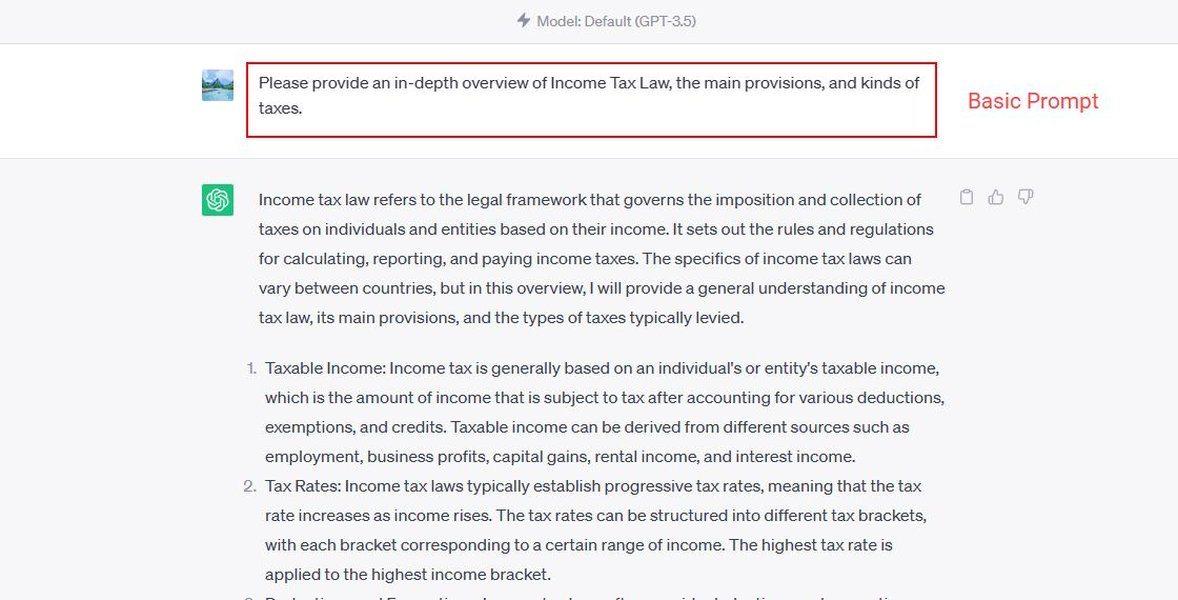
Visualizing a basic prompt structure helps in understanding its components.
Relative Importance of Prompting Elements
While all aspects of prompt writing are useful, some have a greater impact on the quality of the AI's response, especially for beginners. This chart visualizes the perceived relative importance of key prompting elements based on common best practices. Higher scores indicate greater general importance for achieving desired outcomes.
As the chart suggests, Clarity, Specificity, and Iteration & Refinement are often considered the most crucial elements for getting good results. While elements like Role Setting are useful, nailing the core instruction and context often yields the biggest improvements initially.
Visualizing Prompting Concepts
This mind map provides a visual overview of the fundamental concepts involved in basic GPT prompting, connecting the core ideas discussed.
Common Types of Prompts
Understanding different prompt categories can help you choose the best approach for your task. Here's a table summarizing some basic types:
| Prompt Type | Description | Example |
|---|---|---|
| Instruction-based | Directly tells the AI what action to perform. | "Translate the following sentence into French: 'Hello, how are you?'" |
| Question-based | Asks the AI a direct question seeking information. | "What is the capital of Australia?" |
| Role-play | Assigns a persona or role to the AI to influence its response style and content. | "Act as a Shakespearean poet and write a sonnet about a sunrise." |
| Completion | Provides the beginning of a text or idea for the AI to continue or complete. | "The most important aspect of teamwork is..." |
| Few-Shot (Example-based) | Includes examples within the prompt to demonstrate the desired format or style. | "Sentiment Analysis: Text: 'I love this product!' -> Sentiment: Positive Text: 'This is terrible.' -> Sentiment: Negative Text: 'The weather is okay.' -> Sentiment:" |
Watch and Learn: Prompting Formulas
Visual guides can be very helpful for learning. This video offers a concise explanation of structuring prompts effectively, covering concepts similar to those discussed here. It provides practical formulas and tips that beginners can apply immediately.
Watching examples like this can solidify your understanding of how to combine elements like role, task, context, and format into a single, powerful prompt.
Common Pitfalls and How to Avoid Them
As you start prompting, be mindful of common mistakes:
- Vagueness: Prompts like "Write something interesting" are too open-ended. Be specific about the topic and desired output.
- Ambiguity: Words or phrases with multiple meanings can confuse the AI. Rephrase for clarity.
- Too Much/Irrelevant Information: While context is good, overloading the prompt with unnecessary details can dilute the main instruction.
- Assuming Prior Knowledge: Don't assume the AI knows specific context unless provided. Explicitly state necessary background information.
- Forgetting Iteration: Prompting is often a trial-and-error process. Don't expect perfection on the first try. If the output isn't right, refine your prompt and try again.
Frequently Asked Questions (FAQ)
What exactly is an AI prompt?
An AI prompt is the input (text, question, instruction, or command) you provide to an AI model like GPT to guide its response. It's how you tell the AI what you want it to do, generate, or analyze.
Why is being clear and specific so important?
Clarity and specificity are crucial because AI models interpret instructions literally. Vague or ambiguous prompts can lead to misunderstandings, resulting in irrelevant, incorrect, or generic responses. Precise instructions ensure the AI understands your exact intent and can generate the desired output accurately.
What should I do if the AI doesn't give me the response I wanted?
Don't worry, this is common! Prompting is an iterative process. If the first response isn't quite right, try refining your prompt. Consider:
- Adding more specific details or context.
- Rephrasing your instruction for clarity.
- Providing an example of the desired output.
- Adjusting constraints like length or tone.
- Breaking down a complex request into smaller, simpler prompts.
Can I tell the AI to act like a specific person or expert?
Yes! This is called setting a role or persona. You can instruct the AI to "Act as..." or "You are..." followed by a role (e.g., "a historian," "a friendly tutor," "a marketing expert"). This helps shape the tone, style, and perspective of the AI's response to better suit your needs.
Recommended Next Steps
Continue your learning journey by exploring these related topics:
- Discover techniques for crafting more complex and advanced GPT prompts.
- Find specific examples of prompts tailored for common tasks like writing professional emails.
- Dive deeper into the powerful technique of few-shot prompting using examples.
- Learn how to precisely control the tone (e.g., formal, casual, humorous) and style of AI-generated text.
References
Last updated May 4, 2025