
Unlock the Code to Your Horror Office Escape
Dive into a C++ text-based horror game concept with dynamic office mechanics.
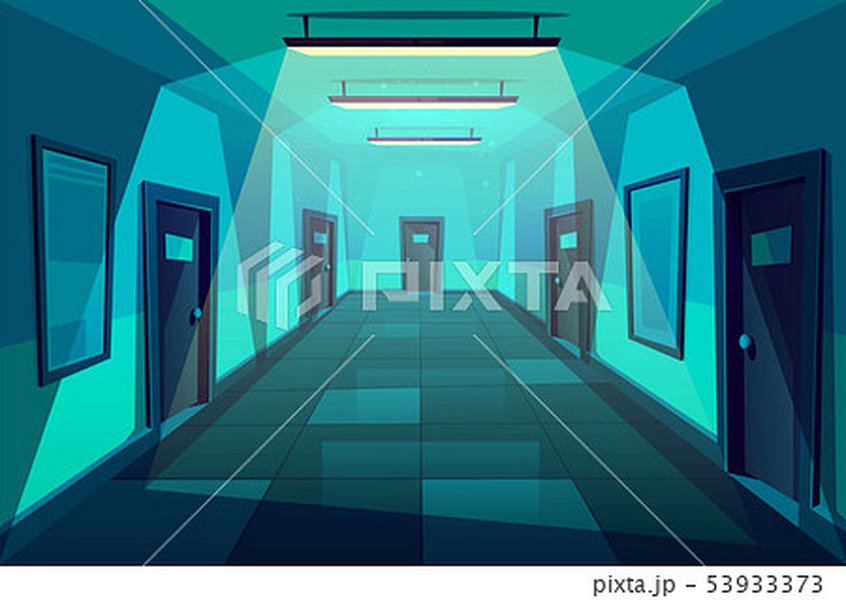
Highlights
- Real-Time Updates: The game refreshes every second, clearing the screen for a true simulation of tension.
- Office Environment: Manage two interactive doors with lights while monitoring security cameras.
- Animatronic AI: Experience unpredictable enemy movements in an immersive survival horror setup.
Comprehensive C++ Code and Game Mechanics
This code sample is designed as a full-fledged, text-based survival horror experience in C++. The game places you in an office monitored by security cameras while animatronics stalk you. You have two doors to control along with corresponding lights that could help you locate the animatronics. To maximize immersion, the screen is cleared after each update, and the game updates every second. The code consolidates ideas from multiple examples to create an engaging gameplay loop.
Primary Features
- Dynamic Game Loop with 1-second updates.
- Clear screen functionality for real-time updates.
- User input handling for toggling doors and lights.
- Simple animatronic AI that randomly moves and interacts with door states.
- Power management and jump-scare conditions.
Code Overview
The provided code includes functions for:
- clearScreen(): Clears the console with system-specific commands.
- delay(): Pauses the execution for a set duration (1 second) using C++ thread sleep.
- displayGameState(): Displays the game state each loop iteration, including power, door states, and camera view.
- handleInput(): Processes the player's input to control doors and lights.
- updateAnimatronics(): Simulates animatronic AI by randomly changing positions.
- checkJumpscare(): Checks if an animatronic is at a door when it’s open.
Interactive Code Sample
// C++ Text-Based Survival Horror Game
#include <iostream>
#include <string>
#include <vector>
#include <cstdlib>    // For random number generation and clearing the screen
#include <ctime>      // For seeding the random number generator
#include <thread>     // For pausing execution
#include <chrono>     // For specifying time units

using namespace std;

// Function to clear the console screen
void clearScreen() {
#ifdef _WIN32
    system("cls");
#else
    system("clear"); // For Linux and other Unix-like systems
#endif
}

// Introduce delay in seconds
void delay(int seconds) {
    this_thread::sleep_for(chrono::seconds(seconds));
}

// Structure to represent an animatronic enemy
struct Animatronic {
    string name;
    int location; // Represents which door or area the enemy is in (1: left door, 2: right door or other positions)
    bool isActive;
};

// Display the current game state and statuses
void displayGameState(int power, bool leftDoorClosed, bool rightDoorClosed, bool leftLightOn, bool rightLightOn, const vector<Animatronic>& animatronics) {
    cout << "----------------------------------------" << endl;
    cout << "Power Remaining: " << power << endl;
    cout << "Left Door: " << (leftDoorClosed ? "CLOSED" : "OPEN") << (leftLightOn ? " (LIGHT ON)" : "") << endl;
    cout << "Right Door: " << (rightDoorClosed ? "CLOSED" : "OPEN") << (rightLightOn ? " (LIGHT ON)" : "") << endl;
    cout << "----------------------------------------" << endl;
    cout << "Camera Feeds & Animatronic Positions:" << endl;
    for (const auto& animatronic : animatronics) {
        cout << animatronic.name << ": Position " << animatronic.location << endl;
    }
    cout << "----------------------------------------" << endl;
}

// Process user input to toggle door and light states
void handleInput(char input, bool& leftDoorClosed, bool& rightDoorClosed, bool& leftLightOn, bool& rightLightOn) {
    switch (input) {
        case '1': // Toggle left door state
            leftDoorClosed = !leftDoorClosed;
            break;
        case '2': // Toggle right door state
            rightDoorClosed = !rightDoorClosed;
            break;
        case '3': // Toggle left light
            leftLightOn = !leftLightOn;
            break;
        case '4': // Toggle right light
            rightLightOn = !rightLightOn;
            break;
        default:
            cout << "Invalid input. Please use keys 1, 2, 3, or 4." << endl;
    }
}

// Update the animatronics' positions (simulate simple AI)
void updateAnimatronics(vector<Animatronic>& animatronics, int& power) {
    for (auto& enemy : animatronics) {
        if (!enemy.isActive) continue;
        // Random movement: with a chance to move between predefined positions (0 to 9)
        if (rand() % 3 == 0) {
            enemy.location = rand() % 10;
            power = max(0, power - 1); // Each movement drains a bit of power
        }
    }
}

// Check if the animatronic causes a jumpscare when near an open door
bool checkJumpscare(const vector<Animatronic>& animatronics, bool leftDoorClosed, bool rightDoorClosed) {
    for (const auto& enemy : animatronics) {
        if (!enemy.isActive) continue;
        // Animatronic triggers jumpscare if it is aligned with an open door
        if ((enemy.location == 1 && !leftDoorClosed) || (enemy.location == 2 && !rightDoorClosed)) {
            return true;
        }
    }
    return false;
}

int main() {
    // Seed randomness for dynamic game play
    srand(time(0));

    int power = 100;
    bool leftDoorClosed = false;
    bool rightDoorClosed = false;
    bool leftLightOn = false;
    bool rightLightOn = false;
    bool gameOver = false;

    // Define animatronic enemies with names and initial positions.
    vector<Animatronic> animatronics = {
        {"Freddy", 5, true},
        {"Bonnie", 7, true},
        {"Chica", 3, true}
    };

    // Main game loop
    while (!gameOver) {
        clearScreen();
        displayGameState(power, leftDoorClosed, rightDoorClosed, leftLightOn, rightLightOn, animatronics);

        cout << "Enter action (1=Toggle Left Door, 2=Toggle Right Door, 3=Toggle Left Light, 4=Toggle Right Light): ";
        char input;
        cin >> input;

        handleInput(input, leftDoorClosed, rightDoorClosed, leftLightOn, rightLightOn);
        updateAnimatronics(animatronics, power);

        if (checkJumpscare(animatronics, leftDoorClosed, rightDoorClosed)) {
            cout << "JUMPSCARE! An animatronic has caught you. You lose!" << endl;
            gameOver = true;
        }
        if (power <= 0) {
            cout << "Out of power! The office fades into darkness as you lose!" << endl;
            gameOver = true;
        }
        delay(1); // Update every second to simulate real-time tension
    }
    cout << "Game Over." << endl;
    return 0;
}
This code can be compiled using any standard C++ compiler. It employs basic game mechanics such as door toggling, light control, and simulated AI to move the animatronics, making the horror survival experience unpredictable.
Visualizing Game Dynamics
Game Mechanics Radar Chart
The radar chart below provides an overview of the game’s critical elements, such as interactivity, AI complexity, environment control, power management, and update efficiency. This helps visualize how the designed mechanics balance to create an immersive horror experience.
Mindmap: Game Flow and System Components
Below is a mindmap that illustrates the structural flow and interconnectivity of the game systems. This visual outline summarizes the game loop, input processing, AI behaviors, and environment status updates.
Game Components at a Glance
The table below summarizes the key variables and functions used to control the game flow and environment:
| Component | Description | Example Usage |
|---|---|---|
| clearScreen() | Clears the console display to refresh the game state. | system("clear") or system("cls") |
| handleInput() | Processes user keystrokes to toggle door and light states. | Input '1' toggles left door. |
| updateAnimatronics() | Randomly moves animatronics and simulates AI behavior. | Modifies enemy.location and drains power. |
| checkJumpscare() | Detects if an animatronic appears when a door is open. | Returns true if enemy aligns with an open door. |
| delay() | Pauses the game loop for realism. | this_thread::sleep_for() |
FAQ
How do I compile this C++ game?
g++ game.cpp -o game -std=c++11. Then run it with ./game.
What platforms support the clear screen function?
system("cls") for Windows and system("clear") for Linux/Unix based systems. Adapt the function based on your OS.
Can I enhance the AI behavior?
How can I expand the game environment?
References
- Text-Based Survival Horror Game - Code Review StackExchange
- C++ Text Adventure Discussion - CPlusPlus Forum
- C++ Projects for Text-Based Games - Amazon
- C++ Text-Based Game Project - GitHub
- Tutorial on Text Adventure Coding - GameCodeSchool
Recommended Related Queries

Last updated March 31, 2025