
Unlock Seamless User Journeys: Key Strategies to Elevate Your Web Application's UX/UI
Transform user interactions into delightful experiences with these proven methods for enhancing web application design and functionality.
Essential Insights: Quick Wins for UX/UI Enhancement
- Understand Your Users Deeply: Conducting thorough user research, developing personas, and continuously gathering feedback are foundational to creating interfaces that truly resonate with your audience and address their pain points effectively.
- Prioritize Clarity and Simplicity: Streamlined navigation, intuitive layouts, ample whitespace, and clear visual hierarchy significantly reduce cognitive load, making your application easier and more enjoyable to use.
- Optimize for Performance and Accessibility: Fast loading times and adherence to accessibility standards (like WCAG) are crucial for user satisfaction and inclusivity, ensuring a positive experience for all users across various devices.
Foundations of Exceptional UX/UI: A User-Centric Approach
The cornerstone of any successful web application is a profound understanding of its users. Improving User Experience (UX) and User Interface (UI) begins with placing the user at the center of every design decision. This involves a multi-faceted approach to gather insights and translate them into intuitive and engaging interfaces.
Deep Dive into User Understanding
Conducting Comprehensive User Research
To design effectively, you must first understand who you are designing for. This involves:
- Surveys and Interviews: Directly engage with potential and current users to gather qualitative data about their needs, goals, motivations, and frustrations.
- User Personas: Develop detailed, fictional representations of your typical users. Personas help to empathize with users and guide design decisions by providing a clear picture of their characteristics and behaviors.
- Analytics Review: Utilize web analytics tools to understand how users currently interact with your application. Track metrics like bounce rates, time on page, conversion funnels, and user flows to identify pain points and areas for improvement.
- Competitor Analysis: Examine the UX/UI of competitor applications. Identify what they do well, where they fall short, and how your application can offer a superior experience.
The Power of Feedback and Iteration
User feedback is an invaluable resource for continuous improvement. Establish mechanisms to collect and act upon user insights:
- Usability Testing: Observe real users interacting with your application. Moderated and unmoderated sessions can reveal usability issues that might not be apparent otherwise. Ask users to verbalize their thought processes.
- Feedback Forms and Surveys: Integrate easy-to-use feedback forms or pop-up surveys within the application to capture user opinions at relevant touchpoints.
- Iterative Design Process: UX/UI design is not a one-time task. Embrace an iterative approach where designs are continuously refined based on user feedback, testing results, and evolving user needs. This ensures the application remains relevant and effective over time.
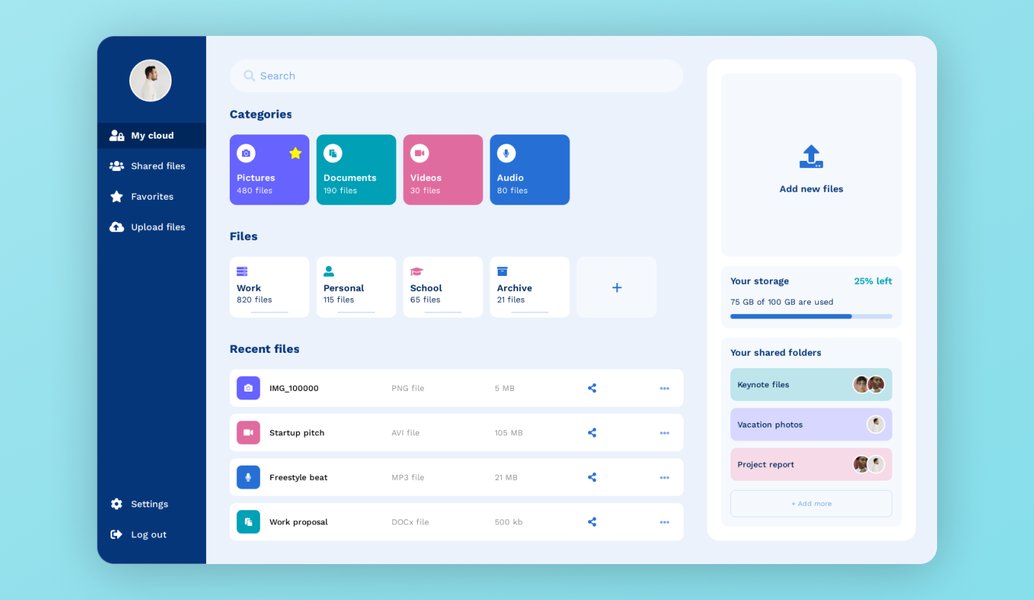
UI design tools facilitate collaboration and prototyping, crucial for iterative design.
Crafting Intuitive Navigation and Structure
A well-structured application with intuitive navigation allows users to find what they need quickly and effortlessly, significantly enhancing their overall experience. Confusing navigation is a primary source of user frustration.
Simplifying the User Journey
Clear and Consistent Navigation Menus
Navigation should be predictable and easy to understand.
- Employ clear labels for menu items, using language that users will recognize.
- Maintain consistency in navigation placement and behavior across all pages of the application.
- Consider using established patterns like top navigation bars, sidebars, or hamburger menus for mobile appropriately.
Logical Information Architecture
Organize content in a way that makes sense to your users.
- Group related items together logically.
- Use headings, subheadings, and visual cues to establish a clear hierarchy of information.
- Implement breadcrumbs to help users understand their current location within the application and navigate back easily.
- Provide a prominent and effective search functionality, especially for content-rich applications.
Streamlined Layouts and Content Prioritization
Avoid overwhelming users with too much information at once.
- Embrace minimalistic design principles, focusing on essential elements.
- Utilize whitespace (negative space) effectively to reduce clutter, improve readability, and guide the user's eye.
- Ensure each page has a clear purpose and prioritizes the most important content and actions.
- Use progressive disclosure to reveal more complex features or information only when needed.
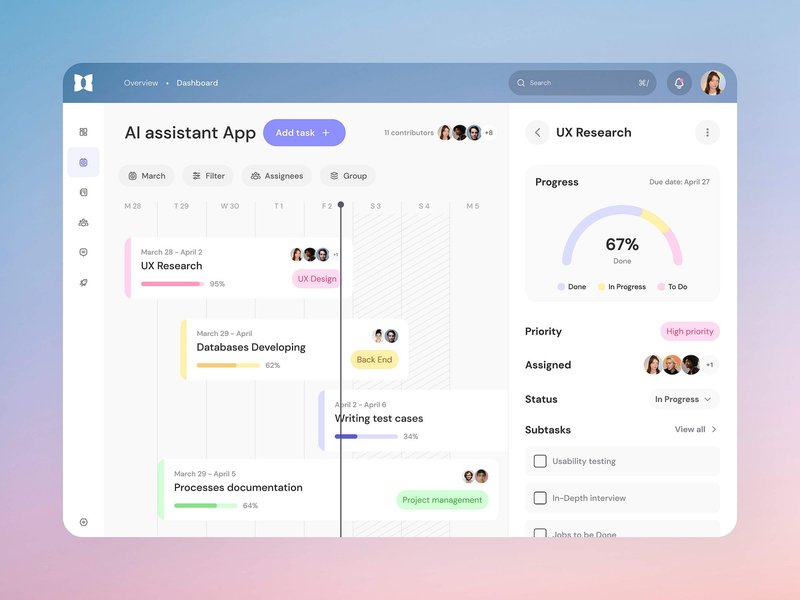
Minimalistic layouts with ample whitespace enhance clarity and focus.
Visual Design: Enhancing Appeal and Usability
Visual design goes beyond aesthetics; it plays a critical role in usability, brand perception, and user engagement. A well-executed visual design guides users, communicates information effectively, and creates a pleasant interactive environment.
Key Elements of Effective Visual Design
Typography and Readability
Text is a primary way of conveying information.
- Choose legible fonts with appropriate sizes and weights for different text elements (headings, body text, captions).
- Ensure sufficient line height and paragraph spacing to enhance readability, especially for large blocks of text.
- Establish a clear typographic hierarchy to guide the user's attention and improve content scannability.
Strategic Use of Color and Imagery
Color can evoke emotions, convey meaning, and draw attention.
- Develop a consistent color palette that aligns with your brand identity and enhances usability.
- Ensure high contrast between text and background colors for readability, particularly for users with visual impairments.
- Use colors strategically to highlight important elements like calls-to-action or error messages.
- Incorporate meaningful icons and images that support comprehension and add visual interest without cluttering the interface.
Consistency and Visual Hierarchy
A consistent visual language makes the application feel cohesive and predictable.
- Maintain consistency in the styling of UI elements such as buttons, forms, icons, and modals throughout the application.
- Establish a strong visual hierarchy that directs users' attention to the most important elements on each screen. Use size, color, contrast, and placement to indicate priority.
- Group related elements visually (using proximity, borders, or background colors) to improve clarity and reduce cognitive load.
Performance and Accessibility: The Non-Negotiables
A web application can be beautifully designed and feature-rich, but if it's slow or inaccessible, users will quickly become frustrated. Optimizing for performance and ensuring accessibility are critical for a positive user experience.
Optimizing for Speed and Responsiveness
Fast Loading Times
Users expect web applications to load quickly.
- Optimize images by compressing them without significant loss of quality and using appropriate formats (e.g., WebP).
- Minify CSS, JavaScript, and HTML files to reduce their size.
- Leverage browser caching to store frequently accessed resources locally.
- Consider using Content Delivery Networks (CDNs) to serve assets from servers closer to the user.
- Optimize server response times.
Responsive Design for All Devices
Ensure your application provides a seamless experience across desktops, tablets, and smartphones.
- Adopt a mobile-first design approach, prioritizing content and functionality for smaller screens.
- Use flexible grids and layouts that adapt to different screen sizes and orientations.
- Ensure touch targets (buttons, links) are large enough and adequately spaced for easy interaction on touchscreens.
Designing for Inclusivity: Accessibility (A11y)
Accessibility means designing your web application so that it can be used by everyone, including people with disabilities. This not only expands your audience but often improves usability for all users.
Adhering to WCAG Standards
Follow the Web Content Accessibility Guidelines (WCAG) to make your application more accessible. Key considerations include:
- Perceivable: Provide text alternatives for non-text content (e.g., alt text for images). Ensure content is distinguishable (e.g., sufficient color contrast).
- Operable: Make all functionality available from a keyboard. Provide users enough time to read and use content. Avoid designs that can cause seizures.
- Understandable: Make text content readable and understandable. Make web pages appear and operate in predictable ways.
- Robust: Maximize compatibility with current and future user agents, including assistive technologies (e.g., screen readers), by using ARIA (Accessible Rich Internet Applications) attributes where necessary.
Visualizing UX/UI Improvement Focus Areas
To better understand the multifaceted nature of UX/UI enhancement, the following radar chart illustrates key pillars of improvement. Each axis represents a crucial area, with scores indicating their typical impact on overall user satisfaction and success. A higher score suggests a greater potential influence when addressed effectively. This is an opinionated analysis based on common best practices.
This chart helps visualize that while all areas are important, aspects like User-Centricity and Performance often have a profound and immediate impact on how users perceive and interact with your application. Balancing these with other elements like Visual Design and Accessibility leads to a holistically superior product.
Enhancing Interaction and Engagement
Beyond static design, the way users interact with your application and the feedback they receive are crucial for an engaging experience. Thoughtful interactions can make an application feel more dynamic, responsive, and intuitive.
Microinteractions and Feedback Mechanisms
Subtle Cues, Big Impact
Microinteractions are small, often subtle, visual or auditory responses to user actions.
- Examples include button press effects, loading spinners, success notifications, or subtle animations when an item is added to a cart.
- They provide immediate feedback, confirm actions, prevent errors, and can add a touch of delight to the user experience.
Clear Status Indicators
Users should always be aware of the system's status.
- Provide clear indicators for loading states, progress bars for lengthy operations, and distinct error messages that explain the problem and suggest solutions.
- Confirm user actions with clear success messages and offer options to undo critical actions where appropriate.
Personalization and Support
Tailoring the Experience
Users appreciate experiences that feel tailored to their needs.
- Leverage user data (with consent) to offer personalized content, recommendations, or interface customizations (e.g., themes, layouts).
- AI and machine learning can be used to enhance personalization, making it more dynamic and relevant.
In-App Assistance
Provide easily accessible help when users need it.
- Integrate an in-app help section, FAQs, or contextual tooltips for complex features.
- Consider chat support or a chatbot for immediate assistance, reducing user frustration.
In-app support features, like chat, enhance user engagement and provide timely help.
Structuring UX/UI Improvement Efforts: A Mindmap Overview
To provide a holistic view of the interconnected strategies for improving web application UX and UI, the following mindmap outlines the key domains and their sub-components. This visual representation helps in understanding the breadth and depth of considerations involved in creating a superior user experience.
This mindmap illustrates that enhancing UX/UI is a comprehensive process touching upon various interconnected disciplines, from initial user research to ongoing testing and technical optimization.
Summary Table: Key UX/UI Improvement Strategies
The following table consolidates key strategies for improving the UX and UI of your web application, outlining specific actions and their expected outcomes. This serves as a quick reference guide to actionable improvements.
| Key Improvement Area | Specific Strategies & Best Practices | Expected Outcome |
|---|---|---|
| User Understanding & Research | Conduct user interviews, surveys; create personas; analyze user behavior analytics; gather continuous feedback. | Design aligned with user needs, reduced friction, higher task completion rates. |
| Navigation & Structure | Simplify menus; ensure logical content hierarchy; maintain consistent layouts; provide contextual links, breadcrumbs, and prominent search. | Effortless user journeys, reduced confusion, improved discoverability of content. |
| Visual Design & Clarity | Apply effective color palettes and typography; establish clear visual hierarchy; utilize ample whitespace; ensure consistent branding; use meaningful icons. | Enhanced readability, better engagement, stronger brand perception, aesthetically pleasing interface. |
| Performance Optimization | Optimize images; minify code (CSS/JS); leverage browser caching; use CDNs; ensure fast server response times. | Reduced bounce rates, higher user satisfaction, improved SEO rankings. |
| Accessibility (A11y) | Adhere to WCAG standards; provide alt text for images; ensure keyboard navigability; maintain sufficient color contrast; use ARIA labels. | Usable by a wider audience including people with disabilities, improved overall usability. |
| Interaction & Feedback | Implement meaningful microinteractions; provide clear status indicators (loading, success, error); offer undo options; ensure responsive controls. | More dynamic, intuitive, and trustworthy user experience; reduced user errors. |
| Content Strategy & Readability | Use clear, concise language; avoid jargon; prioritize essential information; ensure optimal font choices and spacing for readability. | Improved comprehension, better usability, efficient information consumption. |
| Responsive & Mobile-First Design | Ensure adaptability across all devices (desktops, tablets, mobiles); implement touch-friendly controls; adopt a mobile-first design approach. | Consistent and optimal experience on all screen sizes, catering to mobile users. |
| Testing & Iteration | Conduct regular usability testing (moderated/unmoderated); perform A/B testing; carry out heuristic evaluations; analyze heatmaps and session recordings. | Continuous refinement, data-driven design decisions, early identification and fixing of usability issues. |
| Trust & Transparency | Clearly communicate data usage and privacy policies; display security indicators (e.g., SSL badges); provide accessible customer support channels. | Increased user trust, confidence in the application, and brand loyalty. |
Expert Insights: Learning from Best Practices
Watching experts discuss UI/UX best practices can provide valuable insights and practical tips. The following video delves into key principles for designing amazing web applications, covering aspects crucial for both user interface appeal and overall user experience.
This video discusses "UI/UX Best Practices for Designing Amazing Web Apps," offering practical advice on creating great user experiences.
This session emphasizes that great UX is more than just the sum of individual tools or features; it's about understanding user needs, crafting intuitive flows, and ensuring the interface is both functional and delightful to use. Key takeaways often include the importance of user research, iterative design, clear visual communication, and performance optimization – all themes central to effective UX/UI enhancement.
Frequently Asked Questions (FAQ)
What is the most crucial first step to improve the UX/UI of a web application?
The most crucial first step is to conduct thorough user research. Understanding your target audience—their needs, behaviors, pain points, and motivations—provides the foundational insights necessary to make informed design decisions that genuinely enhance their experience.
How important is mobile responsiveness for UX?
Mobile responsiveness is critically important. With a significant portion of web traffic coming from mobile devices, ensuring your application adapts seamlessly to various screen sizes is essential for providing a consistent and accessible user experience. A non-responsive design leads to poor usability on mobile, frustrating users and potentially driving them away.
What are microinteractions and why do they matter in UI/UX?
Microinteractions are small, contained moments within a product designed to accomplish a single task and provide feedback. Examples include a button changing color on hover, a sound confirming an action, or a subtle animation. They matter because they enhance user engagement, provide clarity, guide users, and make the interface feel more interactive and responsive, contributing significantly to the overall polish and perceived quality of the application.
How does web accessibility (A11y) impact overall UX?
Web accessibility (A11y) significantly impacts UX by ensuring that people with disabilities can perceive, understand, navigate, and interact with the web application. Beyond this core benefit, designing for accessibility often leads to improvements in overall usability for all users. For instance, clear contrast benefits everyone in bright lighting, and keyboard navigability helps power users. It fosters inclusivity and can broaden your user base.
Why is fast performance crucial for a good user experience?
Fast performance is crucial because users have little patience for slow-loading applications. Slow performance leads to frustration, increased bounce rates, and a negative perception of your application and brand. Optimizing for speed ensures users can accomplish their tasks efficiently and without interruption, directly contributing to higher satisfaction and engagement.
Recommended Further Exploration
To deepen your understanding of web application UX/UI, consider exploring these related topics:
- What are the latest trends in web application UI design for 2025?
- How can I conduct effective usability testing for my web application?
- What are common UX mistakes to avoid in web application development?
- How does AI influence modern UX/UI design in web applications?
References

Last updated May 9, 2025