
Unlock the Power of Web Interactivity: Your Guide to JavaScript Code
Dive into JavaScript with practical examples, from basic scripts to dynamic web page enhancements.
Key Insights into JavaScript Coding
- Versatile Code Examples: Explore a range of JavaScript snippets, from foundational "Hello, World!" messages to scripts that dynamically alter web page content.
- Core Concepts Demystified: Grasp fundamental JavaScript principles including variables, data types, functions, conditional logic, loops, arrays, and Document Object Model (DOM) manipulation.
- Visual & Interactive Learning Aids: Enhance your understanding with a comparative radar chart of JavaScript development aspects and a mindmap illustrating core concepts.
Introduction to JavaScript
JavaScript is a versatile and powerful programming language primarily known for making web pages interactive. If you've ever seen a live news feed update, an animated graphic, or a drop-down menu on a website, chances are JavaScript was behind it. It runs directly in the user's web browser (client-side) and can also be used on servers (server-side) with environments like Node.js. This guide will walk you through several JavaScript code examples to help you understand its capabilities.

The official JavaScript logo.
Core JavaScript Concepts Illustrated with Code
Let's explore some fundamental JavaScript concepts through practical code examples. You can try these examples by embedding them in an HTML file or running them in your browser's developer console.
1. Basic Output: "Hello, World!"
The "Hello, World!" program is a classic starting point for learning any new programming language. In JavaScript, you can display messages in several ways.
Using the Browser Console
The browser's developer console is a great place to test JavaScript code and see output. The console.log() method is used for this.
// This script logs a message to the browser's developer console.
console.log("Hello, World! from the console!");

// You can also log numbers, variables, and objects.
let message = "JavaScript is fun!";
console.log(message);
To see this in action, open your web browser's developer tools (usually by pressing F12), navigate to the "Console" tab, and type or paste the code.
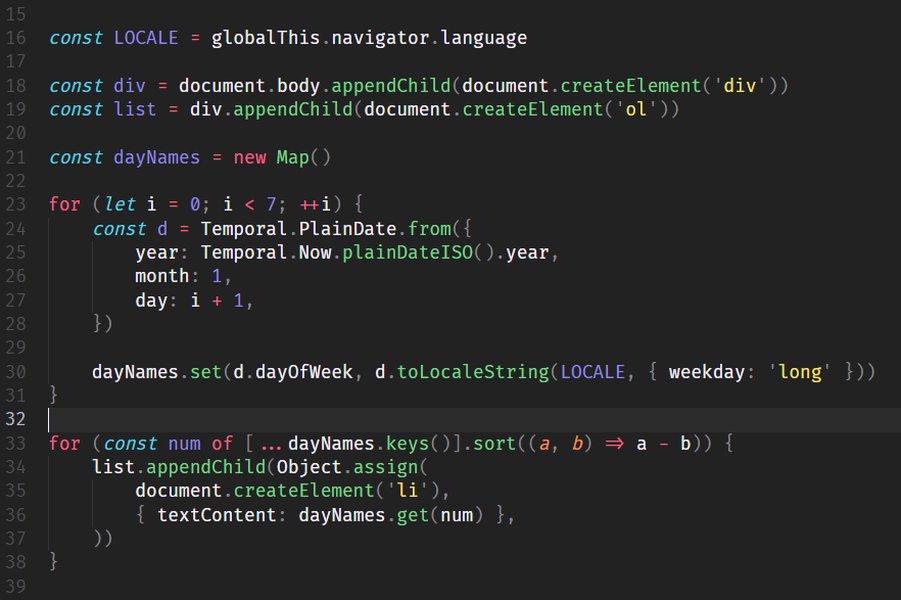
A snippet of JavaScript code demonstrating basic syntax.
Displaying Output on a Web Page
JavaScript can directly manipulate the content of an HTML page. This is known as Document Object Model (DOM) manipulation.
<!DOCTYPE html>
<html>
<head>
  <title>My First JavaScript Page</title>
</head>
<body>

  <h1 id="greeting">This will change...</h1>
  <p id="outputElement"></p>

  <script>
    // Select an HTML element by its ID and change its content
    document.getElementById("greeting").innerHTML = "Hello, World! from HTML!";

    // Another example
    let user = "Visitor";
    document.getElementById("outputElement").textContent = "Welcome, " + user + "!";
  </script>

</body>
</html>
In this example, the JavaScript code within the <script> tags finds HTML elements with the IDs "greeting" and "outputElement" and changes their content.
2. Working with Variables and Data Types
Variables are containers for storing data values. JavaScript has several data types, including strings, numbers, and booleans.
// Declaring variables
let age = 30; // 'let' allows reassignment
const name = "Alice"; // 'const' for values that won't change
var score = 100; // 'var' is older, prefer let/const

// Data types
let greetingText = "Hello there!"; // String
let currentYear = 2025; // Number
let isLearning = true; // Boolean

// Using template literals for strings (recommended)
let messageToUser = `Hi ${name}, you are ${age} years old. Your score is ${score}.`;
console.log(messageToUser);

// Output: Hi Alice, you are 30 years old. Your score is 100.
It's good practice to use const by default and let if the variable's value needs to change. Avoid using var in modern JavaScript.
3. Functions: Reusable Code Blocks
Functions allow you to group a block of code that performs a specific task. You can then call that function whenever you need to perform that task.
Example: Calculating the Factorial of a Number
// Function to calculate the factorial of a number
function calculateFactorial(num) {
  // Check for negative input, as factorial is not defined for negative numbers
  if (num < 0) {
    return "Factorial is not defined for negative numbers.";
  }
  // Base case: factorial of 0 or 1 is 1
  if (num === 0 || num === 1) {
    return 1;
  }

  let result = 1;
  // Loop from 2 up to the given number
  for (let i = 2; i <= num; i++) {
    result *= i; // Multiply result by the current number
  }
  return result;
}

// Example usage of the function
let numberToFactorial = 5;
let factorialResult = calculateFactorial(numberToFactorial);
console.log(`The factorial of ${numberToFactorial} is: ${factorialResult}`); // Output: The factorial of 5 is: 120

let anotherNumber = 0;
console.log(`The factorial of ${anotherNumber} is: ${calculateFactorial(anotherNumber)}`); // Output: The factorial of 0 is: 1
This function `calculateFactorial` takes a number as input (a parameter), calculates its factorial, and returns the result.
4. Conditional Logic: Making Decisions
Conditional statements (like `if`, `else if`, `else`) allow your code to make decisions and execute different blocks of code based on certain conditions.
Example: Time-Based Greeting
function getGreetingBasedOnTime() {
  const now = new Date(); // Gets the current date and time
  const currentHour = now.getHours(); // Gets the current hour (0-23)
  let greeting;

  if (currentHour < 12) {
    greeting = "Good morning!";
  } else if (currentHour < 18) {
    greeting = "Good afternoon!";
  } else {
    greeting = "Good evening!";
  }
  return greeting;
}

// Display the greeting
let currentGreeting = getGreetingBasedOnTime();
console.log(currentGreeting);
// This will output a greeting appropriate for the current time of day.
// For example, if it's 10 AM, it will log "Good morning!".
This code uses an `if-else if-else` chain to determine the appropriate greeting based on the current hour.
5. Loops: Repeating Actions
Loops are used to execute a block of code multiple times. The `for` loop is commonly used when you know how many times you want to repeat.
Example: Printing Numbers
// A 'for' loop that prints numbers from 1 to 5
for (let i = 1; i <= 5; i++) {
  console.log("Number: " + i);
}
// Output:
// Number: 1
// Number: 2
// Number: 3
// Number: 4
// Number: 5
6. Arrays and DOM Manipulation: Displaying a List
Arrays are used to store multiple values in a single variable. JavaScript can dynamically create HTML elements and add them to a page, which is a powerful feature for interactive websites.
Example: Displaying a List of Fruits
First, ensure you have an HTML element where the list will be placed, for example: <div id="fruitContainer"></div>.
// Array of fruits
const fruits = ["Apple", "Banana", "Cherry", "Date", "Elderberry"];

// Function to display fruits as an unordered list in the HTML
function displayFruitList() {
  const container = document.getElementById("fruitContainer"); // Get the container element
  if (!container) {
    console.error("Error: Element with ID 'fruitContainer' not found.");
    return;
  }

  const ulElement = document.createElement("ul"); // Create a <ul> element

  fruits.forEach(function(fruitName) {
    const liElement = document.createElement("li"); // Create an <li> element for each fruit
    liElement.textContent = fruitName; // Set the text of the <li>
    ulElement.appendChild(liElement); // Add the <li> to the <ul>
  });

  container.innerHTML = ''; // Clear any existing content in the container
  container.appendChild(ulElement); // Add the new <ul> to the container
}

// Call the function to display the list
// Make sure this script runs after the 'fruitContainer' element is loaded in the DOM
// For example, call it at the end of the body or within a DOMContentLoaded event listener.
// displayFruitList(); // Uncomment and place appropriately in your HTML.
This script creates an unordered list (<ul>) of fruits and inserts it into the HTML element with the ID fruitContainer. You would typically call displayFruitList() after the DOM is fully loaded.
Visualizing JavaScript Development Aspects
JavaScript development encompasses various areas, each with its own relevance and complexity, especially for beginners. The radar chart below provides a visual comparison of some key aspects of JavaScript development.
Radar chart comparing aspects of JavaScript Development. "Relevance for Beginners" indicates how crucial the aspect is for someone starting out, while "Potential Complexity" suggests how challenging it might become as one delves deeper.
This chart highlights that core fundamentals and frontend interactivity are highly relevant for beginners. While aspects like asynchronous programming and modern frameworks are powerful, they can introduce more complexity and might be tackled after mastering the basics.
Exploring Key JavaScript Concepts: A Mindmap
To further understand how different JavaScript concepts interconnect, the following mindmap provides a visual overview of its fundamental building blocks. This can help you see the bigger picture as you learn specific features.
(let, const, var
String, Number, Boolean
Null, Undefined, Symbol, BigInt)"] ops["Operators
(Arithmetic: +, -, *, /
Comparison: ===, !==, >, <
Logical: &&, ||, !
Assignment: =, +=, -=)"] cf["Control Flow
(Conditional: if/else, switch
Loops: for, while, do...while
Error Handling: try/catch/finally)"] funcs["Functions
(Declaration
Expression
Arrow Functions
Parameters & Return Values
Scope: Global, Local, Block)"] objArrays["Objects & Arrays
(Object Literals, Properties, Methods
Array Creation, Iteration (forEach, map)
Common Array Methods: push, pop, slice)"] dom["DOM Manipulation
(Selecting Elements: getElementById, querySelector
Modifying Elements: innerHTML, textContent, style
Creating & Appending Elements)"] events["Event Handling
(Mouse Events: click, mouseover
Keyboard Events: keydown, keyup
Form Events: submit, change
addEventListener)"] async["Asynchronous JavaScript
(Callbacks
Promises
Async/Await
Fetch API for HTTP requests)"]
Mindmap illustrating core JavaScript concepts and their relationships.
This mindmap branches out from "JavaScript Fundamentals" into key areas such as variables, operators, control flow, functions, objects/arrays, DOM manipulation, event handling, and asynchronous operations. Each branch represents a critical area to explore when learning JavaScript for web development.
Practical Example: Interactive Time-Based Greeting Page
Here's a complete HTML file with embedded JavaScript that displays a greeting message which changes based on the time of day. You can copy this code, save it as an .html file (e.g., greeting.html), and open it in your web browser to see it work.
<!DOCTYPE html>
<html lang="en">
<head>
  <meta charset="UTF-8" />
  <title>JavaScript Greeting Program</title>
  <style>
    body { font-family: sans-serif; display: flex; justify-content: center; align-items: center; height: 100vh; margin: 0; background-color: #f0f0f0; }
    #greetingMessage { font-size: 2em; color: #333; }
  </style>
</head>
<body>
  <h1 id="greetingMessage"></h1>

  <script>
    // Function to get a greeting message based on the current hour
    function getGreeting() {
      const now = new Date(); // Get current date and time
      const hour = now.getHours(); // Get current hour (0-23)
      let message;

      if (hour < 12) {
        message = "Good morning!";
      } else if (hour < 18) {
        message = "Good afternoon!";
      } else {
        message = "Good evening!";
      }
      return message;
    }

    // Select the <h1> element and set its text content to the greeting
    const greetingElement = document.getElementById("greetingMessage");
    greetingElement.textContent = getGreeting() + " Welcome to our page!";
  </script>
</body>
</html>
When you open this HTML file in a browser, the JavaScript code will run. It will determine the current time and display "Good morning!", "Good afternoon!", or "Good evening!" accordingly within the <h1> tag.
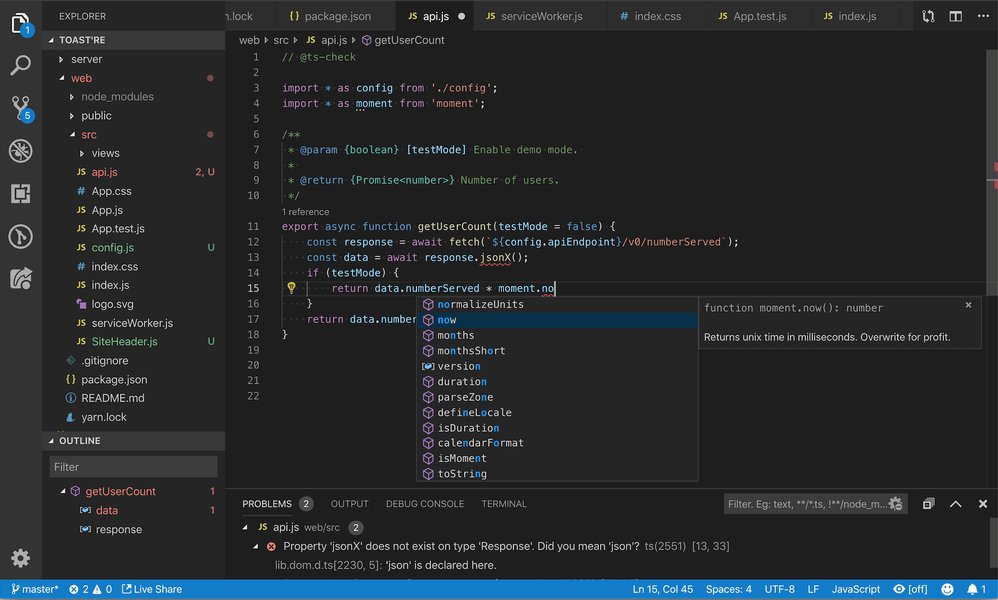
An example of JavaScript code being edited in a popular code editor, Visual Studio Code.
Best Practices in JavaScript Coding
Writing clean, efficient, and maintainable JavaScript code is crucial for any project. Adhering to best practices can significantly improve code quality and collaboration. Here are some key recommendations:
| Best Practice | Description | Why it's Important |
|---|---|---|
Use "use strict"; |
Place "use strict"; at the beginning of your scripts or functions. |
Enables strict mode, which catches common coding mistakes and prevents "unsafe" actions. |
Prefer const and let |
Use const for variables whose values will not be reassigned, and let for variables that may be reassigned. Avoid var. |
Improves code clarity regarding variable reassignment and utilizes block scoping, avoiding issues associated with var. |
Strict Equality (===, !==) |
Always use strict equality operators for comparisons, which check both value and type without performing type coercion. | Prevents unexpected behavior that can arise from automatic type conversions with loose equality (==, !=). |
| Initialize Variables | Assign an initial value to variables when they are declared. | Avoids potential undefined errors and makes the variable's intended purpose clearer from the start. |
| Write Readable Code | Use meaningful variable and function names, add comments to explain complex logic, and maintain consistent formatting. | Makes code easier for yourself and others to understand, debug, and maintain over time. |
| Handle Errors Gracefully | Use try...catch blocks for operations that might fail (e.g., API calls, parsing JSON). |
Prevents unexpected script crashes and allows you to provide better feedback to users or log errors appropriately. |
| Modular Code | Break down complex code into smaller, reusable functions or modules. | Enhances organization, testability, reusability, and maintainability of your codebase. |
Following these practices will help you write more robust and professional JavaScript applications.
Embedding JavaScript in HTML
There are two primary ways to include JavaScript code in an HTML document:
1. Internal JavaScript (Inline Script)
You can embed JavaScript code directly within your HTML file using <script> tags. This is suitable for small scripts or page-specific logic.
<body>
  <!-- HTML content -->
  <script>
    // Your JavaScript code goes here
    alert("This is an internal JavaScript script!");
  </script>
</body>
It's generally recommended to place script tags just before the closing </body> tag. This ensures that the HTML structure is loaded before the script tries to manipulate it, preventing potential errors.
2. External JavaScript File
For larger scripts or code that you want to reuse across multiple pages, it's best to put your JavaScript code in a separate file (e.g., myscript.js) and link to it from your HTML.
<!-- In your HTML file -->
<body>
  <!-- HTML content -->
  <script src="path/to/your/myscript.js"></script>
</body>
// In your myscript.js file
console.log("This message is from an external JavaScript file!");
// Add more functions and logic here
Using external files helps keep your HTML clean, makes your JavaScript easier to manage and cache, and improves page load times.
Learn JavaScript with Clean Code Principles
Writing functional code is just the first step; writing clean code is essential for long-term maintainability and collaboration. Clean code is readable, understandable, and easy to modify. The video below offers valuable insights into writing cleaner JavaScript.
This video, "10 JavaScript Clean Code Examples," discusses various practices you can adopt to improve the quality of your JavaScript code. Topics often include meaningful naming, single responsibility principle for functions, avoiding magic numbers, and writing concise comments. Applying these principles will make your code more professional and easier to work with, especially in team environments or for larger projects.
Frequently Asked Questions (FAQ)
Recommended Further Exploration
To deepen your understanding of JavaScript, consider exploring these related queries:
- How does JavaScript handle asynchronous operations with Promises and async/await?
- What are some common JavaScript array methods and their uses?
- Can you explain JavaScript event listeners and how they work for user interactions?
- What are the main differences between JavaScript, Java, and Python?
References
The information and examples provided are based on widely accepted JavaScript knowledge and common practices, supported by resources such as:
Last updated May 8, 2025