
Unlocking the Power of String Concatenation in Your JavaScript Loops
Discover how to effectively combine strings within loops and explore various techniques for optimal JavaScript string manipulation.
Essential Insights: Key Takeaways
- The
+and+=operators are the most straightforward ways to concatenate strings within a loop, directly addressing your query. - Template literals (
${} - For concatenating many strings, especially from an array or in performance-sensitive loops,
Array.prototype.join()is often the most efficient method.
Mastering String Concatenation in Your JavaScript Loops
String concatenation is the process of joining two or more strings together to form a new, single string. Just as you used the addition operator (+) to increment a numeric variable in a loop, you can use the same operator to append string values. This is a fundamental operation in JavaScript for building dynamic text, messages, or data representations.
The Fundamental: Using the Addition Operator (+)
How It Works
When the + operator is used with strings, it performs concatenation. If one of the operands is a string, JavaScript will attempt to convert the other operand to a string as well before joining them. For example, "Hello" + " " + "World" results in "Hello World". In the context of your loop, you want to append the current row value to an accumulating result string.
Example: Concatenating in a for...of Loop
To concatenate the row value to your result string variable within a for...of loop, you would typically initialize result as an empty string before the loop. Then, inside the loop, you assign the outcome of result + row back to result.
// Assuming 'rows' is an iterable like an array of strings
const rows = ["First line.", "Second line.", "Third line."];
let result = ""; // Initialize result as an empty string

for (const row of rows) {
    result = result + row; // Concatenate the current 'row' to 'result'
}

console.log(result); // Output: "First line.Second line.Third line."
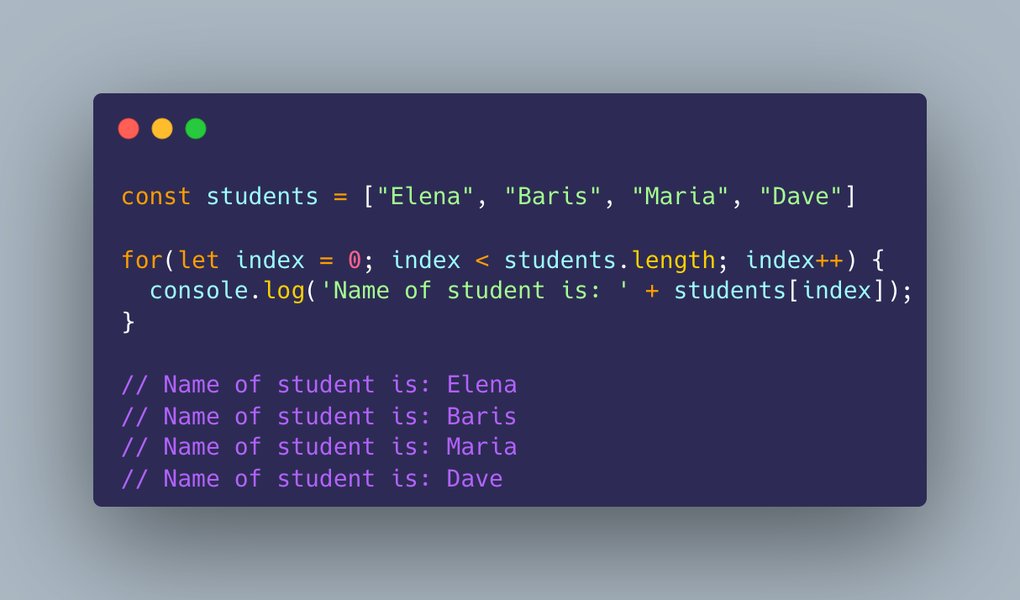
A visual representation of a JavaScript for loop structure.
A Convenient Shorthand: The += Operator
JavaScript provides a shorthand assignment operator, +=, which combines addition (or concatenation for strings) and assignment. So, result = result + row; can be more concisely written as:
let result = "";
const rows = ["Alpha", "Beta", "Gamma"];

for (const row of rows) {
    result += row; // Shorthand for result = result + row;
}

console.log(result); // Output: "AlphaBetaGamma"
Both result = result + row; and result += row; achieve the same outcome in this context and are perfectly valid for your use case.
Adding Structure: Incorporating Separators
Often, when concatenating strings from a loop, you'll want to include a separator (like a space, a newline character \n, or a comma) between the elements. You can easily add this during the concatenation step:
let result = "";
const dataPoints = ["Point A", "Point B", "Point C"];

for (const point of dataPoints) {
    if (result !== "") { // Add separator only if result is not empty
        result += ", ";
    }
    result += point;
}

console.log(result); // Output: "Point A, Point B, Point C"

// A slightly cleaner way for separators, especially if you don't want a leading/trailing one:
let betterResult = "";
const items = ["Apple", "Banana", "Cherry"];
for (let i = 0; i < items.length; i++) {
    betterResult += items[i];
    if (i < items.length - 1) { // Add separator if it's not the last item
        betterResult += " - ";
    }
}
console.log(betterResult); // Output: "Apple - Banana - Cherry"
Exploring Alternative Concatenation Techniques
While the + and += operators are common, JavaScript offers other ways to concatenate strings, each with its own advantages.
The String.prototype.concat() Method
Every string in JavaScript has a built-in concat() method. It appends one or more string arguments to the calling string and returns a new string. The original string remains unchanged because strings in JavaScript are immutable.
Syntax and Usage
let newString = oldString.concat(string1, string2, ..., stringN);
let str1 = "Hello";
let str2 = " ";
let str3 = "World";
let greeting = str1.concat(str2, str3);
console.log(greeting); // Output: "Hello World"

// In a loop context (less common for this method):
let concatResult = "";
const words = ["Java", "Script", " ", "is", " ", "fun!"];
for (const word of words) {
    concatResult = concatResult.concat(word);
}
console.log(concatResult); // Output: "JavaScript is fun!"
The concat() method is explicit about its purpose but is often considered slightly less performant than the + operator for simple pairwise concatenation, though differences are usually negligible in modern engines for typical use cases.
Modern Elegance: Template Literals (ES6)
Introduced in ECMAScript 2015 (ES6), template literals provide a more flexible and readable way to create strings, especially when embedding variables or expressions. They are enclosed by backticks (` `) instead of single or double quotes.
Syntax and Benefits
Expressions can be embedded using the ${expression} syntax. Template literals also support multi-line strings without needing escape characters like \n.
const name = "Alice";
const age = 30;
const message = \`Hello, my name is ${name} and I am ${age} years old.\`;
console.log(message); // Output: "Hello, my name is Alice and I am 30 years old."

// Using template literals in a loop:
let listHtml = "<ul>";
const fruits = ["Apple", "Orange", "Banana"];
for (const fruit of fruits) {
    listHtml += \`  <li>${fruit}</li>\n\`; // Concatenating list items
}
listHtml += "</ul>";
console.log(listHtml);
/* Output:
<ul>
  <li>Apple</li>
  <li>Orange</li>
  <li>Banana</li>
</ul>
*/
Template literals are highly recommended for their clarity and power when constructing strings with dynamic content.
Efficiency for Collections: Array.prototype.join()
When you have an array of strings (or items that can be converted to strings) and want to concatenate them into a single string, the join() method is often the most efficient and idiomatic approach, especially for large arrays.
How It Works
The join() method is called on an array. It concatenates all elements of the array into a string. You can specify an optional separator string; if omitted, a comma (,) is used by default.
const parts = ["This", "is", "a", "sentence."];
const fullSentence = parts.join(" "); // Separator is a space
console.log(fullSentence); // Output: "This is a sentence."

const noSeparator = parts.join(""); // No separator
console.log(noSeparator); // Output: "Thisisasentence."

// Applying to your loop scenario by first building an array:
const rowData = ["Line 1", "Line 2", "Line 3"];
const stringArray = [];
for (const row of rowData) {
    stringArray.push(row); // Add each row to an array
}
const finalResult = stringArray.join("\n"); // Join with newline separator
console.log(finalResult);
/* Output:
Line 1
Line 2
Line 3
*/
This method avoids the creation of many intermediate strings that can occur with repeated + or += in a loop, potentially offering better performance for very large numbers of concatenations.
Visualizing Concatenation Approaches
Different string concatenation methods in JavaScript have varying characteristics regarding readability, performance for small or large datasets, modernity, and flexibility (like built-in support for multi-line strings). The radar chart below offers a visual comparison of these aspects for the primary methods discussed. The scores are relative and based on general consensus and typical use-case scenarios.
This chart helps visualize that while +/+= are quite readable and good for few items, template literals excel in readability and flexibility, and Array.join() stands out for performance with many items.
Understanding the Landscape: A Mindmap of Concatenation
To further clarify the different avenues for string concatenation in JavaScript, the following mindmap illustrates the main methods and their key characteristics or common use contexts.
This mindmap provides a hierarchical view, branching from the core concept of string concatenation to specific methods and their distinguishing features, helping to choose the right tool for your task.
Performance Insights: Concatenating Strings Efficiently
String Immutability
An important concept in JavaScript (and many other languages) is that strings are immutable. This means that once a string is created, it cannot be changed. When you "concatenate" strings, you are actually creating a new string that contains the combined content. For example, hello = hello + " World"; doesn't modify the original string stored in hello; instead, it creates a brand new string "Hello World" and assigns its reference back to the hello variable.
Loop Performance Considerations
When concatenating a large number of strings in a loop using + or +=, this creation of new string objects in each iteration can, in some older JavaScript engines or specific scenarios, lead to performance degradation. Each step result += row; essentially means result = new String(result_old_content + row_content);. This can involve allocating memory for the new string and copying content, which becomes more costly as result grows larger.
However, modern JavaScript engines are heavily optimized. For many common use cases, the performance difference between direct concatenation (+/+=) and other methods like Array.join() might be negligible. But for performance-critical applications dealing with thousands or millions of concatenations, Array.join() is generally recommended. This is because pushing strings into an array and then performing a single join() operation can be more efficient as it often involves a more optimized process for allocating memory and combining the segments.
When to Choose Which Method
- For simple, few concatenations, or when readability with embedded expressions is key: Template literals are excellent.
- For straightforward concatenation, especially in loops with a moderate number of iterations:
+or+=operators are perfectly fine and very readable. - When combining elements of an array into a string, or for high-performance needs with many concatenations:
Array.prototype.join()is usually the best choice. String.prototype.concat()can be used but is often less favored than+for simplicity or template literals for power, and generally not preferred overArray.join()for bulk operations.
Method Comparison at a Glance
Here's a table summarizing the primary string concatenation methods in JavaScript:
| Method | Syntax Example | Key Characteristics & Use Cases |
|---|---|---|
Addition Operator (+) |
let newStr = str1 + " " + str2; |
Simple, intuitive, widely used. Good for general purpose concatenation. Automatic type coercion to string. |
Addition Assignment (+=) |
resultStr += nextPart; |
Shorthand for appending. Commonly used in loops for building strings incrementally. |
String.prototype.concat() |
let newStr = str.concat(suffix1, suffix2); |
Explicit method call. Can take multiple arguments. Returns a new string. Original string is not modified. |
| Template Literals | let message = \`Name: ${name}, Age: ${age}\`; |
ES6+ feature. Uses backticks (` `). Allows embedded expressions (${}) and multi-line strings. Enhances readability for complex strings. |
Array.prototype.join() |
let combined = ["a", "b", "c"].join("-"); // "a-b-c" |
Joins all elements of an array into a string. Efficient for many elements. Allows specifying a separator. Best for converting arrays of strings to a single string. |
Watch and Learn: String Concatenation in Action
Visual explanations can often clarify concepts effectively. The following video provides a good overview of different ways to concatenate strings in JavaScript, which can supplement the understanding of how to apply these techniques, including within loops.
This video, "JavaScript String Concatenation" by Simplify Development, details three different ways you can combine multiple strings and variables with string values in JavaScript, offering practical examples that resonate with the methods discussed.
Frequently Asked Questions (FAQ)
Recommended Further Exploration
- How do template literals improve code readability in JavaScript for string construction?
- What are the performance implications of string immutability in JavaScript when performing many operations?
- Can you provide advanced examples of using Array.prototype.join() with complex data structures in JavaScript?
- How does JavaScript handle type coercion when concatenating strings with non-string data types?
References
Last updated May 9, 2025